What Is Mobile App Marketing?
Mobile app marketing is the work of getting people to find your app, install it, keep using it and recommend it. It starts before launch and it has no end date. Your App Store listing, your ads, your social media accounts, your emails, your push notifications, your ratings and your release notes are all part of it.
It helps to split the work into four jobs. Getting found is App Store optimization: the name, subtitle, keywords and screenshots on your listing. Getting installed is everything that sends a stranger to that listing, such as social media posts, ads, press and word of mouth. Keeping users is messaging people who already have the app. Showing that the app is alive is shipping updates and collecting ratings and reviews.
The phrase "app marketing automation" usually points at the third job. Braze's mobile messaging product sends mobile push notifications and in app messages, and OneSignal describes itself as a provider of mobile push, web push, SMS, email and in app messaging. Both talk to people who already installed your app, and both need their SDK inside it.
Spreadcast automates a different job: the social media posts that people who have not installed yet will see. It reads your public App Store listing, so there is no SDK and no code. If you came here looking for push notifications, pick one of the tools above. If your Instagram, TikTok, LinkedIn and Threads accounts go quiet between launches because nobody has time to make the posts, keep reading.
The Four Parts of Mobile App Marketing, Each With a Number to Know
Guides to mobile app marketing in digital marketing list a dozen components. They sort into four parts. Each card gives a plain definition, one or two numbers from a named source and a first step that costs nothing. The longer treatment of every part is in how to market an app.
App Store Optimization
App Store Optimization (ASO) is writing and designing your listing so the app appears for the right searches and the people who see it download it. Apple Ads reports that 70% of App Store visitors use search to discover apps and that almost 65% of downloads happen directly after a search (worldwide, 2022). Apple's search guidance says results depend on text relevance, which means matches for your title, subtitle, keywords and primary category, and on user behavior such as downloads, ratings and reviews. First step: put your strongest search phrase in the subtitle, then fill the 100 character keyword field with words that are not already in the name.
Social Media Marketing
Social media marketing for an app is posting from your own accounts, so people outside the store see that the app exists and that someone is working on it. The audience is there: in Pew Research Center's 2025 survey of 5,022 US adults, 71% said they use Facebook, 50% Instagram and 37% TikTok. Rhythm counts for more than polish. Buffer's Instagram frequency study of about 2.1 million posts found a follower growth rate of 0.26% for accounts posting 3 to 5 times a week against 0.12% at 1 or 2 posts, and Buffer notes that this is a correlation. First step: one post for every release, starting with the next one.
Paid User Acquisition
Paid user acquisition is buying installs with ads. The number to watch is cost per install, which is ad spend divided by installs. AppsFlyer's cost per install glossary gives an average of $3.60 on iOS and $1.20 on Android (the page carries no date, so read it as a rough guide). On the App Store, Apple Ads charges per tap up to a maximum you set. Mobile app marketing using Google Ads means App campaigns, which accept an app published on Google Play or the App Store and run across Search, Google Play, YouTube, the Display Network and Discover. TikTok asks for a daily budget above $50 per campaign. On Meta, app ads run without the SDK optimize for link clicks and do not track installs. Ads pay off only when a user is worth more than they cost, which the LTV CAC ratio measures. First step: wait until the listing converts and users stay.
Retention Messaging
Retention messaging is what you send to people who already installed: push notifications, in app messages and email. It exists because most installs do not last. Business of Apps' retention guide lists average iOS retention of 25.65% on day 1 and 4.13% on day 30. Apple sets the limit on push: guideline 4.5.4 of the App Review Guidelines says push notifications should not be used for promotions or direct marketing unless the customer has explicitly opted in inside the app and can opt out there. First step: ask for notification permission at the moment a reminder is useful to the user, and send only messages tied to something that user did.
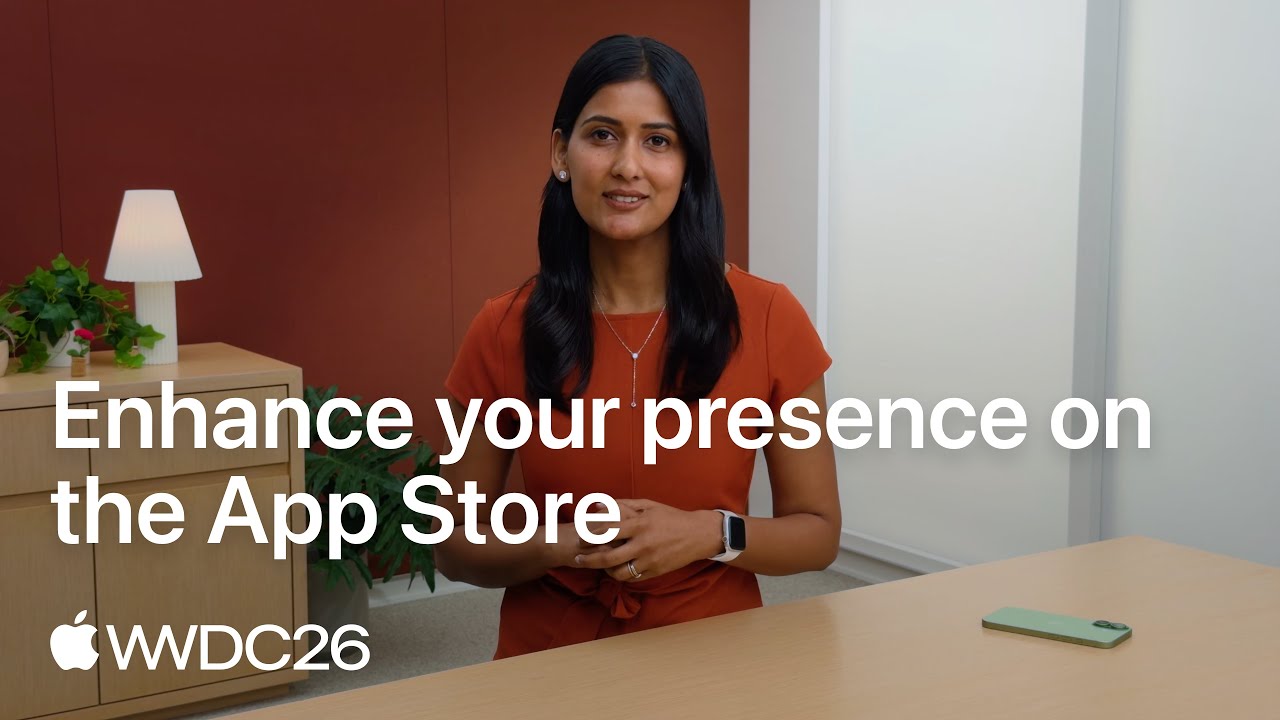
Video: Apple on Where Your App's Images Now Appear
A WWDC26 session on the first part above, getting found. It matters for social posts too, because the screenshots you upload to App Store Connect are the same ones Spreadcast builds your posts from.
iOS App Marketing in 2026: How Crowded the App Store Is
Apple counts 2,172,472 apps on the App Store in its 2025 App Store Transparency Report. The same report lists 9,100,620 app submissions reviewed and an average of about 893 million visitors to the store each week. The audience is huge, and so is the shelf.
The shelf is also filling faster than it has in years. In a December 2025 analysis, Appfigures counted about 557,000 new apps on the App Store in 2025, 24% more than in 2024 and the first real increase since the 2016 peak. Appfigures data reported by TechCrunch in April 2026 showed new releases in the first quarter of 2026 up 60% year over year across both stores and up 80% on the iOS App Store alone.
For a small team this changes what iOS app marketing has to do. A good listing still matters, but a listing only works on people who reach it. With hundreds of thousands of new apps arriving each year, you need regular reasons to appear in front of people outside the store, and you need them every month, long after launch week.
The Recurring Marketing an App Needs After Launch
Launch is one day. After it, an app produces the same few marketing moments again and again, and the first one is the update. Published data on update frequency is thin, but when Sensor Tower measured the top 25 iOS apps in April 2014, the average gap between versions was about 30 days. A small team that ships once a month has 12 announcements a year before it writes a single line of extra content.
Apple already makes you write the raw material. Every version after the first needs "What's New" text of up to 4,000 characters, according to Apple's version information reference, and Apple's product page guidance says that text appears on your product page and on the Updates tab. That means the only readers are people who already have the app or are already on your listing.
Updates also count as a sign of life inside the store. Under Apple's App Store Improvements process, an app that has not been updated in three years and has had almost no downloads in a rolling 12 month period gets a notice, and the developer has 90 days to submit an update before the app is removed.
The other recurring moments come from your users. New 5 star reviews arrive, the rating count passes a round number, the average climbs. Each of these is proof from a real person, and each one normally stays on the listing where only visitors see it. If you want the manual version of this work, the app update announcement examples and the app release notes examples show what good ones look like.
Why Most Small Teams Stop Posting
The material exists. The posts do not get made. Turning one release into social media posts means picking a screenshot, laying out an image, writing a caption that fits each network, uploading it eight times and choosing a time. On a team of one to five people, that job belongs to whoever just finished the release, and the next sprint has already started.
The usual pattern follows from that: a burst of posts at launch, a few more for the first big update, then silence. A scheduler does not fix it, because a scheduler publishes posts that already exist. We wrote about that gap in your scheduler is not why your feed is empty.
Silence has a measurable cost. Buffer's study of posting consistency, published in January 2025, looked at more than 100,000 of its users over 26 weeks. Accounts that posted in 20 or more of those weeks got about 5 times the engagement per post of accounts that posted in 4 weeks or fewer. The study is observational and limited to Buffer users, so read it as a strong hint and not a law.
Social media marketing for apps therefore comes down to one question: who makes the post every time something happens. For most small teams the answer is nobody. That is the job Spreadcast takes: it designs the post and publishes it for you.
How Spreadcast Works for a Mobile App
Setup takes a few minutes and happens once. After that the work is triggered by what happens on your listing.
- Step 1
Paste Your App Store Link
Go to the start page and paste the link to your app on the App Store. Spreadcast reads the public listing: the icon, the screenshots, the name, the release notes, the rating and the reviews. Colors come from the icon. If your app has a website, the logo and fonts come from there too.
- Step 2
Connect Your Social Accounts
Connect each account once: Instagram, TikTok, LinkedIn, Facebook, Threads, Pinterest, Bluesky, Mastodon, Telegram and Discord, plus YouTube for video posts. You can connect one network or all nine. Each network gets its own caption, written for that network.
- Step 3
Choose Approve First or Full Autopilot
With approve first, every post waits for one tap from you before it goes out. With full autopilot, posts publish in their slot without you. A sensible way to begin is approve first, then switch once you have seen a few posts and trust them.
- Step 4
Ship Your Next Version
Spreadcast checks your listing every day. When a new version, a new 5 star review or a rating milestone appears, it designs the post and gives it the next free slot on your calendar. You can drag a post to another day. Posts go out within minutes of their slot.
The Three Posts Spreadcast Makes and What Each One Contains
Every post is a 1080 by 1350 still image with real typeset text, built from your icon, your screenshots and the colors read from your icon.
App Update Announcement
A new version on your listing becomes an announcement post. It carries the version's release notes boiled down to two or three points, one of the app's own screenshots, your icon and your colors. The caption for each network says what changed in plain words. Clear release notes make a better post, so the first sentence of your "What's New" text is worth a minute of care.
Review and Rating Post
Each new 5 star review becomes a post. A post that only shows the rating can go out by itself. A post that quotes the reviewer's words always waits for your approval, because Apple's ratings and reviews guidance allows customer reviews in marketing only with the reviewer's permission. You ask the reviewer, then you tap approve. The testimonial graphic generator page explains the format.
Rating Milestone Post
When your app reaches a milestone such as 1,000 ratings or a 4.8 average, Spreadcast makes a thank you post. Apple's rule here is simple: the rating you show in marketing has to reflect the app's current rating. The post uses the number that is on the listing when the milestone appears. If you drag the post to a much later date, check the rating again before it goes out.
Plus: A Feature Post in a Week With No Update
Some weeks nothing ships and no review arrives. In a week like that, Spreadcast drafts a post about one of your app's features, using a screenshot from the listing, so the feed does not go silent between releases.
Mobile App Marketing Examples a Small Team Can Copy
These five examples are written for an invented plant care app called Fernway, so every name, quote and number in them is made up. Swap in your own. Each one uses material a shipping team already has.
The App Update Announcement
Image: the headline "Fernway 2.4: Reminders That Follow the Weather", three short points and the real reminder screen. Caption for Threads and Bluesky: "Fernway 2.4 is out. Watering reminders now shift when rain is forecast, the plant list loads faster, and you can share a plant with a housemate. Free update on the App Store." On LinkedIn the same post gets two more sentences on why the team built it. It works because it names the version, says what changed in plain words and shows the product. More formats are in the app update announcement examples.
The 5 Star Review Post
Image: five stars, the line "My fiddle leaf fig is alive for the first time in three years" and the credit "App Store review, shared with permission". Caption: "This is why we build Fernway. Thank you, and say hello to the fig for us." Ask the reviewer before you post it, because Apple allows customer reviews in marketing only with the reviewer's permission. If you cannot reach the reviewer, post the rating alone.
The Rating Milestone Post
Image: "1,000 ratings. 4.8 stars. Thank you." over the app icon and brand color. Caption: "A thousand of you rated Fernway. Every one of those taps helps the next plant owner find us." Keep the number honest: check the listing on the day the post goes out and use the rating that is there.
The Feature Post for a Quiet Week
Image: one screenshot of the light meter with the headline "Point Your Phone at the Windowsill". Caption: "Not sure if that corner is bright enough for a monstera? Fernway reads the light and tells you which plants will be happy there." One feature, one screen, one sentence about the problem it solves. An app with ten features has ten of these posts before it needs a new idea.
The Founder Post Behind a Release
Text on LinkedIn or X, written by a person: "We spent three weeks on weather based reminders because of one support email. A user overwatered her orchid during a rainy week and blamed us. She was right." No tool can write this one for you, and it gives people something to reply to. Pair it with the update announcement the same day.
A Worked Month of Mobile App Marketing for a Team of Three
The same invented app, Fernway, has two developers and a designer. In this example month the team ships twice and reviews keep arriving. The days are examples: Spreadcast gives each post the next free slot on the calendar and you can drag it to another day.
| Week | What happens on the listing | What gets posted | Who touches it |
|---|---|---|---|
| Week 1 | Version 2.4 goes live on Tuesday with weather based reminders. Two new 5 star reviews arrive by Friday. | An app update announcement on Wednesday on every connected network, short on Threads and Bluesky and longer on LinkedIn. A post that shows the rating on Friday. | Spreadcast designs and publishes both. The founder writes one personal post about why the feature exists. |
| Week 2 | Nothing ships. The team is deep in the next release. | A feature post about the light meter, built from a screenshot on the listing. | One tap to approve, or nobody at all on full autopilot. |
| Week 3 | Version 2.4.1 fixes a sync bug. The rating count passes 1,000. | A short update post and a thank you post for the milestone. | Someone checks that the rating on the milestone post still matches the listing before it goes out. |
| Week 4 | Nothing ships. One of the week 1 reviewers agrees to be quoted. | The review post with the reviewer's words, then a feature post about sharing a plant with a housemate. | The founder taps approve on the quote post after the reviewer says yes. |
| Month total | 2 versions, 3 new 5 star reviews, 1 rating milestone. | 7 posts from Spreadcast. On 8 networks that is up to 56 published posts, each with its own caption. | About 7 taps, 1 personal post and replies to comments. |
The arithmetic by hand: at the 40 minutes a post estimated on the indie developer page, 7 posts take 4 hours and 40 minutes, and that is before uploading each one to 8 networks.
Mobile App Marketing Campaign: How to Run One Around a Major Update
A campaign groups several actions around one moment, so each one points at the others. The best moment a small team has is a major update, and Apple's own tools for it cost nothing.
- Step 1
Pick the One Change Worth a Campaign
A campaign needs news a stranger would care about, such as a new feature that answers a common complaint in your reviews. A release of bug fixes does not qualify.
- Step 2
Create an In App Event
Apple's in app events guide allows an event of up to 31 days, promoted up to 14 days before it starts. Events appear on your product page, in search results for people who already have the app, and in Apple's editorial picks and recommendations.
- Step 3
Build a Custom Product Page for the Campaign
Apple's custom product pages guide allows up to 70 extra versions of your page, each with its own screenshots, promotional text and URL. Apple reports an average gain of 2.5 percentage points in conversion when people are sent to one.
- Step 4
Tag Every Link
Create one of Apple's campaign links for each network and for your email, pointing at the custom page, so App Analytics shows which source sent first time downloads.
- Step 5
Announce It on Every Network
When the version goes live, Spreadcast designs the update post from your release notes and publishes it with a caption for each network. Add a screen recording by hand for TikTok and Reels, where video does best.
- Step 6
Read the Results After 30 Days
Compare conversion on the custom page with the default page, and downloads by campaign link. Keep what worked for the next major update and drop what did not.
Social Media Marketing for Apps, Network by Network
Where to post depends on who is there and which format the network rewards. The audience column comes from Pew Research Center's 2025 survey of US adults. The format column comes from Buffer's study of content formats, published in March 2026 and based on more than 45 million posts, and shows median engagement rates. For the wider numbers on users and time spent, see our social media statistics.
| Network | US adults who use it | Format results in Buffer's study | What an app should post there |
|---|---|---|---|
| 50%, and 80% of ages 18 to 29 | Carousels 6.9%, single images 4.4%, Reels 3.3% | Update announcements and review posts as tall images. Add a Reel when you have a screen recording worth showing. | |
| TikTok | 37%, and 63% of ages 18 to 29 | Video 3.39%, photos and carousels 1.92% | Still posts keep the account current between videos. Video is what TikTok rewards, so keep recording short demos. |
| 71%, and 80% of ages 30 to 49 | Images 5.20%, video 4.84%, text 4.76%, links 4.43% | Review and milestone posts as images, the top format here. A good fit for apps with users over 30. | |
| Not asked in Pew's 2025 survey | Document carousels 21.77%, video 7.35%, images 6.52%, links 3.81%, text 3.18% | Update posts with the reason behind the change, for apps people use at work. An image beats a bare link. | |
| X | 21% | Text 3.56%, images 3.40%, video 2.96%, links 2.25% | A short ship log with one image for each release, posted by hand, since Spreadcast does not publish to X. Text and images perform about the same. |
| Threads | 8% | Video 5.55%, images 4.55%, text 2.79%, links 2.34% | The same update with a casual caption. An image earns clearly more than text alone. |
| Not asked in Pew's 2025 survey | Video 5.75%, images 3.15% | Feature posts as tall images that people search for and save. See Pinterest for app founders. | |
| Bluesky | 4% | Median interactions: video 5, images 4, text and links 3 (early data) | The ship log again, trimmed to 300 characters, with one image. |
Pew's figures are the share of US adults who say they ever use each one (survey from February to June 2025). Still images are the top format on Facebook, come close behind text on X and beat text and links on LinkedIn and Threads. Video leads on TikTok, Threads and Pinterest, which is why a video workflow beside the still posts is worth keeping. How to choose among three of these is in Instagram, Pinterest or LinkedIn: where to post.
What Spreadcast Automates in Mobile App Marketing and What Stays With You
Mobile app marketing is several jobs. Spreadcast takes the four recurring ones at the top of this table off your list. The rest stay with you or with a tool that runs beside it.
| Marketing job | Who does it | How |
|---|---|---|
| Noticing a new version, review or rating milestone | Spreadcast | Spreadcast checks the public App Store listing every day. No SDK and no access to your developer account. |
| Designing the post | Spreadcast | Designed for you from the icon, screenshots and colors on the listing, plus the logo and fonts from your website if you have one. |
| Writing a caption for each network | Spreadcast | One caption per network across Instagram, TikTok, LinkedIn, Facebook, Threads, Pinterest, Bluesky, Mastodon, Telegram and Discord, plus YouTube for video posts. |
| Scheduling and publishing | Spreadcast, on Pro and Studio | Each post takes the next free slot on the calendar and is published for you. On the Free plan you download the finished draft and post it yourself. |
| Approving a post that quotes a reviewer | You, with one tap | Spreadcast holds the post until you approve it. Apple requires the reviewer's permission, and only you can ask for it. |
| Replying to comments and messages | You | Inside each social app, where the conversation already is. |
| Push notifications and in app messages | A messaging tool beside Spreadcast | They reach people who already installed the app. OneSignal's pricing page lists a free plan and a Growth plan that starts at $19 a month, as of October 2026. |
| App Store optimization | You | In App Store Connect: name, subtitle, keywords, screenshots. The App Store screenshot sizes page covers the image part. |
| Paid ads | You or an agency | Inside each ad network, with your own ad accounts. |
| Measuring installs from a post | You | With Apple's campaign links in App Store Connect Analytics, which tie product page views and first time downloads to a campaign. |
Spreadcast features as of October 11, 2026. Prices of other tools were checked on the same day and can change.
Mobile App Marketing Tools by Job, With Prices
A small team needs one tool for each job and no more. Spreadcast is ours and comes first, because it is the only one here that makes the posts for you. Each other name links to the vendor's own page. Prices were checked on October 11, 2026.
| Job | Tool | What it does | Price |
|---|---|---|---|
| Social media posts for updates, reviews and milestones | Spreadcast | Spreadcast designs each post from your App Store listing, writes a caption for each network and publishes it on 8 networks. | Free plan drafts every post. Pro is $29 a month flat with publishing included. |
| The listing, release notes and replies to reviews | App Store Connect | Where you edit the name, subtitle, keywords and screenshots, write the What's New text and answer reviews. | Comes with the Apple Developer Program, which is $99 a year. |
| Measuring | App Analytics in App Store Connect | Shows unique impressions, conversion rate, downloads by source, retention and crash rate, with benchmarks against a peer group of similar apps. | Part of App Store Connect. |
| Beta testing | TestFlight | Lets up to 10,000 external testers install a build through an email invitation or a public link, for up to 90 days per build. | Part of App Store Connect. |
| Badges, QR codes and short links | App Store marketing tools, listed on Apple's app promotion page | Generates the App Store badge, a QR code, your app icon and short links to your product page. | Provided by Apple to developers. |
| Search ads on the App Store | Apple Ads | Places your app on the Today tab, the Search tab, in search results and on product pages. | You pay per tap up to a maximum you set. Apple's promotion page lists a 100 USD credit for eligible new accounts. |
| Ads outside the App Store | Google App campaigns | Builds ads from your text, images and videos and shows them on Search, Google Play, YouTube, the Display Network and Discover. | You set the bid and the budget. |
| Push notifications and in app messages | OneSignal | Sends mobile push, in app messages, email and SMS to people who installed the app. Needs its SDK in your build. | Free plan, then Growth from $19 a month. |
| Messaging for a larger team | Braze | Mobile push notifications and in app messages for larger teams. Also needs an SDK. | No price on the pages we checked. |
| Scheduling posts you make yourself | Buffer | Queues and publishes posts that already exist. You bring the image and the caption. | Free for up to 3 channels. Essentials is $6 a channel billed monthly, so 8 channels cost $48 a month. |
| Designing an image by hand | Canva | A template editor for the one off graphics that are not on your listing, such as a conference slide or a hiring post. | Free plan, then Pro at $18 a month for one person. |
A team that ships an iOS app can cover the first five rows for $99 a year plus $0 on Spreadcast Free. Add a messaging tool once you have users to message, and ads only after the listing converts.
A Mobile App Marketing Strategy for a Small Business or a Small Team
Mobile app marketing for small business owners and small teams looks different from what a large publisher does. A workable mobile app marketing strategy covers each of the four jobs with the least effort that still works. Trying to copy a publisher with a growth team is how small teams end up doing nothing.
For getting found, fix the listing once. Apple's product page guidance gives you an app name of up to 30 characters, a subtitle of up to 30 characters and up to 10 screenshots, so spend an afternoon on those and move on. For keeping users, pick one messaging channel and send only what helps the user.
For showing the app is alive, ship on a steady rhythm and ask happy users to rate the app. Apple's review prompt can be shown up to three times in a 365 day period, so place it right after a moment where the app clearly helped. Our guide on how to get App Store reviews goes through the timing.
For getting installed, make sure every update, review and milestone reaches your social accounts. This is the part that Spreadcast runs for you. The full plan, including the channels that have nothing to do with us, is in how to market an app and in how to promote an app on social media.
Two related pages go deeper for specific teams. If you build alone, the indie developer page has the time and cost math. If your app launches soon, the startup launch page lays out the plan by phase.
Mobile App Marketing Plan: A One Page Example for a Live App
A mobile app marketing plan for an app that is already live is a 90 day plan with one goal, one owner per job and a weekly rhythm. Here is an example for Fernway, the invented plant care app on this page. For a plan built around launch day, use the app launch plan template on the startups page.
| Part of the plan | What to decide | Example for Fernway, next 90 days |
|---|---|---|
| Goal | One number that matters this quarter | A quarter more first time downloads from social referrals, with day 30 retention no lower than today |
| Audience | Who you want to reach next | Apartment plant owners between 25 and 40 |
| Getting found | One listing change to test | A custom product page for visitors from Instagram, with the light meter in the first screenshot |
| Getting installed | Channels and how often | A post for every update, review and milestone on Instagram, Threads and Pinterest through Spreadcast, plus one Reel a month made by hand |
| Keeping users | One retention fix | Ask for notification permission after the first plant is added, not at first launch |
| Showing the app is alive | Release rhythm and the rating prompt | A release every two weeks, and the rating prompt after the third logged watering |
| Campaign | One campaign this quarter | A Spring Repotting in app event in April, with its own post and campaign link |
| Measure | Where each number comes from | App Analytics sources, one campaign link per network, and retention on day 1, 7 and 30 |
| Budget | Monthly cash | $29 for Spreadcast Pro, and $0 on ads until the custom page converts better than the default |
One page is enough. A long mobile app marketing strategy PDF that nobody opens again does less than this table pinned where the team works. The figures in the example are targets, not results.
Mobile App Marketing Funnel: From First Impression to a User Who Stays
A funnel shows where people drop off. For an app, nearly every stage has a number in App Store Connect or a published reference point, so you can find the weakest step before spending money at the top. The right column lists the mobile app marketing strategies that work at each stage.
| Stage | What it measures | Reference point | What works at this stage |
|---|---|---|---|
| Impression | People who see your icon in the store | Your own baseline in App Analytics | Social posts and search keywords that bring people to the store in the first place |
| Product page to download | Conversion rate | A 1.6% average on default product pages, per Apple's custom product pages guide | Stronger first screenshots, and a custom page for each audience |
| First day | Day 1 retention | 25.65% on iOS in the Business of Apps retention guide | Onboarding that reaches the main job within the first minute |
| First month | Day 30 retention | 4.13% on iOS in the same guide | Reminders tied to what the user did, sent only after an opt in |
| Revenue | Revenue per install | $0.38 at day 60 for a median freemium app in RevenueCat's report | Test the price and where the paywall appears before you buy installs |
| Word of mouth | Ratings and reviews | Apple's prompt can show up to three times in a 365 day period | Ask after a win, and turn each new 5 star review into a post |
Fix the stage with the biggest drop first. Most small teams find it in the middle, in a listing that does not convert or a first session that loses people. Extra traffic at the top fixes neither.
Mobile App Marketing Cost: Agency, Freelancer, Hire, Tools or Spreadcast
People who search for mobile app marketing cost usually want to know what it takes to keep the social accounts of one app active. Here are the options with a published number for each. Spreadcast comes first, since it is the only one where the posts get made without your hours or someone else's hourly rate. All figures were checked on October 11, 2026.
| Option | Monthly cost | What the money covers | What still lands on your team |
|---|---|---|---|
| Spreadcast Pro | $29 a month flat | Spreadcast designs every update, review and milestone post, writes a caption for each network and publishes on 8 networks for 1 app. | One tap per post with approve first, replies to comments, your personal posts and any video. |
| Spreadcast Studio | $79 a month flat, which is $15.80 an app | Everything in Pro for 5 apps, each with its own brand, and 3 seats. | The same short list, across five apps. |
| An editor plus a scheduler | Canva Pro at $18 plus 8 channels on Buffer Essentials at $6 each: $18 + $48 = $66 a month | A place to design and a queue that publishes. | Every post: noticing the moment, designing the image, writing 8 captions and scheduling. |
| A freelance social media manager | Upwork's rate page gives a median of $20 an hour and a usual range of $14 to $35. Two hours a week at the median is about $173 a month. The same page lists sample monthly packages of $400 to $2,000 for managing 2 channels. | A person who makes and schedules the posts. | Briefing them on every release, sending screenshots and checking each post. |
| A full time social media manager | Indeed's salary page puts the average US base salary at $65,659 a year, which is about $5,472 a month before benefits. | Someone who owns every account, video and community included. | Hiring, managing and enough work to fill the role. |
| A social media agency | Clutch's pricing guide reports an average monthly cost of $5,107.28 for social media marketing projects. | Strategy, content and reporting from a team. | A long brief, review rounds and a contract that typically runs 12 months. |
| An app marketing agency | On Clutch's directory of mobile marketing companies, the first six agencies listed show minimum project sizes from $5,000 to $25,000 and hourly rates from $100 to $300. | A wider scope: App Store Optimization, paid user acquisition and creative. | Budget approval and a product that already retains users, or the spend is wasted. |
| Doing it by hand | $0 | Nothing. You use free tools. | Everything. Seven posts a month at 40 minutes each is 4 hours and 40 minutes. |
The arithmetic: Spreadcast Pro at $29 is $37 a month less than the $66 editor and scheduler pair, and the posts arrive made. A full year of Pro is $290 on yearly billing, which is less than one month of the agency average. An agency or a hire does far more than three kinds of post, so the fair comparison is this: let Spreadcast cover the recurring posts, and spend people's time on the work only people can do.
Spreadcast Plans for Mobile App Teams
| Plan | Price | Apps | What you get |
|---|---|---|---|
| Free | $0 | 1 | Spreadcast spots updates, reviews and milestones and designs every post. You download them and post them yourself. Each post carries a small Spreadcast mark. |
| Pro | $29 a month flat | 1 | Design, a caption for each network and publishing to all 8 networks included. Clean posts with no mark, with full autopilot or one tap approval. |
| Studio | $79 a month flat | 5 | Everything in Pro for 5 apps, which is $15.80 an app. Each app keeps its own brand. 3 seats for your team. |
Prices as of October 2026. The Free plan designs every post, so you can judge them before you pay. The current details are on the pricing page.
Mobile App Marketing Mistakes Small Teams Make, With the Fix
| Mistake | Why it costs you | Fix |
|---|---|---|
| Marketing only in launch week | In Buffer's consistency study, accounts that posted in 20 or more of 26 weeks got about 5 times the engagement per post of accounts that posted in 4 weeks or fewer. | Tie posting to releases, reviews and milestones, so the rhythm follows the work you already do. |
| Release notes that say only "bug fixes and improvements" | Guideline 2.3.12 of the App Review Guidelines requires What's New text to clearly describe new features and product changes, and allows a generic line only for simple fixes. A vague note also makes a vague post. | Write the first sentence of the notes as if it were a headline. The app release notes examples show how. |
| Quoting a review without asking | Apple's ratings and reviews guidance allows customer reviews in marketing only if the reviewer grants permission. | Ask first. Until you hear back, post the rating without the words. |
| Showing a rating that is out of date | The same guidance says a rating used in marketing has to reflect the app's current rating. | Check the listing on the day a rating or milestone post goes out. |
| Buying installs before the listing and the app are ready | An iOS install averages $3.60 in AppsFlyer's glossary, and RevenueCat's State of Subscription Apps 2026 puts median revenue per install at day 60 at $0.38 for freemium apps and $3.09 for apps with a hard paywall. | Fix the listing and the first session first. Then test ads with a small budget and compare cost with revenue per install. |
| Using push notifications as an ad channel | Guideline 4.5.4 limits promotional push to customers who explicitly opted in, and a promotional push is an easy reason to switch notifications off. | Send messages tied to what the user did. Put announcements on social media and in the What's New text. |
| Posting with no way to see what worked | Likes and views do not tell you which network sent downloads, so you keep guessing where to spend effort. | Create one of Apple's campaign links for each network and use it in the profile or the post. |
| Writing "Apple App Store" or stacking store badges | Apple's marketing guidelines ask for the wording "available on the App Store" and one App Store badge per layout. | Use Apple's badge files as supplied. The rules are summarized on the App Store marketing guidelines page. |
Guideline numbers and wording were checked on October 11, 2026. Apple revises the guidelines, so open the linked page before you rely on one.
A Short Mobile App Marketing Checklist for the Next 30 Days
Six tasks, in order. The first three are one afternoon. The last three become a routine.
- Step 1
Rewrite the Subtitle and the Keyword Field
Put the phrase your users search for in the 30 character subtitle. Fill the 100 character keyword field with terms separated by commas and no spaces, and leave out words already in the name.
- Step 2
Replace the First Three Screenshots
The first one to three appear in search results when you have no app preview. Show the app doing its main job, with a short caption on each. The sizes are on the App Store screenshot sizes page.
- Step 3
Create a Campaign Link per Network
Make one link for each social account in App Store Connect Analytics, so next month you can see which network sent first time downloads.
- Step 4
Place the Rating Prompt After a Win
Apple's prompt can appear up to three times in a 365 day period. Trigger it right after the user finishes something, never on launch of the app.
- Step 5
Paste Your App Store Link Into Spreadcast
Do it at the start page and connect the networks you already have. From then on each update, 5 star review and milestone becomes a post without a task on your board.
- Step 6
Reply to Every Review Once a Week
Open Ratings and Reviews in App Store Connect on the same day each week and answer the lowest ratings first. The reviewer is notified and can change the review.
What Stays With You
Spreadcast works from App Store listings today. If your app is on both stores, it runs from the iOS listing, and Google Play is next on the list.
Messages to people who already installed the app stay with a push or email tool. The listing itself stays with you in App Store Connect, and ads run inside each ad network.
The posts are still images. Keep a video workflow for TikTok and Reels and let the still posts carry the updates, reviews and milestones. Replies to comments happen inside each social app.
That focus is the point: Spreadcast watches your listing, designs the post each time something happens and publishes it. If you want a scheduler or an editor beside it, the alternatives page compares them.
Frequently Asked Questions
What is mobile app marketing?
Mobile app marketing is all the work that gets people to find an app, install it and keep using it. It includes the App Store listing, social media, ads, email, push notifications, ratings, reviews and release notes. Spreadcast runs the social media part for you: it turns what happens on your App Store listing into designed posts and publishes them.
How does mobile app marketing work for a small team?
It works when each job has an owner and a rhythm. Fix the listing once, pick one channel for messaging existing users, ask for ratings at a good moment, and make sure every release reaches your social accounts. The steps are laid out in our guide on how to market an app.
What is app marketing automation?
Most often it means tools that send push notifications, in app messages and emails to people who already installed an app, such as Braze and OneSignal. Spreadcast uses the phrase for the social media side: posts made and published from your App Store listing without manual work.
Which mobile app marketing tools does a small team need?
App Store Connect for the listing and for Apple's own analytics, one messaging tool for push or email once you have users to message, and something that keeps your social accounts active. Add an ad network only when the listing converts well. Spreadcast covers the social accounts: it designs the posts and publishes them for you, and its Free plan drafts every post.
Does Spreadcast work for Android apps on Google Play?
Spreadcast works from App Store listings today. If your app is on both stores, it runs from the App Store listing. Google Play is next on the list.
Do I need to install an SDK or share my developer account?
No. Spreadcast reads the public App Store listing, the same page anyone can open. There is no SDK, no code change and no access to App Store Connect.
Can I use App Store reviews in social media posts?
Yes, with the reviewer's permission. Apple's ratings and reviews guidance says customer reviews may be used in marketing only if the reviewer grants permission, and that a rating shown in marketing must match the current rating. That is why a Spreadcast post that quotes a review always waits for your approval. The App Store marketing guidelines page explains the rules in full.
What are some mobile app marketing examples for social media?
The most common ones are an app update announcement, a post that shows a 5 star review, a thank you post for a rating milestone, a single feature explained with one screenshot, and a launch announcement. You can see real ones on the app update announcement examples and app launch announcement examples pages.
Where These Facts Come From
Every outside number, rule and price on this page links to the page it was taken from.
- Braze mobile messaging: push notifications and in app messagesBraze
- OneSignal home pageOneSignal
- OneSignal pricingOneSignal
- 2025 App Store Transparency ReportApple
- The App Store logged its biggest release year in nearly a decadeAppfigures
- The App Store is booming again, and AI may be whyTechCrunch
- 25 top iOS apps and their version update frequenciesSensor Tower
- Platform version informationApple Developer, App Store Connect Help
- Creating your product pageApple Developer
- App Store ImprovementsApple Developer
- Ratings, reviews and responsesApple Developer
- How consistent posting affects engagement, a study of 100,000 usersBuffer
- Campaign links in App Store Connect AnalyticsApple Developer, App Store Connect Help
- Apple Ads on the App Store, with search and download figuresApple Ads
- App Store search guidanceApple Developer
- Social media fact sheet, 2025 surveyPew Research Center
- How often to post on Instagram, a study of 2.1 million postsBuffer
- Best content format on each social network, a study of 45 million postsBuffer
- Cost per install glossary entryAppsFlyer
- About App campaignsGoogle Ads Help
- Budget rules for TikTok adsTikTok Business Help Center
- About app ads on Facebook, Instagram and Audience NetworkMeta Business Help Center
- Mobile app retention guide with average day 1 and day 30 ratesBusiness of Apps
- App Review GuidelinesApple Developer
- State of Subscription Apps 2026RevenueCat
- Analytics in App Store ConnectApple Developer
- TestFlight overviewApple Developer, App Store Connect Help
- Promote your appsApple Developer
- Apple Developer Program membershipApple Developer
- Buffer pricingBuffer
- Canva pricingCanva
- Social media manager hourly ratesUpwork
- Social media manager salary in the United StatesIndeed
- Social media marketing pricing guideClutch
- Top mobile marketing companies directoryClutch
- App Store marketing guidelinesApple Developer
- In app events on the App StoreApple Developer
- Custom product pagesApple Developer
- Video: new visual placements on the App Store, WWDC26Apple Developer
Researched and written by Spreadcast. Last checked on October 17, 2026.