What a Facebook MCP Server Does
A Facebook MCP server is a small program that gives an AI assistant tools for Facebook. Claude, ChatGPT, Claude Code and Cursor all speak the Model Context Protocol, so once a server is connected the assistant can call a tool such as "publish a post to my Page" or "list last week's posts". You ask in plain words, the assistant picks the tool, and the server talks to Facebook on your behalf.
The search results for "facebook mcp" mix up three very different things. Some people want to run Facebook and Instagram ads from Claude. Some want to post to a Facebook Page they manage. A few want to post into a Facebook group or on their personal profile. Meta treats each of these differently, and the answer to "which Facebook MCP server should I use" depends on which of the three you mean.
This page sorts them out. It covers the official Meta ads MCP server and what it does not do, the Graph API rules that any Page posting server has to follow, why group posting is closed to every outside app, what the popular GitHub servers ask you to hand over, and how to post to a Facebook Page from Claude or ChatGPT step by step, with Spreadcast as the worked example.
If you mainly want help with what to post, the Facebook post generator page covers post sizes, captions and examples for an app's Page. Instagram has its own API and its own page: the Instagram MCP server guide. For every network side by side, see our roundup of the best social media MCP servers.
Does Facebook Have an MCP Server?
Yes, but only for ads. On October 17, 2026, the one MCP server Meta runs itself is its ads MCP server. Meta's Ads MCP server overview describes it as a server hosted by Meta at mcp.facebook.com/ads that works with any MCP compatible AI agent. It sorts its tools into seven groups: reporting, ad creation and management, catalogs, signals and datasets, help and troubleshooting, A/B tests and lift studies, and activity logs. None of those groups publishes an ordinary post to a Facebook Page.
The permissions confirm it. Meta's getting started page for the ads MCP server lists the permissions a user token needs: ads_mcp_management, ads_read, ads_management, catalog_management, business_management, pages_show_list and instagram_basic. Missing from that list is pages_manage_posts, the permission Meta's Pages API guide to posts requires before an app can publish to a Page. So the official Facebook MCP server can launch a paid ad that shows on Facebook, but it cannot put a free post on your Page's timeline.
Every Facebook MCP server for organic posting is therefore built by someone other than Meta. The careful ones call Meta's official Graph API with a token you approve on Facebook's own consent screen. The risky ones skip the API and drive a logged in browser. The sections below show how to tell them apart before you connect one.
Facebook Ads MCP: The Official Meta Ads MCP Server
Meta announced its ads AI connectors in its business news post on Meta ads AI connectors, dated April 29, 2026, and describes them as in open beta. The connectors are an MCP server and a command line tool. The post lists reporting, campaign management, catalog management and signal diagnostics, and says the MCP route needs no developer credentials, API setup or coding.
A July 16, 2026 update to the same post added two things. Developers can now connect any AI application to Meta ads through their own developer app, and business portfolio admins can set rules that limit what AI agents may do on an ad account, such as changing budgets or updating catalogs. Set those rules before you hand an assistant your ad account.
So if you searched for "facebook ads mcp claude" or "is there a meta ads mcp for claude", the answer is yes, and it comes from Meta. Third party ads servers exist too. Pipeboard's Meta Ads MCP guide describes a hosted, source available server on Meta's Marketing API with a free plan, for Claude, ChatGPT, Cursor and other clients. Like Meta's own server, it covers campaigns, ad sets, ads, creatives and insights, not organic Page posts.
Spreadcast does not run ads. It makes and publishes organic posts. If you also need ad pictures for a campaign you run yourself, the ad creative generator page covers that side.
How to Connect the Meta Ads MCP to Claude or ChatGPT
These steps follow Meta's getting started page, read on October 17, 2026. The server address is the same for every client: mcp.facebook.com/ads, starting with https.
- Step 1
Decide Whether You Need Your Own Meta App
Meta says owning a Meta app is not a requirement. Without one, you sign in through Meta's own flow. With one, you add the use case named Create and manage ads with ads MCP server to your app, which lets you set your own redirect address.
- Step 2
Add the Server in Claude
In Claude, open Customize, then Connectors, click the plus Add button and choose Add custom connector, then paste Meta's address. Anthropic's guide to custom connectors lists this on Free, Pro, Max, Team and Enterprise, with Free limited to one custom connector. In Claude Code, Meta's page gives a claude mcp add command for the same address.
- Step 3
Add the Server in ChatGPT
Meta's page names ChatGPT: choose OAuth, enter the server address, and enter your Meta app ID as the OAuth client ID. ChatGPT's own plan rules for custom servers, covered further down this page, still apply.
- Step 4
Sign In With Facebook Login for Business
The client sends you to Meta's Facebook Login for Business dialog. Sign in with your Facebook account or a Meta managed account and approve the permissions, which cover ad accounts, catalogs, business assets and a list of your Pages.
- Step 5
Start With Questions, Not Changes
Meta's page suggests prompts such as listing your ad accounts or summarizing your top spending campaigns over the last 30 days. Reading first is the safe way to learn what the assistant sees before you let it edit a live campaign.
Video: Installing the Official Meta Ads MCP in Claude
Facebook Graph API MCP Server: What the Pages API Allows
Any Facebook MCP server that posts to a Page is a client of Meta's Pages API, whoever built it. These are the rules it has to live within, from Meta's developer documentation read on October 17, 2026.
| What | Meta's rule |
|---|---|
| Permissions to post | pages_manage_posts, which lets an app create, edit and delete Page posts, and depends on pages_read_engagement and pages_show_list, per Meta's permission reference. The posts guide also lists pages_manage_engagement and pages_read_user_engagement. |
| Who can grant it | Someone who can perform the CREATE_CONTENT task on the Page. Page admins can perform every task, per the Pages API overview. |
| Token | A Page access token, which is unique to each Page, person and app. You get it by asking the accounts edge for the Pages you manage, per Meta's getting started guide. |
| Text or link post | A POST to the Page's feed edge with a message, a link or both. Meta's feed reference says one of the two must be supplied. |
| One photo | A POST to the Page's photos edge with the address of a public image. The answer carries both a photo ID and a post ID. |
| Link carousel | Between 2 and 5 link cards, or up to 10 with a setting that lets Facebook show the best 5, per the Page feed reference. |
| Video | A resumable upload to the Page's videos edge, with the same three permissions, per Meta's video publishing guide. |
| Reels | Uploaded in three phases to the Page's video_reels edge. Vertical 9 x 16, 3 to 90 seconds, 24 to 60 frames per second, recommended 1080 by 1920 pixels, and at most 30 posts made through the API in a moving 24 hour period, per Meta's Reels publishing guide. |
| Scheduling | Set published to false and give a scheduled_publish_time. The allowed window differs between Meta pages, as the next section explains. |
| Rate limit | Calls within 24 hours equal 4,800 times the number of people who engaged with the Page in that time, per Meta's rate limiting page. |
| Live apps | Page permissions need App Review before a live app can use them on Pages other people manage, per the Pages API overview. |
Meta updates these pages often. When a number on Meta's page differs from this table, trust Meta's page.
Facebook Page MCP Server: Page Access Tokens and Permissions
The most useful thing to understand about a Facebook Page MCP server is the token. Facebook does not let an app post as a Page with your personal login. It wants a Page access token, which the Pages API overview describes as unique to each Page, app user and app. The usual flow is: you sign in with Facebook Login for Business, the app gets a user token, and then it asks Facebook for a token for each Page you allowed.
How long that token lasts decides how often your server breaks. Meta's page on long lived tokens says default user and Page tokens are short lived and expire in hours, a long lived user token generally lasts about 60 days, and long lived Page tokens have no expiration date, though they can still stop working when certain things happen, such as a password change. A server that copies a token out of the Graph API Explorer and never swaps it for a long lived one stops posting the same day.
Permissions are the second thing to check. For posting, a server needs pages_manage_posts plus its two dependencies. It does not need your ad accounts, your messages or your business settings. If a Page posting server asks for those on Facebook's consent screen, ask why.
There is a third detail that catches people who build their own app. While a Meta app is in development mode, the Pages API overview says it can request any permission from people who hold a role on the app. That is why a home made server works perfectly for its author. The moment someone without a role tries it, the Page permissions need App Review and Advanced Access, and Meta's permission reference says business verification is required for every app that requests Advanced Access.
How Far Ahead Can a Facebook MCP Server Schedule a Post?
It depends which Meta page you read, which is worth knowing before you plan a month of posts. Meta's Pages API guide to posts says the publish date must be between 10 minutes and 30 days from the time of the request. The Page feed reference gives the same field a window of 10 minutes to 75 days. For Reels, the Reels publishing guide asks for more than 10 minutes and within 29 days.
In practice, a server that hands scheduling to Facebook should stay inside the shortest of these windows, 10 minutes to 29 days, or expect some posts to be refused. A server that keeps the post on its own calendar and publishes it at the planned time is not bound by Facebook's window at all, because to Facebook it is simply a post published now.
Spreadcast works the second way. A Facebook post waits on your Spreadcast calendar until its time, then goes out. That is also why an approved draft can sit in Spreadcast for longer than a month without being rejected. How far ahead you can schedule in Meta Business Suite itself is covered on the Facebook post generator page.
Facebook Group MCP Server: Why Groups Are Closed to Outside Apps
No MCP server can post to a Facebook group through Meta's API today, and none has been able to since spring 2024. Meta's announcement of Graph API v19, dated January 23, 2024, says the Groups API is deprecated in v19 and would be removed from all versions 90 days later, which falls on April 22, 2024. The deprecation covers all of its permissions, including publish_to_groups and groups_access_member_info.
That change ended group posting for every scheduling tool, not only for small projects. If a Facebook group MCP server promises to post into your groups, there are only two ways it can do it: it drives a browser logged in as you, or it is out of date and fails. Either way, it is not using an API Meta still offers.
The browser route has a cost. Facebook's Terms of Service, effective January 1, 2025, say you may not access or collect data from Meta's products by automated means without Meta's prior permission, and ask you not to share your password or let others use your account. An MCP server that types into Facebook as you, or holds your session cookies, does both.
Spreadcast does not post to Facebook groups. If a group matters to your app, post there by hand, ideally with something written for that group rather than a copy of your Page post.
Can an MCP Server Post to a Personal Facebook Profile?
No, not through the API. Meta's developer post on platform product changes, dated April 24, 2018, deprecated the publish_actions permission, the one that let apps post to a person's own timeline. Apps already approved could use it until August 1, 2018, and no new apps were approved after that. Meta pointed developers to its Share dialogs instead, where the person presses the button themselves.
So a Facebook MCP server can post as a Page you manage, never as you. If your app has no Page yet, create one and give yourself admin access: it takes a few minutes and is the only route an assistant can publish to. Anything that claims to post to your profile from Claude is driving a browser.
Facebook Marketplace and Messenger MCP Servers
Searches for a Facebook Marketplace MCP server or a Facebook Messenger MCP server come from different jobs again. Marketplace listings are not Page posts, and the Pages API pages listed on this page do not describe a way to publish them, so treat any Marketplace server with the same caution as a group server and ask how it reaches Facebook.
Messages are a separate part of Meta's platform with their own rules for when a Page may reply. Some open source Page servers include a tool for sending a direct message from the Page. Spreadcast does not read or send messages.
Three Kinds of Facebook MCP Server on GitHub and Beyond
Search GitHub for a Facebook MCP server and you will find dozens. They sort into three kinds by how they reach Facebook, and that decides most of what they can do and what they put at risk.
Graph API Servers You Run Yourself
These call Meta's Graph API with a Page token that you paste into a settings file. The best known is Hagai Hen's Facebook MCP server on GitHub, with about 230 stars and 79 forks when we read it. Its README lists 34 tools, from posting text and images, scheduling and editing posts to reading likes, comments and impressions, hiding or deleting comments in bulk and sending a direct message. It reads FACEBOOK_ACCESS_TOKEN and FACEBOOK_PAGE_ID from a .env file and points to the Graph API Explorer to get them.
Browser and Cookie Servers
These log in to facebook.com as you in an automated browser, or reuse cookies copied from your own browser. They are the only kind that can touch groups, your personal profile or Marketplace, because those have no API for outside apps. They are also the kind that conflicts with Facebook's terms on automated access and account sharing.
Hosted Services With a Server Address
These are companies that already hold an approved Meta app and a Facebook connection for you, and offer an MCP address on top. You connect your Page once in their app, then paste one address into Claude or ChatGPT. Nothing runs on your computer. Spreadcast is one of these. Check which Page it posts to, which permissions it asks for, and what decides when a post goes live.
The Risks of Unofficial Facebook MCP Servers
An open source Graph API server is honest about what it does, but look at the tool list before you connect it. A server with delete_post, bulk_delete_comments and send_dm_to_user gives the assistant real power over your Page. An assistant that misreads "clean up the comments on yesterday's post" can delete things you cannot get back. If you only want to post, prefer a server, or a configuration, that leaves those tools out.
The token is the second risk. A Page token in a .env file is a key that can post, edit and delete as your Page for as long as it lives, and a long lived Page token has no expiry date. The MCP security best practices warn that local servers run with the same privileges as the client and may be reachable by other processes on your machine, and they list broad, bundled scopes among the common mistakes. Keep the file out of version control, give the token only the Page permissions it needs, and revoke it in Facebook's business integrations settings when you stop using the server.
The third risk is drift. Meta retires Graph API versions on a schedule. Meta's versioning guide says each version works for at least two years, and that calls to a retired version are sent to the next oldest version still running, which can change behavior without warning. The latest version on that page today is v26.0. A server nobody has updated in a year may still run, just not the way its README says.
Browser servers add a fourth: the account itself. When Facebook restricts an account for automated activity, it is your Page and your profile that pay, not the project. For an app whose Page is a main way to reach users, that is a poor trade for saving a few minutes a week.
How to Run an Open Source Facebook Page MCP Server
If you would rather run your own server than use a hosted one, this is the safer path. The exact commands differ by project, so follow its README, but the steps below apply to any Graph API server.
- Step 1
Pick a Server That Uses the Graph API
Read the README first. Look for a Page access token and the Graph API. Walk away from anything that asks for your Facebook password, cookies or a browser profile.
- Step 2
Create a Meta App and Add Pages Use Cases
Create an app in Meta's developer dashboard. While it is in development mode, anyone with a role on the app can grant it Page permissions, per the Pages API overview, which is enough for your own Page.
- Step 3
Get a Page Token That Lasts
In the Graph API Explorer, grant pages_show_list, pages_read_engagement and pages_manage_posts, then ask for your Pages to read the Page ID and token. That first token is short lived. Exchange your user token for a long lived one first, as Meta's token guide describes, and the Page token you then get has no expiry date.
- Step 4
Keep the Token Out of Shared Files
Put the token and Page ID in the server's settings file, never in a file you commit. If the server has destructive tools you do not need, switch them off in your client, or deny them when Claude asks for approval.
- Step 5
Connect It to a Desktop Client
Most open source servers run on your computer, so you add them to Claude Desktop, Claude Code or Cursor through a config entry that starts the program. Claude and ChatGPT on the web cannot reach a program on your laptop. They need a public https address, which means hosting and protecting the server yourself.
- Step 6
Test With a Draft First
Ask for an unpublished post before a public one, and check the Page's posts list in Meta Business Suite.
How Spreadcast Posts to Facebook Pages From Claude and ChatGPT
Spreadcast is a hosted Facebook MCP server for posting, built for people who make App Store apps. You connect your Facebook Page once in Spreadcast, and Spreadcast once in your assistant. The difference from a plain posting server is that Spreadcast also makes the post: it designs the picture or the carousel in your app's brand, writes the Facebook caption, and saves the result as a draft for you to approve.
On the Facebook side, Spreadcast signs you in through Facebook Login for Business, where you choose which Pages to allow. It asks for three permissions: pages_show_list to see your Pages, pages_read_engagement to read them, and pages_manage_posts to publish. It does not ask for ads, messages or business settings, and it never sees your Facebook password. If you allow several Pages, the first is used and you can switch to another in Accounts. If the account manages no Pages, Spreadcast says so and asks you to create one or to be added as an admin.
Spreadcast keeps the long lived Page token that Facebook issues, so there is no 60 day sign in cycle. If you change your Facebook password or remove the app, Spreadcast notices that the account has signed out and asks you to connect again.
A Spreadcast Facebook post can be text alone, text with one photo, text with 2 to 10 photos in one post, or text with one video you upload. Several photos go up to the Page unpublished first and are then attached to a single post, so followers see one post rather than a burst of separate photos. A video goes to the Page's videos edge, and Facebook shows the post once it has finished processing.
The pictures come from the same design code as the Spreadcast app. A single post comes in one of 11 kinds, such as feature, launch, stat or tutorial, in your app's colors, fonts and logo, with a real screenshot of your app in an iPhone frame. A carousel is 3 to 8 slides at 1080 by 1350 pixels in one look, and on Facebook those slides go out as one post with several photos. Spreadcast makes no AI photos and no video, so a video post uses a file you already have.
The caption is written for Facebook rather than copied from Instagram. Spreadcast's instructions for Facebook ask for one to three short, conversational paragraphs under 600 characters, at most two hashtags, and allow a closing question to the reader. It never invents numbers, quotes or features that are not in your notes or your app's listing.
Then it stops. Every new connection saves drafts. A draft waits on your Spreadcast calendar until you approve it, and only then does Spreadcast publish it at the planned time. If you choose to let the connection publish as well, the assistant is told to show you the post, the network and the time and ask before it schedules anything. Scheduling and publishing need the Pro plan.
Facebook is one of the networks Spreadcast posts to. The same draft can also go to Instagram, LinkedIn, Threads, Pinterest, TikTok, YouTube, Bluesky, Telegram channels, Discord channels and Mastodon, each with its own caption.
What Spreadcast Makes for a Facebook Page From a Chat
Each row is something you can ask Claude or ChatGPT for once Spreadcast is connected. You never need to name a tool: the assistant picks it.
| What you ask for | What goes to your Page |
|---|---|
| A post about one feature | A designed picture in your brand with a screenshot of the feature in an iPhone frame, and a short Facebook caption. |
| A release post | Spreadcast reads the new version from your App Store listing, designs a version post with what changed, and writes the caption. |
| A carousel | 3 to 8 slides in one look: a cover, screens of the app and a last slide that says where to get it, posted as one post with several photos. |
| A text post | A caption alone, for a question to your followers or a short update, checked before it is saved. |
| A post with your own video | Your clip, uploaded through the assistant or the app, with a Facebook caption written around it. |
| A week of posts | The ready prompt Plan a Week of Posts drafts a balanced week across the networks you connected, Facebook included. |
| Posts from your news | The ready prompt Draft Posts From My App's News turns new versions and rating milestones into drafts. |
Everything arrives as a draft first. Nothing reaches your Page until you approve it in Spreadcast.
How to Add Facebook MCP to Claude, Step by Step
Claude can add a custom connector on Free, Pro, Max, Team and Enterprise plans, and Free is limited to one, according to Anthropic's guide to custom connectors, read on October 17, 2026. These steps connect a Facebook MCP server to Claude through Spreadcast.
- Step 1
Connect Your Facebook Page in Spreadcast
In Spreadcast, open Accounts and connect Facebook. On Facebook's screen, sign in, choose the Page or Pages posts should go to, and allow the three Page permissions.
- Step 2
Add Spreadcast as a Custom Connector in Claude
In Claude, open Customize, then Connectors. Click the plus Add button and choose Add custom connector. Name it Spreadcast and paste spreadcast.app/api/mcp, starting with https, which Spreadcast's Settings, AI Assistants shows with a copy button. Click Continue, keep Sign in now under Authentication, and click Add.
- Step 3
On Team or Enterprise, Ask an Owner
An Owner adds the connector once in Organization settings, Connectors, by choosing Add, then Custom, then Web. Each member then finds it under Customize, Connectors and clicks Connect.
- Step 4
Choose Make Drafts on the Spreadcast Screen
Claude opens a Spreadcast page. Log in if asked, then pick Make Drafts, which saves posts for you to approve, or Make and Publish, which lets this connection schedule and publish too. Start with Make Drafts.
- Step 5
Ask for the Post
In a new chat, switch Spreadcast on from the plus button, then try: "Read my Spreadcast brand kit, design a post about our new widget and write a Facebook caption for it." Claude may ask before it runs each tool. The picture appears in the chat, followed by the caption.
- Step 6
Approve the Draft in Spreadcast
Open Spreadcast, find the draft on the Dashboard or the calendar, change a word if it does not sound like you, and approve it. Spreadcast publishes it to your Page at the time on the post.
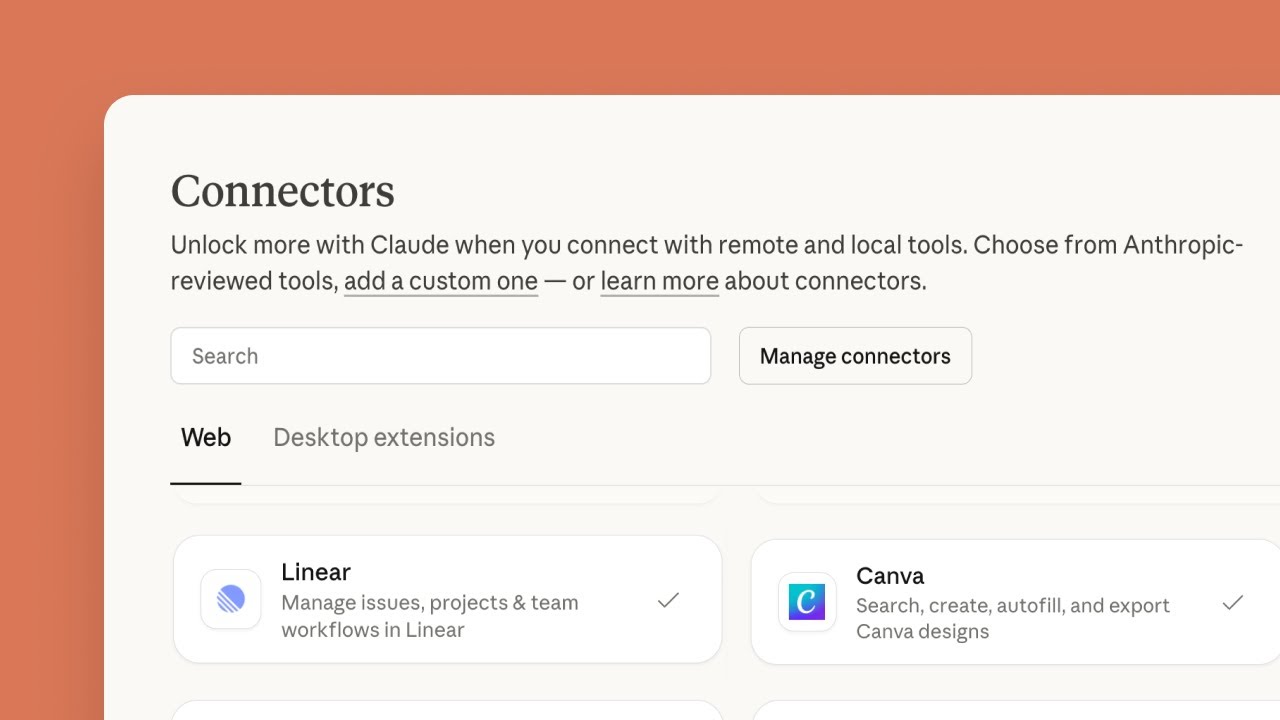
Video: How Connectors Work in Claude
How to Make a ChatGPT Facebook Post Through MCP
ChatGPT is stricter. OpenAI's help article on custom MCP servers, read on October 17, 2026, says custom MCP server connections with full MCP support are available to ChatGPT Business and Enterprise or Edu on the web. Its FAQ says Pro users can connect custom servers with read and fetch permissions only, which is not enough to save a draft, and that custom servers do not work on mobile.
- Step 1
Check Your Plan and Role
On a Business workspace, only admins and owners can create and publish a plugin for a custom MCP server. On Enterprise and Edu, admins can grant that permission to chosen members. On Plus or Free, a ChatGPT Facebook post through a custom server is not available: copy the caption from ChatGPT and post by hand, or use Claude.
- Step 2
Add the Server in Plugins
In ChatGPT on the web, open Plugins, select the plus button and choose Add custom MCP server. Enter Spreadcast as the name, and under Connection paste spreadcast.app/api/mcp, starting with https.
- Step 3
Pick OAuth and Accept the Warning
Set authentication to OAuth so you sign in with Spreadcast rather than pasting a key. Read the risk warning, tick I understand and want to continue, and select Create as a plugin. ChatGPT lists the tools it found. Sign in on the Spreadcast page that opens and choose Make Drafts.
- Step 4
Mention It in Each Message That Needs It
Start a chat, type @ and pick Spreadcast. OpenAI's article says the app choice applies to that one message, so mention it again when a later message needs Spreadcast. ChatGPT may ask you to confirm before a write action, such as saving the draft.
Facebook MCP in Claude Code and Cursor
Searches for a Facebook MCP for Claude Code usually come from developers who want posts to go out from where they work. Claude Code's MCP documentation shows one command to add a remote server over http, and says that for servers that sign in with OAuth you then run /mcp inside Claude Code and finish in the browser. A server added that way stays private to one project unless you choose the project scope, which writes it to a .mcp.json file your team shares, or the user scope, which loads it in every project.
For Spreadcast, add a remote http server named spreadcast with the address spreadcast.app/api/mcp and run /mcp to sign in. Cursor takes the same address. If you prefer a key, create one in Settings, AI Assistants and send it as a Bearer header. A key saves drafts only unless you switch on Can Publish Posts for it. Keep keys and Page tokens out of the shared .mcp.json file.
An open source server from GitHub fits here too, because it runs as a local program. The full commands for both editors are on the social media MCP server page.
What Is the Facebook MCP Server URL?
People search for a Facebook MCP server URL because Claude's Add custom connector form asks for one address and nothing else. There are two honest answers. For ads, Meta's own address is mcp.facebook.com/ads, starting with https. For posting to a Page, there is no Meta address, so the URL you paste belongs to whoever runs that server, and that company or person will hold a working token for your Page.
For Spreadcast, the address is spreadcast.app/api/mcp, starting with https. You do not need to type it: Settings, AI Assistants in Spreadcast shows it with a copy button. When Claude first reaches it without a sign in, Spreadcast answers that a sign in is needed, and that answer is what makes Claude show the Connect step and open the Spreadcast consent page.
If you run an open source server from GitHub, there is usually no URL at all. Those servers run on your computer and talk to Claude Desktop or Claude Code through a config entry, not an address.
Be careful with addresses copied from forum posts, videos or AI answers. Anthropic's guide says custom connectors are not verified by Anthropic, tells you to connect only to servers you trust and to review the permissions asked for during sign in, and warns that a server's developer can change what its tools do without notice. The URL decides who sits between your assistant and your Page.
Why Is My Facebook MCP Server Not Posting?
Most failures come back from Facebook as an error code. These are the common ones for a server built on the Graph API, from Meta's error handling guide and its rate limiting page, read on October 17, 2026.
| What you see | Likely cause | What to do |
|---|---|---|
| Code 190 | The access token expired or was invalidated, often a short lived token from the Graph API Explorer, a password change or a removed app. | Get a new token. In Spreadcast, connect Facebook again in Accounts. |
| Code 10, or 200 to 299 | A permission is missing or was removed, such as pages_manage_posts. | Check which permissions the sign in asked for and that you still hold a role on the Page. |
| Code 506 | Facebook refuses the same post published twice in a row. | Change the text and try again, and look for a loop that repeats the call. |
| Code 368 | Facebook has temporarily blocked the action for policy reasons. | Wait before trying again, and read the post for anything that looks like spam. |
| Code 1609005 | Facebook could not read the link in the post. | Open the link yourself and check that it loads for someone who is not signed in. |
| Codes 4, 17, 32 or 80001 | Too many calls, from the app, the user or the Page. | Slow down. The Page limit grows with the number of people who engage with the Page each day. |
| Codes 1 or 2 | A temporary problem on Facebook's side. | Wait and retry. If it keeps happening, check that the server calls an API that still exists. |
| Scheduled time refused | The time is too soon or too far ahead for Facebook's scheduling window. | Keep it between 10 minutes and 29 days, or use a server that publishes at the time itself. |
If the assistant only says the tool failed, ask it to show the full error message. The code usually points straight at one of these rows.
What to Check Before You Connect a Facebook MCP Server
Run through these before you give any server, ours included, a way to post as your Page.
| Question | Good answer | Warning sign |
|---|---|---|
| How does it reach Facebook? | Through the Graph API after you approve it on Facebook's own consent screen. | It asks for your Facebook password, cookies or a browser profile. |
| Which permissions does it ask for? | Only what posting needs: pages_show_list, pages_read_engagement and pages_manage_posts. | Ads, messages and business access it cannot explain. The MCP security best practices list bundled, broad scopes as a common mistake. |
| Where does it post? | It says clearly: a Page you manage. | It promises groups or your personal profile, which Meta closed to outside apps. |
| What happens when the assistant says "post this"? | It saves a draft, or asks you to confirm the exact post, Page and time. | It publishes at once with no confirmation step. |
| Can it delete things? | Deleting is off, or needs your approval each time. | Bulk delete tools switched on by default. |
| Can you take access back? | One place lists each assistant connection and removes it at once. | The only way out is to change your Facebook password. |
| Is it maintained? | Recent releases and a current Graph API version. | No commits for a year. Meta retires versions on a schedule. |
Claude and ChatGPT add their own checks on top: tool approval prompts in Claude and confirmations for write actions in ChatGPT.
Which Facebook MCP Server Fits Your Job
The right server depends on what you want the assistant to do. Each row names the best fit we know of on October 17, 2026.
| Your job | Best fit | Why |
|---|---|---|
| Designed posts for an app's Facebook Page, approved before they go out | Spreadcast | Designs the picture or carousel in your brand, writes the caption, saves a draft and publishes after you approve. |
| Run or report on Facebook and Instagram ads | Meta's ads MCP server | Built and hosted by Meta, with reporting, campaigns, catalogs and signals. |
| Moderate comments and read post numbers on your own Page | An open source Graph API server you run | Tools for comments, insights and posting, if you are comfortable holding a Page token. |
| Ads through a third party with its own plans | Pipeboard's Meta Ads MCP | Hosted or self run, on Meta's Marketing API, with a free plan. |
| Post into a Facebook group | None | Meta removed group publishing for outside apps on April 22, 2024. Post by hand. |
| Post on your personal profile | None | Meta ended timeline posting by apps in 2018. Share it yourself. |
Facebook MCP Options Compared
A self run Graph API server from GitHub against Spreadcast. The left column comes from the README of Hagai Hen's Facebook MCP server, read on October 17, 2026.
| Open source Graph API server | Spreadcast | |
|---|---|---|
| How it reaches Facebook | A Page token you copy from the Graph API Explorer into a .env file. | Facebook Login for Business, where you choose the Pages and approve three permissions. |
| What it posts | Text posts and image posts, with tools to schedule and edit them. | Text, one photo, 2 to 10 photos in one post, or one video, to your Page. |
| Makes the picture | No. You supply the image. | Designs posts in 11 kinds and carousels of 3 to 8 slides in your app's brand, with real app screenshots. |
| Before it goes live | Posts when the tool runs, subject to your client's approval prompt. | Saved as a draft. You approve in Spreadcast, or the assistant asks first if you allowed publishing. |
| Comments and messages | Reads, hides and deletes comments, and sends direct messages. | Not supported. Spreadcast stays with posts. |
| Numbers it reads | Likes, comments, impressions, reactions and shares for each post. | Your Page's follower count, next to the other networks on one dashboard. |
| Where it runs | On your computer, for Claude Desktop, Claude Code or Cursor. | A hosted address for Claude on the web, desktop and mobile, ChatGPT on the web, Claude Code and Cursor. |
| Price | Free and open source under the MIT license. | Drafts on Free. Scheduling and publishing on Pro at $29 a month. |
Example Requests for a Facebook Page Post From Claude
These use an invented habit tracker called Streakly and an invented founder called Alex. They show what the requests look like, not results from a real account.
| What Alex types | What happens in Spreadcast |
|---|---|
| Turn the 3.2 release into a Facebook post with a picture. | Reads the new version from the App Store listing, designs the version post with what changed and a Streakly screenshot, writes a Facebook caption and saves a draft. |
| Make a 5 slide carousel on how streak reminders work for our Facebook Page, Thursday at 6 pm. | Designs 5 slides in Streakly's colors and fonts, writes the caption and saves a draft planned for Thursday. With drafts only, it waits for Alex to approve. |
| Ask our followers which habit they want a widget for next. No picture. | Writes a short text post that ends with the question, under 600 characters. |
| Post this clip of the new home screen to Facebook. | Uploads the video Alex attached, writes a caption around it and saves the draft. |
| Check this caption before you save it. | Runs every check without saving, such as the 10 photo limit, and reports problems in plain words. |
| Post this in our Streakly users group too. | Explains that Facebook groups are closed to outside apps and suggests posting there by hand. |
You never need to name a tool. The assistant picks it from the request.
What Spreadcast Does Not Do on Facebook
It does not post to groups or to personal profiles. Meta closed both to outside apps, and Spreadcast uses only Meta's API.
It does not run ads, boost posts or touch your ad account. For that, Meta's own ads MCP server is the better tool.
It does not post Reels or Stories to Facebook. Videos go to the Page as regular video posts, and Spreadcast makes no video itself, so a video post uses a clip you supply.
It does not read Facebook likes, comments or reach for each post. On Facebook it reads your Page's follower count. Post by post results are best checked in Meta Business Suite.
It does not reply to comments or messages. For Instagram, which Spreadcast can also connect through your Facebook Page, see the Instagram MCP server guide.
Spreadcast Plans for Facebook Posting From an Assistant
The MCP server is part of every plan. What changes is whether posts can be scheduled and published.
| Plan | Price | What the assistant can do on Facebook |
|---|---|---|
| Free | $0 | Design posts and carousels, write Facebook captions, check them and save drafts. You publish the drafts yourself. |
| Pro | $29 a month | Everything in Free, plus scheduling and publishing to your Facebook Page and every other network you connected, once you allow publishing. |
| Studio | $79 a month | Everything in Pro for up to 5 apps and 3 seats, each app with its own brand kit, so the assistant designs each app's posts in that app's look. |
Current details are on the pricing page, and the setup for every assistant is on the MCP page. Your Claude or ChatGPT plan is separate.
Frequently Asked Questions
Is there an official Facebook MCP server?
Only for ads. Meta's Ads MCP server is hosted by Meta and covers reporting, campaigns, catalogs and signals. It does not publish organic posts to a Facebook Page. Every MCP server for Page posting is built by a third party on Meta's Graph API.
Can Claude post to a Facebook Page?
Yes, through an MCP server that holds Page permission. With Spreadcast added as a custom connector, Claude can design the picture or a carousel, write the Facebook caption and save the post as a draft. You approve it in Spreadcast, and Spreadcast publishes it to your Page.
Can ChatGPT post to Facebook?
Only on plans that allow custom MCP servers with write actions. OpenAI's help article lists ChatGPT Business and Enterprise or Edu on the web, and says Pro users get read and fetch permissions only. On Plus or Free, copy the post from ChatGPT and publish it by hand.
Can a Facebook MCP server post to a group?
No. Meta's Graph API v19 announcement deprecated the Groups API and its publish_to_groups permission, with removal from all versions 90 days later, on April 22, 2024. A server that still claims to post to groups is driving a browser as you.
Can the Meta ads MCP server publish Page posts?
No. The permissions on Meta's getting started page cover ads, catalogs, business assets and a list of your Pages, but not pages_manage_posts, which the Pages API needs to publish a post.
How far ahead can a Facebook post be scheduled through the API?
Meta's pages disagree. The Pages API posts guide says 10 minutes to 30 days, the Page feed reference says up to 75 days, and Reels must be within 29 days. Spreadcast publishes from its own calendar at the planned time, so Facebook's window does not limit it.
Are Facebook MCP servers on GitHub safe to use?
It depends how they reach Facebook. Servers that use the Graph API with a Page token stay inside Meta's API, but the token can post and delete as your Page, so guard it. Servers that drive a logged in browser or reuse your cookies conflict with Facebook's terms on automated access.
What is the Facebook MCP server URL for Claude?
For ads, Meta's address is mcp.facebook.com/ads. For Page posts there is no Meta address, so you paste the address of the service you choose. For Spreadcast it is spreadcast.app/api/mcp, starting with https, shown with a copy button in Settings, AI Assistants.
Where These Facts Come From
Every outside number, rule and price on this page links to the page it was taken from.
- Ads MCP server overviewMeta for Developers
- Get started with the ads MCP serverMeta for Developers
- Meta ads AI connectors announcementMeta for Business
- Pages API guide to postsMeta for Developers
- Pages API overviewMeta for Developers
- Pages API getting startedMeta for Developers
- Page feed referenceMeta for Developers
- Reels publishing guideMeta for Developers
- Video API publishing guideMeta for Developers
- Long lived access tokensMeta for Developers
- Graph API rate limitingMeta for Developers
- Graph API versioningMeta for Developers
- Graph API error handlingMeta for Developers
- pages_manage_posts permission referenceMeta for Developers
- Introducing Graph API v19, with the Groups API deprecationMeta for Developers
- Platform product changes, ending publish_actionsMeta for Developers
- Facebook Terms of ServiceMeta
- Facebook MCP server by Hagai HenGitHub, HagaiHen
- Meta Ads MCP guidePipeboard
- Get started with custom connectors using remote MCPAnthropic Help Center
- Connecting custom MCP servers in ChatGPTOpenAI Help Center
- MCP security best practicesModel Context Protocol
- Connect Claude Code to tools via MCPClaude Code Docs
- Video: How to install the official Meta Ads MCP in ClaudeMarkifact
- Video: Getting started with connectors in ClaudeAnthropic
Researched and written by Spreadcast. Last checked on October 17, 2026.