Why Apple Rejects Apps: The Short Answer
Most App Store rejections come from incomplete or broken submissions, not from rules about content. Apple's App Review page says over 40% of unresolved issues relate to guideline 2.1, App Completeness, which covers crashes, placeholder content and incomplete information. In Apple's 2025 Transparency Report, the Performance section of the guidelines, where 2.1 sits, was cited in 1,354,418 rejections, more than the other four sections combined.
After completeness, the common App Store rejection reasons fall into four groups. Legal covers privacy policies, permission prompts, account deletion and intellectual property. Design covers spam, copycats and apps with too little functionality. Business covers in app purchase and subscription rules. Safety covers objectionable and user generated content. Each group maps to numbered sections of the App Review Guidelines, and every rejection message names the guideline it relies on.
This page is organized around those guideline numbers, because that is what you will see in the rejection: "Guideline 2.1 Performance: App Completeness", "Guideline 4.3(a) Design: Spam", "Guideline 5.1.1(v) Data Collection and Storage". For each one you get Apple's wording, the usual causes, and a fix. Apple's guidelines were last updated on October 16, 2026, and everything below was checked against the App Review Guidelines and Apple's help pages on October 19, 2026.
A rejection is rarely the end. Apple approved 387,087 submissions after an earlier rejection in 2025, and most of the rest were fixed and resubmitted under a new review. The difference between losing a day and losing two weeks is usually how you respond, which the second half of this page covers: reading the message, replying, resubmitting, using a Bug Fix Submission, and appealing to the App Review Board.
Key Takeaways
One in Four Submissions Is Rejected
Apple rejected 2,093,244 of 9,100,620 submissions in 2025, a rate of 23.0% by our division of the Transparency Report figures. The rate has fallen every year since 2022.
Completeness Comes First
Over 40% of unresolved issues are guideline 2.1: crashes, placeholder content, broken links, missing demo accounts and in app purchases the reviewer cannot find.
Privacy Is Second
Legal sections were cited in 495,673 rejections in 2025. The usual causes are a missing privacy policy, vague permission prompts and no way to delete an account inside the app.
Reply Before You Resubmit
If App Review needs information, or the fix is in metadata or on your server, reply in App Store Connect. Resubmitting starts a new review and closes any open appeal.
Appeal With Specifics
The App Review Board takes one appeal per rejected app. Name the guideline and show point by point how the app meets it.
New Rules in 2026
Apple revised 4.3 spam in June, widened 1.2 to anonymous chat and AI imagery, and added 2.5.19 against hidden features and 2.3.14 for creative assets on October 16, 2026.
App Store Rejection Statistics: 2025 Rejections by Guideline Section
Apple's 2025 Transparency Report splits rejections by section of the guidelines. One rejection can cite several sections, so the rows add up to 2,704,747, more than the 2,093,244 rejected submissions. The share columns are our division of Apple's figures.
| Guidelines section | Numbered guidelines | Rejections citing it in 2025 | Share of rejected submissions | Share of all submissions |
|---|---|---|---|---|
| Performance | Section 2: app completeness, beta testing, accurate metadata, hardware, software requirements | 1,354,418 | 64.7% | 14.9% |
| Legal | Section 5: privacy, intellectual property, gambling and lotteries, developer code of conduct | 495,673 | 23.7% | 5.4% |
| Design | Section 4: copycats, minimum functionality, spam, login services | 415,532 | 19.9% | 4.6% |
| Business | Section 3: payments, in app purchase, subscriptions, acceptable business models | 283,820 | 13.6% | 3.1% |
| Safety | Section 1: objectionable content, user generated content, kids, physical harm | 151,159 | 7.2% | 1.7% |
| Other | Not defined in the report | 4,145 | 0.2% | 0.0% |
How to read it: about one submission in seven (14.9%) was rejected under a Performance guideline, and about one in twenty under a Legal guideline. Apple does not publish counts for single guidelines such as 4.3 or 5.1.1(v); the only finer figure it gives is the 2.1 share on its App Review page.
App Store Rejection Rate by Year, 2022 to 2025
Apple has published four Transparency Reports: 2022, 2023, 2024 and 2025. The rate and the share approved after rejection are our division of the totals in each report.
| Year | Submissions reviewed | Submissions rejected | Rejection rate | Approved after rejection | Share of rejections later approved |
|---|---|---|---|---|---|
| 2022 | 6,101,913 | 1,679,694 | 27.5% | 253,466 | 15.1% |
| 2023 | 6,892,500 | 1,763,812 | 25.6% | 277,923 | 15.8% |
| 2024 | 7,771,599 | 1,931,400 | 24.9% | 295,109 | 15.3% |
| 2025 | 9,100,620 | 2,093,244 | 23.0% | 387,087 | 18.5% |
Two trends stand out. Submissions grew 49.1% from 2022 to 2025 while the rejection rate fell 4.5 points, so more apps arrive in a state App Review accepts. And the share of rejections that end in approval on the same submission jumped from 15.3% to 18.5% in 2025, which suggests replying and fixing in place works more often than it used to. Apple does not explain either change.
The Most Common App Store Rejection Reasons and How to Fix Them
Apple lists the issues it sees most often on its App Review page. The table maps each one to the guideline that usually appears in the rejection message and gives the fix. Guideline numbers come from the App Review Guidelines; the fixes are our summary of Apple's help pages linked further down.
| Rejection reason | Usual guideline | What triggers it | How to fix it |
|---|---|---|---|
| Crashes and bugs | 2.1 | The app crashes or a core feature fails on the reviewer's device | Test on real devices with the current iOS, reproduce the reviewer's steps, ship a new build |
| Broken links | 2.1 | Support URL, privacy policy or an in app link does not load | Open every link from a logged out browser before submitting |
| Placeholder content | 2.1 | Lorem ipsum, empty screens, coming soon sections, test data | Remove anything unfinished or hide it behind a release flag |
| Incomplete information | 2.1 | No demo account, expired credentials, no notes for hidden features | Fill in App Review Information with working credentials and specific notes |
| In app purchases not found | 2.1(b) | Configured products cannot be found or bought in the build | Submit the first purchase with the app version and make every product reachable |
| Privacy policy issues | 5.1.1(i) | No link in App Store Connect or in the app, or a policy that does not cover the data | Link a policy in both places that names the data, its uses, sharing and deletion |
| Unclear data access requests | 5.1.1(ii) | Permission prompts that say "to use location" or nothing specific | Write one specific sentence per permission saying what the data is used for |
| No account deletion | 5.1.1(v) | Account creation without a way to delete the account in the app | Add delete account in settings that removes the whole account |
| Inaccurate screenshots | 2.3.3 | Screenshots of splash screens, login pages or a different interface | Show the current app in use on more than half of the screenshots per device |
| Substandard user interface | 4 (Design) | Broken layouts, unreadable text, controls that do not work | Fix layout on every supported screen size and test with larger text |
| Web clippings and link collections | 4.2, 4.2.2 | A website wrapped in an app, or an app that is mostly links or ads | Add native features that work beyond the website |
| Repeated submission of similar apps | 4.3(a) | Several bundle IDs for near identical apps | Merge into one app and offer the variants inside it |
| Copycats | 4.1 | Names, icons or interfaces close to another app | Use your own name, icon and design; remove other brands from metadata |
| Misleading users | 2.3.1 | Features or prices promised that the app does not have | Describe only what the build does; list every new feature in the review notes |
| Not enough lasting value | 4.2 | A single function app with little reason to return | Add depth or merge it into a larger app |
| Submitted by incorrect entity | 5.1.1(ix) | Banking, health, gambling or crypto services submitted by an individual | Submit from the organization account of the company that provides the service |
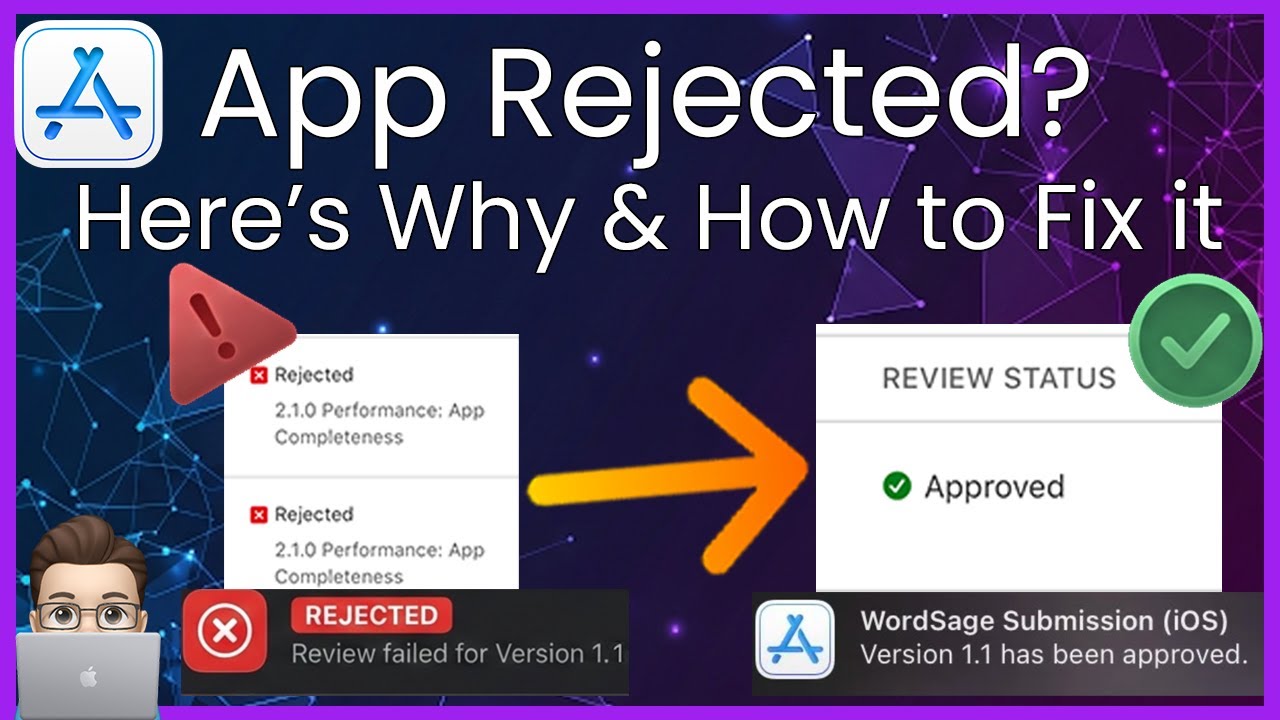
Video: Why Apps Get Rejected, Category by Category
An 18 minute 2026 walkthrough of rejection reasons grouped the way Apple groups them: metadata, privacy and tracking, interface problems, performance and minimum functionality, with the guideline pages on screen. Useful before a first submission.
Guideline 2.1 App Completeness: The Most Common Rejection
Guideline 2.1(a) asks that every submission be a final version with all necessary metadata and working URLs, with placeholder text, empty websites and other temporary content removed. It asks you to test on device for bugs and stability, and to include demo account details and turn on your backend service if the app has a login. It ends with the rule that causes most rejections: Apple will reject incomplete app bundles and binaries that crash or exhibit obvious technical problems. The full text is in the App Review Guidelines.
The causes are usually ordinary. A crash on a device or iOS version you did not test. A login that fails because the demo account expired or needs a two factor code nobody wrote down. A server that was down when the reviewer opened the app. A support link that points at a page that no longer exists. A feature that says coming soon. None of them are about whether Apple likes the app.
Guideline 2.1(b) covers in app purchases: they must be complete, visible to the reviewer and working, and if a configured product cannot be found or reviewed in the app, you must explain why in the review notes. A frequent version of this rejection comes from the first purchase. Apple's help on submitting in app purchases says your first in app purchase or subscription must be submitted together with a new app version; after the first one is approved, later products can go in on their own.
The fix is a complete submission. Apple's page on providing information for a complete review asks for the concept and business model of a new app, what changed in an update and where to find it, the devices and system versions you tested on, the outside services the app depends on, a demo account that still works when the review starts, credentials for each account type, an account with an expired subscription so the reviewer can see the purchase flow, and any one time code in the Notes field. If your login cannot be shared for legal or security reasons, guideline 2.1(a) allows a built in demo mode with Apple's prior approval.
Guideline 2.1 Information Needed: What It Means and How to Reply
"Guideline 2.1 Information Needed" is not quite a rejection. It means the reviewer could not finish without something from you: a working login, an explanation of a feature, a document, a video of the app working with its hardware, or an answer about where content comes from. The review pauses until you answer.
Reply to the message in App Store Connect. Do not resubmit. Apple's review status help says that when App Review has requested more information and there are no other issues, you can reply directly, and that resubmitting starts a new review after which App Review can no longer reply to your earlier message. Answer exactly what was asked, attach screenshots or a short screen recording if they make it clearer, and update the App Review Information fields so the next reviewer sees the same details.
If the request is for a call because the login needs a code, Apple says calls are typically completed within three to five business days, according to its complete review page. Putting the code or a code free demo account in the Notes field up front avoids that wait entirely.
Guideline 2.3 Accurate Metadata: Screenshots, Descriptions and Keywords
Section 2.3 covers everything on the product page. Guideline 2.3.1 says all new features and product changes must be described specifically in the Notes for Review (generic descriptions are rejected), and that marketing an app in a misleading way, such as promoting services it does not offer or a false price, is grounds for removal. Guideline 2.3.2 asks that the description, screenshots and previews make clear which items require an extra purchase. Guideline 2.3.12 asks that the What's New text list significant changes; simple bug fixes and performance improvements may use a generic description.
Screenshots are the metadata rejection Apple explains most fully. Its guideline 2.3.3 help page says screenshots should show the app in use, not merely title art, a login page or a splash screen, and that App Review approves a device's set only when more than half of the screenshots show the app in use. With three screenshots, two must show the app; with four, three must. Overlays are allowed as long as they do not crowd out the app or hide its main functionality, and screenshots must match the current interface. Our App Store screenshot sizes guide covers the sizes Apple requires.
Guideline 2.3.7 limits the app name to 30 characters and forbids packing metadata with trademarked terms, popular app names, pricing or irrelevant phrases. Guideline 2.3.8 asks that icons, screenshots and previews suit a 4+ age rating even when the app is rated higher, and reserves phrases like "For Kids" for the Kids Category. Guideline 2.3.10 forbids names, icons or imagery of other mobile platforms in the app or its metadata. The newest rule, 2.3.14, added on October 16, 2026, applies the same standards to the new creative assets used in product page headers and search results: no misleading references to other apps, no unverifiable claims and no specific or discounted prices.
A Metadata Rejected status means only the product page needs work. Apple's statuses list says to read the message, edit the metadata to resolve the issue and reply to App Review. You do not need a new build, and the review usually resumes quickly once you reply.
Guideline 2.5 Software Requirements: Public APIs, Downloaded Code and Hidden Features
Guideline 2.5.1 says apps may only use public APIs, must run on the currently shipping operating system, and should phase out deprecated frameworks. Guideline 2.5.2 says apps must be self contained and may not download, install or execute code that introduces or changes features. That rule is why an app that loads new functionality from a server after review gets rejected or removed, and why HTML5 mini apps, chatbots and plug ins are handled separately under guideline 4.7.
Apple added guideline 2.5.19 on October 16, 2026. It forbids hidden, dormant or undocumented features and says that hiding them in the binary, through code obfuscation or other methods, is grounds for removal from the App Store and termination of the developer account. Apple's announcement of the change describes the target as bait and switch: apps that misrepresent their purpose during review and reveal other capabilities after approval. If your app uses remote configuration to turn features on later, every feature the reviewer can reach after launch has to be present and described in the version you submit.
Build requirements also count as software requirements, though they are enforced at upload rather than in review. Since April 28, 2026, apps uploaded to App Store Connect must be built with the iOS 26 SDK or later, per Apple's SDK requirements notice, and from April 2027 the iOS 27 SDK. A build that does not meet the current binary requirements shows the status Invalid Binary and needs a new upload.
Guideline 5.1.1 Privacy: Policies, Permission Prompts and Data Use
Privacy is the second largest group of rejections and the one with the most specific rules. Guideline 5.1.1(i) says every app must link to its privacy policy both in the App Store Connect metadata field and inside the app, somewhere easy to find. The policy must say what data the app collects, how and for what, confirm that any third party receiving the data gives it equal protection, and explain retention, deletion and how a user withdraws consent.
Guideline 5.1.1(ii) requires consent before collecting user or usage data, even data treated as anonymous, and says paid functionality must not depend on granting access to that data. It also requires purpose strings, the sentence iOS shows in each permission prompt, to describe the use clearly and completely. Apple's purpose string help page gives the contrast it is looking for: "To use location." is insufficient; "The app uses location data to determine the recommended route to your destination and provide turn by turn directions." is clear. Write one specific sentence per protected resource, localize it for every language you support, and remove SDK code that requests a permission you do not need.
Guideline 5.1.1(iv) says apps must respect permission settings and not trick or force people into unnecessary access. Apple's example is an app that posts photos to a social network but asks for the microphone first. If someone declines location, offer a way to type an address instead. Guideline 5.1.2(i) adds that you must clearly disclose where personal data is shared with third parties, including with third party AI, and get explicit permission before doing so. An app that sends user text or photos to an outside AI model needs that disclosure and consent in the app, not only in the privacy policy.
Two technical requirements cause privacy rejections at upload. Since May 1, 2024, apps that use APIs on Apple's required reason list must declare an approved reason in a privacy manifest, according to Apple's privacy update for submissions. And when you add an SDK from Apple's list of commonly used third party SDKs, 86 entries including Firebase, Alamofire, Flutter, OneSignal and Lottie, you must use a version that ships its own privacy manifest, signed if it is a binary dependency.
Video: Fixing Privacy Manifest Rejections in Xcode
Sean Allen's walkthrough from the week Apple's required reason rules came in. It shows how to add a privacy manifest in Xcode and declare a reason for APIs such as UserDefaults, which most apps use. The requirement is unchanged in 2026.

Guideline 5.1.1(v) Account Deletion: What Apple Accepts and What It Rejects
If an app lets people create an account, it must let them delete it inside the app. Guideline 5.1.1(v) also says that an app without significant account based features should let people use it without logging in. The rows below summarize Apple's account deletion help page.
| Apple rejects | Apple accepts |
|---|---|
| Only deactivating or disabling the account | Deleting the entire account record and its personal data |
| Deletion hidden in menus or only in a support article | An easy to find option, usually in account settings |
| Asking people to call, email or chat to delete, outside highly regulated industries | Deletion started in the app; a direct link to the exact web page if the last step is on your site |
| Deletion offered only where GDPR or CCPA applies | Deletion for everyone, wherever they live |
| Unnecessary friction or repeated discouragement | Reasonable confirmation steps, such as an emailed code |
| Guest accounts created automatically with no way to delete them | Deletion for automatically created accounts too |
| Leaving photos, posts and reviews behind | Deleting user generated content with the account, unless the law requires keeping it |
| Sign in with Apple accounts left connected | Revoking user tokens through the Sign in with Apple REST API |
| Silent subscription billing after deletion | Telling subscribers that billing continues through Apple and asking them to cancel first |
Apple also asks you to tell people how long deletion takes and what data you must keep by law. A deletion that takes days is acceptable if the app says so.
Guideline 4.3 Spam: Why Apple Calls Your App Spam and How to Fix It
Guideline 4.3 is the rejection developers find hardest to fix, because it is about the idea rather than a bug. It has two parts. Guideline 4.3(a) says not to create multiple bundle IDs of the same app. Apple's example is a separate map app for every city instead of one map that searches any city, and its advice is to submit a single app and offer variants for locations, teams or schools through in app purchase.
Guideline 4.3(b) says not to submit apps that are indistinguishable from what is already widely available. It names categories that are well established on the App Store, including dating, flashlight, sound effects, wallpaper, simple timers and fortune telling, and says Apple will not accept new ones unless they offer a meaningfully different or improved experience. Apps built from commercial templates or app generators that many others also ship fall under the same rule.
Apple revised both parts on June 8, 2026, clarifying the basis for the guideline and adding examples. The reporting collected by Michael Tsai links a surge in submissions in 2025 and 2026 partly to apps built quickly with AI coding tools, and that is the background against which 4.3 is applied today.
What works, in our experience of the cases developers describe: change the app, not the argument. Merge near identical apps into one. Remove template screens and stock assets. Add the feature that makes the app different, then say in the review notes, in two or three plain sentences, what this app does that the obvious alternatives do not. A reply that only insists the app is unique, with no change in the build, rarely moves a 4.3 rejection. If several of your apps were rejected under 4.3(a), take it seriously: repeated spam can lead to removal from the Apple Developer Program.
Video: What a 4.3 Design Spam Rejection Means and How to Get Approved
A short 2026 explainer on guideline 4.3: what Apple means by design spam, how to position an app so it passes, and which app niches carry the most risk this year.

Guideline 4.2 Minimum Functionality: Webview Apps and Simple Apps
Guideline 4.2 opens with one sentence that explains most of these rejections: your app should include features, content and interface that elevate it beyond a repackaged website. It continues that if an app is not particularly useful, unique or app like, it does not belong on the App Store. Guideline 4.2.2 adds that, other than catalogs, apps should not primarily be marketing materials, advertisements, web clippings, content aggregators or a collection of links. Guideline 4.2.3 says an app must work on its own without requiring another app, and must disclose the size of any extra download before it starts.
Webview apps are the classic case. Wrapping a website in a native shell is allowed, but an app that shows the same site with no added value usually gets a 4.2 rejection. The same goes for single screen utilities that do one small thing a built in iOS feature already does, and for apps whose content is a book or game guide, which Apple says belong in Apple Books.
The fix is to give the reviewer a reason the app exists. Use device capabilities the website cannot: offline access, widgets, notifications people opt into, the camera, Apple Pay, Sign in with Apple, sharing to other apps, or data that stays on the device. Make the app usable without logging in when you can. Then say in the review notes what the app does that the website does not. These suggestions are our reading of the guideline and of developers' published experience, not a list Apple provides.
Video: Why Simple Apps Get Minimum Functionality Rejections
Indie developer Adam Lyttle explains why the App Store rejects simple apps under minimum functionality and the three step approach he uses to get small apps approved.

Guideline 4.1 Copycats and Guideline 4.8 Login Services
Guideline 4.1 asks developers not to copy the latest popular app or make minor changes to another app's name or interface and pass it off as their own. Guideline 4.1(b) treats impersonating other apps or services as a violation of the Developer Code of Conduct, and 4.1(c) forbids using another developer's icon, brand or product name in your icon or name without approval. Apple's copycat help page lists the usual triggers: copied features or look and feel, a name or icon close to an existing app, other brands in the title, subtitle or keywords, screenshots that do not show your real app, and an outdated developer name or support URL. The fix in each case is to make it plainly yours, or to get written permission and attach it.
Guideline 4.8 applies to apps that use a third party or social login, such as Google Sign In, Facebook Login, Sign In with LinkedIn or Log in with X, to set up the user's main account. Those apps must also offer, as an equivalent option, another login service that limits data collection to name and email, lets people keep their email private, and does not collect interactions for advertising without consent. Sign in with Apple meets all three, which is why most developers add it when this rejection arrives, though the guideline describes the features rather than naming one service.
The requirement applies only when a third party or social login sets up the main account, so an app that uses only its own email and password login is outside it. If your app offers Sign in with Apple, remember the account deletion rule: deleting an account must also revoke the Sign in with Apple tokens.
Guideline 3.1.1 In App Purchase: Payment and Subscription Rejections
Guideline 3.1.1 says that to unlock features or functionality inside an app, such as subscriptions, game currencies, levels, premium content or a full version, you must use in app purchase, and you may not use your own unlocking mechanisms such as license keys, QR codes or crypto wallets. It is the core of the Business section, which was cited in 283,820 rejections in 2025.
Subscriptions have their own rules. Guideline 3.1.2(a) says an auto renewing subscription must provide ongoing value, last at least seven days and be available across all of the user's devices. Guideline 3.1.2(c) says that before asking someone to subscribe, you should clearly describe what they get for the price, and communicate the requirements in Schedule 2 of the developer agreement. Paywalls that hide the price, the renewal period or what the subscription includes are a common Business rejection.
There are exceptions people often miss. Reader apps under 3.1.3(a), such as magazines, books, music and video services, may let users access content they bought elsewhere. Multiplatform services under 3.1.3(b) may unlock purchases made on other platforms, as long as those items are also offered as in app purchases. And guideline 3.1.1(a) says that in the United States storefront, developers do not need an entitlement to include buttons, external links or other calls to action. Elsewhere, the same guideline describes entitlements developers may apply for to link to a permitted destination for purchases.
Most in app purchase rejections are mechanical rather than about policy: a product the reviewer cannot find, a restore purchases button that does nothing, a purchase that fails in the sandbox, or a first subscription submitted without an app version. Test every product in the sandbox with a fresh account before submitting, and leave the reviewer an account with an expired subscription.
Guideline 1.2 User Generated Content and Other Safety Rejections
Safety rejections were the smallest group in 2025, cited 151,159 times, but they are strict. Guideline 1.2 says apps with user generated content must include a method for filtering objectionable material, a way to report offensive content with timely responses, the ability to block abusive users, and published contact information. If your app has comments, chat, profiles, uploads or reviews, all four must be in the build the reviewer sees.
Apple has tightened 1.2 twice in 2026. On February 6, 2026 it clarified that apps with random or anonymous chat are subject to the user generated content rules. On October 16, 2026 it added that content moderation now explicitly covers nonconsensual intimate imagery, including imagery made with AI tools, and that developers who fail to put safeguards in place, or do not fix violations after notice, risk removal. Apps that generate or edit images of people with AI should treat moderation as a launch requirement.
The rest of the Safety section covers objectionable content, apps for children in the Kids Category, physical harm, and medical claims. Health apps that diagnose or treat need regulatory clearance for each country where they are available, which belongs in the review notes before you submit.
Why Apps Built With AI Coding Tools Get Rejected
People now search for "Apple rejected vibe coded app", and the pattern is real even though Apple has no rule about how an app is written. Apps generated quickly with AI coding tools tend to hit the same four guidelines. They resemble many other apps in a crowded category, which is 4.3(b). They wrap a simple idea or a website, which is 4.2. They ship with placeholder screens, untested flows or a backend that is not running, which is 2.1. And they sometimes send user data to an AI model without the disclosure and consent that 5.1.2(i) requires.
The volume behind this is large. The reporting collected by Michael Tsai cites Appfigures data showing App Store submissions up 24% in 2025 through November, and The Information reporting that new apps grew about 30% in 2025. Apple has not tied its rejection decisions to how an app was built, and its newest rule, 2.5.19 against hidden or undocumented features, applies to every app the same way.
If you build with AI tools, treat the submission as the part they do not do for you: test on a device, remove template content, write the privacy policy and the permission prompts, add account deletion if there are accounts, and write review notes in your own words about what makes the app different.
What Happens When Apple Rejects Your App
When a submission does not pass, the version status changes to Rejected, or Metadata Rejected if only the product page is the problem, and the submission shows Unresolved Issues. Apple's statuses list says App Review notifies App Store Connect users with the Admin, App Manager or Developer role, and its contact page says the message in App Store Connect details the issues that need your attention, with the guideline and usually a screenshot or steps.
Many developers still call this the Resolution Center. Apple's current help pages call it the App Review section of App Store Connect, and the button you use to answer is Reply to App Review. A specialist familiar with your app replies there. Apple asks you to be specific about the feature, guideline or step you need clarified, and not to use that field to appeal or to ask for an expedited review, which have their own forms.
A rejection does not affect the version already on the App Store. Your live app stays available while you fix the new one. Only the submitted version is held, along with any in app purchases or other items in the same submission. If some items were accepted and others rejected, Apple's guidance is to remove the rejected items and resubmit so the accepted ones can move ahead.
How long all this adds depends on the path you take, covered in the table below and in our guide to how long App Store review takes.
Reply, Resubmit or Appeal: What to Do After an App Store Rejection
Apple's review status help is specific about when to reply and when to resubmit, because the wrong choice restarts the review. This table follows it.
| Situation | What to do | Why |
|---|---|---|
| App Review asked for information and there are no other issues | Reply to the message | Resubmitting starts a new review and App Review can no longer reply to the earlier message |
| The fix is in metadata or on your server | Make the change, then reply | No new build is needed |
| A Bug Fix Submission offer appears at the top of the message | Reply to accept it | The update is approved now; the issue must be fixed in the next version |
| The issue is in the build and you have fixed it | Upload a new build and resubmit that version | Only a new build can change the binary |
| Some items were accepted and some rejected | Remove the rejected items and resubmit | Accepted items can then be published |
| You believe the app follows the guidelines | Reply first, then appeal to the App Review Board | Resubmitting closes the appeal |
| You are not sure how to fix it | Ask in Reply to App Review or book an App Review appointment | Resubmitting with unresolved issues ends in the same outcome |
How to Reply to an App Store Rejection
A reply that gets a fast answer is short, specific and shows the change. These steps and the templates after them are our own; Apple's guidance on what to include is linked in each step.
- Step 1
Read the Guideline Number First
The message names a guideline, such as 2.1, 4.3(a) or 5.1.1(v). Read that guideline in full before replying, because the fix almost always follows its wording.
- Step 2
Reproduce What the Reviewer Saw
Use the device, iOS version and steps in the message. Attach a screenshot or short recording of the same screen working after your fix.
- Step 3
Decide Between Reply and Resubmit
If the build did not change, reply. If you changed the code, upload a new build and resubmit, then reply with the build number so the reviewer knows where to look.
- Step 4
Say What Changed in Plain Words
One sentence per issue: what was wrong, what you changed, where to find it. Do not argue about other apps that do the same thing.
- Step 5
Update App Review Information
Put the same details in the notes and demo account fields so the next reviewer has them. Apple's complete review page lists what belongs there.
- Step 6
Ask a Question If the Message Is Unclear
Apple says a specialist familiar with your app will reply, and you can ask for a call with an Apple representative through the same window, per its contact page.
App Store Rejection Reply Templates
Templates to adapt, written for the most common cases. Keep them under 120 words and replace every bracket.
Guideline 2.1 Crash Fixed
Thank you for the report. The crash on [device, iOS version] when [action] was caused by [cause]. Build [number] fixes it, and we tested the same steps on [devices]. The attached recording shows the flow working. Build [number] has been submitted with this version.
Guideline 2.1 Information Needed
Thank you for reviewing [app]. You can sign in with [username] and [password]; the account has [what it contains]. No code is needed. [Feature] is under [tab, screen]. We have added the same details to App Review Information. We did not resubmit, so this review can continue.
Guideline 5.1.1(v) Account Deletion Added
Build [number] adds account deletion under Settings, Account, Delete Account. It deletes the account and its personal data, including [content], and revokes Sign in with Apple tokens. Subscribers are told to cancel billing first. The attached screenshots show each step.
Guideline 4.3 After Real Changes
Thank you for the feedback. Since the last submission we have [merged apps, removed template screens, added feature]. [App] differs from others in its category because [one concrete reason]. Build [number] contains these changes and is submitted with this version.
Metadata Rejected
We have updated [screenshots, description, keywords] to [what changed], so the product page now [matches the current interface, no longer mentions other platforms]. No build change was needed, and we are replying rather than resubmitting.
How to Appeal an App Store Rejection
If you believe the app follows the guidelines, you can appeal to the App Review Board. Apple's appeal help page says an appeal is appropriate when an app was rejected or removed but you believe it follows the App Review Guidelines and the developer agreement, when your account faces termination, or when you believe you were treated unfairly. It is not the channel for a status update or an expedited review.
The steps are set. First reply to the rejection in App Store Connect and clarify the issue; appeal only if that does not resolve it. Then use Apple's Submit an appeal form, point to the specific requirements involved and explain how your app satisfies each one. The Board messages you in App Store Connect when its investigation is complete, and may ask for more information or schedule a call. Submit one appeal per rejected app and cover every guideline in that one appeal; the form takes up to five apps at a time. Resubmitting the app closes the appeal.
Apple shows what a good appeal looks like. Its complete example reads, in substance: the app was rejected under 2.1 for incomplete information, the demo account and setup steps are in App Review Information, and screenshots show the feature working. Its incomplete example says only that the app matters to the business and should not have been rejected. Apple adds that a complete appeal helps the Board work quickly but does not guarantee the decision is overturned.
Apple does not publish how many rejection appeals succeed. Its 2025 Transparency Report reports appeals of app removals instead: 26,305 appeals and 423 apps restored, about 1.6% by our division. In the UK, Apple's commitments to the CMA of 30 March 2026 promise an appeal to the App Review Board as a matter of right, an explanation of how each rejected submission breaks the guidelines, and yearly figures for UK developers on appeals from rejections, apps approved after appeal and the share of appeals completed within 60 days, with the first report due by 31 March 2027.
Bug Fix Submissions: Getting an Update Through Despite a Rejection
If an update to an app that is already on the App Store is rejected for something with no legal or safety concern, Apple may let you ship it anyway and fix the issue next time. Apple's Bug Fix Submissions page says the offer appears at the top of the rejection message with the line that the issues are eligible to be resolved on your next update.
To accept, reply to the message, say you would like the current submission approved and will address the issues in the next update, and do not resubmit, because that triggers a new review. App Review replies to confirm and approves the submission. In the next update you must resolve every deferred issue, and issues deferred once cannot be deferred again. If the note is not in the message, the submission does not qualify and the issues have to be fixed first.
Google Play Rejection Reasons Compared
Google Play reviews against its Developer Program Policies, and its enforcement page lists the outcomes: rejection, removal, suspension, limited visibility or regions, restricted accounts and termination. The rejection message names the policy, and Google emails instructions on how to appeal if you believe it acted in error.
The Google Play rejection that has no App Store equivalent is the Data safety form. Google's Data safety help says every app published on Google Play must complete it, even apps that collect no data, that developers alone are responsible for complete and accurate declarations, and, asked whether an app can be blocked over its Data safety submission, answers "In short, yes." Inaccurate declarations must be fixed, and apps that do not comply can have updates blocked or be removed.
Two more differences matter for planning. New personal developer accounts created after November 13, 2023 must run a closed test with at least 12 testers for at least 14 days before applying for production access, per Google's testing requirements. And Google's removal and appeal help allows one appeal per enforcement action, answered in Chinese, English, Japanese or Korean. If you ship on both stores, keep the privacy policy, Apple's privacy answers and Google's Data safety form in sync, because a mismatch is the easiest rejection to cause on either side.
App Store Rejection Checklist: Checks Before You Submit
These checks follow Apple's Before You Submit list in the App Review Guidelines and the reasons above. Run them on every version, not only the first.
- Step 1
Test for Crashes on Real Devices
Every core flow on the oldest and newest devices you support, with the current iOS release.
- Step 2
Make Metadata Match the Build
Screenshots of the current interface, a description of features that exist, and no prices, other platforms or competitor names.
- Step 3
Update Your Contact Details
App Review needs a phone number and email that reach someone during the review.
- Step 4
Give Full Access
A working demo account or a demo mode, any hardware or sample codes the reviewer needs, and an expired subscription account for paywalls.
- Step 5
Keep the Backend Live
Servers, feature flags and third party services on and reachable for the length of the review.
- Step 6
Explain Anything Not Obvious
Hidden gestures, in app purchases, features behind settings, and every new feature in an update, in the review notes.
- Step 7
Attach Regulatory Documents
Licenses and clearances for health, finance, gambling or crypto, and rights to any content or brand that is not yours.
- Step 8
Check Privacy From End to End
Policy linked in both places, one clear purpose string per permission, a privacy manifest, and consent before sharing data with outside AI services.
- Step 9
Add Account Deletion
If the app creates accounts, deletion inside the app that removes the whole account.
- Step 10
Offer Sign in With Apple When Required
If a social login sets up the main account, add an equivalent private login option.
- Step 11
Submit the First Purchase With a Version
First in app purchases and subscriptions go in with an app version; test them in the sandbox first.
- Step 12
Ask Apple When Unsure
Book a 30 minute App Review appointment, held over Webex on Tuesdays and Thursdays, before you submit something borderline.
Rejections in Marketing: The Rules That Follow You Off the App Store
Some of the same rules apply to how you promote the app. Guideline 2.3.1 warns that marketing an app in a misleading way, inside or outside the App Store, such as promoting features it lacks or a false price, is grounds for removal. Apple's separate marketing guidelines govern how you show the App Store badge, Apple devices and your rating in ads and social posts.
Our guide to the App Store marketing guidelines covers those rules in plain words, and the App Store statistics page tracks the yearly rejection and removal numbers as Apple publishes them. For the launch itself, the app launch checklist puts every review step in order.
Where Spreadcast Fits Once You Are Approved
Getting through App Review is the hard part of shipping an update. Telling people about it should not be. Spreadcast watches your public App Store listing every day, sees each approved version the moment it goes live, and turns it into a designed post with your own icon and screenshots in an iPhone frame, with a caption written for each network. It publishes to Instagram, Facebook, LinkedIn, Pinterest and your other connected accounts on the schedule you set.
The posts follow Apple's marketing rules: real screenshots of the current app, no invented features and no prices that might change. The same daily check turns new 5 star reviews and rating milestones into posts. Paste your App Store link on the start page to see a post drafted from your listing, and see the plans for automatic publishing.
Frequently Asked Questions
Why did Apple reject my app?
The rejection message in App Store Connect names the guideline. Most rejections cite guideline 2.1, App Completeness: crashes, broken links, placeholder content, a demo account that does not work, or in app purchases the reviewer cannot find. Privacy, spam, minimum functionality and payment rules follow.
What is the App Store rejection rate?
Apple rejected 2,093,244 of 9,100,620 submissions in 2025, which is 23.0%. The rate has fallen from 27.5% in 2022, according to Apple's Transparency Reports. In 2025, 387,087 rejected submissions were later approved.
What does Guideline 2.1 Information Needed mean?
The reviewer needs something from you to finish, such as a working login, an explanation of a feature or a document. Reply to the message in App Store Connect with the information and do not resubmit, because resubmitting starts a new review.
How do I fix a Guideline 4.3 spam rejection?
Change the app, not just the reply. Merge near identical apps into one and offer variants inside it, remove template content, add something that makes the app meaningfully different, and explain that difference in two or three plain sentences in the review notes.
Can Apple reject an app update?
Yes. Every update goes through App Review. If an update is rejected for an issue with no legal or safety concern, Apple may offer a Bug Fix Submission that approves the update now on the condition that you fix the issue in the next version. Your current version stays live meanwhile.
How many times can Apple reject an app?
There is no published limit, and many apps are approved after several rounds. Apple does say egregious or repeated behavior, such as repeated spam submissions or misleading metadata, can lead to removal from the Apple Developer Program.
Where is the Resolution Center in App Store Connect?
Apple now calls it the App Review section of App Store Connect. Open your app, go to App Review, select the submission and use Reply to App Review to read and answer messages.
Do I need Sign in with Apple?
Only if your app uses a third party or social login, such as Google or Facebook, to set up the main account. Guideline 4.8 then requires an equivalent option that limits data to name and email, lets people hide their email, and does not track for ads without consent. Sign in with Apple meets those terms.
Do I have to let users delete their account?
Yes, if the app lets them create one. Guideline 5.1.1(v) requires deletion inside the app of the whole account and its personal data, available to everyone wherever they live. Deactivation alone, or deletion only by email or phone, is rejected outside highly regulated industries.
How long does an App Review Board appeal take?
Apple does not publish a time. The Board messages you in App Store Connect when its investigation is complete. In the UK, Apple has committed to report each year the share of appeals completed within 60 days, starting with a report on 2026.
What does Metadata Rejected mean?
Only the product page needs work: screenshots, description, keywords or other text. Edit the metadata, then reply to App Review. You do not need a new build.
Why was my app rejected for minimum functionality?
Guideline 4.2 rejects apps that do not go beyond a repackaged website, or that are mostly links, ads or marketing. Add features that need the device, such as offline use, widgets or the camera, and explain in the review notes what the app does that the website does not.
Where These Facts Come From
Every outside number, rule and price on this page links to the page it was taken from.
- App Review: common issues and the 2.1 shareApple Developer
- App Review GuidelinesApple Developer
- Track a submission's review statusApple Developer
- Contact App Review for help with a submissionApple Developer
- Accept Bug Fix Submission offersApple Developer
- Appeal to the App Review BoardApple Developer
- Provide information for a complete reviewApple Developer
- Request a one on one App Review appointmentApple Developer
- Guideline 2.3.3: show your app in use with screenshotsApple Developer
- Guideline 4.1: preventing copycat and impersonation rejectionsApple Developer
- Guideline 5.1.1(ii): write clear purpose stringsApple Developer
- Guideline 5.1.1(v): offering account deletion in your appApple Developer
- App and submission statusesApple Developer
- Submit an In App PurchaseApple Developer
- Third party SDK requirementsApple Developer
- Privacy updates for App Store submissions, February 29, 2024Apple Developer
- Upcoming SDK minimum requirements, February 3, 2026Apple Developer
- Updated App Review Guidelines, February 6, 2026Apple Developer
- Updated developer agreement and App Review Guidelines, June 8, 2026Apple Developer
- Updated App Review Guidelines, October 16, 2026Apple Developer
- Strengthening App Review Guidelines against nonconsensual intimate imagery and bait and switch appsApple Developer
- 2025 App Store Transparency ReportApple
- 2024 App Store Transparency ReportApple
- 2023 App Store Transparency ReportApple
- 2022 App Store Transparency ReportApple
- Commitments to the CMA on App Review, 30 March 2026Apple
- Mac App Store review times increasing, with submission dataMichael Tsai
- Provide information for Google Play's Data safety sectionGoogle Play Console Help
- My app has been removed from Google PlayGoogle Play Console Help
- Enforcement processGoogle Play Console Help
- Testing requirements for new personal developer accountsGoogle Play Console Help
- Why apps get rejected from the App Store, 2026Noah Does Coding on YouTube
- New privacy rules that get apps rejectedSean Allen on YouTube
- How to fix a guideline 4.3 rejectionmolfar on YouTube
- Why simple apps get minimal functionality rejectionsAdam Lyttle on YouTube
Researched and written by Spreadcast. Last checked on October 19, 2026.