What an AI Social Media Manager Is and What Social Media Automation Means
Social media automation means software carries out repeatable social media tasks on a schedule or in response to a trigger, so no person performs each step by hand. Publishing a post at a set time is automation. So is turning a new blog article, a new product or a new app release into a post without anyone opening a design tool. X describes it almost the same way in its automation rules: accounts or apps that take repeated actions without a person actively performing them.
An AI social media manager goes one step past scheduling. A scheduler publishes what you hand it. An AI social media manager also produces the thing to publish: it picks the topic, writes the caption, makes the image and puts the post on a calendar. Some products stop at a draft and wait for you. Others publish with no review.
The label is used loosely. As of October 2026 it covers caption writers inside schedulers, chat assistants that plan a month of topics, and tools that run a feed from start to finish. One question sorts them out: which steps happen without you? Go down the list for any tool you are considering. Finding something to post about, writing, designing, scheduling, publishing, replying.
What an AI Social Media Manager Can and Cannot Replace
Sprout Social's comparison of the social media manager and community manager roles splits a social media manager's work into three areas: content, listening and engaging, and strategy and analytics. It also notes that on a small team one person often does both jobs. Software is good at the first area and weak at the other two. For the work around social media, such as email, ads and SEO, see our page on the AI marketing agent.
Making and Publishing Posts: Yes
Finding a reason to post, writing the caption, laying out the image at the right size and publishing on time is repeatable work with clear inputs. This is the part an AI social media content generator and publisher can take over, and for most small teams it is the part that never gets done.
Replies and Community: No
Comments, direct messages and mentions are conversations with your users. A human social media manager spends a large share of the week here. Networks are also strict about bots in this area. X bans automated likes and requires written approval from X before anyone runs an AI reply bot, according to its automation rules. With Spreadcast, replies stay with you in each network's own app.
Strategy and Positioning: No
Which audience to go after, what the app should be known for, whether to be on TikTok at all: a tool can carry out a plan, but it cannot tell you the plan is wrong. Our guide on how to promote an app on social media covers those choices.
Reading the Results: Mostly No
A person looks at which posts brought installs and changes course. With Spreadcast, you check results in each network's own insights screen and decide what to change.
What a Social Media Manager Does Week to Week and What Software Can Take Over
Workable's social media manager job description lists ten responsibilities. The table sorts them into a working week and says how far software gets with each. The verdicts in the last column are ours, based on what the tools on this page do as of October 2026.
| Task in the week | What the person does | Can software take it over? |
|---|---|---|
| Finding something to post about | Looks at what shipped, what customers said and what people are talking about, then picks the topics for the week. | Partly. A tool can watch a fixed source. Spreadcast watches your App Store listing for updates, reviews and rating milestones. Choosing a trend to join still takes judgment. |
| Writing captions | Writes a version for each network, in the brand's voice, inside each length limit. | Yes. This is the most mature part. Buffer's study of its AI Assistant, published in October 2024, compared 1.2 million posts and found a median engagement rate of 5.87% for AI assisted posts against 4.82% for the rest. Buffer warns that its keenest users may simply be the ones who use the assistant. |
| Making the image | Opens an editor, lays out the screenshot and the text, exports one file per size. | Yes, when the tool has real material to work from. Spreadcast designs each post from the icon, screenshots and colors on your listing. |
| Scheduling and publishing | Loads each post into a scheduler and picks a time. | Yes. Every tool on this page publishes through the networks' official APIs. |
| Replying to comments, messages and reviews | Workable's list includes answering followers' questions in good time and monitoring customer reviews. | No. In Sprout Social's survey of 2,250 consumers, run in August 2026, 68% expect a response on social media within 24 hours. That response should come from you. |
On a one person app team the first four rows are the ones that never get done, and they are the four a tool can take. Setting goals and reading the results, also on Workable's list, stay with a person.
Three Ways to Automate Social Media Posts in 2026
People who search for how to automate social media posts end up with one of three setups. Each automates a different step. The first is the only one that also makes the post, and it is the kind Spreadcast, which is ours, belongs to. Prices and limits below come from each vendor's own pages, checked on October 11, 2026.
1. An AI Agent That Makes the Post and Publishes It
The tool creates the post as well as publishing it. Spreadcast, which is ours, is this kind for apps: it reads your App Store listing, designs the post and publishes it for you. Pro is $29 a month flat, with design, captions and publishing to 8 networks included, and the free plan drafts every post. The two below start at $79 a month and at $99 per user a month. Hootsuite describes its assistant, Wisdom, as an AI teammate included in every plan on its plans page. Blaze's pricing page starts at $79 a month and says content starts autoposting on day 3 of the trial if accounts are connected. Good: nothing to fill in. Watch for: most agents start from a website or a prompt, so they write about your business in general and need checking. We compare the main ones, with prices, in the best AI social media post generators.
2. A Scheduler You Fill by Hand
You make each post, then the scheduler publishes it at the time you pick. Buffer's pricing page lists a free plan with 3 channels and 10 scheduled posts per channel, and paid plans from $5 per channel a month on yearly billing. Later's pricing page starts at $18.75 a month billed yearly for 30 posts per profile. Hootsuite's plans start at $99 per user a month billed annually, with no free plan. Good: full control, any topic, any format. Bad: the scheduler is empty until you fill it, and filling it is the slow part. At $5 a channel, 8 networks on Buffer come to $40 a month on yearly billing before a single post exists. More on that in our Buffer comparison.
3. RSS or Zapier Style Rules
A rule says: when a new item appears in this feed, post it there. Zapier's pricing page gives 100 tasks a month on the free plan, limited to two step Zaps, and its Instagram for Business app can publish photos to Instagram Business accounts. IFTTT's plans allow 2 Applets for free and 20 on Pro at $2.99 a month. n8n's template library lists 712 social media workflows you host or adapt yourself. Good: cheap, and fine when the feed already holds a finished post, such as a blog article with a cover image. Bad: a rule copies text. It does not design anything, and an App Store listing is not a feed of ready posts.
What Is an AI Social Media Agent?
An AI social media agent is a language model that decides its own next step and uses tools to take it: it looks at the calendar, picks what to post, designs it, writes the captions and schedules it, choosing the order as it goes. Anthropic draws the line in its guide to building effective agents, published in December 2024. Workflows run a model and tools through code paths fixed in advance. Agents direct their own process and tool use.
Most products sold as an AI social media manager are workflows by that definition, and for a feed that is often a good thing. Spreadcast's daily check is one: a new version on the listing always leads to the same steps, so the result is predictable. The agent part comes in when you connect Claude or ChatGPT to Spreadcast's MCP server at spreadcast.app/api/mcp. The Model Context Protocol, in the project's own words, is an open source standard for connecting AI applications to outside systems. Through it the assistant can read your brand kit, design posts and carousels, write a caption per network and put posts on the calendar.
Anthropic's guide also names the cost of autonomy: agents trade speed and expense for better results, and errors can compound. It recommends checkpoints where a person reviews the work. Spreadcast builds that checkpoint into the sign in: when you connect an assistant you choose Make Drafts or Make and Publish, and drafts wait for your tap. The AI agent for social media page covers the setup, and the MCP page lists what the assistant can do.
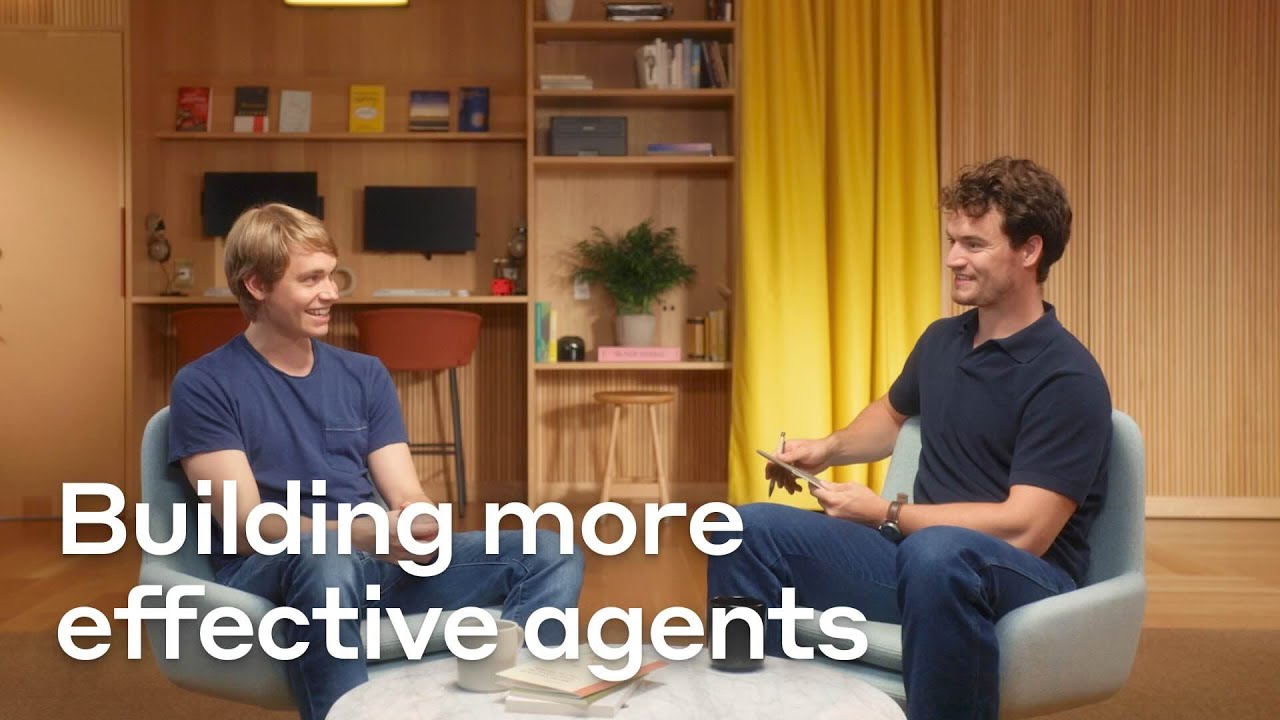
Video: How Anthropic Thinks About Building AI Agents
For the reasoning behind workflows, agents and tools such as MCP servers, Anthropic's own team discusses what changed since its guide came out.
Open Source Social Media Automation: n8n and Postiz on GitHub
Developers often think about building this themselves. n8n's template library holds the 712 social media workflows mentioned above, which you host and adapt. Postiz is an open source scheduler whose code is on GitHub under the AGPL 3.0 license. You can run it on your own server, or pay for the hosted version from $29 a month for 5 channels as of October 2026.
The code is the easy half. To publish from your own server you register a developer app with every network and wait for each one to approve it. Postiz's pricing page says that approval can take weeks and several rounds of review, and usually more than a month for Facebook, Instagram, Threads and YouTube. TikTok's content sharing guidelines keep every post from an unaudited app private and let only 5 users post through it in 24 hours. And a self hosted scheduler still only sends the posts you give it.
How to Automate Social Media Posts, Step by Step
These six steps apply to any tool. Together they take an afternoon, and most of that is account setup.
- Step 1
List the Posts That Repeat
For an app the list is short: a post for each release, a post when a good review or a rating milestone comes in, and a feature post in the weeks between. Anything that repeats and starts from a known source can be automated. A reply to a comment cannot.
- Step 2
Switch Each Account to a Type an API Can Publish To
Instagram accepts posts through its API for professional accounts only, according to Meta's content publishing guide. Facebook publishing goes to a Page, according to the Pages API guide. A Pinterest business account is free and can be converted from a personal one. Do this before you connect anything.
- Step 3
Pick the Kind of Tool by Where the Post Comes From
If finished posts already exist somewhere, such as blog articles with cover images, a trigger rule in Zapier or IFTTT is enough. If you like making posts and only need them sent, use a scheduler. If nobody makes the posts, you need a tool that makes them. For an app, that last case is the one Spreadcast is built for.
- Step 4
Connect Each Account Through the Network's Own Sign In Screen
A legitimate tool sends you to the network to approve access and never asks for your password. LinkedIn's prohibited software page rules out extensions and bots that drive its website, and X's automation rules rule out scripting the site. If a tool needs a browser extension to post, pick another tool.
- Step 5
Start in Approve First Mode
Keep a human check on every post for the first two or three weeks, so you catch anything odd before your followers do. On TikTok and Pinterest, keep approval on for good, for the reasons given in the rules section further down.
- Step 6
Set Posting Days and Book Time for Replies
Choose two or three weekday slots and keep them. The published studies disagree on the best hour, as the tables on our content calendar page show. Then put ten minutes a day in your own calendar to answer comments and messages in each network's app, because automation covers publishing only.
How Spreadcast Automates Social Media Posts for an App
Spreadcast is the first kind of tool, with a source built for apps. Nobody writes a prompt. It reads your App Store listing, which already says what shipped, what users think and how many of them rated the app. Steady posting is the goal: Buffer's study of posting consistency, published in January 2025, followed more than 100,000 users for 26 weeks and found that people who posted in 20 or more of those weeks got about 5 times the engagement per post of people who posted in 4 weeks or fewer. Buffer presents that as a pattern, not as proof of cause.
- Step 1
Paste Your App Store Link
Go to the start page and paste the link to your app once. There is no SDK, no code to add and no access to your developer account. Spreadcast works with the App Store today. Google Play is next on the list and not available yet. Then open the brand kit screen and check what was picked up: logo, colors, screenshots and audience. Every post uses it, and our article on what a brand kit needs explains each part.
- Step 2
Spreadcast Checks the Listing Every Day
It reads the public listing daily and looks for three moments. A new version becomes an app update announcement. A new 5 star review becomes a review post. A rating milestone, such as 1,000 ratings or a 4.8 average, becomes a thank you post. In a week with no update it drafts a post about one of the app's features, so the feed does not go silent.
- Step 3
It Designs the Post and Writes the Captions
Release notes are cut down to two or three points and set next to the app's own screenshot. The design uses your app icon, your screenshots and colors read from the icon. If the app has a website, the logo and fonts come from there. Each post is a 1080 by 1350 still image with real typeset text, and each network gets its own caption. See app update announcement examples for the format.
- Step 4
You Approve, or It Publishes
Pick one of two modes. Approve first holds every post until you tap once. Full autopilot publishes without waiting. Each post takes the next free slot on the content calendar and goes out within minutes of that time on Instagram, TikTok, LinkedIn, Facebook, Threads, Pinterest, Bluesky, Mastodon, Telegram and Discord, plus YouTube for video posts, to the accounts you connected. You connect each account once, on Pro, and it is worth connecting only the networks where you will read the replies. On the free plan you download each post and publish it yourself. If you also work in Claude or ChatGPT, the assistant can design posts and carousels in your app's brand, write captions, schedule and read analytics through Spreadcast's MCP server, while the daily listing check keeps running on its own.
A Worked Month: What an AI Social Media Manager Does for an App
This example uses an invented app. Pacewise is a running log for iPhone with one developer, on Spreadcast Pro in approve first mode, connected to Instagram, LinkedIn, Threads and Bluesky. The dates are November 2026. Nothing here is a customer result. It shows the mechanics.
| Date | What happens on the App Store listing | What Spreadcast does | What the developer does |
|---|---|---|---|
| Monday, November 2 | Version 2.4 goes live. The release notes list interval workouts, a lock screen widget and a faster GPS start. | Spots the new version on its daily check, cuts the notes to three points, sets them beside the app's own screenshot and writes five captions. | Taps approve. The post goes out in the next free slot. |
| Thursday, November 5 | A new 5 star review arrives. | Designs a post that shows the new 5 star rating. | Approves it. A post that quoted the reviewer's words would wait until the reviewer agreed. |
| Week of November 9 | No update. | Drafts a post about one feature, the weekly mileage chart, so the feed does not go silent. | Approves it on Tuesday. |
| Monday, November 16 | Version 2.4.1, a bug fix release. | Drafts an app update post from the short notes. | Approves it, then spends ten minutes answering comments on the 2.4 post in each network's app. |
| Thursday, November 19 | The rating count passes 1,000. | Drafts a thank you post for the milestone. | Approves it. |
| Week of November 23 | No update. Thursday, November 26 is Thanksgiving in the United States. | Drafts a second feature post, with a different screenshot. | Drags it to Tuesday on the calendar, away from the holiday, and approves it. |
| Monday, November 30 | Version 2.5 goes live. | Drafts the next app update post. | Approves it. |
Seven posts in the month, each tied to something that happened, on five networks: 7 x 5 = 35 published posts. The developer's part was seven approvals, one drag and the replies. The Buffer consistency study cited above counts weeks with a post, and all five weeks of this month have one.
What Spreadcast Automates and What Stays With You
This is the full split. Spreadcast does the production work in the first nine rows. The rows marked You are the ones that need a person in any setup.
| Task | Who does it | Detail |
|---|---|---|
| Noticing a new version, review or milestone | Spreadcast | Daily check of the public App Store listing. |
| Turning release notes into a post | Spreadcast | Two or three points from the notes plus the app's own screenshot. |
| Posting a new 5 star rating | Spreadcast | A post that only shows the rating can go out by itself. |
| A post in a week with no update | Spreadcast | A drafted post about one of the app's features. |
| Design | Spreadcast | Spreadcast designs each post from the icon, screenshots and colors on the listing, at 1080 by 1350. |
| Captions | Spreadcast | It writes one per network. Details on the caption generator page. |
| Scheduling and publishing | Spreadcast, on Pro and Studio | It publishes each post for you in the next free slot on the calendar. You can drag a post to another day. |
| Quoting a reviewer's words | Spreadcast drafts, you approve | The post always waits for you, in both modes. Apple's ratings and reviews guidance allows reviews in marketing only with the reviewer's permission. |
| Getting that permission | You | Ask the reviewer before you approve the post. See our App Store marketing guidelines summary. |
| Replies, comments and direct messages | You | Answer in each network's own app. The networks restrict automated replies in any case. |
| Strategy, pricing and positioning | You | Spreadcast posts what happened. You decide what should happen. |
| Video, Reels and carousels | You make the video, Spreadcast can publish it | Spreadcast designs still images, and Claude or ChatGPT can design carousels through its MCP server. A video you edit elsewhere and add with New Post publishes like any other post, as a Reel on Instagram. |
| Ads | You | Run them in each ad platform, with your own ad accounts. |
| Measuring results | You | Use each network's own insights screen. Spreadcast posts what happened on the listing and does not change posts based on past performance. |
What Each Network's Rules Say About Automated Social Media Posting
Automated social media posting through a network's official API, with your permission, is allowed on all eight networks. The details differ, and two networks expect you to confirm each post. Every rule below was read on the network's own page on October 11, 2026.
| Network | What the rule says | What it means for your app's feed |
|---|---|---|
| Meta's content publishing guide covers professional accounts only, limits an account to 100 posts published through the API in a moving 24 hour period and accepts JPEG images only. It also has a parameter for disclosing AI use. | Switch the account to a professional one before you connect it. A few posts a week is far under the limit. | |
| The Pages API guide lets an app publish to a Page for a person who can create content on that Page. A scheduled post has to be between 10 minutes and 30 days away. | Post as your app's Page. Personal profiles are not covered by that guide. | |
| Threads | The Threads API overview allows 250 posts published through the API per 24 hours and limits a text post to 500 characters. | No practical limit for an app account. Captions have to be short. |
| LinkedIn's prohibited software page bans bots, browser extensions and other third party software that automates activity on its website. The official Posts API lets an approved app post for a member or a company page that gave permission. | Avoid browser extension posters. A tool that connects through LinkedIn's own sign in screen is the allowed route. | |
| TikTok | The content sharing guidelines say an app may only send content after the user has expressly consented to the upload. Posts from one account through the API are capped at around 15 per 24 hours, shared across every app. | The cap will not matter. Approve first is the mode that fits the consent rule most plainly, because you see each post before it is sent. |
| The developer guidelines list Pin schedulers as an accepted kind of tool, then add that when an app schedules Pins the user must choose each Pin to be published. | Use approve first if Pinterest is one of your networks, so you choose every Pin. | |
| Bluesky | The rate limits page gives each account 5,000 points an hour and 35,000 a day. Creating a post costs 3 points. | No approval process and no practical limit for a product feed. |
| Telegram | The Bot API lets a bot post to a channel once you add it as an administrator with the right to post messages. The bots FAQ puts the limit at about one message a second in a single chat. | Adding the bot to your channel is the permission. A few posts a week is far under the limit. |
Rules change. If a network's page says something different when you read it, trust the network's page.
Pinterest and TikTok Ask You to Confirm Each Post
Two of the eight networks write a check on every post into their developer rules, and that should decide which mode you run. Pinterest's developer guidelines welcome Pin schedulers, then say that when an app lets people schedule Pins, the person must choose each Pin to be published.
TikTok's content sharing guidelines go further. An app should show a preview of the post, may only send it once you have expressly consented to the upload, and must let you edit any text it filled in for you.
Our recommendation: if either network is connected, run Spreadcast in approve first. You see every post and tap once, which is the step both rules describe. The other six networks do not ask for a check on each post, so full autopilot is a reasonable choice once you trust what comes out.
Can You Automate Instagram Posts?
Yes, with conditions. Instagram lets third party tools publish through its API to professional accounts, which means Business or Creator accounts. Meta's content publishing guide sets the limit at 100 API published posts per account in a moving 24 hour period, counts a carousel as one post and accepts only JPEG for images. A personal account cannot be published to this way.
Not every tool reaches both account types. Zapier's Instagram for Business app says its publish actions work with Instagram Business accounts only. Check that line for any tool before you pay for it.
What you cannot hand to a tool is the conversation. Comments and messages on your posts still need a person. An automated feed with nobody answering reads as abandoned faster than an empty one.
How to Use AI for Social Media Posts Without Breaking Each Network's AI Label Rules
Using AI for the words is allowed everywhere. The rules start when AI makes a picture, a video or a voice look real. Each row comes from the network's own page, read on October 17, 2026.
| Network | What its rule says about AI | What it means for an app post |
|---|---|---|
| Instagram, Facebook and Threads | Meta shows an AI info label when it detects industry standard signals of AI or when a person discloses AI content, per Meta's post on labeling AI content. The label was called Made with AI until July 2024, and since September 2024 content that AI only edited shows it in the post menu. Meta's content publishing guide also has a parameter for disclosing AI use in posts sent through the API. | A designed post made from your real screenshots and icon is not AI generated imagery. Disclose when a picture shows a realistic person or scene that AI made. |
| TikTok | Its synthetic media policy requires a label on AI generated content that contains realistic images, audio or video, using TikTok's AI label or a sticker or caption, per TikTok's announcement of the AI label. | An AI voiceover over a screen recording that sounds like a real person calls for the label. A caption written with AI does not. |
| YouTube | YouTube's disclosure page asks creators to disclose realistic content made or meaningfully altered with AI, and lists scripts, titles, thumbnails and captions made with AI as production help that needs no disclosure. It says disclosure alone does not limit a video's audience or its eligibility to earn money. | Mark AI use as Yes in YouTube Studio only for realistic generated scenes or voices. A demo of your real app needs No. |
| The pin builder has a toggle to mark content made completely or partly with AI, per Pinterest's guide to creating a pin. | Turn it on for artwork from an image generator, not for a pin built from your own screenshots. |
Spreadcast's design tools lay out your brand's own assets (icon, screenshots, colors and fonts) in 11 kinds of post and make no AI photos, so its posts are not the realistic AI imagery these rules target. The captions are written with AI, which none of these networks asks you to label.
How to Use AI for Social Media Content: Five Jobs It Does Well
These are the jobs where AI saves the most time for a small app team, each with the check a person should still make.
Release Notes Into a Post
Paste the What's New text and ask for the one change a user would care about, in their words. Check that the feature named is the one you shipped. Spreadcast does this from the listing without the paste.
One Message, Fitted Per Network
Ask for each network's version with its limit named: 280 characters on X, 300 on Bluesky, 500 on Threads, 3,000 on LinkedIn. Check the hashtag count, since Instagram now takes at most 5. The caption generator page has the full table.
A Month of Topics
Give it your release dates and feature list and ask for a calendar of posts tied to them. Ready made prompts are on the page of ChatGPT content calendar prompts.
Alt Text for Every Image
Ask it to describe the screenshot and the headline in one or two plain sentences. Read it against the picture, because a model can describe a screen it cannot fully read.
A First Draft of a Reply
Let it suggest wording for a hard comment, then send the reply yourself from the network's app. Networks restrict automated replies, as the rules above show, and a person should press send.
Social Media Manager Cost: an AI Tool, a Freelancer, an Agency or a Hire
This is what it costs to keep 8 networks posting for one app, by who does the work. Spreadcast is ours and comes first because it is the only row where the posts are made and published for the price shown. Every outside number links to its source and was read on October 11, 2026.
| Way to get it done | Who makes the post | Who publishes it | Cost for 8 networks | What to know |
|---|---|---|---|---|
| Spreadcast Pro | Spreadcast designs it and writes a caption for each network | Spreadcast publishes it for you | $29 a month flat. The free plan drafts every post for $0. | Built for apps on the App Store. Still image posts. Replies and strategy stay with you. |
| By hand in an editor | You design it | You post it in each app | Canva Pro is $18 a month and Canva Free is $0. | The price leaves out your time. Every post is yours to design, caption and publish eight times. |
| A chat assistant | It writes the captions. You make the image. | You | Claude Pro is $20 a month. | Good for ideas and wording. Its pricing page lists no social publishing, so you copy, paste and post, or connect it to Spreadcast through its MCP server so it designs posts in your app's brand, writes the captions and schedules them there, drafts only by default. |
| A scheduler | You make it | The scheduler | Buffer Essentials is $6 a channel billed monthly: 8 x $6 = $48 a month, or 8 x $5 = $40 on yearly billing. | Publishing is handled. The calendar stays empty until you fill it. |
| A suite sold per seat | You, with AI help on the captions | The suite | Hootsuite Standard is $99 per user a month billed annually, for up to 10 accounts. Sprout Social includes unlimited profiles from Professional, at $299 per seat a month billed annually. | Adds a shared inbox and reports. Worth it for a team that answers customers all day. |
| A freelancer | The freelancer | The freelancer | Upwork's cost guide gives sample monthly rates of $400 to $2,000 for 2 channels and $200 to $1,500 for each extra channel. At the low end, 8 channels come to $400 + 6 x $200 = $1,600 a month. | A person can also reply and plan. You still brief them on every release. |
| An agency | The agency | The agency | Clutch's pricing guide puts the average social media marketing project at $5,107.28 a month. | Includes strategy and often ads. Sized for companies with a budget, and heavy for a single app. |
| A full time hire | Your social media manager | Your social media manager | Indeed reports an average base salary of $65,659 a year in the United States. $65,659 / 12 is about $5,472 a month before benefits. | The only option that also covers replies, community and strategy. |
A fair reading: a person does more than any tool and costs about 55 times as much at the freelancer low end ($1,600 / $29). If the missing piece is posts about your releases, start with the tool and add a person when replies and strategy outgrow you.
Free AI Social Media Manager Options and What Each Free Plan Covers
A search for a free AI social media manager ends at one of these. No free plan does the whole job, so the table says which part each one gives away. Limits come from each vendor's own pages as of October 2026.
| Free plan | What it does for $0 | What it leaves to you |
|---|---|---|
| Spreadcast Free | Spots updates, reviews and milestones for 1 app and designs every post, ready to download. | Publishing. You post the image yourself, and each post carries a small Spreadcast mark. |
| Buffer Free | Buffer's free plan schedules to 3 channels with 10 posts queued per channel and includes its AI Assistant for text. | Making the image and deciding what to post. |
| Meta Business Suite | Meta's own scheduling tool is free and schedules posts, stories and reels to Facebook and Instagram, with a calendar view. | The other six networks, and making every post. |
| Zapier Free and IFTTT Free | Zapier's free plan runs 100 tasks a month in two step Zaps. IFTTT's allows 2 Applets. | A source of finished posts. A rule moves what already exists and does not make anything. |
Hootsuite has no free plan, only a 14 day trial. A working $0 setup for an app: Spreadcast Free makes the posts, and you publish them by hand or through Buffer's free plan on three networks.
Spreadcast Plans and Prices
| Plan | Price | Apps | What you get |
|---|---|---|---|
| Free | $0 | 1 | Spreadcast spots updates, reviews and milestones and designs every post for you to download. Each post carries a small Spreadcast mark. |
| Pro | $29 a month flat | 1 | Design, a caption for each network and publishing to all 8 networks included. Clean posts with no mark, with full autopilot or one tap approval. |
| Studio | $79 a month flat | 5 | Everything in Pro for 5 apps. Each app keeps its own brand. 3 seats. |
Current details are on the pricing page. The free plan designs every post, so you can judge them for your app before paying, and publishing to your accounts starts on Pro. Against the numbers above: 8 networks on Buffer are $40 a month on yearly billing with every post still to make, and Blaze starts at $79 a month.
Social Media Automation Mistakes to Avoid
Each of these gets accounts flagged or feeds ignored, and each has a rule or a number behind it.
Posting the Same Text Everywhere
X's automation rules ban duplicate or very similar posts, on one account or across several. Across networks the limits differ in any case: 280 characters on X according to its character counting rules, 300 on Bluesky according to its post schema and 500 on Threads. Write one caption per network, or use a tool that does.
Automating Likes, Follows and Replies
This is where bans come from. X prohibits automated likes and wants written approval before anyone runs an AI reply bot. Automate publishing and nothing else.
Turning On Autopilot and Never Looking Again
In the Sprout Social survey cited above, 68% of consumers expect a response within 24 hours. A feed that publishes every week and answers nobody looks abandoned. Keep the ten minutes a day.
Quoting a Review Without Asking
Apple's ratings and reviews guidance allows a review in marketing only with the reviewer's permission, and a rating only if it reflects the app's current rating. An old 4.9 graphic becomes a problem once the average moves.
When to Add Another Social Media Automation Tool Beside Spreadcast
Spreadcast is built for app founders, indie developers and small studios who ship regularly and post nothing because nobody has time to make the posts. If that is you, the indie hackers page goes deeper.
Add a scheduler such as Buffer or Hootsuite if you also make content every week about many things besides the app, or need one inbox for comments. Our Hootsuite comparison says who needs that. Add a video tool if Reels and TikTok videos are the core of your plan, because Spreadcast designs still images and does not edit video. It can still publish the finished video for you. If your app is on Google Play only, Google Play is next on the list.
Many app teams run both: the scheduler or the video tool for one off posts, and Spreadcast for the recurring update, review and milestone posts. The usual problem is the one described in why your scheduler is not the reason your feed is empty: the tool was never the missing piece, the posts were.
Frequently Asked Questions
What is an AI social media manager?
It is software that does the production part of a social media manager's job: it finds a reason to post, writes the caption, makes the image, schedules the post and publishes it. It does not replace the person who answers comments, sets the strategy and reads the results. Spreadcast is an AI social media manager for apps on the App Store.
What is social media automation?
Social media automation is software doing repeatable social media tasks on a schedule or a trigger, without a person performing each step. Scheduling posts, posting from an RSS feed and turning an app update into a published post are all examples. Replying to people is the part that should stay manual.
Can AI replace a social media manager?
It can replace the production work and not the rest. A human social media manager also handles community, replies and strategy, which Sprout Social lists as separate areas of the job in its role comparison. If you have a good manager, give them a tool like this. If you have nobody, a tool gets the feed moving, and the replies are still yours.
Are there apps that automatically post to social media?
Yes, three kinds. AI tools make the post and publish it. Spreadcast is that kind for App Store apps: it designs a post for each update, review and milestone and publishes it for you to 8 networks on Pro. Schedulers such as Buffer publish posts you made. Rule tools such as Zapier and IFTTT post when a trigger fires.
How do I automate social media posts for free?
If you have an app, Spreadcast's free plan designs every post for it and you publish them yourself. Other free options publish content that already exists, with limits. As of October 2026, Buffer's free plan covers 3 channels with 10 scheduled posts each, Zapier's free plan covers 100 tasks a month and IFTTT's free plan covers 2 Applets.
Can you automate Instagram posts?
Yes, for professional accounts. Meta's content publishing guide allows up to 100 posts through the API per account in 24 hours. Personal accounts cannot be published to through the API, so switch to a Business or Creator account first.
Is it against the rules to auto post to social media?
No, as long as the tool uses each network's official API with your permission and does not spam. X's automation rules ban duplicate posts and website scripting, LinkedIn bans browser bots, and TikTok and Pinterest expect you to confirm each post. The table on this page lists all eight networks.
Does Spreadcast work for Android apps?
Spreadcast works from the App Store today. If your app is on both stores, the App Store listing is enough to run the feed. Google Play is next on the list.
Where These Facts Come From
Every outside number, rule and price on this page links to the page it was taken from.
- Automation rulesX Help Center
- Bot API referenceTelegram
- Bots FAQTelegram
- Social media manager vs community managerSprout Social
- Buffer pricingBuffer
- Later pricingLater
- Hootsuite plansHootsuite
- Zapier pricingZapier
- Instagram for Business integrationsZapier
- IFTTT plansIFTTT
- Social media workflow templatesn8n
- Blaze pricingBlaze
- Consistent posting studyBuffer
- Ratings, reviews and responsesApple Developer
- Instagram content publishing guideMeta for Developers
- Pages API posts guideMeta for Developers
- Threads API overviewMeta for Developers
- Prohibited software and extensionsLinkedIn Help
- LinkedIn Posts APIMicrosoft Learn
- Content sharing guidelinesTikTok for Developers
- Developer guidelinesPinterest Policy
- Rate limitsBluesky
- Social media manager job descriptionWorkable
- AI Assistant post performance studyBuffer
- The state of social media, Q3 2026 Pulse SurveySprout Social
- Postiz pricingPostiz
- Postiz source codeGitHub
- Get a business accountPinterest Help
- Counting charactersX Developer Platform
- Post record schemaBluesky on GitHub
- Canva pricingCanva
- Claude pricingAnthropic
- Sprout Social pricingSprout Social
- Cost to hire a social media managerUpwork
- Social media marketing pricing guideClutch
- Social media manager salaries in the United StatesIndeed
- About Meta Business SuiteMeta Business Help Center
- Building effective agentsAnthropic
- What is the Model Context ProtocolModel Context Protocol
- Our approach to labeling AI generated contentMeta
- New labels for disclosing AI generated contentTikTok Newsroom
- Disclosing use of AI contentYouTube Help
- Create a Pin from an image or videoPinterest Help
- Video: building more effective AI agentsAnthropic
Researched and written by Spreadcast. Last checked on October 17, 2026.