What Planable Is, and Who Should Look at Planable Alternatives
Planable is a social media tool built around review and approval. A team writes posts in a workspace, clients and managers comment on them, suggest edits like tracked changes, and approve them, and Planable publishes what was approved. Planable's pricing page describes itself as collaboration first and sells per workspace with unlimited users, so a client who only approves posts never costs a seat. It was founded in 2016 and has belonged to SE Ranking since SE Ranking announced the acquisition on August 4, 2025, which also says Planable serves over 7,000 agencies and teams.
People search for Planable alternatives for two opposite reasons, and this page is organized around them. The first group needs approvals and finds Planable's version too limited or too expensive at their size: required approvals start on Pro, multi level approvals are Enterprise only, the free start is 50 posts in total, and analytics and the inbox are paid add ons. The second group has no approver at all. A founder who runs the brand alone does not need a review chain, they need the posts to exist, and a tool built for sign off does not write or design them.
The list below covers both. We make Spreadcast, and it comes first because it is the only tool here that designs the post from your App Store listing and publishes it for you, which is the answer for the second group. The other nine are ranked by how well they answer the first: approval workflows per dollar, then inbox and reporting depth, then the large suites. Every price and limit was read on the vendor's own pages on October 19, 2026, and the source sits beside each claim.
Key Takeaways
Planable Charges per Workspace, Not per Seat
Basic is $39 and Pro $59 per workspace a month, or $33 and $49 on yearly billing, with unlimited users. One workspace per client is the rule Planable itself recommends, so five clients on Pro cost $295 a month on monthly billing.
Required Approvals Start on Pro
Basic offers no approval or optional approval only. Required approval, where a post cannot publish until someone signs off, is on Pro. Multi level approval chains are on Enterprise, which has custom pricing.
The Free Start Is 50 Posts in Total
Planable's free trial has no time limit but stops at 50 created posts, which do not reset monthly. Buffer and Publer keep free plans with no end date, and Spreadcast's free plan makes 3 designed posts for one app.
Loomly Is the Closest Approvals Match
Loomly's $49 a month Starter plan on yearly billing lists approval workflows, custom roles, 12 social accounts and 3 users, and its feature page describes multi tier approvals. On Planable, multi level approval needs Enterprise.
Per Seat Suites Cost Most for Approvals
Hootsuite puts approvals on Advanced at $399 per user a month on annual billing, and Sprout Social puts its message approval workflow on Professional at $299 per seat. For three people that is $1,197 and $897 a month.
No Approver? You Need Posts, Not Sign Off
For an app founder working alone, Spreadcast designs each post from your App Store listing and publishes it for you, with one tap approval or full autopilot. Free drafts your posts; Pro is $29 a month and includes design, captions and publishing to every network.
Planable Pricing in 2026: Plans, Post Limits and Add Ons
This is what you are leaving. Every number comes from Planable's pricing page and Planable's pricing file for AI agents, both read on October 19, 2026. Prices are in US dollars per workspace and exclude tax.
| Plan or add on | Billed monthly | Billed yearly, per month | Posts | Social pages | Approval types | What else the plan includes |
|---|---|---|---|---|---|---|
| Free trial | $0 | $0 | 50 in total, no monthly reset | 4 per workspace | None or Optional | No time limit and no card, unlimited users, feed and calendar views, no X publishing during the trial |
| Basic | $39 | $33 | 60 per workspace a month | 4 per workspace | None or Optional | Unlimited users, 3 campaigns, 5 labels, 10 GB media, 1 week of version history, 1 tweet published per 24 hours, MCP connector |
| Pro | $59 | $49 | 150 per workspace a month | 10 per workspace | None, Optional or Required | Grid view, team only drafts and notes, bulk approval, public API, 50 GB media, 30 days of version history, chat support |
| Enterprise | Custom | Custom | Unlimited | 50 per workspace | None, Optional, Required or Multi level | List view, SSO, dedicated account manager, 24 months of published post storage, analytics and inbox add ons included |
| Analytics add on | $14 | $12 | Not a plan | Per workspace | Not applicable | Cross channel stats, page and post metrics, audience insights, best time to post, up to 5 competitors |
| Social inbox add on | $9 | $7.50 | Not a plan | Per workspace | Not applicable | Comments and DMs in one inbox, AI reply suggestions, sorting by sentiment |
| Social listening add on | $99 | $82.50 | Not a plan | Per workspace | Not applicable | 1 brand keyword, 3 topic keywords and 3 competitor keywords, exports by CSV, MCP or API |
Planable shows the yearly figures as its headline prices and calls yearly billing 2 months free. The post counter resets on the 1st of each month. Published posts are kept 13 months on Basic and Pro, then deleted. Teams with more than 5 workspaces are asked to contact Planable for a volume discount.
How Much Does Planable Cost in 2026? Workspaces, Post Caps and Add Ons
Planable costs $39 a month for Basic and $59 for Pro per workspace on monthly billing, or $33 and $49 a month on yearly billing, and the workspace is the unit that multiplies. The pricing FAQ says to use one workspace per brand or client: five clients mean five workspaces, and one brand in three regions with separate teams means three. Five client workspaces on Pro cost $295 a month (5 times $59), or $245 a month on yearly billing (5 times $49).
Two limits inside each workspace decide the plan more often than the price does. Basic allows 4 social pages and 60 posts a month, so a client with Instagram, Facebook, LinkedIn, TikTok and Pinterest already needs Pro, which allows 10 pages and 150 posts. And the approval you probably came for, Required, where at least one approver must sign off before anything publishes, is on Pro only. Basic offers None and Optional, which means approvals can be switched on but are not enforced.
Then come the add ons, priced per workspace as well. Analytics is $14 a month and the social inbox $9, so a Pro workspace with both costs $82 a month ($59 plus $14 plus $9). Across five client workspaces that is $410 a month (5 times $82) before social listening, which adds $99 per workspace. On yearly billing the same five workspaces with analytics and inbox come to $342.50 a month: $49 plus $12 plus $7.50 is $68.50, times 5.
Planable pricing is fair for what it is built to do. Unlimited users are rare in this market, and a client who approves ten posts a month costs nothing extra. It gets expensive in two cases: when you run many small brands that each need their own workspace, and when you need reporting or replies, which every rival below includes in at least one plan without an add on.
Is Planable Free? The 50 Free Posts Explained
Planable is free for your first 50 posts, not forever. The pricing FAQ says the trial gives you 50 created posts in total, with no time limit and no credit card, and that the 50 do not reset monthly: once they are used, you upgrade to keep publishing. So the search people run, whether Planable is free indefinitely, has a two part answer. The clock never runs out, but the post count does.
Three more limits apply during the trial. X publishing is not available, the analytics and social inbox add ons cannot be tested until a paid plan is active (each then gets its own 30 day trial), and the trial works like Basic in its approvals: None or Optional, with 4 pages per workspace. To test required approvals with a real client, you need to pay for Pro.
For comparison, Buffer's pricing file lists a Free plan for 3 channels with 10 scheduled posts per channel at one time, refilled as each post publishes, with no end date. Publer's plans and pricing article describes a Free plan with up to 3 social accounts, excluding X, and says you can use it for as long as you want. Neither free plan includes approval workflows. Spreadcast's free plan makes 3 designed posts for one app, ready to download with a small Spreadcast mark, so you can judge the designs before you pay.
Video: Planable's Own Demo of Workspaces, Approvals and Scheduling
Watch Planable's walkthrough first, so you know which parts of it you actually use before you replace it.

Approvals or Automation: Which Problem Are You Solving?
Before you compare prices, decide which of two problems you have, because the best Planable alternative is a different tool for each. An approval problem means more than one person has a say before a post goes out: a client, a manager, legal. You need a tool where a draft waits, people comment on it, and nothing publishes until the right person approves. An automation problem means nobody has time to make the posts at all, and a review step only adds a second empty box.
Agencies, in house teams with a brand manager, and regulated businesses have the approval problem. For them the questions are concrete. Can a post be blocked until approved, or is approval only a suggestion? Can a client approve without a paid seat? Can approvals run in steps, first the team lead and then the client? Can you approve twenty posts at once? Planable answers yes to all four only on Enterprise; on Pro it answers yes to the first, second and fourth.
Founders, indie developers and one person marketing teams usually have the automation problem. Nobody else signs off, so a required approval step is the founder approving their own post. What they lack is the post: the screenshot laid out, the headline written, a caption per network, the slot on the calendar. For an app on the App Store, Spreadcast does that part. It checks your listing every day, turns a new version into an update post with your own screenshot in an iPhone frame and two or three points from the release notes, and turns a rating milestone into a thank you post. Each post waits for one tap of approval by default, or goes out on full autopilot on paid plans.
Many teams have a little of both, and the two do not exclude each other. An agency can keep a review tool for its clients and still let an automation tool draft the recurring posts. The tables below mark which tools are built for which job.
How We Picked These Planable Alternatives
We started from the tools people compare with Planable. Google's search suggestions on October 19, 2026 returned Planable vs Buffer, Planable vs Hootsuite, Planable vs Later, Planable vs Loomly, Planable vs Sprout Social, Planable vs SocialPilot, Planable vs Metricool, Planable vs Planoly, Planable vs RecurPost and Planable vs Zoho Social. We added the agency tools that compete on approvals, Agorapulse, ContentStudio and Vista Social, and kept only tools whose prices and approval rules we could confirm on the vendor's own pages that day.
Six things decided the order: whether a post can be blocked until approved and on which plan, whether approvals can run in more than one step, whether clients can approve without a paid seat, the monthly price for a solo founder, a team of three and a five client agency, whether there is a free plan, and what else the plan includes without an add on, mainly an inbox and analytics. Spreadcast is first for a different reason, stated above: it is the only tool here that makes the post.
We do not repeat star ratings from review sites or claims we could not open. Where a vendor's page did not say something, the tables say Not stated instead of guessing. We did not score ease of use, which depends on taste: every tool here has a free plan or a trial, and the steps at the end show how to run one beside Planable before you cancel.
Planable Alternatives at a Glance
Starting prices are per month on yearly billing in US dollars unless a row says otherwise, because Hootsuite and Sprout Social publish yearly prices as their headline. Planable is in the last row as the baseline.
| Tool | Best for | Free plan | Starting price | Where approvals start | Makes the posts for you |
|---|---|---|---|---|---|
| Spreadcast | App founders: posts designed from the App Store listing and published for you | Yes: 1 app, 3 designed posts to download | Pro at $29 a month, including design, captions and publishing to 8 networks | Every post waits for one tap by default on Pro, or runs on full autopilot | Yes. Spreadcast designs the post and publishes it for you |
| Loomly | Approvals and roles on the entry plan | No, a free trial | $49 a month for 12 accounts and 3 users | Starter, with multi tier approvals | No. AI post generation and captions on request |
| Buffer | A free plan, then approvals priced per channel | Yes: 3 channels | $5 per channel a month | Team, $10 per channel a month | No. AI Assistant helps with wording |
| SocialPilot | Client approval at a low price | No, 14 day trial | $25.50 a month for 7 accounts | Standard for manager approval, Premium for client approval | No. AI credits for captions |
| ContentStudio | Agencies that want unlimited users and workspaces | No, 7 day trial | $19 a month for 5 accounts | Advanced, $49 a month | No. AI Studio drafts text, images and video on request |
| Agorapulse | An inbox and reporting with approvals | 30 day trial; the FAQ mentions a free plan after it, without limits | $79 per user a month | Professional, $119 per user a month | No. AI writing assistant |
| Later | Instagram and TikTok teams that approve visually | No, 14 day trial | $18.75 a month for 8 profiles | Growth, $37.50 a month | No. 5 AI caption credits a month on Starter |
| Vista Social | Agencies with many profiles and DM automations | No, 14 day trial | $950 a year for 15 profiles | Professional, with advanced workflows on Advanced | No. AI credits for captions and replies |
| Sprout Social | Large teams with care and listening needs | No, 30 day trial | $79 per seat a month for 5 profiles | Professional, $299 per seat a month | No. Trellis AI agent and AI Assist |
| Hootsuite | Enterprises that route messages and approvals | No, 14 day trial | $99 per user a month for 10 accounts | Advanced, $399 per user a month | No. Wisdom AI drafts posts |
| Planable (baseline) | Client approvals with unlimited users | 50 posts in total, no time limit | $33 per workspace a month | Optional on Basic, Required on Pro at $49 per workspace, multi level on Enterprise | No. AI rewrites and generates posts on request |
Prices and limits were read on each vendor's own page on October 19, 2026 and exclude tax. Sources are linked in each entry below.
The 10 Best Planable Alternatives, With Prices, Pros and Cons
Spreadcast is first because it is the only tool here that designs the post from your App Store listing and publishes it for you. The nine after it are ranked by how much approval you get per dollar: the approval first tools at low prices, then the tools that add an inbox and reporting, then the per seat suites.
- 1
Spreadcast
Free to start, Pro $29 a month with design, captions and publishing includedBest if nobody is waiting to approve, the posts just need to exist
Spreadcast starts where Planable stops. Planable gives a team a place to review posts somebody has already written. Spreadcast makes the posts for an app on the App Store. You paste your App Store link once at the start page, it checks the listing every day, and each new version becomes an update post: your own screenshot in an iPhone frame, a headline, and two or three points from the release notes, written in the language of the release notes. A rating milestone becomes a thank you post. Every post is designed in your icon, screenshots and colors, with the logo and fonts from your website.
The approval step is there, and it is short. By default each post waits for one tap from you before it goes out, and on paid plans you can switch to full autopilot, where posts are scheduled for nine in the morning in your time zone. A caption is written for each network, the calendar puts each post in the next free slot, and you drag a post to move it. Drafts sit in their own tab. Review quote posts from a real 5 star review, carousels of 3 to 8 slides, and text and picture posts are made on demand in Create, and you can upload your own pictures and video.
Spreadcast publishes to Instagram, TikTok, LinkedIn, Facebook, Threads, Pinterest, Bluesky, Mastodon, Telegram and Discord, plus YouTube for video posts. Instagram carousels go out as real carousels, and LinkedIn posts go to a personal profile. Analytics show interactions, new followers, taps on the App Store link, which networks, kinds of post and days work best, and the best day and time to post. An MCP server lets Claude, ChatGPT, Claude Code or Cursor create posts too, saving drafts by default.
Free drafts your posts: 1 app and 3 designed posts to download with a small Spreadcast mark. Pro is $29 a month or $290 a year and includes design, captions and publishing to every network for 1 app with 10 social accounts. Studio is $79 a month or $790 a year for 5 apps, each with its own brand and accounts, 50 social accounts and 3 seats. Compare that with Planable Pro at $59 a month per workspace, which publishes posts you still have to write and design. The full list of plans is on pricing, with a full refund within 7 days.
Pros
- Designs each post from your App Store listing, screenshots and colors
- Publishes to 8 networks with a caption written for each
- One tap approval by default, or full autopilot on paid plans
- Free plan makes 3 designed posts for one app
- Pro includes design, captions and publishing for $29 a month
- MCP server for Claude, ChatGPT, Claude Code and Cursor
Cons
- Built for apps on the Apple App Store only
- No client approval chains or comment threads for agencies
- 2
Loomly
From $49 a month billed yearly, or $65 billed monthlyBest Planable alternative for approvals on the entry plan
Loomly is the tool closest to Planable in spirit: a content calendar with approvals at the center. Loomly's pricing page lists Starter at $65 a month billed monthly or $49 a month billed yearly ($588 a year) for 12 social accounts, 3 users and unlimited calendars, with approval workflows and roles, custom roles and workflows, bulk posting, recurring posts, advanced analytics and replying to interactions all included. Beyond is $332 a month or $249 billed yearly ($2,988 a year) for 60 accounts and unlimited users, and adds custom branding and scheduled reports.
The approval depth is the reason it ranks here. Loomly's collaboration and approvals page describes multi tier approval workflows, so each teammate and client is brought in at the right step, batch approval of a month of posts, role based permissions for clients, private comments for internal discussion that you switch to public when the client should see them, and approval from the mobile app. On Planable, multi level approval is an Enterprise feature with custom pricing.
Planable vs Loomly on price depends on how you count. For one brand with a team of three, Loomly Starter is $49 a month billed yearly and Planable Pro is also $49, but Loomly includes analytics and replies to interactions where Planable charges $12 and $7.50 per workspace for them, and Loomly allows 12 accounts against Planable's 10 pages. Planable wins on people: unlimited users on every plan, where Loomly Starter stops at 3 users and the next step is Beyond at $249. For an agency with five clients, Planable Pro is $245 a month on yearly billing and Loomly Beyond is $249, close enough that the inbox and analytics decide it.
Loomly publishes to Instagram, Facebook, LinkedIn, TikTok, YouTube, Threads, Pinterest and Google Business Profile, and to Snapchat through push notifications, per Loomly's integrations page. Bluesky and Telegram are not on that list. The yearly plan is charged upfront and the pricing page says it cannot be ended early, so start monthly if you are unsure. Nonprofits get a 50% lifetime discount, and Loomly is part of Bending Spoons, per the company line on its pricing page.
Pros
- Approval workflows and custom roles on the entry plan
- Multi tier approvals and batch approval
- 12 accounts, analytics and replies included at $49 a month
- Private and public comments for client work
Cons
- 3 users on Starter, then $249 a month for unlimited users
- No Bluesky or Telegram on its integrations page
- Yearly plans cannot be cancelled early
- 3
Buffer
Free for 3 channels, Team from $10 per channel a month billed yearlyBest free alternative to Planable, with approvals priced per channel
Buffer answers the most common search after Planable pricing: a free alternative to Planable. Buffer's pricing page lists a Free plan with up to 3 channels, 10 scheduled posts per channel at one time, an AI Assistant, replies to comments and API access, with no end date. It has no approval workflow, but the paid Team plan does, and Team includes unlimited team members, which matters to anyone who chose Planable for its unlimited users.
Paid plans are priced per channel. Buffer's pricing file lists Essentials at $6 per channel a month billed monthly or $5 billed yearly, and Team, which adds content approval workflows, access levels and unlimited team members, at $12 or $10. Above 10 channels the rate drops: channels 11 to 25 cost $4 each on both plans on monthly billing, so 25 channels on Team cost $180 a month ($120 for the first 10 plus $60 for the next 15), or $150 on yearly billing per Buffer's own example table.
Planable vs Buffer comes down to how many channels sit behind one approval flow. For one brand with 8 channels and three people, Buffer Team is $80 a month on yearly billing (8 times $10) and Planable Pro is $49, so Planable is cheaper. For an agency with 25 channels across five clients, Buffer Team is $150 and Planable Pro is $245 (5 times $49), so Buffer is cheaper. Planable gives you required approvals, suggested edits and annotations on a post; Buffer's pricing file describes approvals as managing who can draft and approve posts across your team, without levels.
Buffer also includes things Planable sells separately: analytics with unlimited history and a community inbox for comments on every paid plan. It publishes to Instagram, Facebook, LinkedIn, TikTok, YouTube Shorts, Threads, Pinterest, Bluesky, Mastodon, Google Business Profile and X. Paid plans have a 14 day trial and nonprofits get 50% off. If the per channel price climbs too high, the best Buffer alternatives lists what else to try.
Pros
- A free plan for 3 channels with no end date
- Unlimited team members and approvals on Team
- Analytics and comment replies with no add on
- API access on every plan, the free one included
Cons
- No approvals on the free or Essentials plans
- No approval levels described on the pricing page
- Price grows with every channel you connect
- 4
SocialPilot
From $25.50 a month billed yearly, or $30 billed monthlyBest low cost Planable alternative for client approval
SocialPilot puts client approval workflows on a plan an agency can afford. SocialPilot's plans page lists Essentials at $30 a month billed monthly or $25.50 billed yearly for 7 social accounts and 1 user. Standard, at $50 or $42.50, has 15 accounts, 3 users, a social inbox, analytics and manager approval. Premium, at $100 or $85, has 25 accounts, 6 users, unlimited client seats, client approval workflows, bulk scheduling with CSV uploads and white label reports.
The approval split is clear. Standard includes a content approval workflow and a manager approval workflow, so a junior can draft and a manager signs off. Client management and client approval workflows start on Premium, which also includes unlimited client seats, the same idea as Planable's unlimited users. Ultimate, at $200 a month or $170 yearly, raises the limits to 50 accounts and unlimited users with advanced white label and a dedicated account manager.
Planable vs SocialPilot is a question of how many clients you run. For five clients with five accounts each and four staff, SocialPilot Premium is $85 a month on yearly billing, against $245 for five Planable Pro workspaces, a difference of $160 a month ($245 minus $85). For a single brand, Planable Pro at $49 gives required approvals, unlimited users and 10 pages, while SocialPilot Standard at $42.50 gives manager approval, 3 users, 15 accounts, an inbox and analytics.
Extra accounts cost $4 a month and extra users $5. SocialPilot publishes to Facebook, Instagram, TikTok, X, LinkedIn, Threads, Bluesky, YouTube, Pinterest and Google Business Profile. There is no free plan, only a 14 day trial with no card. Our list of the best SocialPilot alternatives goes through the rest of this price band.
Pros
- Manager approval on Standard at $42.50 a month
- Client approval and unlimited client seats on Premium
- 25 accounts and 6 users for $85 a month
- Inbox and analytics from Standard
Cons
- No free plan
- No approvals or analytics on Essentials
- Client approval waits until the $85 plan
- 5
ContentStudio
From $19 a month billed yearly, or $29 billed monthlyBest for agencies that want unlimited users and workspaces
ContentStudio uses workspaces the way Planable does, then removes the per workspace price on its agency plan. ContentStudio's pricing page lists Standard at $19 a month billed yearly ($228 a year) or $29 month to month for 5 social accounts, 1 workspace and 1 user. Advanced is $49 yearly or $69 monthly for 10 accounts, 2 workspaces and 2 users, and adds the approval workflow, a social inbox, competitor analytics, evergreen post recycling, CSV bulk scheduling and RSS autoposting.
Agency Unlimited is the plan that competes with Planable. It costs $99 a month billed yearly or $139 month to month, with 25 social accounts, unlimited workspaces and unlimited users, plus EasyConnect for client account connection, complete client management and an approver or client dashboard. Five client workspaces on Planable Pro cost $245 a month yearly; on ContentStudio Agency Unlimited they cost $99, with the inbox and analytics included.
Extras are $5 a month per social account, $10 per user and $10 per workspace on Advanced. White label is a $50 a month add on on Agency Unlimited, and social listening starts at $99 a month. Every plan includes AI Studio for text, images and video, an MCP integration and API access, which Planable keeps on Pro and up. The trial is 7 days with no card.
Reach is wider than Planable's. ContentStudio lists Facebook, Instagram, X, Google Business Profile, LinkedIn, TikTok, Bluesky, Threads, YouTube, Pinterest and Telegram. Its pricing page does not say whether approvals can run in several levels, so test that in the trial if you need a chain.
Pros
- Unlimited users and workspaces for $99 a month
- Approval workflow and inbox from $49 a month
- Publishes to Bluesky and Telegram
- API and MCP on every plan
Cons
- No approvals on Standard
- Approval levels not stated on the pricing page
- 7 day trial only, no free plan
- 6
Agorapulse
From $79 per user a month billed yearly, or $99 billed monthlyBest for approvals plus a full inbox and reporting
Agorapulse is the choice when replies matter as much as approvals. Agorapulse's pricing page lists Standard at $79 per user a month billed yearly or $99 monthly, Professional at $119 or $149, Advanced at $149 or $199, and a Custom plan. Each of the first three includes 10 social profiles, with extra profiles at $10 a month on yearly billing or $15 monthly, and an inbox for messages, comments and reviews on every plan.
Approvals come in three steps. Simple approval workflows, which the page describes as routing content to teammates or clients for one step approvals, start on Professional, along with internal comments and the Instagram grid preview. Bulk approval and shared calendars, which let outside stakeholders review posts before they publish, start on Advanced with 5 shared calendars. Multi step approval workflows with custom approval chains are on Custom only, the same place Planable puts multi level approval.
Planable vs Agorapulse is a choice between counting workspaces and counting people. Three people on Agorapulse Professional cost $357 a month on yearly billing (3 times $119), against $49 for one Planable Pro workspace. The gap pays for a full inbox with post and inbox assignments, reports with up to 12 months of data retention on Professional, and a connector that lets ChatGPT or Claude work with Agorapulse through MCP.
Agorapulse counts Facebook, Instagram, LinkedIn pages and personal profiles, TikTok, X, YouTube, Threads, Pinterest, Bluesky and Google Business Profile as profiles. The trial is 30 days with no card, and the pricing FAQ says you can keep using a free plan after the trial. If Agorapulse is close but not right, the best Agorapulse alternatives covers the rest of that field.
Pros
- One step approvals for teammates or clients from Professional
- An inbox and reports on every plan
- Shared calendars and bulk approval on Advanced
- 30 day trial with no card
Cons
- Priced per user: three people on Professional cost $357 a month
- Multi step approvals only on the Custom plan
- Extra profiles beyond 10 cost $10 to $15 a month each
- 7
Later
From $18.75 a month billed yearlyBest for Instagram and TikTok teams that approve visually
Later plans around the picture, which suits brands whose clients approve by looking at the feed. Later's pricing page lists Starter at $18.75 a month billed yearly for 1 social set of 8 profiles, one on each network, with 1 user and 30 posts per profile a month. Growth, at $37.50, has 2 social sets, 2 users and 180 posts per profile, and adds the content approval workflow, an external comment workflow for stakeholders without a Later account, a social inbox and custom roles.
Scale, at $82.50 a month billed yearly, has 6 social sets, 4 users, unlimited posts, competitive benchmarking and brand mentions. On Growth and Scale an extra social set costs $11.25 a month and an extra user $3.75, which makes Later cheap for an agency with one profile per network per client: five clients on Growth with four users come to $78.75 a month ($37.50 plus 3 extra sets at $11.25 plus 2 extra users at $3.75).
Planable vs Later is approvals depth against planning by eye. Later's approvals are one workflow with external comments; its pricing page names no required setting and no levels. Starter has no approval workflow at all, and caps each profile at 30 posts a month. Planable's Pro plan has a grid view too, so the planner alone is a thin reason to switch.
Later publishes to Instagram, Facebook, TikTok, Threads, YouTube, Pinterest, LinkedIn and Snapchat, with a link in bio page on every plan. X and Bluesky are not on that list. If Later is your shortlist, the best Later alternatives compares the other visual planners.
Pros
- Approvals and external comments from $37.50 a month
- Extra social sets at $11.25 and users at $3.75
- Visual planner and link in bio on every plan
Cons
- No approvals on Starter
- 30 posts per profile a month on Starter
- No X or Bluesky
- 8
Vista Social
From $99 a month, or $950 a yearBest for agencies with many profiles and DM automation
Vista Social packs approvals, an inbox, review management, DM automations and a link in bio tool into plans sized by profile count. Vista Social's pricing page lists Professional at $99 a month or $950 a year for 15 social profiles and 2 users, Advanced at $199 a month or $1,910 a year for 30 profiles and 3 users, and Scale at $449 a month or $4,310 a year for 70 profiles and 4 users.
Professional already includes a post workflow for content that has to pass approval stages. Advanced adds what the page calls sophisticated content approval workflows for internal and outside teams and clients, along with custom fields, smart scheduling, custom reports and Zapier and Make integrations. Scale adds white label reports and dashboards and lets customers connect their own profiles.
On yearly billing, Professional works out to $79.17 a month ($950 divided by 12), Advanced to $159.17 and Scale to $359.17. Against Planable, the comparison is profiles per dollar: Vista Advanced holds 30 profiles in one plan, while 30 pages on Planable Pro means three workspaces at $49 each, $147 a month on yearly billing, before analytics and inbox add ons.
Two costs sit outside the headline. X is a $29 a month add on for publishing, boosting, automations and analytics, and listening across social, web and news starts at $75 a month. Employee advocacy is free for 3 advocates, then from $199 a month for 25. The trial is 14 days.
Pros
- Approval workflows from the first plan
- Client approval workflows on Advanced
- 30 profiles and 3 users for $159.17 a month yearly
- Inbox, reviews and DM automations included
Cons
- Only 2 to 4 users before custom pricing
- X is a $29 a month add on
- No free plan
- 9
Sprout Social
From $79 per seat a month billed yearlyBest for large teams that need care, listening and approvals in one suite
Sprout Social is a suite sold per seat. Sprout Social's pricing page lists Essentials at $79 per seat a month on annual billing, or $99 billed monthly, for 5 social profiles. Standard is $199 per seat with 5 profiles, a consolidated inbox, keyword and location monitoring and review management. Professional is $299 per seat with unlimited profiles, and Advanced is $399 per seat with sentiment, the Sprout API and team productivity reports.
Approvals sit high in that ladder. The plan data on Sprout's pricing page lists the message approval workflow on Professional and Advanced, and the external approval workflow, which lets outside stakeholders review posts without logging in, on Advanced only. Sprout Social's guide to approval workflows explains the difference between optional, required and multi stage approval and shows how Sprout handles a one person sign off or a multi step process.
Planable vs Sprout Social on price is not close. Three people with required approvals cost $897 a month on Sprout Professional (3 times $299) against $49 for one Planable Pro workspace, and four agency staff with client approvers cost $1,596 a month on Sprout Advanced (4 times $399) against $245 for five Planable Pro workspaces. What the difference buys is everything around the post: a Smart Inbox with care workflows, competitor and paid insights, and listening as an add on.
The trial is 30 days with no card. Every seat gets 100 monthly AI agent credits for Trellis. If you are weighing Sprout for its suite and not its approvals, the best Sprout Social alternatives compares it with the rest of that tier.
Pros
- Message approval workflow from Professional
- External approvers without a login on Advanced
- Inbox, monitoring and review management from Standard
- 30 day trial with no card
Cons
- Priced per seat: $299 each for approvals
- External approval only on the $399 plan
- 5 profiles on Essentials and Standard
- 10
Hootsuite
From $99 per user a month billed yearlyBest for enterprises that route approvals and messages across teams
Hootsuite is where large organizations go when approvals are one part of a bigger workflow. Hootsuite's plans page lists Standard at $99 per user a month on annual billing for up to 10 social accounts, Professional at $199 with unlimited accounts, inbox automation and custom reports, and Advanced at $399, which its FAQ describes as the plan for approval workflows, internal comments, message assignment with skill based routing and team performance reports. Enterprise adds SSO and advanced listening.
Planable vs Hootsuite is a question of scale. Required approvals cost Planable users $49 a month per workspace on yearly billing with unlimited approvers. On Hootsuite they cost $399 per user a month, so three people come to $1,197 a month (3 times $399) and four come to $1,596. What Hootsuite adds is everything around the approval: brand and competitor monitoring from Standard, benchmarking against up to 20 competitors on Professional, routing messages to the right person, customer satisfaction surveys and listening.
The trial is 14 days with no card, and the plans page notes daily posting limits of 10 to 20 posts per organization during a trial, with no bulk scheduling. Hootsuite's integrations page lists Facebook, Instagram, X, LinkedIn, TikTok, YouTube, Threads, Pinterest and Bluesky.
For most Planable users Hootsuite is too large. It makes sense when the approval chain is part of a wider operation with customer care, compliance and listening. The best Hootsuite alternatives covers lighter options if Hootsuite is on your list for other reasons.
Pros
- Approvals, routing and team reports on Advanced
- Monitoring and benchmarking from Standard
- Unlimited accounts from Professional
Cons
- Approvals cost $399 per user a month
- No free plan, and trial accounts have daily post limits
- Far more suite than an approval tool needs
Social Media Approval Workflows Compared: Planable vs Each Alternative
This is the table to read if approvals are why you chose Planable. Prices are per month on yearly billing, from each vendor's own pricing page on October 19, 2026. Not stated means the page we read did not say.
| Tool | Approval types | Plan where approvals start | Steps in a chain | Clients or outside reviewers | Bulk approval |
|---|---|---|---|---|---|
| Spreadcast | One tap approval per post, or full autopilot | Pro, $29 a month billed monthly | One step | Not built for client review | Not stated |
| Planable (baseline) | None, Optional, Required, Multi level | Pro, $49 per workspace | Multi level on Enterprise only | Unlimited users on every plan | Pro and up |
| Loomly | Approval workflows with custom roles | Starter, $49 | Multi tier, per its features page | Role based client permissions, private and public comments | Yes, batch approval |
| Buffer | Content approval workflows | Team, $10 per channel | Not stated | Unlimited team members on Team | Not stated |
| SocialPilot | Manager approval, client approval | Standard, $42.50 | Not stated | Unlimited client seats and client approval on Premium, $85 | Not stated |
| ContentStudio | Approval workflow system | Advanced, $49 | Not stated | Approver or client dashboard from Advanced | Not stated |
| Agorapulse | Simple one step, then multi step | Professional, $119 per user | Multi step on Custom only | Routing to clients from Professional, shared calendars from Advanced | Advanced, $149 per user |
| Later | Content approval workflow, external comments | Growth, $37.50 | Not stated | External comment workflow without a Later account | Not stated |
| Vista Social | Post workflow, then advanced workflows | Professional, $79.17 | Approval stages, per its pricing page | Outside teams and clients on Advanced, $159.17 | Not stated |
| Sprout Social | Message approval, external approval, reply approval | Professional, $299 per seat | Multi step, per its approval guide | External approval without login on Advanced, $399 per seat | Not stated |
| Hootsuite | Approval workflows with internal comments | Advanced, $399 per user | Not stated | Not stated | Not stated |
Vista Social's yearly prices are $950, $1,910 and $4,310 a year, shown here divided by 12. If a Not stated cell decides your choice, ask the vendor or test it during the trial.
Video: How Feedback and Approval Work in Planable
A short Planable tutorial on the review steps most teams want to keep when they switch.
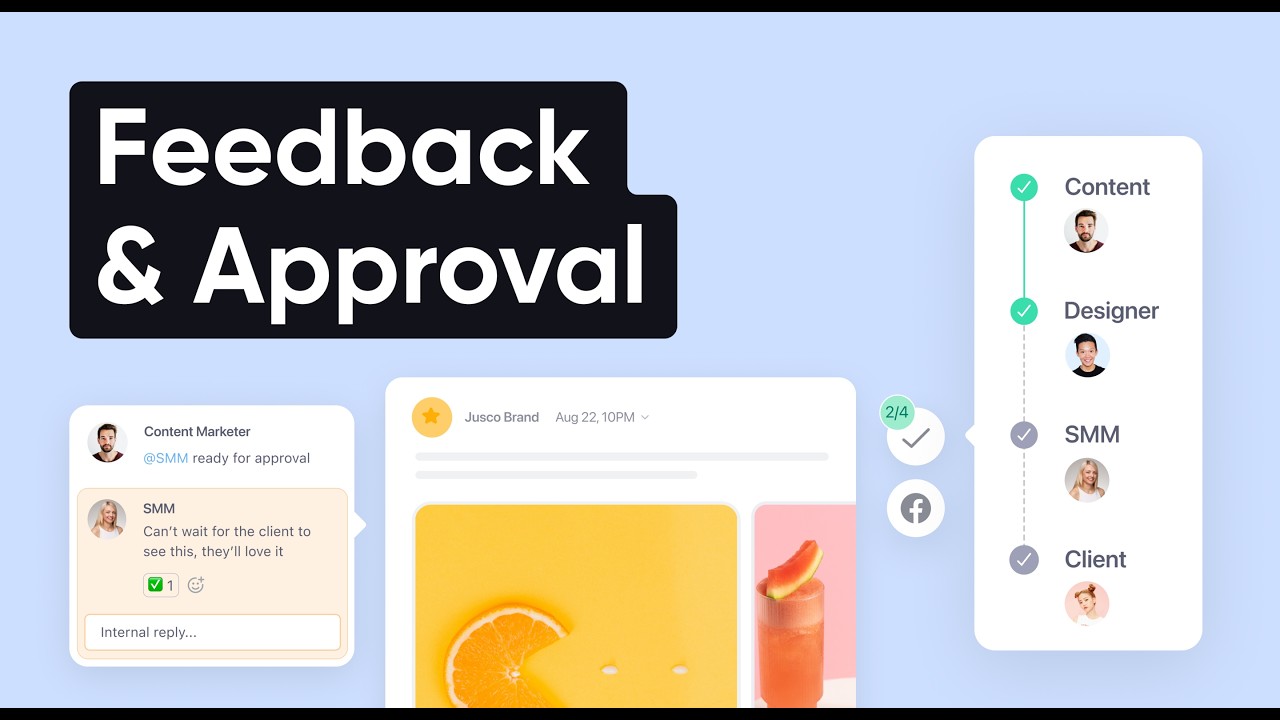
Social Media Approval Process: Optional, Required and Multi Level Explained
A social media approval process has three common shapes, and the tools above support different ones on different plans. Optional approval means reviewers can approve, but a post can publish without them. Required approval means a post is blocked until at least one approver signs off. Multi level approval means a post moves through reviewers in order, for example a team lead, then the client, then legal, and publishes only when everyone has approved.
Planable maps those shapes straight onto its plans: None and Optional on Basic, Required on Pro, Multi level on Enterprise. Agorapulse does the same with its own names: one step approvals on Professional and multi step approval chains on Custom. Loomly is the exception on the cheap end, describing multi tier approval workflows on a $49 a month plan, and Sprout Social's guide says its workflows cover a one person sign off or a multi step process.
Three smaller features matter as much as the levels. Bulk approval lets a client approve a month in one pass; Planable has it on Pro, Agorapulse on Advanced and Loomly describes batch approval. Internal notes keep the team's discussion away from the client; Planable calls them team only notes on Pro, Loomly uses private and public comments, and Agorapulse has internal comments from Professional. And a review link or seat for people outside the company decides whether every client costs money: Planable's unlimited users, SocialPilot's unlimited client seats on Premium, Later's external comment workflow and Sprout's external approvers on Advanced all solve it in different ways.
If nobody outside your company approves posts, skip most of this. A one person business needs one check before a post goes out, and Spreadcast's default does exactly that: each post waits for one tap, and you can switch to full autopilot when you trust it.
Video: Setting Up Approval Workflows in Loomly
Loomly's own webinar on roles and approvals, the closest match to Planable's model in this list.

What Planable and Its Alternatives Cost for 3 Team Sizes
Three real setups, priced per month on yearly billing in US dollars before tax, from each vendor's pricing page on October 19, 2026. A solo founder runs 1 brand on 5 accounts and approves their own posts. A small team runs 1 brand on 8 accounts with 3 people, and every post needs a sign off. An agency runs 5 clients with 5 accounts each, 25 in all, with 4 staff, and clients approve.
| Tool | Solo founder: 5 accounts, 1 person | Small team: 8 accounts, 3 people, required approval | Agency: 25 accounts, 4 staff, client approval |
|---|---|---|---|
| Spreadcast | $24.17: Pro at $290 a year, posts designed and published for you | $65.83: Studio at $790 a year for 3 seats, one tap approval | $65.83 for 5 App Store apps on Studio, with 3 seats; not built for other clients |
| Planable | $49: Pro, since Basic stops at 4 pages | $49: Pro, one workspace with required approval | $245: 5 Pro workspaces at $49 |
| Loomly | $49: Starter | $49: Starter, 3 users | $249: Beyond, since Starter stops at 3 users |
| Buffer | $25: Essentials, 5 times $5 | $80: Team, 8 times $10 | $150: Team at 25 channels, per Buffer's own table |
| SocialPilot | $25.50: Essentials, 7 accounts | $42.50: Standard, manager approval | $85: Premium, client approval |
| ContentStudio | $19: Standard | $59: Advanced at $49 plus 1 extra user at $10 | $99: Agency Unlimited |
| Agorapulse | $79: Standard, 1 user | $357: Professional, 3 times $119 | $626: Professional, 4 times $119 plus 15 extra profiles at $10 |
| Later | $18.75: Starter, 30 posts per profile a month | $41.25: Growth at $37.50 plus 1 extra user at $3.75 | $78.75: Growth plus 3 extra sets at $11.25 and 2 extra users at $3.75 |
| Vista Social | $79.17: Professional, $950 a year | $159.17: Advanced, $1,910 a year | $359.17: Scale, $4,310 a year, for the fourth user |
| Sprout Social | $79: Essentials, 1 seat | $897: Professional, 3 times $299 | $1,596: Advanced for external approval, 4 times $399 |
| Hootsuite | $99: Standard, 1 user | $1,197: Advanced, 3 times $399 | $1,596: Advanced, 4 times $399 |
Planable's monthly billing figures are $59, $59 and $295. Agorapulse is priced for 4 staff seats; its page does not say how client reviewers are counted. ContentStudio's and Later's extra users are listed as monthly add ons. None of the scheduler prices include making the posts; Spreadcast's does.
What the Cost Table Means for Each Team Size
For a solo founder, Planable is one of the dearer options at $49 a month, because 5 accounts push you past Basic's 4 pages and the approvals you pay for have nobody to approve. Later Starter at $18.75, ContentStudio Standard at $19, Buffer Essentials at $25 and SocialPilot Essentials at $25.50 all publish for less. Each of those buys a queue you still fill yourself. Spreadcast Pro on yearly billing is $24.17 a month ($290 divided by 12), and that includes designing the posts, writing a caption for each network and publishing them.
For a small team with required approvals, Planable is strong value. One Pro workspace at $49 gives required approvals and unlimited users, and only Later Growth at $41.25, SocialPilot Standard at $42.50 and Loomly Starter at $49 come close. Loomly includes analytics and replies that Planable sells as add ons; with both add ons Planable Pro is $68.50 a month on yearly billing ($49 plus $12 plus $7.50). The per seat suites are a different market: Agorapulse at $357, Sprout Social at $897 and Hootsuite at $1,197 for three people.
For an agency, the workspace model starts to cost. Five Planable Pro workspaces are $245 a month, or $342.50 with analytics and inbox on each. SocialPilot Premium at $85, ContentStudio Agency Unlimited at $99 and Buffer Team at $150 cover the same 25 accounts with client or team approvals, and Later Growth does it for $78.75 if each client has one profile per network. Loomly Beyond at $249 matches Planable's price with multi tier approvals and unlimited users. Spreadcast fits this column only for a studio whose clients are App Store apps: Studio covers 5 apps with their own brands and 50 accounts for $65.83 a month on yearly billing.
Planable vs Buffer, Hootsuite, Later, Loomly, Sprout Social and SocialPilot: Short Answers
These are the head to head comparisons that Google suggests for Planable. Each row gives the short answer, with the detail in the entries above.
| Comparison | Planable is stronger on | The other tool is stronger on | Choose the other tool if |
|---|---|---|---|
| Planable vs Spreadcast | Client review, comments, suggested edits, approval levels, any brand or business | Spreadcast designs the post from your App Store listing, writes the captions and publishes it | You make an app and nobody else approves your posts. Paste your link at the start page |
| Planable vs Buffer | Required approvals, suggested edits, $49 for one workspace with 10 pages | A free plan for 3 channels, analytics and comment replies included, $150 for 25 channels on Team | You need a free start or run many channels |
| Planable vs Hootsuite | Price: $49 per workspace with unlimited users against $399 per user for approvals | Monitoring, benchmarking, routing, care workflows and listening | Approvals are one part of a customer care operation |
| Planable vs Later | Required approvals and approval levels | A visual planner, a link in bio page and cheap extra social sets | Instagram and TikTok carry your marketing |
| Planable vs Loomly | Unlimited users on every plan | Multi tier approvals, analytics and replies on the $49 plan, 12 accounts | You need approval steps without Enterprise pricing |
| Planable vs Sprout Social | Price and unlimited approvers | A Smart Inbox, care workflows, paid and competitor insights | A large team needs one suite for care, reporting and approvals |
| Planable vs SocialPilot | Suggested edits and annotations on the post | Client approval and unlimited client seats for $85, 25 accounts | You run several clients on a tight budget |
Best Planable Alternatives by Need
The right Planable alternative depends on the job. Find your case and start there.
Best for App Makers: Spreadcast
If you make an app and nobody else approves your posts, you need the posts made. Spreadcast designs an update post for each new version and a thank you post for each rating milestone, and publishes them on 8 networks. See what that looks like for mobile apps.
Best for Approvals at Agencies: SocialPilot or ContentStudio
SocialPilot Premium gives client approval and unlimited client seats for $85 a month on yearly billing. ContentStudio Agency Unlimited gives unlimited users and workspaces with an approver dashboard for $99. Both cost less than five Planable Pro workspaces at $245. Our page for agencies explains where Spreadcast fits beside them.
Best for Approval Steps on a Budget: Loomly
Multi tier approvals, roles, analytics and replies for $49 a month on yearly billing, with 12 accounts and 3 users. Planable puts multi level approvals on Enterprise.
Best Free Alternative to Planable: Buffer
Three channels and 10 scheduled posts per channel for $0 with no end date. Approvals arrive on Team at $10 per channel a month on yearly billing, with unlimited members.
Best for Small Businesses: Later or SocialPilot
Later Growth gives approvals and external comments for $37.50 a month on yearly billing. SocialPilot Standard gives manager approval, an inbox and analytics for 15 accounts and 3 users at $42.50.
Best for Inbox and Reports: Agorapulse
An inbox, moderation and reports on every plan, with one step approvals for teammates or clients from $119 per user a month on yearly billing.
Best for Enterprise Care Teams: Sprout Social or Hootsuite
Approvals inside a full suite with routing, listening and care reports. Expect $299 to $399 per seat a month for the plans that include approvals.
Free Alternatives to Planable and the Open Source Option
If you searched for free alternatives to Planable, the short list is Buffer, Publer and Spreadcast, and none of them includes approval workflows for free. Buffer's free plan covers 3 channels with 10 scheduled posts each, an AI Assistant and comment replies. Publer's free plan covers up to 3 social accounts without X, with 10 scheduled posts per account at a time and 25 saved drafts. Spreadcast's free plan makes 3 designed posts for one app on the App Store, which you download and post yourself.
Approvals on a budget start just above free. Publer's Business plan article puts advanced team collaboration, roles, permissions and approval workflows on Business, which starts at $10 a month for 1 social account and 1 user and needs a card or PayPal for its 14 day trial. Later Growth at $37.50 and SocialPilot Standard at $42.50 on yearly billing are the next cheapest approval tools in this list.
There is no open source Planable alternative with Planable's review features in this roundup. The best known open source scheduler is Postiz: the Postiz repository is licensed under AGPL 3.0 and showed 37,389 stars on October 19, 2026. Self hosting is free in license terms but needs a server and, on most networks, your own developer app. The best Postiz alternatives covers what that takes.
Does Planable Post for You? What an Approval Tool Does Not Do
Planable does publish for you: once a post is approved and scheduled, it goes out on time, and Planable's pricing page lists a workspace setting that schedules a post automatically after approval. What it does not do is decide that today there is something worth posting and make the post. Its AI can rewrite or generate a post when you ask, and someone still has to ask, pick the image and send it for review. Every tool in this list except one works the same way.
For an agency that is the right design, because the client's news comes from the client. For an app founder the news already exists in public: a new version on the App Store with release notes, or a rating count that just passed a round number. Spreadcast reads those from your listing every day, designs the post with your own screenshot in an iPhone frame, writes a caption for each network and puts it in the next free slot on the calendar, where it waits for one tap.
Now put a price on it. Planable Pro is $59 a month on monthly billing for a workspace that holds posts you write. Spreadcast Pro is $29 a month and includes design, captions and publishing to Instagram, TikTok, LinkedIn, Facebook, Threads, Pinterest, Bluesky, Mastodon, Telegram and Discord, plus YouTube for video posts. Its limit is real: it is built for apps on the Apple App Store only, Google Play links are not supported yet, and it has no client approval chains. If you run an agency with clients outside the App Store, keep Planable or one of the approval tools above, and use Spreadcast for the app brands you run yourself. Read how to automate social media posts for the wider picture.
How to Switch From Planable to Another Tool
Moving from Planable takes an afternoon per client if you do it in this order. Keep Planable running until the new tool has published for a week.
- Step 1
Save Your Published Posts and Reports First
Planable keeps published posts for 13 months on Basic and Pro and then deletes them, and archived posts for 30 days. Before you cancel, save any post history and analytics reports you need for clients. If you are on a yearly plan, the pricing FAQ says you keep access until the end of the billing period after you cancel.
- Step 2
Write Down Each Workspace's Approval Setup
For every workspace, note the approval type (None, Optional or Required), who the approvers are, the auto schedule after approval setting, posting time slots, labels and post templates. These are the settings you rebuild by hand in the next tool.
- Step 3
Map Workspaces to the New Tool's Structure
One Planable workspace usually becomes a calendar in Loomly, a workspace in ContentStudio, a client in SocialPilot, a social set in Later or a group of channels in Buffer. Check the new tool's limit on users or client seats before you invite every client.
- Step 4
Reconnect Every Social Account
Connections never move between tools. Sign in to each network again from the new tool and approve access. Do it per client, and ask clients who own their pages to connect them through the new tool's client invite if it has one.
- Step 5
Rebuild the Approval Flow and Test It With One Client
Set the approvers, send one real post through the whole chain and check that a post cannot publish before it is approved. If you relied on Planable's suggested edits or text annotations, test the new tool's comments on a real caption.
- Step 6
Run Both for a Week, Then Cancel
Schedule the next week in the new tool, watch every post publish, then cancel Planable from the Billing Dashboard, where the pricing FAQ says you can downgrade or cancel at any time.
- Step 7
Moving to Spreadcast Needs No Import
Paste your App Store link at the start page, connect the networks you post to and choose one tap approval or full autopilot. The posts come from your listing, so there is no library or approval chain to carry over. See the plans on pricing.
When Planable Is Still the Right Choice
Many people who read a list like this should stay. Planable is the strongest tool here for an agency or brand team whose clients review posts like documents: comments on the post, text annotations, suggested edits, version history and a required approval before anything publishes, with every client invited for free. Unlimited users on every plan is rare, and for a single brand Pro at $49 a month on yearly billing is cheaper than every per seat suite above.
It is also a good fit for teams that plan more than social posts. Planable's universal content lets the same review flow cover newsletters, blog posts and ads, which none of the schedulers in this list describe on their pricing pages. And its MCP connector is on every plan, so an AI assistant can create and manage content across workspaces.
Switch when you hit a real wall: you need approval steps without Enterprise pricing (Loomly), many clients make the workspace price add up (SocialPilot, ContentStudio, Buffer), you need an inbox and reports in the base price (Agorapulse), or nobody is waiting to approve and the posts simply need to be made (Spreadcast, for apps). For an app team the last case does not mean leaving Planable for everything. Keep it for client work, and let Spreadcast run the recurring app posts.
Frequently Asked Questions
What is the best Planable alternative?
For approvals on a budget, Loomly: its $49 a month Starter plan on yearly billing lists approval workflows, roles and 12 accounts. For agencies with many clients, SocialPilot Premium at $85 or ContentStudio Agency Unlimited at $99. If you make an app and nobody else approves your posts, Spreadcast designs and publishes them for you.
Is Planable free indefinitely?
The trial has no time limit, but it stops at 50 created posts in total, which do not reset monthly. After that you need a paid plan to keep publishing, per Planable's pricing page.
How much does Planable cost?
Basic is $39 and Pro $59 per workspace a month on monthly billing, or $33 and $49 a month on yearly billing, with unlimited users. Enterprise is custom. Analytics ($14) and the social inbox ($9) are add ons per workspace.
What is a free alternative to Planable?
Buffer's free plan covers 3 channels and Publer's covers 3 accounts without X, both with no end date and no approvals. Spreadcast's free plan makes 3 designed posts for one App Store app.
Is there an open source alternative to Planable?
Postiz is the best known open source scheduler, licensed under AGPL 3.0, and free to self host on your own server. It is a scheduler, so check its review features against Planable's before you move a client workflow.
Planable vs Loomly: which is better for approvals?
Loomly describes multi tier approvals on its $49 a month Starter plan, with analytics and replies included. Planable keeps multi level approvals for Enterprise but gives unlimited users on every plan, where Loomly Starter has 3 users.
Planable vs Buffer: which costs less?
For one brand with 8 channels and a team, Planable Pro at $49 a month on yearly billing costs less than Buffer Team at $80. For 25 channels across five clients, Buffer Team at $150 costs less than five Planable Pro workspaces at $245.
Does Planable post for you?
It publishes posts once they are approved and scheduled, and can schedule automatically after approval. You or your team still write and design each post. Spreadcast makes the posts for App Store apps and publishes them for you.
Who owns Planable?
SE Ranking announced that it acquired Planable on August 4, 2025. Planable was founded in 2016.
Which social media tools have approval workflows?
Planable, Loomly, Buffer Team, SocialPilot, ContentStudio, Agorapulse, Later Growth, Vista Social, Sprout Social and Hootsuite all do, on different plans. The approval table on this page lists where each one starts.
Does Planable support Bluesky?
Planable's pricing FAQ lists scheduling for Facebook, Instagram, LinkedIn, X, YouTube, TikTok, Pinterest, Google Business Profile and Threads. Bluesky is not on that list. Buffer, SocialPilot, ContentStudio, Agorapulse and Spreadcast publish to Bluesky.
Prices, plans and features change. This comparison describes each product as its own site described it on the date shown under Sources. Check the vendor's site before you decide. Product names are trademarks of their owners.
Where These Facts Come From
Every outside number, rule and price on this page links to the page it was taken from.
- Planable pricing, plans, limits and add onsPlanable
- Planable pricing file with monthly prices and plan comparisonPlanable
- SE Ranking acquires Planable, announcement of August 4, 2025SE Ranking
- Loomly pricing and plan comparisonLoomly
- Loomly collaboration and approval workflowsLoomly
- Loomly integrations and supported networksLoomly
- Buffer pricingBuffer
- Buffer machine readable pricing with per channel ratesBuffer
- SocialPilot plans and pricingSocialPilot
- ContentStudio pricing and plan featuresContentStudio
- Agorapulse pricing and plan featuresAgorapulse
- Later pricing and plan featuresLater
- Vista Social pricing and plan featuresVista Social
- Sprout Social pricingSprout Social
- How to build a social media approval process in Sprout SocialSprout Social
- Hootsuite plans and pricesHootsuite
- Hootsuite integrations and supported networksHootsuite
- What are Publer's plans and pricing, help center articlePubler
- What is included in Publer BusinessPubler
- Postiz source code repository and licenseGitHub
- Video: Planable demo of clients, approvals and schedulingPlanable on YouTube
- Video: how to leave feedback and approve posts in PlanablePlanable on YouTube
- Video: creating social media approval workflows in LoomlyLoomly on YouTube
Researched and written by Spreadcast. Last checked on October 19, 2026.