What an Instagram MCP Server Is
An Instagram MCP server is a small program that sits between an AI assistant and Instagram. The assistant, such as Claude or ChatGPT, does not talk to Instagram directly. It talks to the server through the Model Context Protocol, which the official MCP introduction describes as an open source standard for connecting AI applications to outside systems. The server then calls Instagram on your behalf: it uploads a picture, builds a carousel, publishes a Reel or reads how a post did.
So when people search for an Instagram MCP server, they usually want one of four things. They want to post to Instagram from a chat window without opening the app. They want the assistant to make the post, not only send it. They want to read comments, messages or numbers. Or they are developers who want a server on GitHub they can run and change. Each of those needs a different kind of server, and some of them carry real risk to your account.
This page covers the whole question for Instagram only: whether Meta runs an official server, what Instagram's publishing API lets any server do, how the open source servers on GitHub sign in, which hosted options exist, what to check before you connect one, and how to set one up in Claude and ChatGPT. Spreadcast runs an Instagram capable MCP server, and we explain how it works, but every check and every limit below applies to whichever server you pick.
If you want the reference for every tool Spreadcast's server offers across networks, read the social media MCP server page. For a ranked list of every vendor with an MCP server, see the best social media MCP servers.
Is There an Official Instagram MCP Server From Meta?
No, not for posting. On October 16, 2026, the only MCP server Meta runs itself is for ads. Meta announced its ads AI connectors in open beta in its business news post on Meta ads AI connectors, dated April 29, 2026, with an update on July 16, 2026. The post describes reporting, campaign management, catalog management and signal diagnostics. It does not mention organic posts.
Meta's Ads MCP server documentation says the server is hosted by Meta at mcp.facebook.com/ads and lists tools for reporting, creating and editing ads, ad sets and campaigns, catalogs, datasets, A/B tests and activity logs. That is useful if you run Instagram ads, because an ad can show on Instagram. It is not a way to publish a regular feed post, a carousel or a Reel to your account. We found no Meta page describing an MCP server for organic Instagram publishing.
That means every Instagram MCP server you can use for posting today is built by someone other than Meta. The good ones call Meta's official Instagram API, the same one scheduling tools use, and inherit its rules. The risky ones skip the API and log in as you with your password. The difference matters more than any feature list, and the sections below show how to tell them apart.
Can ChatGPT or Claude Connect to Instagram on Their Own?
Not on their own. Neither ChatGPT nor Claude has a built in Instagram account connection that posts for you. Both can write a caption or describe a picture in a normal chat, but publishing needs a third piece: a connector or an MCP server that holds permission from Instagram to post to your account.
In ChatGPT those pieces are called apps and plugins. OpenAI's help page on connected apps says app availability depends on the app, your ChatGPT plan, region, workspace, role, model and the interface you use, and that apps can take supported actions in a connected service. A custom MCP server is a separate route. OpenAI's article on custom MCP servers says custom MCP server connections with full MCP support, including write actions, are available for ChatGPT Business, Enterprise and Edu on the web, and its FAQ says they are web only, not mobile. So "can ChatGPT connect to Instagram" has an honest answer: yes, through an app or a custom server, and the custom server route needs one of those workspace plans.
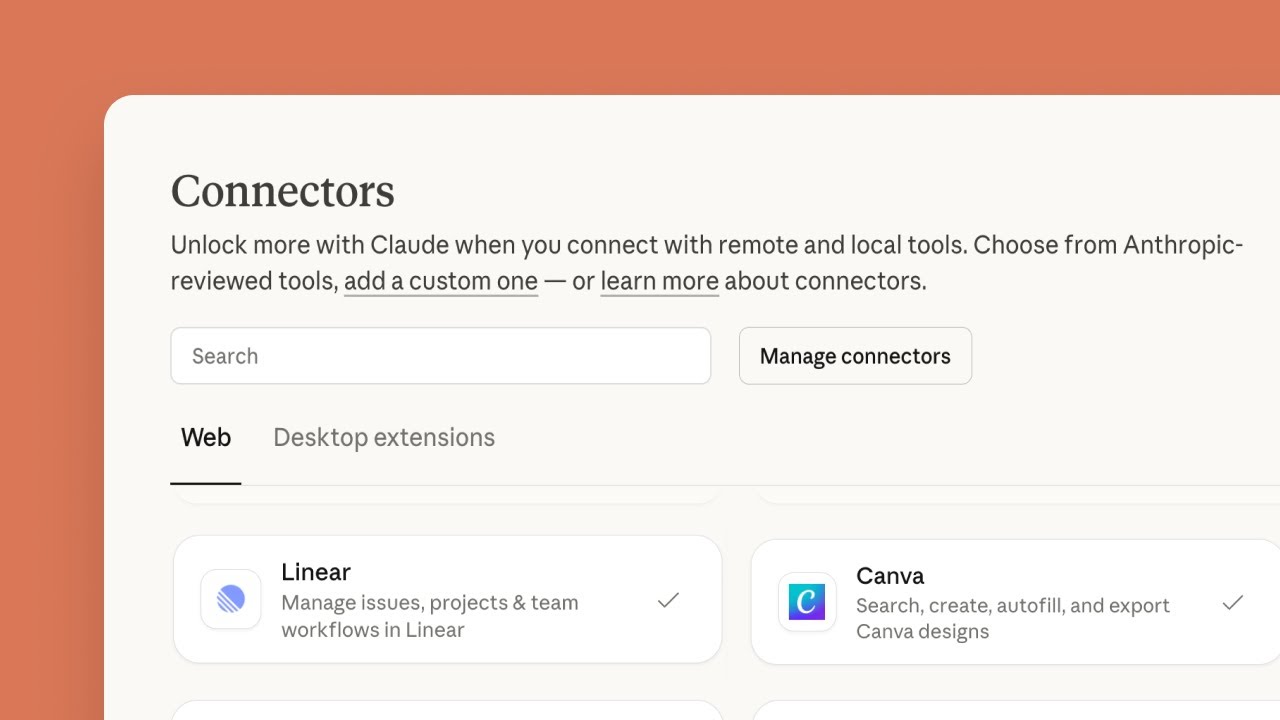
Claude is more open here. Anthropic's guide to custom connectors lists custom connectors using remote MCP on Free, Pro, Max, Team and Enterprise, and says Free users are limited to one custom connector. So "can Claude post to Instagram" is also a yes, on any plan, once you add a server that can post and connect your Instagram account to it. The same guide warns that custom connectors reach services Anthropic has not verified, which is why the checks further down matter.
Claude Code and other developer tools can add a server from the terminal. Claude Code's MCP docs show one command for a remote server, either with a key sent as a Bearer header or with a browser sign in started from /mcp. The docs also tell you to verify you trust each server before connecting it.
Does Instagram Have an API for Posting, and Is It Free?
Yes, Instagram has an official API for posting, and it comes in two setups. Meta's Instagram Platform overview lists content publishing, comments, insights and mentions in both: the Instagram API with Instagram Login, which needs no Facebook Page, and the Instagram API with Facebook Login, which does. Messages work directly on the Instagram Login setup and through the Messenger Platform on the Facebook one. Hashtag search and product tagging exist only on the Facebook setup.
Calling it costs nothing. The overview covers access levels, App Review, Business Verification and rate limits, and none of the Meta pages we read on October 16, 2026 lists a fee. You pay in setup work and limits instead. Most calls share a daily budget that the overview gives as 4,800 calls in 24 hours multiplied by the number of impressions the account had, and publishing has its own cap of posts per day, shown in the table below.
What the API no longer has is a door for personal accounts. Meta's developer blog post on the Instagram Basic Display API says that API stopped working on December 4, 2024, and that from then on there would be no Instagram APIs for consumer apps. Older tutorials that tell you to add the Basic Display product to your Meta app are out of date.
So a hosted Instagram MCP server that charges money is charging for the work around the API, such as hosting files, renewing tokens and passing App Review, not for Meta.
What Instagram's Publishing API Allows in October 2026
Every honest Instagram MCP server runs on Meta's Instagram API, so these limits apply to all of them. Each row comes from Meta's content publishing guide or Meta's media reference for Instagram, both opened on October 16, 2026. For picture sizes on every network side by side, see the social media image sizes reference.
| What you want to post | What Meta's API allows | What it means when an assistant posts |
|---|---|---|
| Which accounts | Only Instagram professional accounts, which Meta's Instagram Platform overview defines as business or creator accounts | A personal account cannot be posted to through the API. Switch it first, or the server has nothing to connect to. |
| How the server signs in | Two setups: Instagram Login, with no Facebook Page needed, or Facebook Login for an account linked to a Facebook Page | Either works for posting. Ask which one a server uses, because some features only exist on the Facebook route. |
| Single picture | JPEG only, up to 8 MB, a shape between 4:5 and 1.91:1, 320 to 1440 pixels wide, sRGB | A PNG, a WebP or a 9:16 picture is refused. A good server converts or pads it before sending. |
| Carousel | Up to 10 pictures, videos or a mix, counted as one post. All pictures are cropped based on the first one, 1:1 by default | Keep every slide the same shape as the cover. The caption sits on the carousel, not on each slide. |
| Reel | MOV or MP4, 3 seconds to 15 minutes, up to 300 MB, 23 to 60 frames a second, 9:16 recommended | A long video takes minutes to process. A server has to wait for it before it can publish. |
| Story | A picture, or a video of 3 to 60 seconds and up to 100 MB, 9:16 recommended | Possible through the API, but not every server builds it. Check the tool list. |
| Caption | 2,200 characters, up to 30 hashtags and 20 mentions | An assistant can write more than that. A server that checks the limit first saves a failed post. |
| Extras | Up to 3 collaborators on feed pictures, Reels and carousels, and alt text of up to 1,000 characters on single pictures | Only useful if the server exposes them as options. |
| Posts per day | 100 API published posts in a moving 24 hours in the rate limit section. The carousel section of the same page says 50 | Plan for the lower figure if you post a lot. One account rarely comes close. |
| Containers | A post is first made as a container. One that is not published within 24 hours expires | A server that prepares a post a day early has to make the container again at publishing time. |
| Not supported | Shopping tags and filters. Media must sit on a public server at the moment Meta fetches it | A private or signed link fails. The server must host the file where Meta can reach it. |
Meta's guide gives two different daily limits on the same page, so both are shown. If Meta's pages say something different when you read them, trust Meta's pages.
Why Personal Accounts and Some Features Are Out of Reach
The professional account rule is the one most people hit first. Meta's Instagram Platform overview says app users must have an Instagram professional account, for a business or a creator. A server built on the API cannot publish to a personal account, however it is set up. Switching is free and takes a minute in the Instagram app. Instagram's help page on professional accounts walks through it under Settings, Account type and tools, and warns that a private personal account becomes public when you switch, with pending follow requests accepted. Read that before you switch a private account.
The second rule is about who the server is for. The same overview says an app that serves professional accounts it does not own needs Advanced Access, and that this requires Meta App Review and Business Verification. Standard Access is meant for people with a role on the app, development and testing. In practice this means a hosted service has gone through Meta's review, while a server you run from GitHub uses your own Meta developer app, which works for your own accounts.
The third rule is what the API leaves out. Filters and shopping tags are listed as unsupported in Meta's content publishing guide. Some things you can do in the Instagram app, like picking a song for a Reel, depend on how the account is connected. A server that promises everything the app can do, through the API, is promising more than Meta's own documentation does.
These limits are why some GitHub servers skip the API and log in as you. They can then reach a personal account and features the API does not offer. The next sections explain why that trade is a bad one for an account you care about.
Video: How to Switch Instagram to a Professional Account

Four Kinds of Instagram MCP Servers
Every Instagram MCP server we found on October 16, 2026 falls into one of these groups. The group tells you more about the risk than the name of the server does.
Open Source Servers on the Graph API
These run on your computer and call Meta's official API with a token you create yourself. The ig mcp project on GitHub is one example: a Python server for Instagram business accounts that asks for a Facebook app id, an app secret, a long lived Instagram access token and the business account id, and needs the account connected to a Facebook Page. Its tools cover the profile, posts, insights and publishing pictures and videos, and its direct message tools need Advanced Access from Meta.
Password Based Servers
These log in to Instagram with your username and password, the way a person would, and use the app's private interface. The instagram dm mcp project on GitHub is one example: its README asks for your Instagram username and password in a .env file or on the command line and keeps session files between runs. Its tools send messages, list chats, look up users and their followers and download media. Servers like this can reach things the API does not, at the cost described below.
Hosted Toolkits
A company runs the server and handles the Meta sign in for you. Composio's Instagram toolkit is one: its page describes OAuth through a managed app, 32 tools including carousel containers, publishing, comments, direct messages and insights, and a hosted MCP address you pass to Claude Code, Cursor or ChatGPT. It is built for developers wiring an agent, so you set up a session in code rather than pasting one address.
Social Media Tools With an MCP Server
A scheduling or design tool you already use exposes its own server, and Instagram is one of the networks it posts to. Buffer's MCP guide lists Instagram among its networks, connects with an API key sent as a Bearer header and attaches media you supply. Spreadcast is in this group too, and also designs the post. Your Instagram account is connected to the tool once, and the assistant never touches Instagram directly.
Instagram MCP on GitHub: What You Take On
Searching for an Instagram MCP on GitHub turns up dozens of projects, many with a handful of commits and no recent release. Some are excellent. All of them make you the operator: you install Python or Node, keep the server running while you use it, store a secret on your machine and fix it when Meta changes something.
With a Graph API server the secret is an Instagram access token. A long lived token lasts about 60 days, as the ig mcp README notes, so a server that does not renew it stops working without warning two months after setup. The token sits in a .env file or in your assistant's config. Anyone who gets that file can post to your account until the token expires or you remove the app's access in Meta's settings. Never commit it to a repository, and give it only the permissions the server needs: publishing needs the content publish permission, and messages need a separate one that has to pass App Review.
With a password based server the stakes are higher. Instagram's Terms of Use say you cannot create accounts or access or collect information in unauthorized ways, which includes "accessing or collecting information in an automated way without our express permission", whether or not you are logged in. The same section says you cannot request or collect Instagram usernames or passwords. A server that logs in as you, from a script, to send messages or read follower lists sits squarely inside what those terms describe. Instagram can restrict or disable an account for that, and there is no appeal that turns a script login into an allowed one.
There is a quieter risk too. A password gives full control of the account, not a narrow permission. If the server, a package it depends on or a prompt injection in a message it reads misbehaves, it can do anything you can do: change the email, delete posts, message followers. An API token can be limited to publishing and revoked on its own. Your password cannot.
So use GitHub servers for what they are good at: learning how the API works, testing a workflow on a throwaway professional account, or building your own tool on top. For the account that carries your brand, prefer a server that signs in through Meta's official login and never asks for your Instagram password.
Is There a Free Instagram MCP Server?
Yes, and each is free in a different way. Open source servers cost nothing to download. The ig mcp project carries the MIT License and runs on your own Meta developer app, so what you spend is time and a computer that stays on while you use it.
Hosted toolkits often have a free tier. Composio's pricing page lists a Hobby plan at $0 with no card and 100,000 tool calls, of which 20,000 may run through the apps Composio manages for you, and usage pauses at the cap until the next month. You still write the code that opens a session.
Spreadcast's server is on every plan, Free included. On Free the assistant designs Instagram posts and carousels, writes captions and saves drafts for one app, and you publish them yourself. The assistant side can be free too: Claude Free allows one custom connector, which is enough for one Instagram MCP server.
Instagram DM MCP Servers and the Messaging API
After posting, direct messages are the most common reason people want an Instagram MCP server. Meta allows it through the official API, with stricter rules than publishing. Meta's guide to the Instagram messaging API works for professional accounts only and needs a separate permission to manage messages on top of the basic one.
Two rules decide what an assistant may do. A business can only message someone who wrote to it first, and it has 24 hours to answer each message. Meta allows a tag for a human agent who needs longer, so an assistant that drafts replies for a person to send fits the rules better than one that sends by itself. And an app that answers messages for accounts it does not own needs Advanced Access, with App Review and Business Verification.
That explains the split on GitHub. The ig mcp README marks its conversation and send message tools as needing Advanced Access. Password based servers skip the review by logging in as you, with the Terms of Use problem above. Spreadcast has no message tools, so for direct messages pick a toolkit that lists them or a server on your own reviewed Meta app.
What to Check Before You Connect an Instagram MCP Server
These checks take ten minutes and apply to any server, ours included. Each one is a question you can answer from the server's own docs or its first screen.
- Step 1
It Never Asks for Your Instagram Password
The server, or the tool behind it, should send you to Instagram's or Facebook's own login page and come back with a permission. If a field asks you to type your Instagram password into the server, stop there.
- Step 2
It Works With Your Account Type
If it uses the API, it needs a business or creator account. If it claims to post to a personal account, it is not using the API, and the risks above apply.
- Step 3
It Posts the Formats You Use
Many servers list Instagram and only post a single picture. Check for carousels, Reels and Stories by name in the tool list. Then check whether a carousel goes out as a real carousel or as several separate posts.
- Step 4
It Saves Drafts Before It Publishes
An assistant can misread a request, and an Instagram post is public within seconds. Prefer a server where a new post waits for your approval, and where the right to publish is something you grant on purpose.
- Step 5
You Know Where the Token Lives
Hosted servers keep the Instagram permission on their side. Local servers keep it in a file on your computer. Either is fine if you know which, and you know how to revoke it.
- Step 6
It Handles the Fiddly Parts of the API
Ask how it deals with a PNG, a picture in the wrong shape, a video that is still processing and a token that is about to expire. A server that ignores these hands the errors back to you in the chat.
- Step 7
Someone Answers When It Breaks
Instagram's API changes over time. A project with recent commits or a company with a support address keeps up. A repository untouched for a year may not.
How Spreadcast's Instagram MCP Server Works
Spreadcast is a remote MCP server at spreadcast.app/api/mcp, starting with https, made for people who market an app. You add that address to Claude or ChatGPT once and sign in with your Spreadcast account. There is no key to copy for those two. Claude Code and Cursor can use a key from Settings, AI Assistants, or sign in the same way.
Your Instagram account is connected to Spreadcast itself, never to the assistant. Spreadcast supports both of Meta's setups: Instagram Login, which needs no Facebook Page, and Facebook Login for an account linked to a Page. Either way you approve access on Meta's own screen, and Spreadcast never sees or stores your Instagram password. When a post is due and the Instagram token is close to running out, Spreadcast renews it first, and an account connected through Facebook holds a Page token that does not expire.
When you connect an assistant, a consent screen asks what it may do: Make Drafts, or Make and Publish. Make Drafts is the default. With it the assistant can design posts, write captions and put drafts on your calendar, and nothing reaches Instagram until you approve it in Spreadcast. Scheduling and publishing also need the Pro plan. On Free the assistant saves drafts and you publish them yourself.
When a post does go out, Spreadcast handles the parts of the API that trip up simpler servers. A post with several pictures is published as a real Instagram carousel, not as separate posts: each slide is made as a carousel item, checked until Instagram has processed it, and then joined into one carousel with one caption. A video is published as a Reel that also shows in the feed, and a cover picture you chose is sent with it. Spreadcast waits for Instagram to finish processing, and if a long video is still processing it carries on in the next run with the same upload instead of posting twice. A picture outside the 4:5 to 1.91:1 range is padded with a blurred copy of itself and saved as JPEG rather than cropped, so nothing is cut off. After publishing, Spreadcast saves the link to the live post.
Spreadcast does not post Instagram Stories, and it does not set collaborators, alt text, location or shopping tags. If you need those, add them in the Instagram app after the post is live, or pick a server that lists them.
What Spreadcast Makes for Instagram From a Chat
Most Instagram MCP servers send what you already have. Spreadcast's server also makes the post, from your app's brand kit and App Store listing, before anything is sent.
Designed Instagram Posts in Your App's Brand
Ask for a post about a feature and the assistant designs one picture in your app's colors, fonts and logo, with a headline written for the post and a real screenshot of your app in an iPhone frame. There are 12 kinds, from feature and launch to testimonial and tutorial.
Instagram Carousels of 3 to 8 Slides
For a carousel it designs 3 to 8 slides in one look: a cover, screens of your app and a last slide that sends people to the app. Every slide is 1080 by 1350, so the cover and the rest share a shape and Instagram's crop to the first picture changes nothing.
Posts From App Store Moments
Spreadcast watches your App Store listing. When a new version ships or a rating is worth thanking people for, the assistant can design the matching post with what changed, taken from your release notes.
Instagram Captions Inside the Limits
The assistant writes the Instagram caption in your brand's voice, with a few fitting hashtags and inside the 2,200 character limit. It reads Spreadcast's posting rules first, so it knows Instagram needs a picture or a video and cannot take text alone.
Reels From a Video You Bring
Give the assistant a public link to a video, for example an export from your editor, and it attaches it as a Reel and watches it before writing the caption. Spreadcast does not cut or edit video through MCP.
A Check Before Anything Is Saved
A dry run puts the post through every check Spreadcast runs without saving it, so a missing picture or a caption over the limit shows up in the chat, not at publishing time.
How Your Instagram Posts Did
Later, ask how last month went. The assistant reads likes, comments and reach per post, your best hours and weekdays from your own results and follower changes.
The Same Post on Other Networks
The draft can also go to Facebook, LinkedIn, Threads, Pinterest, TikTok, Bluesky, Telegram or Discord, each with its own caption, if you connected them. YouTube and Mastodon connect too. Two networks have their own guides: the Threads MCP server and the YouTube MCP server.
Instagram Formats Through Spreadcast's MCP Server
What Meta's API allows, next to what Spreadcast does with it today. The Meta column comes from Meta's content publishing guide.
| Format | Meta's API | Spreadcast through MCP |
|---|---|---|
| Single picture | Yes, JPEG | Yes. Designed by the assistant or attached from a link, saved as JPEG |
| Carousel | Up to 10 items | Yes, published as one carousel. The assistant designs 3 to 8 slides, and you can attach up to 10 pictures |
| Reel | Yes | Yes, from a video link, shared to the feed, with a cover picture if you chose one |
| Story | Yes | No |
| Music on a Reel | Depends on the connection | Not through MCP. In the Spreadcast editor, for an account connected through Facebook |
| Collaborators, alt text, location | Yes, with limits | Not set by Spreadcast |
| Scheduling | Not part of the API | Yes, on Pro, once you allow publishing |
| Drafts waiting for approval | Not part of the API | Yes, on every plan, and the default for every new connection |
Checked against Spreadcast's publishing code and Meta's guide on October 16, 2026.
What Is the Instagram MCP Server URL?
There is no single Instagram MCP server URL, because Meta does not run one for posting. Each server has its own address. Spreadcast's is spreadcast.app/api/mcp with https in front, and the same address covers Instagram and every other network you connect. Meta's server for ads sits at mcp.facebook.com/ads, per Meta's Ads MCP documentation.
A server from GitHub has no public address at all. Your assistant starts it as a program on your computer, so you copy a command and a folder path into its config instead of a URL. If a site offers a free Instagram MCP URL with no sign in behind it, ask who holds your Instagram permission once you paste it.
How to Post to Instagram From Claude With an MCP Server
These steps use Spreadcast and follow Anthropic's guide to custom connectors, opened on October 16, 2026. With another server, the Claude part is the same and only the address changes.
- Step 1
Switch Instagram to a Professional Account
In the Instagram app, open your profile, then Settings, then Account type and tools, and switch to a business or creator account. Skip this if the account is already professional.
- Step 2
Connect Instagram in Spreadcast
In Spreadcast, open Accounts and connect Instagram. You approve access on Instagram's or Facebook's own screen. This is the only place your Instagram login is used.
- Step 3
Add the Connector in Claude
In Claude, open Customize, then Connectors, click the plus Add button and choose Add custom connector. Name it Spreadcast, paste spreadcast.app/api/mcp with https in front, click Continue, keep Sign in now and click Add.
- Step 4
Sign In and Choose Make Drafts
Claude opens Spreadcast. Log in, keep Make Drafts for your first week and click Allow Access. You can come back later and connect again with Make and Publish.
- Step 5
Ask for an Instagram Post
In a chat, click the plus button, open Connectors and switch Spreadcast on. Then type something like "Design an Instagram carousel about our new reminders and write the caption." Approve the Spreadcast tools when Claude asks. The slides show in the chat.
- Step 6
Approve It in Spreadcast
Open the Spreadcast calendar, look through the slides and the caption, change what you want and approve. Spreadcast publishes it to Instagram at the time you picked.
Video: How Connectors Work in Claude
Anthropic's own walkthrough. Menu names in Claude may have moved since it was recorded, so follow the steps above where they differ.
How to Use an Instagram MCP Server in ChatGPT
These steps follow OpenAI's article on custom MCP servers, opened on October 16, 2026. They need ChatGPT Business, Enterprise or Edu on the web. On other plans, use Claude, or open Spreadcast and post from there.
- Step 1
Check Your Role in the Workspace
On Business, only admins and owners can add a custom MCP server. On Enterprise and Edu, admins can also give chosen members that permission. If you are neither, ask your admin to add Spreadcast for the workspace.
- Step 2
Add the Server From Plugins
In ChatGPT on the web, go to Plugins, select the plus button and choose Add custom MCP server. Enter a name such as Spreadcast and, under Connection, the address spreadcast.app/api/mcp with https in front.
- Step 3
Choose OAuth and Accept the Warning
Set authentication to OAuth. Read the risk warning, tick I understand and want to continue, and select Create as a plugin. ChatGPT lists the tools it found.
- Step 4
Sign In With Spreadcast
ChatGPT sends you to Spreadcast. Log in, pick Make Drafts or Make and Publish, and click Allow Access.
- Step 5
Mention Spreadcast in the Message
Start a chat, type @ and pick Spreadcast, then ask for the Instagram post. OpenAI's article says the choice applies to that message, so mention it again when a later message needs it. ChatGPT may ask you to confirm before it saves a draft.
How to Connect Claude Code or Cursor to Instagram
Coding tools can post to Instagram through the same server, and they can read your project while they write. These steps use Spreadcast and follow Claude Code's MCP docs and Cursor's MCP docs, both opened on October 16, 2026.
- Step 1
Make a Key, or Plan to Sign In
With Instagram already connected in Spreadcast, open Settings, AI Assistants and make a key. A new key saves drafts only. Turn on Can Publish Posts for that key only if the tool should schedule and publish. You can also skip the key and sign in from the browser.
- Step 2
Add the Server in Claude Code
In a terminal, run claude mcp add with the http transport, the name spreadcast and the address spreadcast.app/api/mcp with https in front, then an Authorization header carrying your key as a Bearer token. Without a key, add the address alone, type /mcp inside Claude Code and finish the sign in in your browser.
- Step 3
Add the Server in Cursor
Cursor reads servers from a file named mcp.json in the .cursor folder of a project, or in the .cursor folder of your home folder for every project. Add an entry named spreadcast with the address as its url and, with a key, an Authorization header. Cursor also supports OAuth sign in.
- Step 4
Ask for the Post From Your Code
Type something like "Read the latest changelog entry and design an Instagram carousel about this version." The tool reads the real changes in your project, designs the slides through Spreadcast and saves a draft for you to approve.
Can Claude Auto Post to Instagram?
Yes, in two ways, and both need publishing turned on deliberately. The first is scheduling. Claude saves the post with a time, and Spreadcast publishes it then, whether or not the chat or your computer is open. That takes a Make and Publish connection and Spreadcast Pro. With Make Drafts, Claude can still fill the week, and every post waits for your approval.
The second is a Claude task that runs by itself. Anthropic's article on Cowork scheduled tasks says tasks can run hourly, daily, weekly or on weekdays on paid Claude plans, keep running while your computer sleeps or the desktop app is closed, and use the connectors you set up in Cowork. A weekly task that asks Spreadcast for new App Store moments and designs a post for each one becomes a steady Instagram pipeline.
Keep that task on drafts. A schedule nobody watches is how a wrong version number or an old screenshot reaches your profile. Let the task fill the week, then approve it in a few minutes. The wider Claude setup is in Claude for social media.
Which Claude and ChatGPT Plans Can Post to Instagram Through MCP
Your assistant's plan decides whether you can add an Instagram MCP server at all. Your Spreadcast plan decides what it may do once it is added. Both vendor rows come from the vendors' own help pages, opened on October 16, 2026.
| Assistant | Can add a custom MCP server | Can post to Instagram through Spreadcast |
|---|---|---|
| Claude Free | Yes, one custom connector, per Anthropic's guide | Drafts on Spreadcast Free. Scheduling and publishing on Spreadcast Pro. |
| Claude Pro, Max, Team, Enterprise | Yes. On Team and Enterprise an Owner adds it for the organization | The same: drafts on Free, publishing on Pro once you allow it. |
| ChatGPT Business, Enterprise, Edu | Yes, on the web, per OpenAI's article | The same, once an admin has added the server. |
| ChatGPT Free, Plus and Pro | Pro can connect a custom MCP server with read and fetch permissions only. Free and Plus are not listed | No, saving a draft is a write action. Draft in Claude, or post from Spreadcast directly. |
| Claude Code and Cursor | Yes, with a key or a browser sign in, per Claude Code's MCP docs | The same rules as Claude: drafts first, publishing when the key allows it. |
Plans change. If a vendor's page says something different when you read it, trust the vendor's page. Spreadcast prices are on the pricing page.
Example: From a Claude Chat to an Instagram Carousel
This example uses an invented habit tracker called Streakly, on Spreadcast Pro with Instagram connected through Instagram Login and a Make Drafts connection in Claude. It shows the mechanics, not a customer result.
- Step 1
Alex Asks for a Carousel
Alex types "Make an Instagram carousel about the new streak freeze in Streakly 2.4, five slides, and write the caption." Claude reads the Spreadcast account first and sees Instagram connected and a drafts only connection.
- Step 2
Claude Reads the Brand and the Rules
It reads the Streakly brand kit: a calm blue, a rounded font, the logo, screenshots of the app and an audience of people building small daily habits. It reads Instagram's rules from Spreadcast: a picture or a video is required, 2,200 characters, up to 10 pictures.
- Step 3
Claude Designs Five Slides
It designs a cover that names the streak freeze, three slides with Streakly screenshots in an iPhone frame showing how to turn it on, and a last slide that sends people to the App Store. All five are 1080 by 1350 in the same blue, and they show in the chat within a couple of minutes.
- Step 4
Claude Writes the Caption and Saves a Draft
The caption opens with the change in one line, explains it in three short lines and ends with four hashtags about habits. Claude runs the dry run, which passes, and saves the carousel as a draft for Thursday morning.
- Step 5
Alex Approves in Spreadcast
Alex opens the calendar, swaps one slide's headline and approves. On Thursday Spreadcast publishes one Instagram carousel with five slides and one caption, then saves the link to the post. A week later Alex asks Claude how it did and gets the likes, comments and reach.
Common Instagram Publishing Errors When an Assistant Posts
Most failed posts from an assistant come from a handful of API rules, all of them in Meta's content publishing guide. Knowing them helps you read an error in the chat, whichever server you use.
The picture is not a JPEG. Instagram's API takes JPEG and nothing else, so a PNG screenshot or a WebP from a design tool is refused. A good server converts it first. If yours does not, export JPEG.
The picture is the wrong shape. A feed picture must be between 4:5 and 1.91:1. A phone screenshot at full height is far taller than 4:5 and fails. Put it inside a 4:5 design, which is what Spreadcast's iPhone frame does, or crop it.
The link is not public. Meta fetches the file from the address the server gives it, at the moment it publishes. A link from a private folder, a signed link that expired or a file on your own computer fails. The server has to host the file somewhere public.
The media is not ready. Instagram processes each upload before it can be published, and a server that publishes too early gets an error saying the media is not available. Videos can take minutes. The server has to wait and check again rather than give up.
The token expired. An Instagram token that is never renewed stops working after about 60 days, and every post fails with an access error until you connect again. Hosted servers renew it. With a local server, that job is yours.
The Page needs Publishing Authorization. For an account connected through a Facebook Page, Meta's guide says a Page that requires Page Publishing Authorization cannot be published to until that is complete, and recommends finishing it early. If posts fail with a permission error and everything else looks right, check this in Meta's settings.
When a Different Instagram MCP Server Fits Better
Spreadcast is built for app makers: the posts start from your app's brand kit, its screenshots and its App Store listing. If that is not you, or you need something it does not do, another option may fit better.
If you want an assistant to read and answer Instagram comments and direct messages, Spreadcast has no tools for that. Composio's Instagram toolkit lists comment and message tools, and is a good fit if you are a developer building your own agent. If you run Instagram ads and want an assistant to report on them or edit campaigns, Meta's own Ads MCP server is the official route.
If you are a developer and want full control of the code, a Graph API server from GitHub such as the ig mcp project shows every call and runs on your own Meta app. Expect to handle tokens, App Review for some permissions and Meta's version changes yourself.
If you need Instagram Stories through MCP, Spreadcast does not make them. Check the tool list of any scheduler you consider, and compare the field in the best social media MCP servers.
Pick Spreadcast when you want the post made, not only sent: a carousel about a feature, a post for a new version or a thank you for a rating, designed in your app's look, with a real screenshot, saved as a draft you approve. For the wider plan on Instagram, read how to promote an app on Instagram. If you would rather make Instagram posts without any assistant, the Instagram post generator does it inside Spreadcast, and the guide to scheduling social media posts with Claude covers the posting habit around it.
Spreadcast Plans for Posting to Instagram From an Assistant
The MCP server is part of every plan. What changes is whether the assistant can schedule and publish.
| Plan | Price | What the assistant can do on Instagram |
|---|---|---|
| Free | $0 | Design posts and carousels, write captions, check them and save drafts for one app. You publish the drafts yourself. |
| Pro | $29 a month | Everything in Free, plus scheduling and publishing to Instagram and every other network you connected, once you allow publishing. |
| Studio | $79 a month | Everything in Pro for 5 apps, each with its own brand kit. |
Current details are on the pricing page. Setup for every assistant is on the MCP page.
Frequently Asked Questions
Is there an official Instagram MCP server?
Not for posting. On October 16, 2026, Meta's only MCP server is for ads, described in Meta's Ads MCP server documentation. Every Instagram MCP server that publishes posts is built by a third party, and the safe ones use Meta's official Instagram API.
Can ChatGPT connect to Instagram?
Through an app or a custom MCP server, not on its own. OpenAI's article lists custom MCP servers with write actions for ChatGPT Business, Enterprise and Edu on the web. On those plans you can add Spreadcast and have ChatGPT design an Instagram post and save it as a draft.
Can Claude post to Instagram?
Yes, with an MCP server that can post. Add it as a custom connector on any Claude plan, Free included with one connector, and connect your Instagram professional account to the server. With Spreadcast, Claude saves a draft that you approve, or publishes after asking you if you allowed publishing.
Does an Instagram MCP server work with a personal account?
Not one built on Meta's API, which only publishes to business and creator accounts. Servers that post to personal accounts log in with your password, which Instagram's Terms of Use do not allow for automated access. Switch to a professional account instead.
Are Instagram MCP servers on GitHub safe?
Graph API servers are reasonably safe if you guard the token and renew it. Servers that ask for your Instagram username and password put the whole account at risk and go against Instagram's terms. Use those only on a test account, if at all.
Can an assistant publish an Instagram carousel?
Yes, Meta's API takes carousels of up to 10 items as one post. Spreadcast publishes them as a real carousel with one caption, and its assistant tools design 3 to 8 slides in your app's brand.
How many Instagram posts can an assistant publish in a day?
Meta's guide gives 100 API published posts in a moving 24 hours, and a carousel counts as one. The carousel section of the same guide says 50, so plan for the lower figure.
Does Spreadcast post Instagram Stories or Reels?
Reels yes, from a video you attach by link, shared to the feed. Stories no. Spreadcast also does not edit video through MCP.
Where These Facts Come From
Every outside number, rule and price on this page links to the page it was taken from.
- Instagram content publishing guideMeta for Developers
- Instagram media reference for publishingMeta for Developers
- Instagram Platform overviewMeta for Developers
- Ads MCP server overviewMeta for Developers
- Introducing Meta ads AI connectorsMeta for Business
- Instagram Terms of UseInstagram Help Center
- Set up a professional Instagram accountInstagram Help Center
- ig mcp, an Instagram Graph API MCP serverGitHub
- instagram dm mcp, a password based MCP serverGitHub
- Instagram toolkit and MCPComposio
- Buffer MCP server guideBuffer Developers
- Get started with custom connectors using remote MCPAnthropic Help Center
- Connecting custom MCP servers in ChatGPTOpenAI Help Center
- Connected apps in ChatGPTOpenAI Help Center
- Connect Claude Code to tools via MCPClaude Code Docs
- What is the Model Context ProtocolModel Context Protocol
- Update on Instagram Basic Display APIMeta for Developers
- Instagram messaging API with Instagram LoginMeta for Developers
- Composio pricingComposio
- Model Context Protocol in CursorCursor Docs
- Schedule recurring tasks in Claude CoworkAnthropic Help Center
- Video: How to switch to a professional account on InstagramTrevor Nace
- Video: Getting started with connectors in ClaudeAnthropic
Researched and written by Spreadcast. Last checked on October 16, 2026.