What a Telegram MCP Server Does
A Telegram MCP server is a small program that gives an AI assistant tools for Telegram. Claude, ChatGPT, Claude Code, Cursor and Codex all speak the Model Context Protocol, so once a server is connected the assistant can call tools such as "send a message" or "send a photo". You ask in plain words, the assistant picks the tool, and the server talks to Telegram.
People who search for a Telegram MCP fall into three groups. Some want to post: turn a release note into a channel post, with a picture, without opening Telegram. Some want to read: summarize their chats, search old messages, answer people. And since early 2026 a third group wants to talk to Claude Code from their phone through a Telegram bot. Each group needs a different kind of server, and the choice decides whether you act as a bot or as yourself.
This page is mostly for the first group: posting to a Telegram channel from Claude or ChatGPT. It also covers what the other two kinds of server do and risk, Anthropic's own Telegram plugin for Claude Code, and the usual reasons a Claude Code Telegram MCP shows as failed. Spreadcast is the worked example for posting.
If you want the wider field first, our roundup of the best social media MCP servers compares every scheduling vendor that runs one, and the Spreadcast social media MCP server page covers the server across all ten networks it posts to. This page stays on Telegram.
Does Telegram Have an Official MCP Server?
No, not on October 17, 2026. Telegram publishes no MCP server and no MCP address to paste into Claude or ChatGPT. Every Telegram MCP server on GitHub, npm or a directory site is built by someone other than Telegram.
What Telegram does publish is documentation written for assistants to read. Telegram's llms.txt index says almost every page of its developer site has a Markdown version at the same address with .md on the end, and points to one page per Bot API method and type. That is useful if you ask Claude or Cursor to write bot code, and it is likely what people mean when they search for Telegram docs MCP. It is documentation, not a server that can post.
Claude's side is similar. Claude's connectors directory, checked on October 17, 2026, lists no connector made by Telegram. The only Telegram mention there is inside a third party connector that wraps many business APIs at once. Anthropic's real Telegram integration lives in Claude Code instead, as a plugin covered further down.
So any Telegram MCP server you connect is someone else's code holding a key to your Telegram presence: either a bot token or, worse, a login to your own account. The first question to ask of any of them is which of the two it holds, because the Bot API and the user account API live under very different rules.
Two Kinds of Telegram MCP Server: Bot or User Account
Search GitHub for a Telegram MCP server and you will find dozens. Underneath, they reach Telegram in one of two ways, and a third group of hosted services wraps the first way for you.
Bot API Servers That Post as a Bot
These use a bot you make with @BotFather and its token. A bot can post to a channel only after a channel admin adds it as an admin with the right to post. BrainDAO's mcp telegram server on GitHub is a typical one: it needs only TELEGRAM_BOT_TOKEN, starts with npx, and offers tools to send a message to a chat or channel, read channel info, forward and pin messages, and count members. Posts appear under the channel's name. These stay inside the rules Telegram writes for bots.
User Account Servers That Act as You
These log in as your own Telegram account through MTProto, the protocol the Telegram apps use, with an api_id and api_hash from my.telegram.org and a saved session. chigwell's telegram mcp on GitHub, with about 1,800 stars when we read it, is the best known. Its README lists more than 80 tools: read and search your chats, send, edit and delete messages, manage groups and channels. They can do anything you can do in Telegram, which is the point and the danger.
Hosted Services With a Server Address
These are companies that already hold a Telegram connection for you and offer an MCP address on top. You connect your channel once in their app, then paste one address into Claude or ChatGPT. Nothing runs on your computer and you never handle a bot token. Scheduling tools with MCP servers fall here, and so does Spreadcast. Check whose bot posts, what rights it asks for in your channel, and what decides when a post goes live.
What the Telegram Bot API Lets a Server Post
These limits apply to every Telegram MCP server that posts as a bot, whoever built it. Each row comes from Telegram's Bot API reference or its Bot FAQ, read on October 17, 2026, when the latest version was Bot API 10.3.
| What | Telegram's rule |
|---|---|
| Text post | 1 to 4,096 characters after formatting is parsed, sent with sendMessage. |
| Caption under a photo or video | 0 to 1,024 characters. Longer text has to go out as a separate message. |
| Album | 2 to 10 photos, videos, documents or audio files in one group, sent with sendMediaGroup. Documents and audio group only with their own kind. |
| Where a post goes | A chat id, or a public channel's username written as @channelusername. |
| Who may post in a channel | A bot that is an admin of the channel with the right to post messages. The same right also covers approving suggested posts and seeing channel statistics. |
| Uploading a file | Up to 10 MB for a photo and 50 MB for other files, sent as a normal form upload. |
| Sending a file by link | Telegram fetches it itself, up to 5 MB for a photo and 20 MB for anything else. |
| Your own Bot API server | Running Telegram's local Bot API server raises uploads to 2,000 MB. |
| Speed in one chat | The FAQ asks bots to avoid more than one message per second in a single chat. |
| Speed in a group | No more than 20 messages a minute. The FAQ gives no separate number for channels, so post well below these. |
| Bulk sending | About 30 messages a second across all chats, or up to 1,000 a second with paid broadcasts, which cost Telegram Stars above the free 30. |
| When a limit is hit | Telegram answers with a retry_after value: the seconds to wait before the same request can be sent again. |
| Getting updates | Either polling with getUpdates or a webhook, never both. Telegram keeps unread updates for 24 hours. |
Telegram changes the Bot API often. If a number here differs from Telegram's page when you read it, trust Telegram's page.
The Account Risk of User Account Telegram MCP Servers
Telegram is direct about clients that log in as a person. Telegram's page on obtaining an api_id says all API client libraries are strictly monitored, that accounts which log in through unofficial clients are automatically put under observation, and that using the API for flooding, spamming or faking subscriber and view counts gets an account banned forever. A user account MCP server is an unofficial client in exactly that sense.
Telegram's API Terms of Service add two rules worth reading before you let an assistant drive your account. Section 1.4 forbids making actions on behalf of the user without the user's knowledge and consent. Section 1.5 forbids using data from Telegram to train, fine tune or otherwise develop or deploy AI models. Whether a given setup crosses those lines is a question for you and Telegram, but an assistant that reads and sends from your account on its own judgment sits close to both.
Then there is the session itself. chigwell's README warns that a Telegram session string grants access to the account it belongs to, and that it must never be committed with the project. It also notes that Telegram forbids one session being used from two IP addresses at once. A session string is a full key: anyone who copies it can read every chat and send as you, and unlike a bot token it cannot be limited to one channel. The MCP security best practices warn that local servers run with the same privileges as the client and can be reached by other processes on your machine, which is a poor home for a key like that.
Bots carry fewer risks but are not free of rules. Telegram's terms for bot developers forbid spamming users with unsolicited messages and say that collecting data to build datasets, machine learning models or AI products, such as scraping public group or channel contents, is always prohibited. For posting your own updates to your own channel, a bot is the right tool. For reading other people's chats into an assistant, think twice whichever server you use.
Claude Telegram: Anthropic's Own Telegram Plugin for Claude Code
Yes, Anthropic offers a Telegram integration, but it is not for posting to a channel. Claude Code's channels guide describes channels as MCP servers that push events into a Claude Code session that is already running, so Claude can react while you are away from the terminal. Telegram, Discord and iMessage are included in the research preview, each as a plugin from Anthropic's official plugin marketplace.
The Telegram plugin turns a bot you make into a chat bridge. You message your bot from your phone, the message arrives in your Claude Code session on your computer, Claude does the work against your real files and replies in the same Telegram chat. The plugin's README on GitHub lists three tools for Claude: reply, react with an emoji from Telegram's fixed list, and edit a message the bot sent earlier. It also says plainly that the Bot API exposes neither message history nor search, so the bot sees only messages as they arrive.
The naming causes real confusion. In Claude Code, a channel is the plugin that pushes messages in. In Telegram, a channel is a broadcast feed with subscribers. Searches for a Claude code Telegram channel or a Claude Telegram channel plugin usually mean the first. The plugin is built around a private chat between you and your bot, guarded by pairing and an allowlist, not around publishing posts to your subscribers. If subscribers are what you are after, see our guide on how to grow a Telegram channel.
A few limits from the same guide matter before you try it. Channels need Claude Code signed in with a claude.ai account or a Console API key and are not available on Amazon Bedrock, Google Cloud or Microsoft Foundry. The plugins are Bun scripts, so Bun has to be installed. On claude.ai Team and Enterprise, channels stay blocked until an Owner switches them on. Pro and Max users without an organization skip that check. And the bot only answers while Claude Code is running with channels switched on.
How to Set Up the Claude Code Telegram Plugin
These steps follow Claude Code's channels guide, read on October 17, 2026. The exact commands are on that page, and it is worth copying them from there because the flag syntax may change while the feature is in preview.
- Step 1
Create a Bot With BotFather
Open @BotFather in Telegram and send /newbot. Give the bot a display name and a unique username that ends in bot. Copy the token BotFather returns and keep it private: it is the key to the bot.
- Step 2
Install the Telegram Plugin
Start Claude Code, run the plugin install command for telegram from Anthropic's official marketplace, and choose the user scope so it works in every project. If Claude Code says the marketplace is not found, add it first. If it says the plugin is not found, refresh the marketplace and try again.
- Step 3
Save Your Token
Run the plugin's configure command with your token. The guide says it is saved to a file under your home folder in .claude, channels, telegram. You can also set TELEGRAM_BOT_TOKEN in your shell before starting Claude Code.
- Step 4
Restart With Channels Switched On
Exit Claude Code and start it again with the channels flag naming the Telegram plugin. The guide notes that this flag does not appear in the help text while channels are in preview, but it works.
- Step 5
Pair Your Account and Lock It Down
Send any message to your bot. It replies with a pairing code. Approve that code in Claude Code with the plugin's access command, then set the access policy to allowlist so only your Telegram account can reach the session. Anyone on that list can also approve tool use if the plugin relays permission prompts, so keep it to people you trust.
Why Claude Code Telegram MCP Failed, and How to Fix It
"Claude code telegram mcp failed" is one of the most searched Telegram MCP phrases. The causes below come from Claude Code's MCP documentation, its channels guide and Telegram's Bot API reference, read on October 17, 2026. Start with the first row: it usually tells you which of the others you have.
| What you see | Likely cause | What to do |
|---|---|---|
| Failed to connect in claude mcp list | Claude Code could not start or reach the server. The list shows the status, not the reason. | Run claude mcp get with the server's name. Its Issue line shows the HTTP status or error code and any text the server sent back. |
| The server starts with the wrong arguments | Flags meant for the server were read as Claude Code's own. The guide says a double dash separates Claude's options from the command that runs the server. | Add the server again with the whole launch command after the double dash, and pass the bot token with the env option before it. |
| A url entry fails at once | An entry with a url and no type is read as a local program, so it fails. | Add a type of http to the entry in .mcp.json or in your user settings. |
| A warning about leading or trailing whitespace | The token was pasted with a hidden newline. Claude Code uses values exactly as written. | Edit the config and remove the space or newline around the token. |
| It fails only on the first start | npx or uvx is still downloading the server when the startup timer runs out. | Start Claude Code with a longer MCP_TIMEOUT, such as 10000 for ten seconds, or install the server first. |
| Pending approval | A project server from .mcp.json that you have not approved yet. | Run claude in that folder and approve the server when asked. |
| The same server behaves differently in two projects | The same name is defined in more than one scope with different settings. | Keep one definition and remove the others with claude mcp remove and the scope you want gone. |
| The Telegram plugin's bot never answers | Claude Code is not running with the channels flag, or Bun is missing. The bot can only reply while the channel is active. | Restart with the channels flag. Check Bun with bun version and install it if that fails. |
| Tools work but no Telegram messages arrive | On Team and Enterprise, channels are blocked until an Owner enables them. Being in .mcp.json is also not enough on its own. | Ask an Owner to switch on Channels under Claude Code in organization settings, and name the plugin in the channels flag. |
| The bot stops receiving updates | Another program uses the same bot token with a webhook. Telegram says getUpdates does not work while a webhook is set. | Give each tool its own bot. Never share one token between a hosted service and a local server. |
| An account server keeps logging out | The same session runs on two machines. chigwell's README says Telegram forbids one session being used from two IP addresses at once. | Use one session per machine, or make a second session for the second machine. |
| Failed after it worked yesterday | The server dropped after five failed reconnects, or a token changed. | Run /mcp reconnect all, then check the Issue line again. |
If Claude only says a tool failed, ask it to show the full error. Telegram's own replies carry a short description that usually names the problem, such as a chat that was not found or a bot that is not an admin.
Video: How to Add an MCP Server to Claude Code

How to Post to Telegram From Claude: Three Routes
Searches for post to Telegram from Claude come from people who want a release note to end up in their channel without copying and pasting. There are three ways to get there, and they suit different people. If you only need to queue posts by hand, Telegram can do that too, as our guide on how to schedule Telegram channel posts shows.
The first is a Bot API server in Claude Code, Claude Desktop or Cursor. You make a bot, add it as an admin of your channel, put its token in the server's settings and ask Claude to send. It costs nothing, and it is the right fit for alerts, build notices or plain text updates. You write the words or let Claude write them, but nothing designs the picture, and the post goes out the moment the tool runs. Claude Code's MCP documentation says a server added there stays private to one project by default, so keep the token out of a shared .mcp.json file.
The second is a user account server. It can post to a channel too, because you are the channel's owner, but it gets there by logging in as you with every power your account has. For posting to your own channel there is no reason to take that risk.
The third is a hosted service with a remote address, which is the only one that works in Claude on the web and on mobile, because those cannot reach a program on your laptop. Anthropic's guide to custom connectors says custom connectors work on Free, Pro, Max, Team and Enterprise plans, with Free limited to one. Spreadcast is this kind, and the next sections show how it reaches your channel.
How Spreadcast Posts to a Telegram Channel
Spreadcast is a hosted Telegram MCP server for posting, built for people who make App Store apps. You connect your Telegram channel once in Spreadcast and Spreadcast once in your assistant. The difference from a plain posting server is that Spreadcast also makes the post: it designs the picture or the carousel in your app's brand, writes a caption for Telegram in your brand's voice, and saves the result as a draft for you to approve.
On the Telegram side, Spreadcast uses one bot of its own. You never make a bot or paste a token. Connecting adds the Spreadcast bot to your channel as an admin, through the chat picker that Telegram's bot features page describes: a button that lists your chats by set criteria and sends the one you tap back to the bot. Spreadcast's picker shows only channels where you can add admins who post, and asks Telegram to give the bot one right beyond basic admin access: posting messages. It cannot delete messages, add members, change the channel's name or post stories.
Before it saves the connection, Spreadcast asks Telegram two things directly rather than trusting the picker: that the bot really is an admin with the right to post, and that you are the channel's owner or an admin who can post. Only then does it store the channel. It stores no password, no session and no token for your account, only the channel's id, because every post is sent with Spreadcast's own bot.
A Spreadcast Telegram post can be text alone, text with one picture, an album of up to 10 pictures, or one video of up to 50 MB that you already have. Files are uploaded to Telegram rather than passed as links, so pictures get the 10 MB upload limit instead of 5 MB. Text is checked against the 4,096 character limit before anything is saved, and when it is longer than the 1,024 characters Telegram allows under a picture, Spreadcast posts the picture first and the text as a message right after it. Posts appear under your channel's name, the way Telegram's channel FAQ says every channel post does.
The pictures come from the same design code as the Spreadcast app. A single post comes in one of 11 kinds, such as feature, launch, stat or tutorial, in your app's colors, fonts and logo, with a real screenshot of your app in an iPhone frame when your brand kit has one. A carousel is 3 to 8 slides at 1080 by 1350 pixels in one look, and on Telegram it goes out as one album. Spreadcast makes no AI photos and no videos.
The caption is written for Telegram rather than copied from Instagram. Spreadcast's instructions ask for a channel post of up to three short paragraphs, under 900 characters so it fits under a picture, with no hashtags. It never invents numbers, quotes or features that are not in your notes or your app's listing.
Then it stops. Every new connection saves drafts. A draft waits on your Spreadcast calendar until you approve it, and only then does Spreadcast publish it at the planned time. If you let the connection publish as well, the assistant is told to show you the post, the network and the time and ask before it schedules anything. Scheduling and publishing need the Pro plan. Once a post is out, Spreadcast keeps its link, at t.me with your channel's name for a public channel, and shows your channel's subscriber count.
How to Connect a Telegram Channel to Spreadcast
This happens once, in Spreadcast and Telegram, before you add anything to Claude or ChatGPT. You need to be the channel's owner or an admin who can post.
- Step 1
Press Connect Next to Telegram
In Spreadcast, open Accounts and press Connect next to Telegram. Spreadcast shows one button that opens a chat with the Spreadcast bot in Telegram, on your phone or computer. The link is good for 15 minutes.
- Step 2
Start the Bot
Telegram opens the chat. Press Start. The bot replies with a short note, the masked email of the Spreadcast account it will connect to, and a Choose Channel button.
- Step 3
Choose Your Channel
Tap Choose Channel. Telegram lists your channels. Tap the one Spreadcast should post to and confirm adding Spreadcast as an admin that can post messages.
- Step 4
Go Back to Spreadcast
The bot says the channel is connected, and the Spreadcast page moves on by itself. Nothing is posted yet. If you see an error instead, the bot says what to fix, such as choosing a channel rather than a group.
How to Post to Telegram From Claude, Step by Step
With your channel connected, these steps set up posting from Claude through Spreadcast. The menu names come from Anthropic's guide to custom connectors, read on October 17, 2026.
- Step 1
Add Spreadcast as a Custom Connector
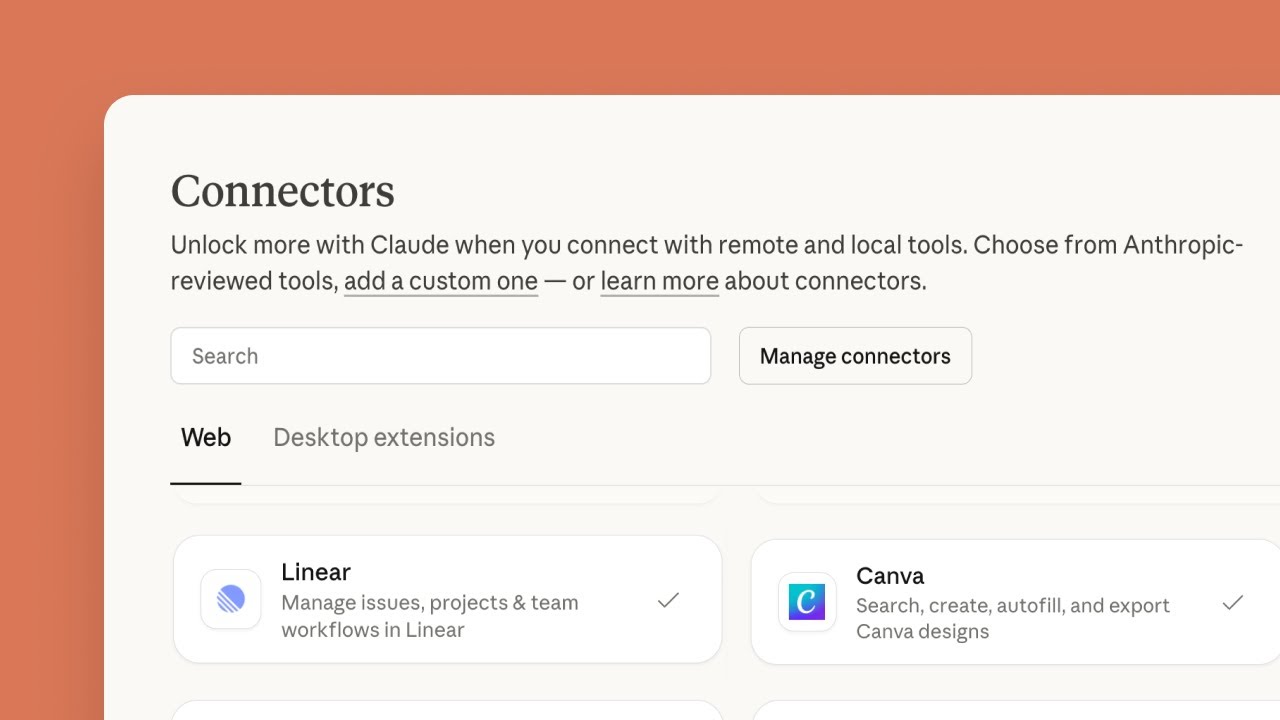
In Claude, open Customize, then Connectors. Click the plus Add button and choose Add custom connector. Name it Spreadcast and paste the server address from Spreadcast's Settings, AI Assistants. Click Continue, keep the sign in that Claude detects, and click Add. On Team and Enterprise, an Owner adds it once in Organization settings, Connectors, and each member then clicks Connect.
- Step 2
Choose Drafts on the Spreadcast Screen
Claude opens a Spreadcast page. Log in if asked, then pick Make Drafts, which saves posts for you to approve, or Make and Publish, which lets this connection schedule and publish too. Click Connect. Start with Make Drafts.
- Step 3
Switch the Connector On in a Chat
In a new chat, click the plus button at the lower left, open Connectors and switch Spreadcast on.
- Step 4
Ask for the Post
Try: "Read my Spreadcast brand kit, design a post about our new offline mode and write a Telegram caption for it." Claude may ask before it runs each tool. The picture appears in the chat, followed by the caption.
- Step 5
Approve the Draft in Spreadcast
Open Spreadcast, find the draft on the Dashboard or the calendar, change a word if it does not sound like you, and approve it. Spreadcast publishes it to your Telegram channel at the time on the post.
Video: Getting Started With Connectors in Claude
How to Post to Telegram From ChatGPT Through MCP
ChatGPT is stricter. OpenAI's help article on custom MCP servers, read on October 17, 2026, says custom MCP connections with full support, including write actions, are for ChatGPT Business, Enterprise and Edu on the web, and that Pro users can connect custom servers with read and fetch permissions only. That is not enough to save a draft, and the article offers custom servers to neither Plus nor Free.
- Step 1
Check Your Plan and Role
On a Business workspace, only admins and owners can create and publish plugins for custom MCP servers. On Enterprise and Edu, admins can also grant that permission to chosen members. On Plus or Free, copy the caption from ChatGPT and post it by hand, or use Claude.
- Step 2
Add the Server in Plugins
In ChatGPT on the web, open Plugins, select the plus button and choose Add custom MCP server. Enter Spreadcast as the name, and under Connection paste the server address from Spreadcast's Settings, AI Assistants. Custom servers cannot be added on mobile.
- Step 3
Pick OAuth and Accept the Warning
Set authentication to OAuth so you sign in with Spreadcast rather than pasting a key. Read the risk warning, tick I understand and want to continue, and select Create as a plugin. ChatGPT lists the tools it found. Sign in on the Spreadcast page that opens and choose Make Drafts.
- Step 4
Mention It in Each Message That Needs It
Start a chat, type @ and pick Spreadcast. OpenAI's article says the choice applies to that one message, so mention it again when a later message needs Spreadcast. ChatGPT may ask you to confirm before a write action, such as saving the draft.
How to Run a Telegram Bot MCP Server From GitHub
If you would rather run your own server for plain text posts or alerts, this is the safe path: a Bot API server, not a user account server. The exact commands differ by project, so read its README, but the steps are the same everywhere.
- Step 1
Pick a Server That Uses a Bot Token
Read the README first. Look for TELEGRAM_BOT_TOKEN and @BotFather. Walk away from anything that asks for your phone number, an api_id and api_hash or a session string if all you want is to post, and check that the project is still maintained.
- Step 2
Make a Bot and Add It to Your Channel
Create the bot with /newbot in @BotFather. In your channel's settings, add the bot as an admin and leave on only the right to post messages, which is what the Bot API reference requires for a bot to post in a channel.
- Step 3
Find the Channel's Address
For a public channel, the server can usually take its username written as @channelusername. A private channel has no username, so the server needs its numeric chat id, which for channels starts with minus 100. Many servers include a tool or a note on how to look it up.
- Step 4
Add the Server to Your Assistant
In Claude Code, add the server with its launch command and pass the token as an environment variable. Claude Code's MCP documentation explains the local, project and user scopes. Keep the token in local or user scope, not in a .mcp.json file you commit. Claude Desktop and Cursor take a similar config entry.
- Step 5
Send a Test Post
Ask the assistant to send one short line to the channel and check it arrived. If it fails, the table above lists the usual reasons. Then post at a human pace: the FAQ's one message a second is a ceiling, not a target.
Telegram MCP in Cursor, Codex and Claude Desktop
Searches for a Telegram MCP for Cursor, Codex, Claude Desktop or Docker come from people who want the server next to their code. Bot API servers from GitHub fit there, because each one is a program your editor starts on your machine with the bot token in its environment. The setup is the same idea in every editor: a config entry with the launch command and the token, which the editor reads when it starts.
A Docker image changes where the server runs, not how it reaches Telegram. A user account server in a container still logs in as you, and a container that holds your session string is still a key to your whole account. The same goes for a server you expose over HTTP: chigwell's README warns that its HTTP mode has no authentication and must never sit on a public interface.
Spreadcast needs no program on your machine in any of these tools. In Claude Code you add spreadcast.app/api/mcp as a remote server and sign in through /mcp, or use a key from Settings, AI Assistants, which saves drafts only unless you switch on Can Publish Posts. The exact commands for Claude Code and Cursor are on the social media MCP server page.
Claude and ChatGPT Prompts for a Telegram Channel Post
These work in Claude or ChatGPT with or without an MCP server. They use the invented app Streakly and its founder Alex. Swap in your own notes and facts.
| What you want | Prompt to paste |
|---|---|
| An update post from release notes | Here are Streakly's 3.2 release notes. Write a Telegram channel post about the one change subscribers will notice most. Open with what changed in one plain sentence, then one short paragraph on why, then where to get the update. Under 900 characters so it fits under a picture, no hashtags. |
| A behind the scenes post | Write a Telegram channel post from Alex about why we cut Streakly's onboarding to three screens. Use only the facts in my notes below and add no numbers I did not give you. First person, three short paragraphs at most. |
| A weekly roundup | Turn these five notes from this week into one Telegram channel post: a one line summary at the top, then each item as a short line of its own. Keep it under 1,024 characters and leave out anything a subscriber would not care about. |
| A check before posting | Read this Telegram post as a busy subscriber would on a phone. Tell me where you would stop reading and which claim needs proof. Do not rewrite it yet. |
A short, specific post is easier to read on a phone than a long one. Your own facts in the first person read better than a request for a viral post.
Best Telegram MCP Server for Each Job
There is no single best Telegram MCP server, because the three groups of searchers want different things. This is how the options line up, with Spreadcast listed for the job it is built for.
| Job | Best fit | Why |
|---|---|---|
| Designed posts for an app's Telegram channel, approved before they go out | Spreadcast | Designs the picture or carousel in your app's brand, writes the Telegram caption, saves a draft, and posts through its own bot. Works in Claude on the web, desktop and mobile, ChatGPT Business on the web, Claude Code and Cursor. The same draft can go to nine other networks. |
| Plain text alerts or build notices to a channel | A Bot API server from GitHub | Free, one bot token, and the post goes out when the tool runs. Nothing to approve and nothing designed, which is fine for a notice. |
| Talking to Claude Code from your phone | Anthropic's Telegram plugin for Claude Code | Built for a private chat between you and your bot, with pairing and an allowlist. Not built for publishing to subscribers. |
| Reading and answering your own chats | A user account server, with care | The only kind that can read your chats, because it logs in as you. Telegram watches unofficial clients, and a session string is a key to everything. |
| Telegram among many networks, without design | A scheduling tool with an MCP server | Our roundup of social media MCP servers compares the vendors that run one. |
Whichever you pick, give it its own bot. A bot token used by two programs at once leads to missed updates, as the troubleshooting table explains.
Telegram MCP Options Compared
A Bot API server from GitHub against Spreadcast. The left column comes from the README of BrainDAO's mcp telegram server, read on October 17, 2026.
| Bot API server from GitHub | Spreadcast | |
|---|---|---|
| How it reaches Telegram | Your own bot, with its token in the server's settings on your machine. | Spreadcast's bot, added to your channel through Telegram's chat picker. You never handle a token. |
| What it posts | Text messages to a chat or channel, plus forwarding and pinning. No tool for pictures is listed. | Text, one picture, an album of up to 10 pictures, or one video of up to 50 MB, to your channel. |
| Makes the picture | No. | Designs posts in 11 kinds and carousels of 3 to 8 slides in your app's brand, with real app screenshots. |
| Before it goes live | Sends when the assistant calls the tool. | Saved as a draft. You approve in Spreadcast, or the assistant asks first if you allowed publishing. |
| Where it runs | On your computer, for Claude Desktop, Claude Code or Cursor. | A hosted address that works in Claude on the web, desktop and mobile, ChatGPT on the web, Claude Code and Cursor. |
| Other networks | Telegram only. | Instagram, Facebook Pages, LinkedIn, Threads, Pinterest, TikTok, YouTube, Bluesky and Mastodon as well. |
| Price | Free and open source. | Drafts on Free. Scheduling and publishing on Pro at $29 a month. |
Example Requests for a Telegram Channel Post
These use an invented habit tracker called Streakly and an invented founder called Alex. They show what the requests look like, not results from a real account.
| What Alex types | What happens in Spreadcast |
|---|---|
| Turn the 3.2 release notes into a Telegram post with a picture. | Reads the new version from the App Store listing, designs the version post with what changed and a Streakly screenshot, writes a short Telegram caption and saves a draft. |
| Design a 5 slide carousel on how streak reminders work and post it to the channel on Tuesday morning. | Designs 5 slides in Streakly's colors and fonts, writes the caption, and saves a draft planned for Tuesday that will go out as one album. With drafts only, it waits for Alex to approve. |
| Post the same news to Telegram, Instagram and Threads. | Writes one caption per network, each in that network's style and limit, and saves one draft with three channels on it. |
| Check this caption before you save it. | Runs every check without saving, such as the 4,096 character limit and the 10 picture limit, and reports problems in plain words. |
You never need to name a tool. The assistant picks it from the request. Spreadcast also offers two ready prompts, Draft posts from my app's news and Plan a week of posts, in assistants that show MCP prompts.
What to Check Before You Connect a Telegram MCP Server
Run through these before you give any server, ours included, a way to post in your channel or, worse, into your account.
| Question | Good answer | Warning sign |
|---|---|---|
| Does it act as a bot or as you? | A bot that you or the service adds to the channel as an admin. | It asks for your phone number, a login code, an api_id or a session string just to post. |
| What rights does the bot get in your channel? | Posting messages and little else. | Every admin right, including deleting messages and adding admins. The MCP security best practices list broad, bundled permissions as a common mistake. |
| Where does the key live? | On the service's server, or in your local settings and nowhere else. | In a shared .mcp.json, a public repository or a chat message. |
| What happens when the assistant says "post this"? | It saves a draft, or asks you to confirm the exact post, channel and time. | It posts at once with no confirmation step. |
| Can you take access back? | Remove the bot from the channel's admins, or remove the connection in one place. | The only way out is to end every session on your Telegram account. |
| Is it maintained? | Recent releases, answered issues and a current Bot API version. | No commits for months while Telegram ships a new Bot API version every month or two. |
Claude and ChatGPT add checks of their own on top: tool approval prompts in Claude and confirmations for write actions in ChatGPT.
What Spreadcast Does Not Do on Telegram
It does not post to groups or private chats. The connect flow lists channels only, and Spreadcast refuses a chat that is not a channel. Each Spreadcast account connects one Telegram channel at a time, and connecting a different one replaces it.
It does not read your chats, reply to comments or send messages to people. Spreadcast's bot posts to the channel you chose and answers only the connect steps in its own chat with you.
It does not read views or reactions on posts. It shows your channel's subscriber count and the link to each post, and the rest of the numbers are best checked in Telegram's own channel statistics.
It does not format text with bold or links. Captions go out as plain text, which reads well in a channel and avoids the posts that fail when a stray symbol breaks Telegram's formatting rules.
It is not a replacement for Anthropic's Telegram plugin. If you want to talk to Claude Code from your phone, Claude Code's channels guide is the place to start, and the two can run side by side with their own bots. For the bigger picture of where Telegram fits among the networks an app can use, our guide to promoting an app on social media has a Telegram section.
Spreadcast Plans for Telegram Posting From an Assistant
The MCP server is part of every plan. What changes is whether posts can be scheduled and published.
| Plan | Price | What the assistant can do on Telegram |
|---|---|---|
| Free | $0 | Design posts and carousels, write Telegram captions, check them and save drafts. You publish the drafts yourself. |
| Pro | $29 a month | Everything in Free, plus scheduling and publishing to your Telegram channel and every other network you connected, once you allow publishing. |
| Studio | $79 a month | Everything in Pro for up to 5 apps and 3 seats, each app with its own brand kit, so the assistant designs each app's posts in that app's look. |
Current details are on the pricing page, and the setup for every assistant is on the MCP page. Your Claude or ChatGPT plan is separate.
Frequently Asked Questions
Is there an official Telegram MCP server?
No. On October 17, 2026, Telegram publishes no MCP server, and Claude's connectors directory lists no connector made by Telegram. Telegram does publish Markdown versions of its developer docs for assistants to read. Every Telegram MCP server that posts or reads is built by a third party.
Can Claude post to a Telegram channel?
Yes, through an MCP server that can post as a bot that is an admin of your channel. With Spreadcast connected as a custom connector, Claude can design the picture or a carousel, write the Telegram caption and save the post as a draft. You approve it in Spreadcast, and Spreadcast's bot posts it to your channel.
Does Anthropic have a Telegram integration for Claude?
Yes, in Claude Code. Claude Code's channels guide describes a Telegram plugin, in research preview, that lets you message a bot from your phone and have Claude Code reply from your computer. It is a chat bridge for you, not a tool for posting to your subscribers.
Why does my Claude Code Telegram MCP say failed?
Run claude mcp get with the server's name to see the error. The usual causes are a launch command without the double dash, a url entry without a type, a token pasted with a hidden newline, a startup that takes longer than MCP_TIMEOUT, or, for the Telegram plugin, starting Claude Code without the channels flag. Claude Code's MCP documentation covers each one.
Is a Telegram MCP server that logs in as my account safe?
It carries real risk. Telegram's api_id page says accounts that log in through unofficial clients are put under observation, and a session string gives full access to your account to anyone who copies it. For posting to your own channel, a bot does the job without that risk.
Can ChatGPT post to Telegram?
Only on plans that allow custom MCP servers with write actions. OpenAI's help article lists ChatGPT Business, Enterprise and Edu on the web, and says Pro users get read and fetch permissions only. On Plus or Free, copy the post from ChatGPT and publish it by hand.
How long can a Telegram post from an MCP server be?
Up to 4,096 characters as a text post and up to 1,024 characters as a caption under a photo or video, per Telegram's Bot API reference. An album holds 2 to 10 items. Spreadcast writes channel captions under 900 characters so they fit under a picture.
Do I need to make my own Telegram bot for Spreadcast?
No. Spreadcast has one bot of its own. Connecting adds it to your channel as an admin that can post messages, through Telegram's own channel picker, and Spreadcast checks with Telegram that you are an admin of that channel before saving it. Remove the bot from your channel's admins at any time to cut access.
Where These Facts Come From
Every outside number, rule and price on this page links to the page it was taken from.
- Telegram Bot API referenceTelegram
- Bot FAQ with rate limitsTelegram
- Bot features, including the chat pickerTelegram
- Obtaining an api_idTelegram
- Telegram API Terms of ServiceTelegram
- Terms of Service for bot developersTelegram
- Channels FAQTelegram
- Developer documentation index for assistantsTelegram
- Push events into a running session with channelsClaude Code Docs
- Connect Claude Code to tools via MCPClaude Code Docs
- Telegram channel plugin for Claude CodeGitHub, Anthropic
- Get started with custom connectors using remote MCPAnthropic Help Center
- Claude connectors directoryAnthropic
- Connecting custom MCP servers in ChatGPTOpenAI Help Center
- Telegram MCP server using a user accountGitHub, chigwell
- Telegram MCP server using a botGitHub, BrainDAO
- MCP security best practicesModel Context Protocol
- Video: MCP in Claude CodeClaude
- Video: Getting started with connectors in ClaudeAnthropic
Researched and written by Spreadcast. Last checked on October 17, 2026.