What Is iOS App Marketing?
iOS app marketing is the work of getting an iPhone app found on the App Store, chosen over the apps beside it, and kept on the phone after the first week. Most of it happens inside surfaces Apple controls: the product page, App Store search, the Today, Apps and Games tabs, Apple Ads, In App Events and the editorial picks. The rest happens outside the store, on social media, in communities and in the press, and all of it has to send people back to one page Apple designed and Apple reviews.
That is what makes marketing an iOS app different from marketing an app in general. The broad plan, from finding your first users to building a launch, is in our guide on how to market an app. This guide is the iPhone specific half: the tools only Apple offers, the limits on each one, the privacy rules that changed how iOS ads are measured, and a 30 day plan a small team can actually run. Every number below comes from Apple's own pages, opened and checked in October 2026, and each one is linked so you can check it again.
Three numbers frame the whole job. Apple says over 850 million people visit the App Store every week, that 70% of App Store visitors use search to discover apps, and that almost 65% of downloads happen directly after a search. The last two figures are from 2022, and Apple still quotes them on its advertising page in 2026. Put together, they mean the store is the main place people find iPhone apps, and search is the main way they move through it. Almost everything that works in iOS app marketing either improves how your app looks in search, or sends people to your product page from somewhere else so search is not your only door.
What Makes iOS App Marketing Different From Other App Marketing
On the web you own the landing page, the analytics and the checkout. On iOS you rent all three from Apple. Your product page is built from fields Apple defines, the metadata on it goes through App Review, your ads run on Apple's inventory, and since iOS 14.5 you cannot follow a person across other companies' apps without their explicit permission. That sounds restrictive, and in places it is, but it also means the tools are the same for everyone. A two person studio gets the same 70 custom product pages and the same In App Events as a company with a hundred marketers.
The second difference is that Apple's editors are a real channel. A feature on the Today tab, App of the Day or a spot in a curated list can bring more downloads in a day than months of posting, and Apple publishes how to ask for it. The third is that a lot of iOS marketing is quiet maintenance rather than campaigns: keeping screenshots current, shipping updates with release notes people actually read, answering reviews and running events often enough that the product page never looks abandoned.
The table below is the toolbox. Each row is something Apple gives every developer, with the limit that matters and where to set it up. The sections after the table go through them in the order a small team should use them.
| iOS marketing tool | What it does for you | The limit that matters | Cost |
|---|---|---|---|
| Product page | The page every search, ad and link lands on | Screenshots, preview videos and text are reviewed by Apple | Free |
| Product page optimization | Tests other icons, screenshots and previews against your page | Up to 3 treatments, one test at a time, up to 90 days | Free |
| Custom product pages | Extra versions of the page for different audiences, ads and keywords | Up to 70 per app, each with its own link | Free |
| In App Events | Event cards on your page, in search and in editorial spots | 10 published at once, each up to 31 days, promoted 14 days ahead | Free |
| Featuring nomination | Asks Apple's editors to consider a launch, update or event | At least two weeks notice, up to three months recommended | Free |
| Apple Ads | Ads in search results, the Search tab, the Today tab and on product pages | No minimum budget, you pay per tap | Your bid |
| Pre orders | Lets people order a new app before release day | Release 2 to 180 days after the pre order goes live | Free |
| TestFlight | Beta testing before launch and before big updates | 100 internal and 10,000 external testers | Free |
| Phased release | Rolls an update out to automatic updaters over 7 days | Pauses can total 30 days | Free |
| Campaign links | Show which post, ad or email brought each download | A metric appears once it reaches 5 in the date range | Free |
How iOS App Marketing Differs From Android App Marketing
If your app is on both stores, most of the strategy carries over, but the tools have different names and different limits, and a plan copied from one store to the other misses things. For marketing, the differences that matter sit in three places: the extra versions of your store page, how you build demand before launch, and how you promote events and updates.
| Job | On the App Store | On Google Play |
|---|---|---|
| Extra versions of the store page | Up to 70 custom product pages, each with its own screenshots, promotional text, previews, keywords and deep link | Up to 50 custom store listings, which can target churned or lapsed users, countries, search keywords, ads traffic or pre registration, or open from a URL |
| Demand before launch | Pre orders, with release 2 to 180 days after the pre order goes live and an automatic download on release day | Pre registration campaigns of up to 90 days, with a push notification and automatic install at launch and an optional one time reward |
| Promoting events and updates | In App Events: 10 published at once, each up to 31 days, shown on the product page, in search and on the Today, Games and Apps tabs | Promotional content: offers, time limited events and major updates, shown on the Apps or Games tab, in search, on the store listing and, for games in listed countries, in an Events tab |
| Who can use it | Every app on the App Store | Promotional content is open to all games and to apps that meet Google's eligibility criteria |
Two practical consequences follow. First, a Google Play custom listing can speak to people who already left: churned users, and lapsed users who have not opened the app in 28 days. Apple's custom product pages are reached through their own link, through Apple Ads or through the keywords you assign, not by picking people who stopped using the app, so a win back campaign is easier to aim on Android. Second, Google caps each pre registration campaign at 90 days and allows up to two apps in pre registration at once, while Apple lets a new app sit in pre order for up to 180 days. If you launch on both stores on the same day, open the Android pre registration later than the iOS pre order rather than on the same morning.
Step 1: Get the Product Page Right Before You Spend Anything
Every other tactic in this guide ends on your product page, so it is the first thing to fix. Apple's product page guidance lists the parts that do the persuading: the name, the subtitle, the icon, the screenshots, up to three app preview videos, the promotional text, the description, the ratings and the What's New text. On an iPhone, a visitor sees the icon, the name, the subtitle and the first screenshots before deciding whether to scroll, which is why those few elements carry most of the weight.
The single most useful habit is to treat the first three screenshots as an ad, not as documentation. Each one should carry one clear benefit in a few large words, show the real interface doing that thing, and make sense without the others. If someone saw only your first screenshot in a search result, would they know what the app does? If not, that is the first thing to change. Our App Store screenshot sizes reference lists the exact pixel sizes Apple accepts, and the free iPhone mockup generator puts your screens into a device frame without opening a design tool.
Keywords, the name field and the subtitle are a discipline of their own, called App Store optimization, and they decide whether your page appears in search at all. Rather than repeat it here, the full method, from choosing keywords to localizing them, is in our App Store optimization guide. The short version for marketing purposes: decide the two or three phrases a stranger would type to find an app like yours, make sure the name and subtitle carry them, and keep them stable long enough to see whether they work.
Apple added two tools in 2026 that make this easier. According to its What's new on the App Store page, App Store Connect now has an Asset Library, one place to upload and manage screenshots, previews and images that you can reuse across product pages and Apple Ads and get approved before you submit, and a product page preview that shows how your assets and text will look on the page and in search results, including in Dark Mode and on different devices. The same page notes a requirement to plan for: starting April 2027, apps submitted will need iPhone Duo screenshots.
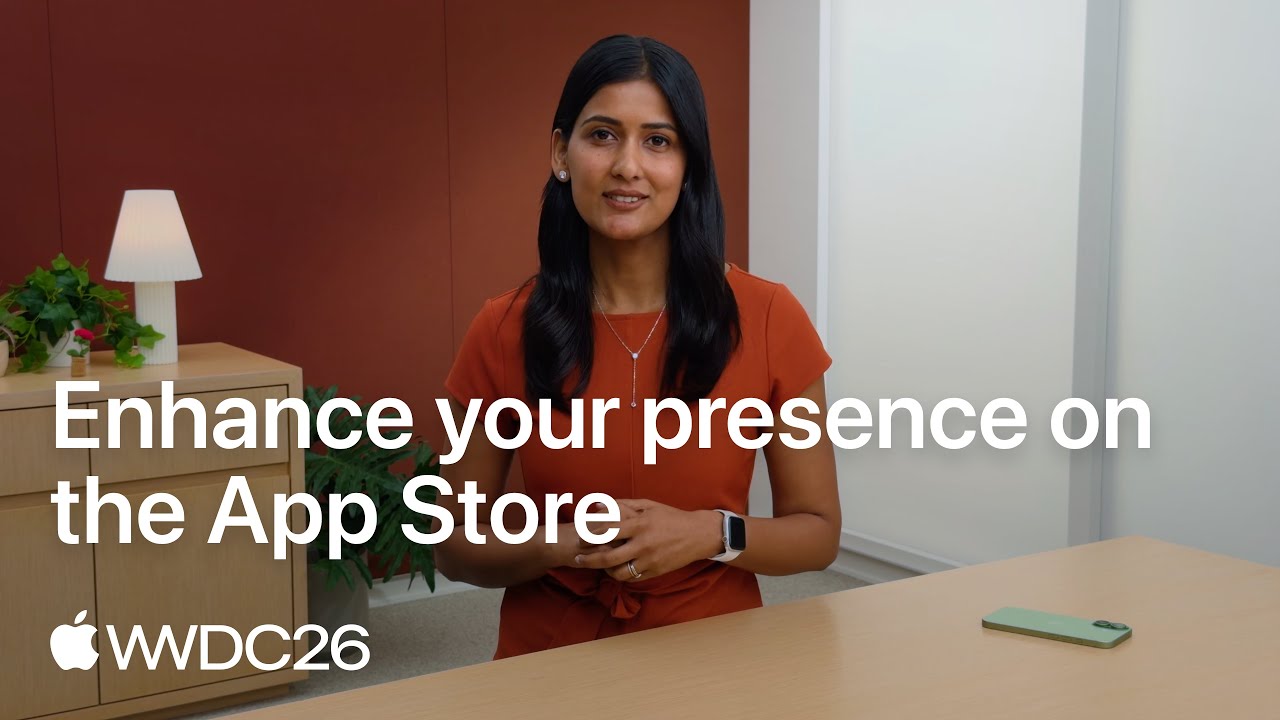
Apple walked through these changes in its own session. If you have eight minutes, it is the quickest official overview of what is new on the product page this year.
Step 2: Test Your Page With Product Page Optimization
Opinions about screenshots are cheap and usually wrong. Product page optimization lets the store settle them. According to Apple's product page optimization page, a test can include up to three treatments, each one an alternate version of your icon, screenshots or app previews, run against your original page. You choose what share of visitors sees the test, and that share is split evenly between the treatments. Apple's own example: if 40% of traffic goes to a test with two treatments, each treatment gets 20% and your original page keeps the remaining 60%.
A test runs for up to 90 days, or until you stop it, and you can run one test at a time. Results show up in App Analytics in App Store Connect with impressions, conversion rate, percent improvement and a confidence level for each treatment. Apple advises waiting until a treatment performs better or worse than the baseline with at least 90% confidence before applying it. Any new screenshots or previews in a treatment have to be approved by App Review first, and if you test a different icon, every icon variant has to be included in the app binary you have published, so icon tests need a little planning with whoever builds the app.
What to test first, in order of how often it moves the number: the first screenshot's headline, the order of the first three screenshots, a screenshot set that leads with the outcome against one that leads with the interface, and only then the icon. Change one idea per treatment so you know what caused the result. A small app may need most of the 90 days to reach a confident answer, which is a good reason to start early rather than wait for launch week.
Step 3: Build Custom Product Pages for Each Audience and Channel
Custom product pages are the most underused tool on this list, and Apple doubled the allowance. Apple's custom product page page now says you can publish up to 70 additional versions of your product page for iPhone and iPad. Each one can have its own screenshots, promotional text and app previews, and each gets a unique URL, your normal App Store link with a product page ID added. You can share that link in social posts, ads and emails, so a person who tapped a post about one feature lands on a page that shows that feature first.
Two newer details make them more than a landing page trick. First, you can assign keywords to a custom product page, so it can appear in search results for those keywords instead of your default page, as long as each keyword combination belongs to only one page. Second, you can attach a deep link, so people who open the app from that page go straight to the matching screen, which Apple supports on iOS 18 and iPadOS 18 or later. The metadata still goes through App Review, but you can submit it on its own, without shipping an app update.
Apple also publishes the result that makes this worth an afternoon: developers see a 2.5 percentage point increase in conversion rate on average when they send people to a custom product page, which Apple describes as a 156% increase compared with the 1.6% average conversion rate on default product pages. Even if your own numbers land well below Apple's average, a page that matches the reason someone tapped is easier to say yes to than a generic one.
- One page per audience: a budgeting app might have one page for students and one for families, each with different screenshots and promotional text.
- One page per feature you promote: when a post or ad is about one feature, the page it links to should open on that feature.
- One page per channel worth measuring: a page for TikTok traffic and one for LinkedIn traffic, each linked from that network, tells you which audience converts.
- One page per seasonal moment: a page built around an event or a holiday feature can be published, used and retired without touching the default page.
- One page per Apple Ads ad group: Apple Ads can use custom product pages as the creative, so the ad and the page it opens tell the same story.
Step 4: Apple Ads, the Paid Channel Built Into the App Store
If you spend money on iOS app marketing, Apple Ads is usually the first place to spend it, because it puts your app in front of people who are already in the store looking for something. The product used to be called Apple Search Ads, and you will still see that name in older guides and in searches like "apple search ads login"; Apple's own page now calls it ads on the App Store under the Apple Ads name. Ads can appear in four places: the Today tab, the Search tab, the top of search results, and at the bottom of other apps' product pages for people who scroll that far.
Pricing is cost per tap. You set the most you are willing to pay for a tap, you can change it at any time, and you pay only when someone engages with the ad. Apple states no minimum budget, and eligible developers who sign up get a 100 USD credit, under Apple's terms. There are two ways to run campaigns, Basic and Advanced; Apple describes Basic as the simplest way to run ads, while the controls it lists alongside, such as Maximize Conversions bidding, manual keyword bids and custom product pages as creative, are the kind of control a growing team will want.
Apple quotes three numbers about how these ads perform. Ads at the top of search results had a tap through install rate of over 60% between November 2024 and October 2025, 95% of downloads after an ad tap happen within a minute, and, as above, almost 65% of downloads happen directly after a search. Treat those as Apple's averages across every advertiser, not a forecast for your app. They do explain why search ads are where most iOS teams start: the person is already looking, and the download happens in the same minute.
A sensible first campaign for a small app has three parts. A campaign on your own brand name, so a competitor cannot sit above you when people search for you. A campaign on the two or three phrases you chose for App Store optimization, so you learn quickly which ones bring people who stay. And a custom product page behind each ad group, so the ad and the page match. Set a daily budget you would not mind losing while you learn, and judge it by what the downloads do in the app a week later, not by the tap price alone.
Step 5: In App Events and the Apple Games App
In App Events are cards for something happening inside your app right now: a challenge, a new season, a live event, a premiere or a major update. They are free, and they show up in places your normal listing does not. Apple's In App Events page says your published events appear on your product page, in search results, and in editorially curated selections and personalized recommendations on the Today, Games and Apps tabs. For people who already have your app, the event card appears with your app in search; for people who do not, your screenshots show instead.
The limits are worth knowing before you plan a calendar. You can have up to 15 approved events in App Store Connect and up to 10 published on the App Store at once. An event can last up to 31 days and can be promoted up to 14 days before it starts. Each event picks a badge: Challenge, Competition, Live Event, Major Update, New Season, Premiere or Special Event. The event name can be 30 characters, the short description 50 and the long description 120, and Apple rejects event text that includes prices. Events go through review, but you can submit them without a new app version.
For games, events now have a second home. Apple introduced the Apple Games app in June 2025 for iOS 26, iPadOS 26 and macOS Tahoe 26, with a Home tab that surfaces updates, live events and friends' activity for the games people play. The full walkthrough of event limits, sizes and examples is in our guide to App Store In App Events. The marketing point is simple: a steady rhythm of events gives Apple's editors and algorithms a reason to show your app again, and gives you something new to post about.
Step 6: Ask Apple to Feature Your App at the Right Time
Being featured is not luck and not only for big companies. Apple asks developers to tell it about launches, updates and events through Featuring Nominations in App Store Connect. On its getting featured page, Apple says lead time varies and asks for a minimum of two weeks notice, and recommends submitting up to three months in advance for wider consideration. That timing is the most common mistake: by the time an update is ready to ship, it is often too late to nominate it.
Apple says there is no checklist, but it lists what its editors look at: user experience, interface design, innovation, uniqueness, accessibility, localization and the product page itself, meaning compelling screenshots, previews, descriptions and positive ratings. Games are also judged on gameplay, art, controls, story, replayability, sound and technical performance. App of the Day and Game of the Day are open to every app, new or ten years old. If your app is featured in certain Today tab spots, you get a notification in the App Store Connect app, with visual assets you can share on social media.
A practical routine: every time you plan a release that changes something a user would notice, write three sentences for a nomination the same day you put it on the roadmap. Say what is new, who it is for and why it matters now. Our longer guide on how to get featured on the App Store covers the nomination form and what to send when Apple asks for promotional artwork.
Step 7: Launch With Pre Orders, TestFlight and a Phased Release
A new iOS app gets one launch, so it is worth building demand before release day. Pre orders let people order the app before it exists on their phone. According to Apple's pre order page, a brand new app can have a release day between 2 and 180 days after the pre order is published, and an existing app coming to new regions can use a window of 2 to 365 days. On release day the app downloads automatically onto the devices of everyone who pre ordered, and they get a notification. Pre orders appear in search results, and in the Today, Games and Apps tabs if the app is being featured. One catch: Apple does not tell people who pre ordered if you change the date or remove the pre order, so that message is yours to send.
TestFlight is the other launch tool, and it doubles as marketing. Apple's TestFlight page allows up to 100 internal testers from your team and up to 10,000 external testers, invited by email or through a public link you can post anywhere, with enrollment criteria such as device type and OS version. The first build you share with external testers needs approval from App Review. A public TestFlight link in a launch post turns curious followers into testers, and testers who feel heard tend to become the first reviewers when you go live.
For updates, phased release protects you from shipping a bad build to everyone at once. Apple's phased release help page rolls the update out over 7 days to a random sample of people with automatic updates on: 1% on day one, then 2%, 5%, 10%, 20%, 50% and 100% on day seven. You can pause for up to 30 days in total, and anyone can still download the update manually from the store at any time. Our app launch checklist walks through the order of these steps in the weeks around release.
Step 8: Ratings, Reviews and the Rating Prompt
Ratings sit on your product page, in search results and in Apple's featuring criteria, so they are marketing whether you treat them that way or not. Apple's ratings and reviews page says you can prompt for a rating up to three times in a 365 day period, and advises asking when people are most likely to feel satisfied, such as after they complete an action, a level or a task, without interrupting them. The system decides whether the prompt actually appears, so asking at the right moment matters more than asking often.
When you release a new version, you can reset your summary rating, territory by territory, though Apple recommends using this sparingly, and written reviews stay on the page either way. You can respond to every review in App Store Connect; the reviewer is notified and can update their review, which is how a fair answer to a one star complaint about a bug can turn into a better rating once the fix ships. Apple suggests prioritizing the lowest ratings and reviews that mention problems with the current version. Our guide on how to get App Store reviews has the full playbook, including what to write in a reply.
The Privacy Rules Every iOS Marketer Has to Follow
Since iOS 14.5, iOS app marketing has run under App Tracking Transparency, and it changes what you can measure and how. Apple's user privacy and data use page defines tracking as linking user or device data collected from your app with data collected from other companies' apps, websites or offline properties for targeted advertising or advertising measurement, and also sharing user or device data with data brokers. To do that, or to read the device's advertising identifier, you need the user's permission through the App Tracking Transparency prompt.
- If a person does not give permission, the advertising identifier is all zeros and you may not track them.
- You may not use another identifier, such as a hashed email address or phone number, to track someone who declined. Apple answers that question with a plain no.
- You may not lock features behind the prompt or reward people for allowing tracking. Apple points to App Review Guideline 5.1.2(i).
- Adding a third party SDK that combines your users' data with other apps' data for advertising counts as tracking even if you do not use it for that yourself.
- For measuring ads, Apple points advertisers to AdAttributionKit, its privacy preserving attribution technology for in app and web ads on mobile.
For a small team, the practical result is reassuring: you can do almost all of your iOS app marketing without tracking anyone. Apple Ads reports inside Apple's own system, App Store Connect counts downloads by source, and campaign links, covered next, tell you which post or email brought a download. You only need the tracking prompt if you use ad networks or SDKs that match people across apps, and if you do, write the prompt's purpose string honestly, because a clear reason is the only legitimate way to earn a yes.
Measure What Works With App Store Campaign Links
Campaign links are the cheapest measurement tool in iOS app marketing and the one most teams skip. In App Store Connect you create a campaign under Analytics, Acquisition, Campaigns, give it a name, and get a link with three parameters: pt, your provider token, which identifies your developer account and stays the same for every campaign; ct, the campaign token you named; and mt, the media type. Apple's campaign link help page says the campaign token can be up to 30 characters, and that Analytics then shows the impressions, product page views, downloads, usage, sales and subscriptions tied to each token.
A few rules decide how you read the numbers. A download counts as a first time download for a campaign when it happens within 24 hours of the person using the link, and if someone used several links, only the most recent gets the credit. A metric appears only once it reaches 5 in the date range you picked, campaigns show up only after at least 24 hours, and you cannot create a campaign link until your app has some analytics data. The App Store also redirects everyone to their own country's storefront, so a /us/ in the link does not limit it to the US. Our free App Store campaign link generator builds the links for every post and channel in one go.
Apple's own session on acquisition analytics shows where these numbers live and how to compare sources. It is the best twenty minutes you can spend before deciding which channel deserves more of your time.

What to Measure: The iOS Numbers That Matter
App Store Connect answers the question every marketer eventually asks, whether a number is any good. Apple's peer group benchmarks compare your app with similar apps, by default those in your primary category with the same business model, and show where you sit against the 25th, 50th and 75th percentile of that group. Apple builds the peer values with differential privacy and describes them as directional insight, not an exact ranking, which is the right way to read them.
- Conversion rate: total downloads and pre orders divided by unique device impressions. This is your product page's score, and the number product page optimization and custom product pages exist to move.
- Day 1, day 7 and day 28 retention: the share of devices that installed in a given week and opened the app again 1, 7 or 28 days later. This scores the people your marketing brought, and it tells you which channel is worth paying for.
- Crash rate: crashes divided by sessions. Marketing that sends people to an app that crashes buys bad reviews.
- Proceeds per paying user, day 35 download to paid conversion and day 35 proceeds per download: how many of the people you brought pay, and how much, in their first five weeks.
Read them in order. If conversion rate sits below your peers, fix the page before you buy any traffic. If conversion is fine but day 7 retention is weak, your marketing is promising something the first week does not deliver, or it is reaching the wrong people. Only when both look healthy is it worth scaling Apple Ads or any other paid channel, and campaign links then tell you which channel's people behave most like your best users.
How to Market a New iOS App: The First 90 Days
Marketing a new iOS app is a different problem from marketing one that already has users, because a new app has no ratings, no analytics and no history with Apple's editors. The order below fits the limits from earlier in this guide into the three months around a launch, so nothing that needs lead time is left until the last week.
- About three months before launch: write the featuring nomination as soon as the date is roughly known, since Apple recommends nominating up to three months ahead and asks for at least two weeks. Start posting about what you are building, with real screenshots, so there is an account to send people to.
- Six to eight weeks before: open a TestFlight beta and share the public link in your posts and bio. The first external build needs App Review, so leave time for it. Testers who report bugs early are often the first people to rate the app at launch.
- Four to six weeks before: once the app has been reviewed, publish the pre order, so the product page exists and every post can link to it. On release day everyone who pre ordered gets the app automatically.
- Launch week: publish the launch post and an In App Event if you have one, answer every review, and keep the rating prompt for a moment of success inside the app rather than the first open.
- Days 2 to 30: create campaign links for each channel as soon as the app has analytics data. Apple only turns on campaigns after an app has received analytics data, so this step cannot be done before launch.
- Days 30 to 90: ship the first updates with phased release, post about each one, and start a product page optimization test once enough people visit the page each day to reach a confident result.
A 30 Day iOS App Marketing Plan for a Small Team
If you are starting from nothing, this is the order that gets the most from the free tools first and spends money only once the page converts. It assumes one person working on marketing a few hours a week, and it works for a new app or for an existing app that has never been marketed properly.
| Week | Focus | What to do | How you know it worked |
|---|---|---|---|
| 1 | Product page | Rewrite the first three screenshots around benefits, check name and subtitle keywords, update the promotional text | Conversion rate in App Analytics starts moving within two weeks |
| 1 | Measurement | Create campaign links for each social network, your website and your email | Each link appears under Campaigns after 24 hours |
| 2 | Testing | Start a product page optimization test with two screenshot treatments | Apple reports a winner at 90% confidence or more |
| 2 | Pages | Build two custom product pages, one per audience or per main feature | Downloads from each page's link in App Analytics |
| 3 | Events and editors | Publish an In App Event for your next update and file a featuring nomination | Event approved, nomination submitted at least two weeks ahead |
| 3 | Reviews | Move the rating prompt to after a completed task, reply to the ten most recent low ratings | More ratings per week, some reviewers update their stars |
| 4 | Paid | Run Apple Ads on your brand name and two keywords, each ad group pointing to a custom product page | Downloads per day and how many of them are still active a week later |
| Every week | Social | Post each update, each event and each rating milestone with a screenshot and a campaign link | Downloads per campaign token in App Store Connect |
Common iOS App Marketing Mistakes
- Spending on ads before the product page converts. Every paid tap lands on that page, so a weak page makes every ad expensive.
- Nominating for featuring the week of the release. Apple asks for at least two weeks and recommends up to three months.
- Using one generic page for every channel when 70 custom product pages are free and can each match the post or ad that sent someone.
- Asking for a rating at launch or in the middle of a task, which spends one of only three prompts a year at the worst moment.
- Rewarding people for allowing tracking, or locking features behind the prompt, which App Review does not allow.
- Posting about the app only in launch week, so anyone who checks the account three months later sees a project that looks abandoned.
- Judging channels by downloads alone. A channel that brings fewer people who stay is often worth more than one that brings many who delete the app the next day.
Should You Hire an iOS App Marketing Agency?
For some apps an agency is the right call. It makes sense when you have a budget for paid acquisition and need people who run campaigns every day, when you need a steady supply of ad creatives in many sizes, or when you are localizing the product page into many languages at once. It rarely makes sense before the app keeps its users, because no agency can make a leaky first week profitable, and the money is better spent fixing onboarding.
If you do talk to agencies, ask questions that show how they work rather than what they promise. Which of Apple's own tools will they use, and who owns the Apple Ads account and the App Store Connect access when the contract ends? How will they measure results: with campaign links and App Store Connect, or with SDKs that need the tracking prompt? What exactly will they do in the first 30 days, and which number should move by the end of it?
Walk away from anyone who promises featuring, guaranteed rankings or a batch of reviews. Apple's App Review Guidelines say under 5.6.3, Discovery Fraud, that manipulating charts, search, reviews or referrals is not permitted, and warn that developers who manipulate ratings or App Store discovery will have their apps removed and be expelled from the Apple Developer Program. That risk lands on your developer account, not on the agency's.
Where Spreadcast Fits in iOS App Marketing
Spreadcast takes the social media half of this plan off your hands for apps on the App Store. You paste your App Store link once on the start page, and Spreadcast reads your public listing: the name, the icon, the screenshots and the rating. From then on it checks the listing every day. When a new version appears, Spreadcast designs a post about the update, with your real screenshot in an iPhone frame and your app's colors and fonts, and writes a caption for each network. When your rating crosses a milestone, it makes a post about that too.
Spreadcast publishes those posts for you to Instagram, TikTok, LinkedIn, Facebook, Threads, Pinterest, Bluesky, Mastodon, Telegram and Discord, plus YouTube for video posts, either fully on autopilot or after you approve each one with a tap. You can also ask for any other post, a feature, a tip or a carousel, in plain words, and it designs it in the same brand. The free plan drafts posts for you to download and post yourself, and Pro is $29 a month flat, with the design, the captions and the publishing included, which is less than a single day of most Apple Ads budgets. The details are on the pricing page.
What stays with you is the part Apple controls and only you can do: the product page, the keywords, the Apple Ads bids, the In App Events and the featuring nominations. That is the right split. The store work needs your judgment about your app, and the weekly posting needs consistency more than judgment, which is exactly the part that tends to stop when you are busy shipping.
Frequently Asked Questions
Is iOS app marketing different from Android app marketing?
The strategy is similar but the tools differ. Apple offers up to 70 custom product pages, pre orders up to 180 days ahead and In App Events, while Google Play offers up to 50 custom store listings that can target churned or lapsed users, pre registration campaigns of up to 90 days and promotional content. Apple also requires permission through App Tracking Transparency before tracking people across apps.
What is iOS app marketing?
iOS app marketing is everything that gets an iPhone app found, downloaded and kept: the App Store product page and keywords, Apple Ads, custom product pages, In App Events, featuring nominations, ratings and reviews, plus social media and other channels that send people to the product page. What sets it apart from general app marketing is that Apple controls the store, reviews the page and limits tracking.
How do I market a new iOS app with no budget?
Start with the free tools: fix the first three screenshots, set up campaign links, test the page with product page optimization, build a couple of custom product pages, run a TestFlight beta with a public link, nominate your launch for featuring at least two weeks ahead and post on social media every time you ship. Apple Ads is the first paid step once the page converts.
Is Apple Search Ads now called Apple Ads?
Yes. Apple's advertising page now uses the Apple Ads name for ads on the App Store, which run in search results, the Search tab, the Today tab and on product pages. Many guides and searches still use the old name, Apple Search Ads.
How many custom product pages can an iOS app have?
Up to 70 additional versions of the product page for iPhone and iPad, according to Apple's custom product pages page in October 2026. Many older guides still say 35. Each page can have its own screenshots, promotional text, previews, keywords and deep link.
Can I reward users for allowing tracking in my iOS app?
No. Apple's privacy page says you may not gate functionality on allowing tracking or incentivize people to allow it in the App Tracking Transparency prompt, and points to App Review Guideline 5.1.2(i). If someone declines, the advertising identifier is all zeros and you may not track them by other means.
How far ahead should I ask Apple to feature my app?
Apple asks for at least two weeks notice and recommends submitting a featuring nomination up to three months in advance for wider consideration. Nominate launches, significant updates and In App Events through Featuring Nominations in App Store Connect.
How much does it cost to market an iOS app?
Most of Apple's marketing tools are free: product page optimization, custom product pages, In App Events, featuring nominations, TestFlight and campaign links. Apple Ads has no minimum budget and charges per tap, so you control the spend. Social media posting can be done by hand or with a tool; Spreadcast's Pro plan is $29 a month for designed and published posts.
Where These Facts Come From
Every outside number, rule and price on this page links to the page it was taken from.
- Ads on the App StoreApple Ads
- Creating your product pageApple Developer
- Custom product pagesApple Developer
- Product page optimizationApple Developer
- In App EventsApple Developer
- Getting featured on the App StoreApple Developer
- Ratings, reviews and responsesApple Developer
- Offering your apps for pre orderApple Developer
- TestFlightApple Developer
- Release a version update in phasesApp Store Connect Help
- Campaign linksApp Store Connect Help
- User privacy and data useApple Developer
- What's new on the App StoreApple Developer
- Introducing the Apple Games appApple Newsroom
- Peer group benchmarksApp Store Connect Help
- App Review GuidelinesApple Developer
- Custom store listingsPlay Console Help
- Pre registration on Google PlayPlay Console Help
- Understand promotional contentPlay Console Help
- State of Mobile 2026Sensor Tower
- Video: WWDC26, Enhance your presence on the App StoreApple Developer
- Video: Enhance your acquisition strategy with App Store Connect AnalyticsApple Developer
Researched and written by Spreadcast. Last checked on October 20, 2026.
Keep Reading
- Playbooks
Founder Led Marketing: Strategy and Examples for Small Startups
What founder led marketing is, seven real founders who did it with small budgets, and a weekly system for LinkedIn, Threads, Instagram, TikTok and Bluesky that fits beside building the product.
- Playbooks
How to Schedule Bluesky Posts: Free and Paid Ways in 2026
Bluesky still has no schedule button, so every scheduled post goes out through a third party tool. Here is how that works, which free and paid schedulers support Bluesky, and the limits your posts have to fit.
- Playbooks
How to Schedule Threads Posts: The Threads Scheduler, Desktop and Tools
Threads has its own scheduler in the composer. Here is how to schedule Threads posts in the app and on desktop, where scheduled posts hide, how to edit them, what to do when scheduling fails, and when a paid Threads scheduler earns its price.
Social Media: The Channel You Control Between Releases
Everything above lives inside Apple's walls. Social media is the part of iOS app marketing you fully control, and it does two jobs the store cannot: it reaches people who are not searching for an app yet, and it gives people who already use your app a reason to open it again. The market makes the second job matter more each year. In its State of Mobile 2026 report, Sensor Tower describes a shift from chasing new user volume toward lifetime value, with growth depending more on retention, reactivation and keeping paying users. Telling existing users what changed in each update is reactivation in its simplest form.
The best material for an iOS app's social media already exists: your release notes. Every update has a story, something that was hard and is now easy, a bug people complained about that is now fixed, a feature someone asked for. Turned into a post with a real screenshot, that story shows the app is alive and improving, which is the thing a stranger checks before downloading and the thing a lapsed user needs to hear. Our collection of app update announcement examples shows how other apps word these posts, and the free release notes generator helps write the What's New text that the post can then repeat.
Where to post depends on who your users are. For consumer apps, Instagram and TikTok carry most of the reach; our guides on promoting an app on Instagram and promoting an app on TikTok cover each network in detail. For work and productivity apps, LinkedIn and Threads often matter more. Whichever networks you choose, put a campaign link in your bio and in each post so you can see in App Store Connect which network actually sends downloads, and point each link at a custom product page that opens on the feature the post was about.
The hard part is not knowing what to post. It is posting every time, for months, while you are also building the app. Most indie iOS accounts look busy in launch week and silent by the third update. The rhythm that works is boring and reliable: one post the day an update reaches the store, one post when the app crosses a rating milestone, one post for each In App Event, and a short reply to every comment. That is a few posts a month, which is sustainable, and every one of them is tied to something real.