What an App Update Announcement Has to Say
A good app update announcement answers three questions in the first two lines: what changed, what the user can do now that they could not do last week, and where to get it. The version number, the thank you and the hashtags come after that. Most weak announcements skip the second question and stop at "version 3.2 is out, bug fixes and improvements".
Apple expects the same thing inside the store. Guideline 2.3.12 of the App Review Guidelines says the "What's New" text must clearly describe new features and product changes, and that a generic description is acceptable only for simple bug fixes, security updates and performance work. If you have already written release notes that pass that test, the announcement is mostly a rewrite for a different reader. There is a separate page of app release notes examples if you need those first.
The examples below all use Trailmark, an invented hiking app whose version 3.2 adds offline maps. One feature told many ways shows how the same news changes shape between a push notification with room for a dozen words and a LinkedIn post with room for a story.
Where to Announce an App Update: Channels, Length Limits and Best Use
Pick channels by the size of the release. A fix release needs the App Store text and maybe one short post. A headline feature deserves every row in this table.
| Channel | Length limit | Best use |
|---|---|---|
| App Store "What's New" | 4,000 characters, required for every version after the first, per Apple's platform version information | Every release. It is the one app update notice each updating user can see. |
| App Store promotional text | 170 characters, and you can change it without submitting a new version (same Apple reference) | One line about the newest feature at the top of your description, aimed at people who have not installed yet. |
| App Store in app event | Event name 30 characters, short description 50, long description 120, per Apple's in app events page | A large release. Apple offers a "Major Update" badge for significant new features, and says it is not meant for small interface changes or bug fixes. |
| Push notification on iOS | No character count from Apple. The Human Interface Guidelines for notifications ask for a short title and succinct text and say the system truncates when it has to. The whole payload is capped at 4 KB by Apple's push service. | One feature that existing users asked for, sent only to people who agreed to product news. |
| Push notification on Android | Title of 30 characters or fewer and text within 40 characters, per Android's notification design guide | Same as iOS. Write the Android version first, because it is the tighter limit. |
| In app banner or modal | Your own interface, so no platform limit. Aim for a headline plus one sentence. | Telling someone about a feature at the moment they are on the screen where it lives. |
| Subject of no more than 9 words and 60 characters, the guidance in Mailchimp's subject line best practices | Big features, and lapsed users who will never see a banner inside the app. | |
| X | 280 characters, and any link counts as 23, per X's character counting rules | The fastest version: feature, benefit, link. Good for fix releases too. |
| Threads | 500 characters for a text post, per Meta's Threads API overview | A conversational version that ends in a question. |
| Instagram caption | 2,200 characters and 30 hashtags, per Meta's Instagram publishing reference. Instagram's hashtag help page now says to use up to 5 | The new screen as the image, the benefit in the first line of the caption. |
| TikTok caption | 2,200 characters when posted through TikTok's Content Posting API | A screen recording of the feature in use, with one line of caption. |
| 3,000 characters per post, per LinkedIn Help | The story behind the release, in the founder's voice. | |
| Bluesky | 300 characters, the maxGraphemes value in Bluesky's post lexicon | The X version with slightly more room. A good home for a plain changelog style post. |
| Pin title up to 100 characters, of which the first 40 may show in feeds, and a description up to 800, per Pinterest's product specs | A tall image for a feature people search for by name, such as offline hiking maps. |
Limits checked against each source in October 2026. Networks change them without notice, so check again before you build a template around one.
Social Media Post Examples for a New App Feature Announcement
Six situations, each short enough to post on any network. Break the text into separate lines where the sentences end.
A Big New Feature
Offline maps are here. Trailmark 3.2 lets you download any trail before you leave home, then follow it with no signal at all. Open a trail, tap Download, and the map, elevation and waypoints stay on your phone. Free for every hiker. Update on the App Store today.
A Small Fix Release
Trailmark 3.2.1 is out. We fixed the crash some of you hit when pausing a recording, and GPS now locks on faster at the trailhead. Nothing new to learn, just a steadier app. Thank you to everyone who sent a report.
A Redesign
Trailmark has a new look. The map now fills the whole screen, your stats sit in one row at the bottom, and Start is a single big button you can hit with gloves on. Everything you used before is still there, one tap closer. Version 4.0 is on the App Store now.
A Speed or Battery Update
Trailmark 3.3 opens faster and uses less battery while recording. On our oldest test phone, launch time dropped from 2.4 seconds to 1.1. Same app, less waiting at the trailhead. (Only quote numbers you measured yourself.)
A Feature Your Users Asked For
You asked, we built it. The request we heard most this year was sharing a live location with a friend. In Trailmark 3.4 you can send a link before a hike, and they can follow you on a map until you are back at the car. Thank you for pushing us on this one.
A New Device or Widget
Trailmark is now on Apple Watch. Start, pause and check your distance from your wrist, and leave your phone in the pack. It comes with version 3.5 and it is free for everyone who already uses the app.
App Update Announcement Examples by Network
The same offline maps release, rewritten for the way each network is read. Counts in brackets are the characters used, so you can see the room left under each limit.
LinkedIn Version
We shipped offline maps in Trailmark this week, four months later than planned. Our first build downloaded whole regions and filled people's phones. Beta testers told us they only ever need the one trail they are about to walk, so we rebuilt it around a single trail: one tap, about 20 MB, and it works in airplane mode. Three things I would tell another founder: testers describe the problem better than they describe the fix, storage is part of the feature, and the small version should ship first. Trailmark 3.2 is live on the App Store today. If you hike where there is no signal, I would like to hear how it holds up. (About 620 characters.)
X Version for a Feature
Trailmark 3.2 is live. Offline maps: download a trail at home, follow it with zero signal. Free for everyone. Then the App Store link, which uses 23 characters whatever its real length. (About 130 characters with the link.)
X Version for a Fix
3.2.1 is out: fixed the pause crash, faster GPS lock. Update when you can. Thanks for the reports. (98 characters.)
Instagram Caption
Your trail map now works without signal. Trailmark 3.2 adds offline maps: download any trail before you go and follow it the whole way up. Swipe to see the three taps it takes. Update from the link in our bio. #hiking #trailrunning #offlinemaps. The link goes in your profile because, as Hootsuite's guide to bio links explains, Instagram has never made links in post captions clickable.
Threads Post
Offline maps just landed in Trailmark 3.2. Question for the hikers here: do you download the trail the night before, or at the trailhead with one bar of signal? We are deciding what the reminder should say. (About 210 characters.)
TikTok Caption
Two miles in, zero bars, and the map keeps working. Offline maps are in Trailmark 3.2 now. Link in bio. #hikingtok #hikingapp. Pair it with a screen recording of the download and the map moving in airplane mode.
Facebook Post
Good news for everyone who hikes out of range: Trailmark 3.2 adds offline maps. Open a trail at home, tap Download, and it is saved to your phone with elevation and waypoints. The update is free. Tell us which trail you are saving first.
Bluesky Post
Trailmark 3.2 is out with offline maps. Download a trail at home, follow it with zero signal, airplane mode included. We rebuilt it around one trail at a time, so a download is about 20 MB. Free for everyone. Then the App Store link. (208 characters before the link, limit 300.)
Pinterest Pin
Title: Offline Hiking Maps: Follow a Trail Without Signal (50 characters, limit 100). Description: Trailmark 3.2 lets you download any trail before you leave home. The map, elevation and waypoints stay on your phone, so the route keeps working with no bars. Free on the App Store. Image: a tall 1000 by 1500 picture of the downloaded map with the title set on it. Lead the title with the words people search, because only its opening is sure to show in a feed.
More App Update Announcement Examples: Phased Rollouts, Betas and Old Versions
Six situations the standard feature post does not cover. Each is written for the same invented app, a few versions on.
A Phased Rollout Post
Trailmark 3.2 starts rolling out today and reaches every phone within a week. To get offline maps right now, open the App Store, search Trailmark and tap Update. We will post again when it is on every phone. This wording stays true on day 1 of a phased release, when only a small share of automatic updates have arrived.
A How to Post Three Days Later
Offline maps tip: download the trail the night before, while your phone is charging. Open the trail, tap Download and wait for the green tick. A typical trail is about 20 MB. Which trail did you save first? The second post carries the detail the announcement had no room for, and it reaches the people who missed the first one.
A Feature Still in Beta
New in Trailmark 3.3, and still in beta: live location sharing. Turn it on under Settings, then Labs. It works on every phone that runs 3.3, but expect rough edges: the link expires after 12 hours and the map refreshes once a minute. Tell us what breaks. Your reports decide when it leaves beta.
A New Language
Trailmark now speaks German. Version 3.6 puts every screen, every notification and 400 trail descriptions in the Alps into German. The app follows your phone's language, so there is nothing to switch on. Post this one in German on a German account, and keep the English version to a single line for everyone else.
A Community Changelog Post
For a Discord server, a subreddit or a forum where your keenest users read every line. Trailmark 3.2 changelog. Added: offline maps for single trails, about 20 MB each. Added: a storage screen that lists what you downloaded. Changed: GPS lock starts from your last known position, about twice as fast in our tests. Fixed: crash when pausing a recording. Fixed: photos losing their order. Known issue: downloads pause when the screen locks on older phones, and a fix is coming in 3.2.1.
Ending Support for an Old iOS Version
From version 4.0, Trailmark needs iOS 17 or later. If your phone cannot update, version 3.9 keeps working and keeps your hikes, but it will not get new features. Nothing changes for anyone on a newer phone. Dropping the old version is what lets us build the new map. Send this by email and as an in app notice to the affected users only, at least a month ahead.
Email, In App Message and Push Notification Examples
These reach people who already have the app, so they can skip the pitch and go straight to the change. Each one also works as an app update notification message example for its channel.
Email for a Big Feature
Subject: Offline maps are in Trailmark 3.2 (7 words, 33 characters). Preview text: Download a trail at home, follow it without signal. Body: Hi [first name], Trailmark 3.2 is out today with the feature you have asked for most: offline maps. Open any trail, tap Download, and the map, elevation and waypoints are saved to your phone. On the trail the app works the same with or without signal. Also in this version: faster GPS lock and a fix for the pause crash. Update on the App Store, then download one trail before your next hike so it is ready. Happy trails, [your name].
Email for a Month of Small Updates
Subject: Three small fixes in Trailmark this month. Body: Hi [first name], no big launch this month, just three things that were annoying and are now fixed. 1. Pausing a recording no longer crashes the app. 2. GPS locks on in about half the time. 3. Photos you add to a hike keep their order. All three are in version 3.2.1. If something else is bothering you, reply to this email. It comes straight to us.
In App Banner
New: offline maps. Download this trail to use it without signal. Buttons: Download, Not Now. Show it once, on a trail page, the first time someone opens the app after updating.
In App Modal for a New Feature
Headline: Offline Maps Are Here. Body: Save any trail to your phone and follow it without signal. Main button: Try It on This Trail. Second button: Maybe Later. One screenshot of the downloaded map above the headline. Keep a modal for releases this size and use the banner for everything smaller.
Push Notification on iOS
Title: Offline Maps Are Here. Body: Download a trail before you go and follow it without signal. Apple's notification guidelines ask for a title in title style capitalization with no ending punctuation, and body text in complete sentences. They also say to leave your app name out, because the system already shows your icon.
Push Notification on Android
Title: Offline maps are here (21 characters, limit 30). Text: Download a trail, hike without signal. (38 characters, limit 40.) Android's guide adds that the title should not repeat your app name, which already sits in the header.
App Store What's New Text
New in 3.2. Offline maps: download any trail and follow it without signal. Faster GPS lock at the trailhead. Fixed a crash when pausing a recording. Thank you for the reports. Keep them coming from Settings, then Send Feedback.
App Store In App Event
Event name: Offline Maps Have Arrived (25 characters, limit 30). Short description: Download any trail and hike without signal. (43 characters, limit 50.) Long description: Trailmark 3.2 adds offline maps. Save a trail at home, then follow the map and waypoints with no signal. (About 105 characters, limit 120.) Badge: Major Update.
New Feature Announcement UI Design: Banner, Modal, Tip or Badge
Inside the app, the design of the announcement decides whether people read it or swat it away. Five patterns cover nearly every release. Pick by how big the change is and where it lives, not by how proud the team is of it.
| Pattern | Use it for | Example copy | Platform guidance |
|---|---|---|---|
| Popover tip | A new control on the screen the person is already looking at | Download for Offline. Tap to save this trail's map to your phone. | Apple's TipKit framework exists for this: it shows contextual tips that highlight new or unused features people have not found on their own. The Human Interface Guidelines on offering help say a popover tip preserves the flow of the content. |
| Inline tip | A feature on a busy screen where covering the content would get in the way | New: download this trail and the map works without signal. | The same guidelines suggest an inline tip when you want the surrounding information to stay visible. |
| Banner | Most feature releases, shown once on the screen where the feature lives | New: offline maps. Download this trail to use it without signal. Buttons: Download, Not Now. | No platform rule, since it is your own interface. Always give it a way to close. |
| Full screen modal | The one or two releases a year that change how people use the app | Offline Maps Are Here. Save any trail and follow it without signal. Buttons: Try It on This Trail, Maybe Later. | No platform rule either. It interrupts whatever the person opened the app to do, so keep it rare. |
| New badge or dot | A feature reached through a tab or a menu, not visible on the first screen | New, on the Maps tab, until the person opens it once | Android's guide to badges in Compose lists highlighting new content or features among the common uses of a badge. |
Two rules from Apple's tips guidance are worth applying to every pattern in this table. Use the tip for simple features, since a feature that takes more than three actions is probably too complicated for one, and keep it to one or two sentences with nothing promotional in it. And set rules so it reaches the right people: someone who has already used the feature should not see a tip about it, and when an app has several tips, Apple suggests a cadence such as once every 24 hours.
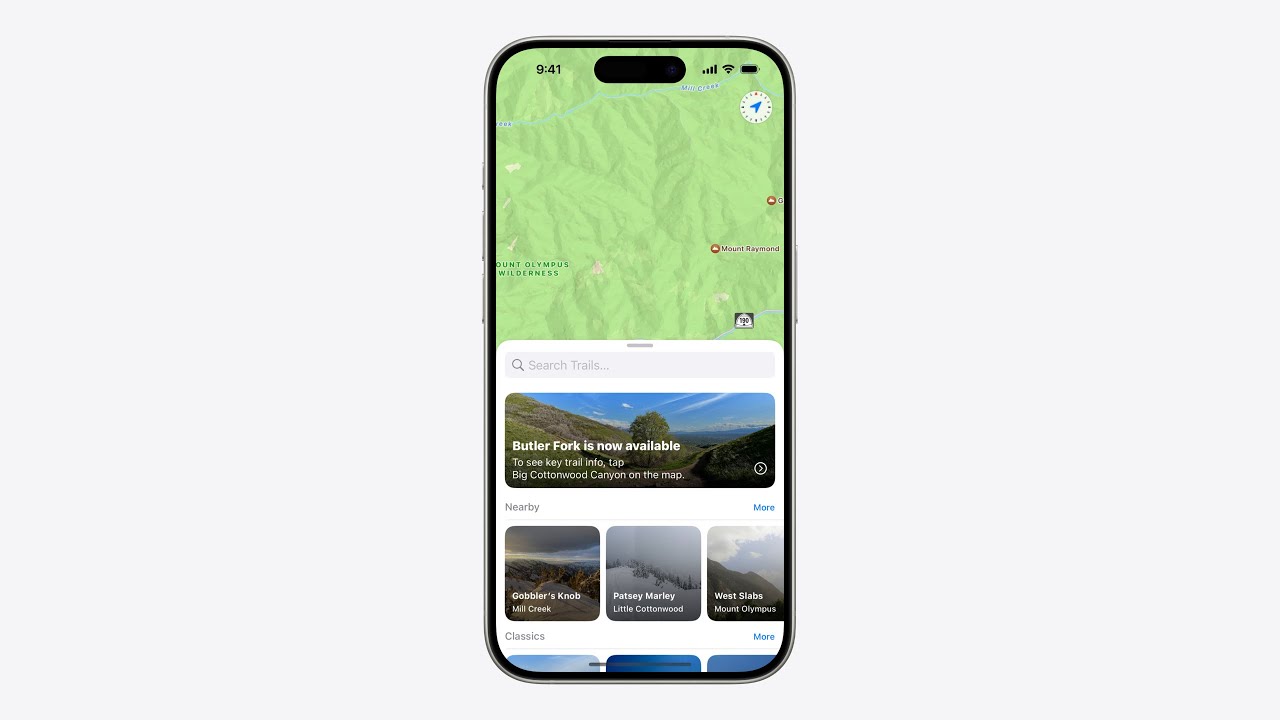
Video: How to Show New Feature Tips With TipKit
Apple's own session on the tip pattern from the table above, for the developer who will build it.
App Update Notice Examples: Asking Users to Install the New Version
An app update notice has a narrower job than an announcement: getting an old version replaced. Apps from the App Store update automatically by default, as Apple Support's page on updating apps explains, so save a notice for the cases where waiting causes a problem.
Optional Update Notice
Headline: A New Version Is Ready. Body: Trailmark 3.2 adds offline maps and fixes the crash when you pause a recording. Buttons: Update, Later. Show it once per version, after the person has finished what they opened the app to do, and never as the first thing on launch.
Required Update Notice
Headline: Update Trailmark to Keep Syncing. Body: This version can no longer save hikes to your account after May 1. Updating takes about a minute and everything you recorded stays. Button: Update Now. Use a blocking screen only when the old version really stops working. Give the date, and say what happens to the person's data.
Update Notice on Android
Google Play has two flows built for this, described in Android's guide to in app updates. A flexible update downloads in the background while the person keeps using the app, and Google suggests it when the update is not critical to the app's core functionality. An immediate update is a full screen flow that requires the update and a restart, meant for critical changes. Your own line comes before the flow starts: "Offline maps are ready. Update now and keep hiking while it downloads."
Update Notice by Email
Subject: Please update Trailmark before May 1. Body: Hi [first name], you are using Trailmark 2.8, which stops syncing on May 1. Version 3.2 is free, takes a minute to install and keeps every hike you have recorded. Open the App Store, search Trailmark and tap Update. If your phone cannot install it, reply and we will help you export your hikes. Send it only to people still on the old version.
Price Update Announcement Examples for a Subscription App
A price change is the update announcement people read most closely, and the stores send notices of their own, so yours arrives next to Apple's or Google's rather than instead of them. Each example below is for Trailmark Pro, the invented app's subscription, and leaves the amount out so it reads correctly in every currency. The store rules were checked on October 17, 2026.
Price Rise That Leaves Current Subscribers Alone
Headline: Your Price Is Not Changing. Body: From March 1, Trailmark Pro costs more for new subscribers. If you subscribe today, you keep your current price for as long as your subscription continues. Nothing to do. When you schedule an increase, App Store Connect lets you keep the current price for existing subscribers, and people whose subscription lapses can come back at that preserved price within 60 days. If you chose that option, say so first, because it answers the only question anyone has.
Price Rise Apple Will Ask Subscribers to Accept
In app notice: Trailmark Pro's price changes at your next renewal. Apple will ask you to confirm the new price by email, notification or a message in the app. If you do not confirm, your subscription ends when this billing period does, and your recorded hikes stay in the app. Button: Review Subscription. Apple requires consent when the subscriber lives in a region that requires it for any price change, when the increase is more than 50 percent and also more than about US$5 a period (US$50 a year for annual plans), or when the same subscription already went up in the past 12 months. Without consent, the subscription expires at the end of the current cycle.
Price Rise Apple Only Announces
In app notice: From your renewal on or after May 1, Trailmark Pro costs a little more. You do not need to do anything, and you can change or cancel your plan any time in your App Store subscriptions. When none of the consent conditions apply, Apple notifies subscribers itself by email and push, and by an in app message on iOS 13.4 or later. Your notice should still come first and say why the price changed in one honest sentence.
Google Play Price Rise That Needs Acceptance
In app banner: Your Trailmark Pro price changes on June 9. Please review it in Google Play so your subscription continues. Button: Review New Price, linked straight to the subscription screen in the Play Store. On Google Play, a price rise for existing subscribers is opt in by default: people must accept it or Google cancels the subscription, the higher price applies after a 37 day notice period, and Google sends no notices of its own for the first 7 days. That week is your window to tell people yourself, and Google recommends an in app notice with a deep link to the Play Store subscription screen.
Price Change Email
Subject: Trailmark Pro's price changes on May 1. Body: Hi [first name], from May 1 the price of Trailmark Pro goes up for new and existing subscribers. Your plan renews at the new price on your first renewal after that date. Here is why: offline maps and live sharing now run on servers that cost more each month, and we would rather charge for that than show ads. Everything you have recorded stays yours whatever you decide. You can review or cancel the subscription in your App Store or Google Play settings. Questions? Reply to this email and a person will answer.
Price Drop
Short post or in app banner: Good news. Trailmark Pro now costs less, and your next renewal uses the new price automatically. Apple's pricing page confirms that existing subscriptions renew at a lower price automatically, with no option to keep charging the higher one, so the message needs no instructions at all.
What Makes an App Update Announcement Work: One Post Taken Apart
The big feature post from the first set of examples, line by line. Each line answers a question the reader has, in the order they have it.
| Line | Question it answers | How to write yours |
|---|---|---|
| Offline maps are here. | What is new? | Name the feature in three to five words a user would say. The same words go on the image. |
| Trailmark 3.2 lets you download any trail before you leave home, then follow it with no signal at all. | What can I do now? | One sentence that starts from the user's action. The app name and version appear once and are not the subject of the news. |
| Open a trail, tap Download, and the map, elevation and waypoints stay on your phone. | How do I use it? | The real taps, in order. If it takes more than three, show it in a short screen recording. |
| Free for every hiker. | Does it cost extra? | Say who gets it: everyone, subscribers or one device. Silence on this point reads as a paywall. |
| Update on the App Store today. | Where do I get it? | One action. Apple's marketing guidelines ask you to refer to "the App Store" and to always include a call to action to download. |
App Update Announcement Mistakes and a Corrected Version of Each
| Weak version | Corrected version | What changed |
|---|---|---|
| Version 3.2 is out! Bug fixes and improvements. | Trailmark 3.2 is out. We fixed the crash when you pause a recording. | It names the one thing a user would notice. |
| We are thrilled to announce our most powerful release yet. | Offline maps are here: download a trail, hike without signal. | The feature replaces the adjectives. |
| Introducing offline tile caching with vector map packs. | Your trail map now works without signal. | The user's words replace the pull request's. |
| Update now! (posted before the version shows for everyone) | 3.2 is rolling out today. Search Trailmark on the App Store and tap Update. | It is true during a phased release and tells people where to tap. |
| New: offline maps, live sharing, a watch app, dark mode, widgets and 14 fixes. | Offline maps are here. Then one post for each other feature across the next two weeks. | One idea per post. The rest of the list becomes your next five posts. |
| Push: Trailmark: Hey! Check out what is new in the app! | Push: Offline Maps Are Here. Download a trail before you go and follow it without signal. | It says what the feature is and drops the app name the system already shows. |
| The Instagram caption pasted to X, still saying link in bio. | On X the App Store link sits in the post. On Instagram the caption points to the profile. | Each network handles links differently, so each needs its own closing line. |
A Fill in the Blank Template for Your Own App Update Announcement
Social post for a feature: [Feature name] is here. [App name] [version] lets you [what the user can now do] so you can [result they care about]. [One detail: where to find it, or that it is free]. Update on the App Store. Then the link.
Social post for a fix release: [App name] [version] is out. We fixed [the bug, in the words users used to report it] and [second fix]. Thank you to everyone who reported it.
Email subject: [Feature name] is in [App name] [version]. Email body: one sentence on what changed, two on how to use it, one line listing smaller fixes, one call to update.
Push notification: a title of [Feature name] Is Here, and a body of [what you can do now, in one full sentence]. In app banner: New: [feature name]. [What it does on this screen]. Then one button that starts the feature.
Fill the blanks with the user's words. "Follow a trail without signal" is how a hiker describes it. "Offline tile caching" is how the pull request described it.
When to Post: Release Day, Phased Releases and Push Rules
Announce on the day the version is live for your users, after you have checked the listing yourself. If you release manually, Apple's release options page warns that the app may take up to 24 hours to appear on the App Store after you press the button. A post that says "update now" before the update shows up produces confused replies and nothing else.
A phased release changes the math. With Apple's phased release for automatic updates, the version reaches 1 percent of users with automatic updates on day 1, then 2, 5, 10, 20 and 50 percent, and everyone on day 7. The same page says anyone can still download the update manually from the App Store at any time. So you have two honest options: announce on day 1 and tell people to update from the App Store themselves, or watch crash reports for two or three days and announce once you trust the build. You can pause a phased release for up to 30 days in total if something goes wrong.
Push has its own rule. Guideline 4.5.4 of Apple's review guidelines says push notifications should not be used for promotions or direct marketing unless people explicitly opted in through consent language in your app, with a way to opt out. Android's notification guide lists notifications that encourage a return to the app without direct value among the things to avoid. Send a feature push only to users who chose to hear product news, and only when the feature is useful to them today.
Social posts do not need to go out at the same minute. Post the main announcement on release day, then a second post a few days later showing the feature in use. The longer playbook is in how to promote an app on social media.
How to Localize an App Update Announcement
Start in the store, because that text is the one every updating user can open. "What's New" can be written for each language. When you add a language in App Store Connect, its properties default to those of your primary language, except for the description and keywords, according to Apple's page on localizing app information. A German listing with no German notes shows your English ones.
Google Play gives each language its own 500 characters of release notes, per Play Console Help. A translation can run longer than the English, so write the English well under the limit.
For social posts, translate the feature name the way the translated app shows it. If the button reads Herunterladen in the German interface, the German post must say Herunterladen too. Push text needs the most care: Android's 30 character title and 40 character text are easy to meet in English and easy to break in a longer language, so have every translation counted.
Badges follow their own rule. Apple supplies the App Store badge in localized versions, and the App Store marketing guidelines say the words App Store always stay in English and that you should never create your own localized badge. Download the artwork for each language from Apple.
What to Show in the Image
Show the new screen. A real screenshot of the feature beats an abstract graphic, because people recognize their own app and see the change at once. Add a headline of three to six words ("Offline Maps Are Here"), your app icon, and the version number in small type so the post still makes sense when someone finds it a year later.
If you place the screenshot inside a phone, Apple has rules for that. The App Store marketing guidelines say to use the product bezels Apple provides, to show the latest generation device your app supports, to show the app as it looks when running, and to avoid tilting, cropping or covering the device image. Promotional text goes beside the device, never on top of it. A plain screenshot with no device frame avoids the whole question. There is a plain language summary in the App Store marketing guidelines explainer.
Make one image per shape instead of cropping a single file. A tall image for Instagram and a wide one for X will each need the headline placed differently. Current dimensions for each network are in the social media image sizes reference, and if you are refreshing the store listing in the same release, the App Store screenshot sizes page lists what Apple accepts.
How Spreadcast Writes the App Update Announcement for You
Spreadcast does the social part of this page automatically. You paste your App Store link once at the start page, and it checks your public listing every day. When a new version appears, it boils the release notes down to two or three points, places them on a 1080 by 1350 image built from your own screenshot, icon and colors, and writes a separate caption for Instagram, TikTok, LinkedIn, Facebook, Threads, Pinterest, Bluesky, Mastodon, Telegram and Discord, plus YouTube for video posts.
You choose whether each post waits for one tap of approval or goes out by itself. It works from the public listing, so there is no SDK and no access to your developer account, and it supports the App Store only for now. Email, push and in app messages stay with you. The free plan gives you the drafts to download, and the pricing page covers publishing. For a single post made by hand, see the product launch post generator page.
Frequently Asked Questions
How do you announce an app update?
Say what changed, what the user can do now, and where to get it, in that order. Put the full list in the App Store "What's New" text, then post a shorter version on the social networks you use on the day the version is live. For a big feature, add an email, an in app banner on the screen where the feature lives, and a push notification to people who opted in to product news.
What do you write in an app update notification message?
A title that names the feature and one full sentence on what the user can do with it, for example "Offline Maps Are Here" and "Download a trail before you go and follow it without signal." On Android, keep the title to 30 characters and the text to 40, the limits in Android's notification design guide. Leave out your app name, since both systems already display it.
How long should an app update announcement be?
As long as the channel's first screen. On X that is under 280 characters. On Instagram and LinkedIn the opening line does the work even though the limits run to 2,200 and 3,000 characters, so lead with the benefit. A push notification is one short sentence, and an email subject should stay within about 9 words and 60 characters.
Should you announce a bug fix update?
Yes, briefly, when the bug was visible to users. Name the bug in the words people used to report it, say it is fixed, and thank the reporters. One short post is enough. Skip email and push for a fix release unless the bug blocked people from using the app, in which case a single email to affected users is worth sending.
Can you send a push notification about a new feature?
On iOS, only to people who agreed to that kind of message. Guideline 4.5.4 in Apple's App Review Guidelines says push should not be used for promotions or direct marketing unless users explicitly opted in inside your app and can opt out. In practice, add a "product news" switch to your notification settings and respect it.
When should you announce an app update during a phased release?
Either on day 1 with a line telling people to update from the App Store themselves, or a few days in, once crash reports look clean. Apple's phased release reaches only 1 percent of automatic updates on the first day and everyone on day 7, but manual updates are open to all users from the start.
What is the difference between release notes and an app update announcement?
Release notes are the complete record of a version and live in the App Store "What's New" field. An announcement is the single most interesting change from those notes, rewritten for people scrolling a feed or an inbox. Write the notes first, then pull the announcement out of them. The app release notes examples page covers the first half.
How do you write a new feature announcement in app?
Show it where the feature is, the first time the user reaches that screen after updating. Use a headline, one sentence and a button that starts the feature. Use a small banner for most releases and keep a full screen modal for the one or two releases a year that change how people use the app. Planning a whole first release instead of an update? See the app launch announcement examples and the app launch checklist.
Where These Facts Come From
Every outside number, rule and price on this page links to the page it was taken from.
- Using hashtags on InstagramInstagram Help Center
- App Review Guidelines, including 2.3.12 on What's New text and 4.5.4 on push notificationsApple Developer
- Platform version information: What's New, promotional text and description limitsApp Store Connect Help
- In app events: badges, metadata limits and timingApple Developer
- Human Interface Guidelines: NotificationsApple Developer
- Generating a remote notification: payload size limitsApple Developer Documentation
- Notifications design guide for mobileAndroid Developers
- Best practices for email subject linesMailchimp
- Counting characters in a postX Developer Platform
- Threads API overview: post limitsMeta for Developers
- Instagram media publishing reference: caption limitsMeta for Developers
- Content Posting API reference: caption lengthTikTok for Developers
- Post character limits on LinkedInLinkedIn Help
- Link in bio: how bio links work on Instagram and TikTokHootsuite
- Select an App Store version release optionApp Store Connect Help
- Release a version update in phasesApp Store Connect Help
- App Store marketing guidelinesApple Developer
- Post record lexicon: text length limitBluesky
- Pinterest product specs: Pin title and description limitsPinterest Help
- How to manually update apps from the App StoreApple Support
- In app updates: flexible and immediate update flowsAndroid Developers
- Localize app informationApp Store Connect Help
- Prepare and roll out a release: release notes limitPlay Console Help
- Manage pricing for auto renewable subscriptions: notices, consent and preserved pricesApp Store Connect Help
- Change subscription prices: legacy price cohorts, opt in and opt out increasesAndroid Developers
- TipKit: tips that help people discover featuresApple Developer Documentation
- Human Interface Guidelines: Offering help and tipsApple Developer
- Badges in ComposeAndroid Developers
- Video: customizing feature discovery with TipKitApple Developer
Researched and written by Spreadcast. Last checked on October 17, 2026.