How to Use This Mobile App Launch Checklist
The checklist runs on a clock that starts eight weeks before launch day. That is about the shortest calendar that leaves room for a real beta test, one App Review rejection and a featuring nomination. If you have less time, keep the order and cut the optional rows, which are marked.
Two fixed costs come first. The Apple Developer Program is $99 a year, and the membership is what includes TestFlight beta testing and App Store distribution. A Google Play developer account has a one time registration fee of US$25. Both figures were checked in October 2026.
Each table has three columns: the task, why it matters, and where you do it. Facts about Apple's and Google's rules link to the page they come from, because both companies change limits and review practices often. One example: the review time Apple publishes today is 90 percent of submissions in under 48 hours, so plan for two days per review round.
8 to 4 Weeks Before Launch: Positioning, Name, Landing Page and Beta Test
This phase answers what to do before launching an app: decide what you are saying, to whom, and prove the build works on other people's phones.
| Task | Why it matters | Where to do it |
|---|---|---|
| Write one sentence of positioning: who the app is for, the problem, the result | Every later task (name, screenshots, launch post) is a version of this sentence. Writing it late means rewriting all of them. | A shared doc |
| Enroll in the Apple Developer Program | TestFlight and App Store distribution both come with the membership, so every later row waits on this one. Enroll first in case verification takes a while. | Apple Developer website |
| Choose the app name and subtitle | Each is limited to 30 characters on Apple's product page guidance, and the name is one of the fields App Store search matches on. | App Store Connect, App Information |
| Pick keywords for the keyword field | App Store search matches on your title, subtitle, keywords and primary category. The field holds 100 characters, comma separated, and should not repeat words already in the name. | App Store Connect, version page |
| Choose the primary category | Apple's search page says your primary category is indexed by its search algorithm, so it affects which searches you show up in. | App Store Connect, App Information |
| Publish a landing page with a waitlist form | It gives teaser posts, press and beta sign ups one place to point before the store listing exists. | Your website |
| Claim your handle on each social network you plan to use | A matching handle everywhere makes the app easy to tag on launch day. It takes ten minutes now and can be impossible later. | Instagram, TikTok, X, LinkedIn, Threads |
| Write the privacy policy and a support page | Apple's App Review page says a support link with current contact details and a privacy policy link are required for all apps. | Your website |
| Decide the price and set up purchases | Guideline 3.1.1 of the App Review Guidelines requires in app purchase for unlocking features or subscriptions inside the app. Create the products early so they are ready to submit with the build. | App Store Connect, Monetization |
| Start internal TestFlight testing | Up to 100 members of your team can install builds without review, per Apple's TestFlight overview. | Xcode and App Store Connect, TestFlight |
| Invite external beta testers | TestFlight allows up to 10,000 external testers through email or a public link. The first build you add to an external group has to pass App Review, so allow a few days. Each build can be tested for 90 days. | App Store Connect, TestFlight |
| Collect beta feedback and fix the top five issues | Testers can send annotated screenshots and crash reports from TestFlight. Crashes found now are crashes App Review will not find later. | App Store Connect, TestFlight feedback |
| Ask three beta testers for a quote you may use | You will want proof for launch posts. Written permission now saves an awkward message on launch day. | |
| Submit a featuring nomination (optional) | Apple's getting featured page asks for at least two weeks of notice and suggests up to three months for wider consideration. The nomination help page recommends a minimum of 3 weeks. Choose the App Launch type. | App Store Connect, Featuring, Nominations |
TestFlight and featuring details checked against Apple's pages in October 2026.
4 to 1 Weeks Before Launch: The App Store Launch Checklist for Your Listing
The listing is the page every launch post sends people to. Finish it before you write the posts.
| Task | Why it matters | Where to do it |
|---|---|---|
| Design the screenshots | You can upload up to 10 per device size, per Apple's screenshot specifications, and Apple's product page guidance says the first one to three show up in search results. Exact pixel sizes are on our App Store screenshot sizes page. | Design tool, then App Store Connect |
| Check that screenshots show the app in use | Guideline 2.3.3 says screenshots should show the app in use and not only title art, a login page or a splash screen. | App Store Connect, version page |
| Record an app preview video (optional) | Up to three previews of up to 30 seconds each. They play muted in the store, so the opening seconds have to work without sound. | Screen recording, then App Store Connect |
| Write the description | The limit is 4,000 characters in Apple's platform version information, but only the opening sentence shows before a reader taps "more". | App Store Connect, version page |
| Write the promotional text | 170 characters above the description that you can change at any time without a new submission. Use it for launch news. | App Store Connect, version page |
| Fill in app privacy details | Apple's app privacy details page says this is required to submit new apps and updates, and that it must cover data collected by third party code in your app, such as analytics and ad SDKs. | App Store Connect, App Privacy |
| Answer the age rating questionnaire | The rating is required and is generated from your answers. Apple's age rating values are 4+, 9+, 13+, 16+ and 18+. | App Store Connect, App Information |
| Add account deletion if the app has accounts | Guideline 5.1.1 requires apps that support account creation to offer account deletion inside the app. | Your app's settings screen |
| Complete App Review Information with a demo account and notes | Apple's App Review page says over 40 percent of unresolved issues relate to guideline 2.1, App Completeness, which includes missing sign in details. | App Store Connect, App Review Information |
| Test the release build on real devices running the latest iOS | Crashes and bugs lead Apple's list of common issues. Test the exact build you will submit, with a fresh install. | Your devices, TestFlight |
| Build with the Xcode and SDK version Apple requires | Apple's upcoming requirements page says that since April 28, 2026, apps uploaded to App Store Connect must be built with Xcode 26 or later using the iOS 26 SDK. The rule applies at upload, so check it well before the week you submit. | Xcode |
| Answer the export compliance questions | App Store Connect asks about your app's use of encryption when you submit a version. Apple's export compliance overview says to settle this before submitting to App Review. If no documentation is required, you can update Info.plist so the questions stop appearing. | App Store Connect, then Info.plist in Xcode |
| Remove placeholder text and check every link in the app | Placeholder content and broken links are both on Apple's list of common issues. | Your app |
| Set the release option to manual | With manual release an approved app waits for your button, so approval day and launch day are separate decisions. | App Store Connect, App Store Version Release |
| Submit for review at least one week before launch day | Apple says it typically reviews at least 50 percent of submissions in under 24 hours and 90 percent in under 48 hours. A rejection adds a full round each time. | App Store Connect, Add for Review |
| Open a pre order (optional) | After the app passes review, a new app can take pre orders with a release date 2 to 180 days out, per Apple's pre orders page. It downloads automatically on release day. | App Store Connect, Pricing and Availability |
| Create a campaign link for each channel | App Analytics can compare downloads and conversion by campaign link, which is the only way to see whether X or your email list sent the installs. | App Store Connect, Analytics |
| Build a press kit | A folder with the icon, five screenshots, a 60 word description, the price, the launch date and one contact answers most questions a writer will ask. | A public folder on your website |
| Write and design the launch posts | Teaser, countdown, launch day, social proof and feature spotlight, one version per network. Use the app launch announcement examples as a starting point. | Your scheduler or drafts |
| Draft the Product Hunt page (optional) | The Product Hunt launch guide limits the tagline to 60 characters and the description to 500, and lets you schedule up to a month ahead. Our guide on how to launch on Product Hunt lists every asset to prepare. | Product Hunt |
Review times and listing limits checked against Apple's pages in October 2026.
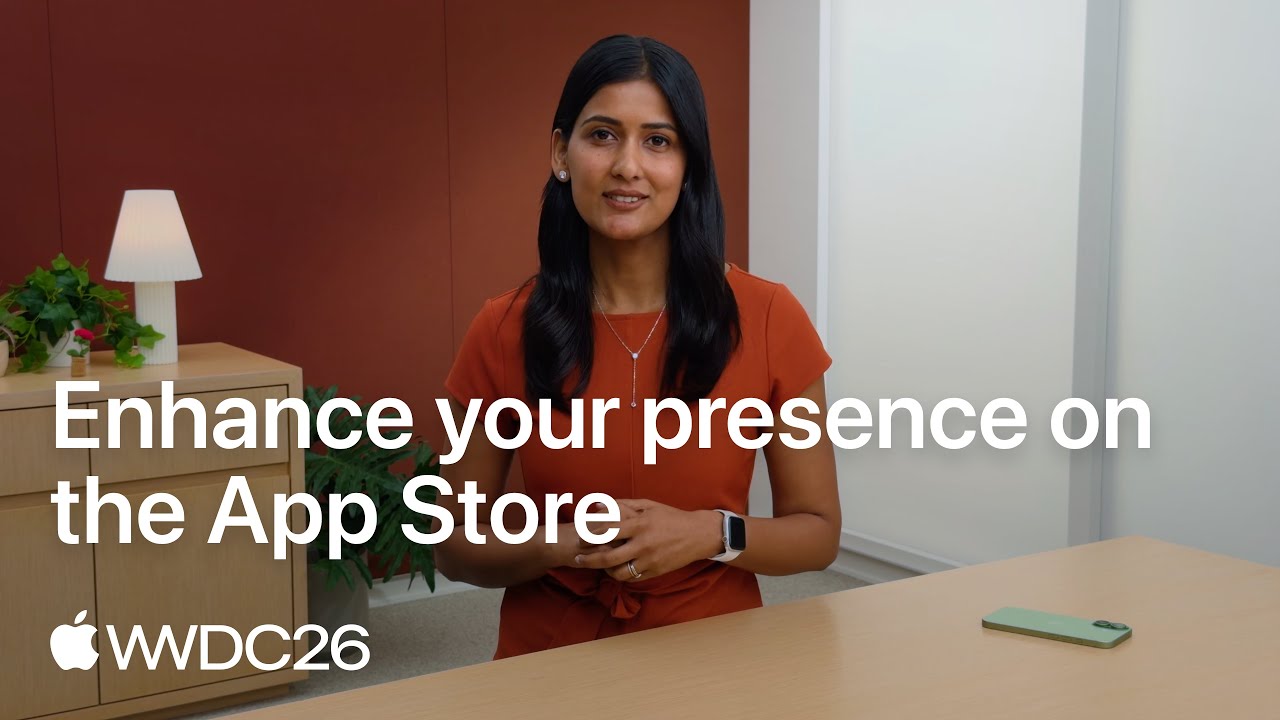
Video: How Your Listing Can Appear on the App Store in 2026
The listing tasks above decide what people see before they download. Apple's session from WWDC26 shows where those images and videos now go.
Common App Review Rejection Reasons to Check Before You Submit
These come from the common issues Apple lists on its App Review page and from the App Review Guidelines. Run through them the day before you submit. Apple's rejection counts by guideline and the fix for each are in our guide to App Store rejection reasons.
| Check | What Apple says | How to test it |
|---|---|---|
| The app does not crash | Guideline 2.1 says Apple rejects binaries that crash or show obvious technical problems. | Fresh install on your oldest supported device, airplane mode, then a slow connection. |
| No placeholder content | Guideline 2.1 asks for placeholder text, empty websites and other temporary content to be removed before submission. | Search the project for "lorem", "test" and "TODO". Open every screen. |
| Reviewers can sign in | Provide an active demo account or a full demo mode, and keep your backend switched on during review. | Sign in with the demo account on a clean device. |
| The privacy policy link works in two places | Guideline 5.1.1 requires the link in App Store Connect and inside the app, easy to reach. | Tap both links. |
| Permission prompts explain themselves | Apple's App Review page says every app that accesses user data needs a purpose string that tells the user why. | Trigger each prompt and read it as a stranger would. |
| The listing mentions no other platforms | Guideline 2.3.10 says not to include names, icons or imagery of other mobile platforms in your app or metadata. | Search the description and screenshots for "Android" and "Google Play". |
| The app is more than a wrapped website | Guideline 4.2 says an app should go beyond a repackaged website in features, content and interface. | List what the app does that your mobile site cannot. |
| In app purchases are visible and working | Guideline 2.1(b) asks that in app purchases be complete, up to date, visible to the reviewer and functional. | Buy each product with a sandbox account on the build you will submit. |
| The subscription screen says what the buyer gets | Guideline 3.1.2(c) says to describe clearly what the user will get for the price before asking them to subscribe. | Read the paywall alone. The price, the period and the benefits should all be on it. |
| Sign in is not forced without a reason | Guideline 5.1.1(v) says to let people use the app without a login if it has no significant account based features. | Fresh install: how far do you get before the sign in wall? |
| A social login has a private alternative beside it | Guideline 4.8 says an app that uses a third party or social login for its primary account must also offer an equivalent option that limits data collection to name and email and lets users keep their email address private. | Count the buttons on your sign in screen. |
| Tracking asks permission first | Guideline 5.1.2(i) requires explicit permission through the App Tracking Transparency APIs before you track a user's activity. | List every ad and analytics SDK and check whether it tracks. |
| User content can be reported and blocked | Guideline 1.2 requires apps with user generated content to filter objectionable material, offer a way to report it, let users block abusive users and publish contact information. | Post as one test user, then report and block from another. |
Guideline numbers and wording checked against the App Review Guidelines in October 2026.
What to Do When App Review Rejects Your App
A rejection is a message with a guideline number in it, and the fastest way through is to answer exactly what it says. Each extra round usually costs up to two days at Apple's published pace, which is why this checklist submits a week early.
- Step 1
Read the Message in App Store Connect
The rejection shows in the App Review section of your app's page and names the guidelines that were not followed, per Apple's App Review page. Read the guideline itself before you touch the build.
- Step 2
Reply Before You Resubmit
Apple says you can correspond with App Review to resolve issues before resubmitting the build. If the reviewer could not sign in or did not find a feature, a reply with working credentials or a short screen recording may be all that is needed.
- Step 3
Book a Video Appointment if You Are Stuck
Apple offers a 30 minute appointment with App Review over Webex to discuss the guidelines and best practices. It is worth booking when you cannot tell which part of the app a guideline is being applied to.
- Step 4
Appeal if You Believe the Decision Is Wrong
You can appeal to the App Review Board. Apple asks for specific reasons why the app complies, allows one appeal per submission that did not pass, and asks you to answer any open requests for information first.
- Step 5
Keep Expedited Review for a Real Deadline
Apple accepts expedite requests for a critical bug fix, with steps to reproduce the bug, or for an app tied to an event, with the event and its date. The guidelines warn that developers who abuse the system may have later requests rejected.
- Step 6
Know the Bug Fix Rule for Later Updates
Once the app is on the App Store, the guidelines say bug fixes will not be delayed over guideline violations, except those related to legal or safety issues. Reply in App Store Connect to say you want to use this process and will address the issue in your next submission.
How Long Does App Review Take on iOS and Google Play?
Every date in a launch plan depends on this answer, and the two stores give very different ones. Each row comes from the store's own help pages, checked on October 17, 2026. Live wait times by month and weekday are in our guide to how long App Store review takes.
| Stage | How long it takes | What to plan for |
|---|---|---|
| App Store review of a new app or an update | Apple's App Review page says it typically reviews at least 50 percent of submissions in under 24 hours and 90 percent in under 48 hours, and works around the clock. | Two days per round. The same page warns that an incomplete submission can be delayed, so the demo account and review notes are part of the timeline. |
| First TestFlight build for external testers | Apple's TestFlight overview says the first build you add to an external group goes to App Review, and later builds may not need a full review. No time is published. | Send the first beta build at least a few days before you invite testers, using the App Store pace as a guide. |
| Changing a version that is already in review | Removing a submission from review sets the version to Developer Rejected, and Apple says the review process starts over when you resubmit. | Decide what ships before you press submit. A late screenshot swap can cost a full review round. |
| Expedited App Store review | Apple accepts requests for a critical bug fix or an event your app is directly tied to, per its App Review page. It publishes no turnaround for them. | A fallback for a broken release, not a way to make up for a late submission. |
| App Store review over the holidays | In its December 2024 holiday notice, Apple said App Review would keep accepting submissions but expected high volume and slower reviews from December 20 to 26. | Keep a launch away from the last week of December, or submit well before it. Check Apple's news page each November for that year's dates. |
| Google Play review of a release | Play Console Help on publishing says processing can take a few hours or up to seven days, or longer in exceptional cases, and recommends a buffer of at least a week between submitting and going live. | Submit to Google Play at least a week before launch day, earlier than the iOS build. |
| New Google Play developer accounts | Google's page on publishing your app says it takes more time with certain developer accounts, which can mean reviews of up to seven days or longer in exceptional cases. | Plan for the long end on a first app. The closed test that newer personal accounts need comes before this, as the Google Play table below explains. |
| Submitting another change while one is in review | The same help page says the review clock counts from the last change you submitted, so a new change can push the app to the back of the queue. | Batch listing edits with the build instead of sending them one at a time during review week. |
After approval, a release you trigger by hand can still take up to 24 hours to appear on the App Store, as the launch week table notes. On Google Play, managed publishing holds approved changes until you choose to publish them, which Google suggests for launches tied to an event or a campaign.
When Is the Best Time to Launch an App? Day, Week and Season
Neither store publishes a best day to launch, and neither says the day of release affects how an app ranks. What matters is that three clocks line up: the review times in the table above, the hours an approved release can take to show up, and your own availability to answer messages and fix bugs. Work backwards from the day you want people to see the app.
For the day of the week, pick one with working days on both sides. A Tuesday, Wednesday or Thursday launch leaves time to ship a fix before the weekend, puts your press email in front of writers on a working day, and keeps a bad bug from sitting unattended for two days. If you also launch on Product Hunt, its day starts at 12:01 am Pacific Time, as the launch week table above notes, so plan your morning around that clock.
For the week, avoid two kinds of crowding. One is store side: Apple has warned of slower reviews in the last week of December, so a launch then carries the most review risk of the year. The other is your audience: a budgeting app does well in January when people make resolutions, a hiking app in spring, a study app in the weeks before term starts. Launching into the season when people search for what you do is worth more than any day of the week.
For the season, also count the lead times that only open in advance. A featuring nomination needs at least three weeks, an App Store pre order can run up to 180 days, and Google Play pre registration up to 90 days. If you want any of them, the launch date is set by them.
So how long does it take to launch an app once it is built? On iOS, this checklist's eight weeks is about the shortest calendar that fits a real beta, one rejection and a nomination. A first Android app from a newer personal account adds a 14 day closed test with 12 testers and a production access review that Google says usually takes seven days or less, so start that track a month before the iOS one ends.
App Privacy Details: How to Answer Apple's Privacy Questions
The privacy answers cost first time submitters the most time, because the questions use everyday words with strict meanings. The definitions below come from Apple's app privacy details page.
| Question | What Apple means | What to do |
|---|---|---|
| Do you collect data? | Collect means sending data off the device in a way that lets you or your partners access it for longer than it takes to service the request in real time. Data processed only on the device is not collected. | List every network call the app makes, including the ones made by SDKs. |
| Does that include third party code? | Yes. You answer for analytics tools, ad networks and other SDKs in your app. Data collected by Apple's own frameworks, such as MapKit or CloudKit, is not yours to disclose. | Open each SDK's privacy documentation and carry its data types into your answers. |
| Is the data linked to the user? | Data counts as linked to the user unless it is stripped of identifiers before collection and you never try to link it back. | If your analytics rows carry a user ID or an account email, answer linked. |
| Is the data used for tracking? | Tracking means linking data from your app with third party data for targeted advertising or advertising measurement, or sharing it with a data broker. | If yes, you also need the App Tracking Transparency prompt. |
| Which sensitive APIs does your code call? | Since May 1, 2024, Apple's upcoming requirements page says an upload must include approved reasons for the listed APIs your code uses, third party SDKs included. | Declare the reasons in your privacy manifest and update SDKs to current versions. |
| Who answers, and can answers change? | The Account Holder, an Admin or an App Manager enters them, and they can be changed at any time without submitting an app update. | Review the answers each time you add an SDK. |
Pre Orders, Phased Release and Featuring Nominations: The Details People Miss
What a Pre Order Publishes
A pre order puts a limited version of your product page on the App Store, and the app appears in search results, per Apple's pre orders page. You pick the regions and can set a different release date for each. App Analytics reports pre orders by date, region and source type, so you can see which teaser post worked before launch day.
What Apple Will Not Tell Your Pre Order Customers
Apple does not notify customers when you change the release date or remove the pre order. That message is yours to send. The product page shows the expected date, and Apple's advice is to leave the date out of your marketing if it might change.
Who Gets a Phased Release First
The option appears when you submit a version update, which is why it is not part of a first launch. Apple's phased release page says the update goes to a random sample of users with automatic updates turned on, and that they are not told they were picked.
How Pausing a Phased Release Works
You can pause as often as you like for 30 days in total, and the count is cumulative: pause for 10 days and 20 remain. On resume, the rollout continues from the day it stopped. Release to All Users ends the phases at any time. Removing the app from sale ends the phased release for that version for good.
What Goes in a Featuring Nomination
A name, one of three types (App Launch, App Enhancements or New Content), a description of what is new and why it matters, the publish date, platforms, countries and localizations. The nomination help page lets you attach up to 5 links to supporting material, such as a TestFlight public link. After you submit, the type cannot be changed. Our guide on how to get featured on the App Store walks through a nomination field by field.
What App Store Editors Look For
Apple's getting featured page says there is no checklist and lists what the team considers: user experience, interface design, innovation, uniqueness, accessibility, localization and the product page itself. If your app is being considered, Apple may email people with the Admin, App Manager or Marketing role to request promotional artwork, so make sure those inboxes are read.
Launch Week: Release Options, Press, Product Hunt and Social Posts
| Task | Why it matters | Where to do it |
|---|---|---|
| Confirm your release option | Apple's release options are three: release manually, release automatically after approval, or release automatically no earlier than a date and time you set. | App Store Connect, App Store Version Release |
| Release the evening before launch day | The same page says a released app may take up to 24 hours to appear on the App Store. | App Store Connect, Release This Version |
| Open the live listing on a phone | You are checking the name, the first three screenshots, the price and that the download works, in each of your main countries. | The App Store app |
| Send personal emails to press and newsletter writers | Two or three days ahead, one short paragraph, the press kit link and the launch date. A writer needs time to try the app. | |
| Email the waitlist | These people asked to be told. They are your first downloads and your first ratings. | Your email tool |
| Publish the launch day posts | One per network, each with the campaign link for that network. | Each network or your scheduler |
| Go live on Product Hunt (optional) | Product Hunt's guide recommends 12:01 am Pacific Time because the homepage runs on a 24 hour Pacific cycle. Its launch page says you cannot ask people directly to upvote, so ask for visits and comments. | Product Hunt |
| Swap every pre order badge for the download badge | The App Store marketing guidelines say to replace the pre order badge in all marketing once the app can be downloaded. | Website, images, email footer |
| Add the App Store badge and a Smart App Banner to your website | A Smart App Banner at the top of your site on iOS takes visitors to your App Store page, or opens the app if they have it. | Your website's head tag |
| Reply to every comment and message on day one | Early replies turn a post into a conversation, and the questions people ask tell you what the listing failed to explain. | Each network |
| Watch crash reports and keep a fix build ready | If a critical bug appears, Apple's App Review page says you can request an expedited review and should include steps to reproduce the bug. | Xcode Organizer, App Store Connect |
Phased release is not on this list on purpose. Apple's phased release rolls out a version update to people with automatic updates over 7 days, so it starts to matter with your first update.
First 30 Days: Reviews, the First Update and App Store Connect Analytics
| Task | Why it matters | Where to do it |
|---|---|---|
| Add the system rating prompt | Apple's ratings and reviews page says you can prompt up to three times in a 365 day period and should ask after a completed action or task. Guideline 5.6.1 disallows custom review prompts. | Your app, using Apple's review request API |
| Respond to every review | You can reply to any review, the reviewer is notified and can update what they wrote. Our guide on how to get App Store reviews goes deeper. | App Store Connect, Ratings and Reviews |
| Ship the first update within two weeks | It fixes what launch week exposed and shows early users the app is alive. | Xcode, App Store Connect |
| Write real "What's New" text for that update | Guideline 2.3.12 requires new features and product changes to be described clearly. See the app release notes examples. | App Store Connect, version page |
| Turn on phased release for the update | It reaches 1, 2, 5, 10, 20, 50 and then 100 percent of automatic updates across 7 days, and you can pause it for up to 30 days in total if a bug appears. | App Store Connect, Phased Release |
| Announce the update | An update is the easiest reason to post again. Copy from the app update announcement examples. | Each network |
| Review App Analytics once a week | Look at conversion rate (downloads divided by unique impressions), download sources, retention by day and crash rate. A low conversion rate points at the screenshots. Low retention points at the first session. | App Store Connect, Analytics |
| Compare campaign links by channel | Put next month's effort into the two channels that sent downloads and stop posting to the ones that sent none. | App Store Connect, Analytics |
| Refresh the promotional text | It changes without review, so it can carry your newest feature or a milestone the same day. | App Store Connect, version page |
| Share your rating and permitted reviews | Apple allows your rating in marketing when it matches the current rating, and customer reviews only with the reviewer's permission. | Each network |
Google Play Launch Checklist: What Is Different From iOS
Most of the checklist carries over. These five tasks do not, and the first two change your calendar.
| Task | Why it matters | Where to do it |
|---|---|---|
| Register and verify your developer account | Google charges the US$25 fee once and may ask for a government ID and a card in your legal name. Do it early so verification is not what delays launch day. | Play Console |
| Run a closed test with 12 testers for 14 days | Play Console Help says personal accounts created after November 13, 2023 need at least 12 testers opted in for 14 continuous days before applying for production access, and that reviewing the application usually takes seven days or less. Start at least a month before launch. | Play Console, Testing, Closed testing |
| Write the store listing to Google's limits | The app name is 30 characters, the short description 80 and the full description 4,000, per Google's store listing guidance. | Play Console, Main store listing |
| Open pre registration (optional) | Pre registration can run for up to 90 days. People who registered get a notification at launch, and eligible devices install the app automatically. | Play Console, Pre registration |
| Plan a staged rollout for the first update | Google's staged rollouts work only for updates, never a first release, and the percentage does not rise unless you raise it. | Play Console, Production |
Google Play requirements checked against Play Console Help in October 2026.
Printable App Launch Checklist: A One Page Summary
The 60 tasks reduced to the ones a launch cannot skip, with the number to remember beside each. Print this table, or paste it into your tracker and add an owner to every row.
| When | Must be done | Number to remember |
|---|---|---|
| 8 weeks before | Developer Program membership, positioning sentence, name and subtitle | $99 a year. 30 characters each for name and subtitle. |
| 6 weeks before | Landing page with a waitlist, privacy policy, support page, social handles | Both links are required for every app. |
| 5 weeks before | External TestFlight beta running | 10,000 external testers, 90 days per build, first build is reviewed. |
| 3 weeks before | Featuring nomination submitted (optional) | 3 weeks is the minimum lead time on the help page. |
| 2 weeks before | Screenshots, description, promotional text, privacy answers, age rating | Up to 10 screenshots. 4,000 and 170 characters. |
| 1 week before | Submitted for review with manual release and a demo account | 90 percent reviewed in under 48 hours. Allow two rounds. |
| Days before | Pre order open (optional), campaign links made, launch posts scheduled | Release date 2 to 180 days after the pre order is published. |
| Evening before | Release the version, then open the live listing on a phone | Up to 24 hours to appear. |
| Launch day | Waitlist email, launch posts, replies, crash watch | One campaign link per channel. |
| Days 1 to 30 | Rating prompt, review replies, first update with phased release, weekly analytics | 3 prompts per 365 days. 7 day rollout, 30 days of pause. |
| Google Play only | Closed test before you apply for production access | 12 testers for 14 continuous days on newer personal accounts. |
Every number in this summary is sourced in the tables above and was checked in October 2026.
The App Launch Marketing Plan Behind the Checklist
A marketing plan for an app launch fits on one page when you sort the tasks above into three kinds of channel. Store channels are the listing itself, search keywords and a featuring nomination. Owned channels are your waitlist email and your social accounts. Earned channels are press, Product Hunt and the communities where your users already talk. A first launch needs at least one working channel of each kind.
Give each channel one number to watch. For the store it is the conversion rate in App Analytics. For owned channels it is downloads per campaign link. For earned channels it is the count of people who wrote about the app without being asked twice. Review the numbers at day 7 and day 30, then drop the weakest channel and put that time into the strongest.
The plan does not stop at launch. Search keeps sending people to the listing for as long as the app is live, and each update is a new reason to post. The full method is in how to market an app, and the version with no budget is in how to promote an app for free.
Where Spreadcast Fits After Launch Day
Two rows in the first 30 days table repeat forever: announce the update, and share your rating and reviews. Spreadcast does those two for you. Paste your App Store link at the start page and it checks your public listing every day. A new version, a new 5 star review or a rating milestone becomes a designed post with a caption for each of 8 networks, built from your own icon and screenshots.
Posts that quote a reviewer wait for your approval. Everything else can wait for one tap or publish by itself, whichever you set. It reads the public listing only, with no SDK, and it supports the App Store today. The free plan gives you the drafts, and publishing is on the paid plans.
Frequently Asked Questions
What should you do before launching an app?
In order: write one sentence of positioning, choose the name and keywords, publish a landing page with a waitlist, run a beta test, finish the store listing (screenshots, description, privacy details, age rating), submit for review at least a week early with manual release selected, and prepare the launch posts and press emails. The tables on this page break that into single tasks.
How long does App Store review take?
Apple's App Review page says it typically reviews at least 50 percent of submissions in less than 24 hours and 90 percent in less than 48 hours, as of October 2026. An incomplete submission can take longer, and each rejection starts another round, so submit at least a week before your launch date.
How much does it cost to launch an app on the App Store?
Publishing on the App Store requires the Apple Developer Program membership, which is $99 a year. Google Play charges a one time US$25 registration fee. Both figures were checked in October 2026, and neither includes what you spend on design, development or ads.
What are the most common reasons an app gets rejected?
Apple's App Review page says over 40 percent of unresolved review issues relate to guideline 2.1, App Completeness: crashes, placeholder content and incomplete information such as a missing demo account. Its list of common issues also includes broken links, privacy policy problems, unclear data access requests and inaccurate screenshots.
Should you release an app manually or automatically?
Manually, for a first version. Approval can arrive at any hour, and manual release lets you pick the moment after checking the listing. Automatic release with a "no earlier than" date suits an update with a fixed announcement time. Either way, allow up to 24 hours for the app to appear on the App Store.
Do you need a beta test before launching an app?
On iOS it is optional and worth doing: TestFlight comes with the developer membership and supports up to 10,000 external testers. On Google Play it is mandatory for many developers. Play Console Help says personal accounts created after November 13, 2023 must run a closed test with at least 12 testers for 14 continuous days before they can apply to publish.
Is an app release checklist for an update different from a launch checklist?
Yes, and much shorter. For an update you write clear "What's New" text, test the upgrade path from the previous version, turn on phased release, update the promotional text, and announce it. The listing, pricing and account work are already done.
How far ahead should you nominate an app for App Store featuring?
At least three weeks, and earlier if you can. Apple's getting featured page asks for a minimum of two weeks of notice and suggests up to three months for wider consideration, while the nomination help page recommends a minimum lead time of 3 weeks. A nomination is a request and does not guarantee a feature.
Where These Facts Come From
Every outside number, rule and price on this page links to the page it was taken from.
- Apple Developer Program membershipApple Developer
- Get started with Play Console: registration fee and account typesPlay Console Help
- Creating your product page: name, subtitle, screenshots and previewsApple Developer
- App Store search: how results are matched and the keyword fieldApple Developer
- App Review: review times, common issues and expedited reviewsApple Developer
- App Review GuidelinesApple Developer
- TestFlight overview: tester limits and build expiryApp Store Connect Help
- TestFlight: beta testing and tester feedbackApple Developer
- Getting featured on the App StoreApple Developer
- Nominate your app for featuringApp Store Connect Help
- Screenshot specificationsApp Store Connect Help
- Platform version information: description and promotional text limitsApp Store Connect Help
- App privacy details on the App StoreApple Developer
- Age ratings values and definitionsApp Store Connect Help
- Offering your app for pre orderApple Developer
- App Analytics in App Store ConnectApple Developer
- Preparing for launch: tagline, description and schedulingProduct Hunt
- Product Hunt launch guideProduct Hunt
- Select an App Store version release optionApp Store Connect Help
- App Store marketing guidelinesApple Developer
- Promoting apps with Smart App BannersApple Developer Documentation
- Release a version update in phasesApp Store Connect Help
- Ratings, reviews and responsesApple Developer
- App testing requirements for new personal developer accountsPlay Console Help
- Create and set up your app: store listing limitsPlay Console Help
- Pre registration for your app or gamePlay Console Help
- Release app updates with staged rolloutsPlay Console Help
- Upcoming requirements: SDK minimums and approved reasons for APIsApple Developer
- Overview of export complianceApp Store Connect Help
- Remove a submission from reviewApp Store Connect Help
- Get your apps and games ready for the holidays, December 2024Apple Developer News
- Control when app changes are reviewed and publishedPlay Console Help
- Publish your app: review times for certain developer accountsPlay Console Help
- Video: enhancing your presence on the App StoreApple Developer
Researched and written by Spreadcast. Last checked on October 17, 2026.