What Marky Is and Who It Is Built For
Marky is a social media post tool at mymarky.ai. We opened Marky's homepage on October 12, 2026 and it is live, with a 2026 copyright notice and three plans on sale. The site sums the product up in one sentence: "It's like ChatGPT, Canva, and a social media scheduler combined."
You start by entering your website. Marky reads it to learn your voice, style and audience, and the site says setup takes under 5 minutes. From there it generates posts on designer templates or with AI images: promotions, educational carousels, quotes, testimonials and national day posts. You edit what you want, drop the posts on a calendar and publish.
It posts to 7 networks: Instagram, Facebook, LinkedIn, X, Google Business, TikTok and Pinterest. Threads and Bluesky are not on the list as of October 2026. On video, the FAQ is modest. Marky creates text and image content, can animate a designed post, and lets you upload your own video when you schedule.
The audience is stated plainly. The same FAQ says Marky works best for local service businesses: healthcare practices, professional services firms, home services companies, retail and hospitality, and real estate. The navigation has pages for agencies and for businesses with several locations.
Video: What Is Marky? A Quick Overview
Marky's own walkthrough of the product, if you want to see the flow before reading the prices below.
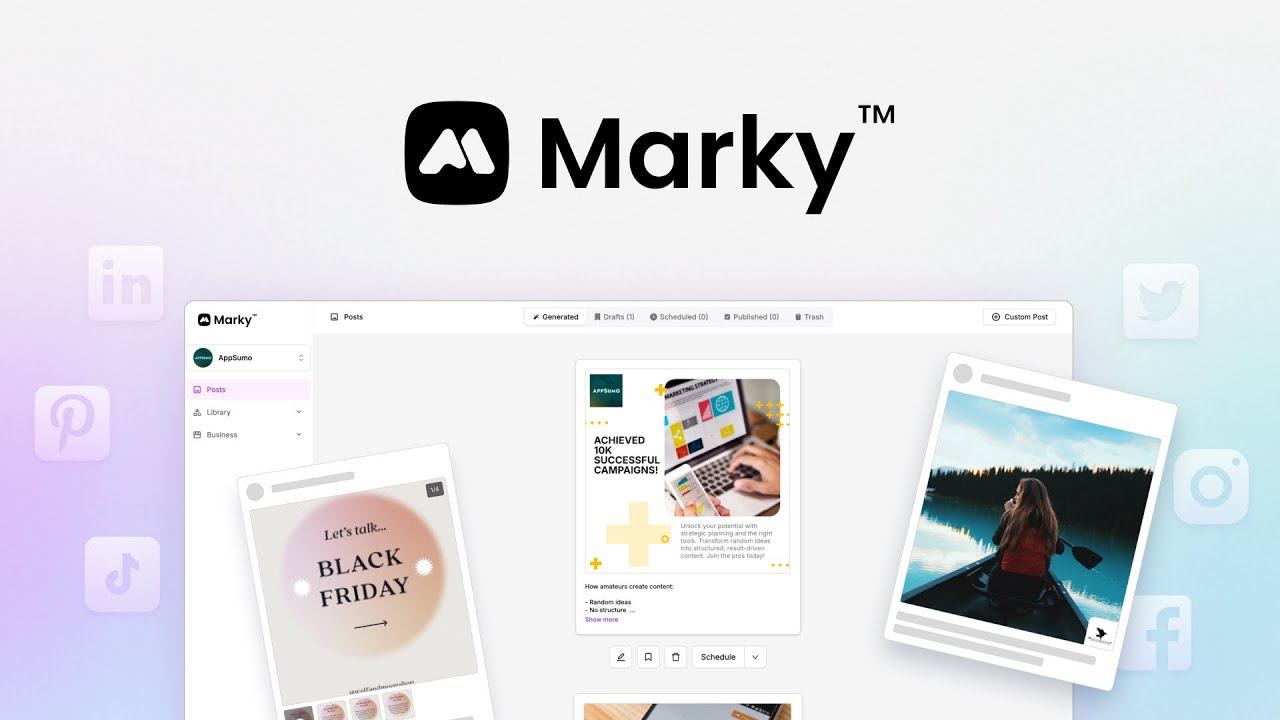
Marky AI Pricing and Spreadcast Pricing Side by Side
Marky sells three plans plus an Enterprise tier with no public price. Annual billing cuts the monthly figure roughly in half. Marky counts channels per workspace, and a workspace is usually one business. On monthly billing Marky Solo is $39 for 3 channels and Spreadcast Pro is $29 flat for 8 networks, with every post designed and published for you.
| Plan | Price | What you get |
|---|---|---|
| Marky Solo | $39 a month, or $19 a month billed annually | 1 workspace, 3 channels, 1 user, 1 GB of library storage |
| Marky Growth | $79 a month, or $39 a month billed annually | 5 channels, unlimited users, reputation management for Google reviews, up to 5 workspaces at $25 a month for each extra one |
| Marky Pro | $229 a month, or $114 a month billed annually | 8 channels, unlimited users, white label client portal, approval workflow, no cap on extra workspaces |
| Spreadcast Free | $0 | 1 app. Spreadcast designs a post for every update, 5 star review and rating milestone, ready to download with a small Spreadcast mark on each |
| Spreadcast Pro | $29 a month flat | 1 app. Spreadcast designs each post, writes a caption for each network and publishes to 8 networks for you, on full autopilot or after one tap approval |
| Spreadcast Studio | $79 a month | 5 apps, each with its own brand, and 3 seats, with the same design and publishing |
Marky numbers are from Marky's pricing page, checked on October 12, 2026. An extra channel costs $7 a month on any Marky plan. Spreadcast numbers are on the Spreadcast pricing page.
Marky AI Pricing by Plan: Monthly, Yearly and Every Limit
The plan cards show four or five lines each. The comparison table lower on Marky's pricing page holds the rest, and this is the full set as of October 12, 2026.
| Limit | Solo | Growth | Pro |
|---|---|---|---|
| Billed monthly | $39 a month | $79 a month | $229 a month |
| Billed annually | $19 a month, which is $228 a year | $39 a month, which is $468 a year | $114 a month, which is $1,368 a year |
| Channels in each workspace | 3 | 5 | 8 |
| Workspaces | 1, with no way to add more | 1 included, up to 5 | 1 included, no upper limit |
| Users | 1 | Unlimited | Unlimited |
| Library storage in each workspace | 1 GB | 2 GB | 5 GB |
| Post generation, design editor, calendar, queue and analytics | Yes | Yes | Yes |
| Your own saved design templates | No | Yes | Yes |
| Reputation management for Google reviews | No | Yes | Yes |
| Approval workflow and client review portal | No | No | Yes |
| Add ons, each per month | Extra channel $7 | Extra channel $7, extra workspace $25 | Extra channel $7, extra workspace $25, reseller white label $99 for up to 10 brands |
The yearly totals are our arithmetic: 12 times the monthly figure Marky shows for annual billing. No plan lists a cap on the number of posts. The limit that decides the plan is channels: one channel is one connected social account, so the 7 networks Marky supports do not fit in Solo or Growth without add ons.
Is Marky AI Free? Trial, Refunds and Extra Costs
Marky has no permanent free plan, and it does let you try it without paying. The offer is worded three ways on its own site. Marky's pricing page says your first 30 posts are free with no credit card. The FAQ on the homepage describes a two week free trial. A pop up on the same homepage offers 10 free posts made from your website with no sign up. Read the sign up screen for the terms that apply to you.
After that you pick a plan. The pricing page says you can cancel at any time and that there is a 7 day refund on any charge. It lists no promo code. The standing discount is annual billing, shown as 50 percent off.
Spreadcast has a free plan for one app, where every update, 5 star review and rating milestone becomes a designed post you can download.
Watch the channel count. Solo includes 3 channels. If you post to Instagram, Facebook, LinkedIn and Google Business, that is 4, so you pay $39 plus $7, or $46 a month. Reaching all 7 of Marky's networks on Solo takes 4 extra channels: $39 plus 4 times $7, or $67 a month. Spreadcast Pro covers its 8 networks for $29 flat. An agency that wants to resell Marky under its own name pays a further $99 a month on Pro for up to 10 brands.
Marky AI Promo Code, Discounts and the Mymarky Affiliate Program
People search for a Marky AI promo code, and on October 17, 2026 Marky's pricing page showed no coupon and no code field. The savings it does offer are built into the plans. Annual billing roughly halves the monthly figure: Solo drops from $39 to $19, Growth from $79 to $39 and Pro from $229 to $114. On Solo that is $468 a year billed monthly against $228 billed annually, a saving of $240, which is more than most coupon codes promise.
Codes on coupon sites mostly come from affiliate links, so treat any code as unconfirmed until the checkout screen shows the lower price. The first 30 free posts and the 7 day refund on any charge apply with or without one.
The mymarky affiliate program is where many of those links start. Marky's affiliate page pays 30 percent recurring commission for as long as a referred customer keeps paying, plus a 5 percent second tier commission on sales made by affiliates you recruit. Payouts are monthly, usually within 30 days after the month ends, with a $50 minimum, and Marky says it will give at least a year of notice if it ever ends lifetime commissions. Affiliates get ready made posts, images, email copy and tracking links.
So when you read a glowing Marky review, check whether the page carries a referral link. That does not make the review wrong, and it is worth knowing who earns from the click. Spreadcast has no coupon either: the free plan drafts every post for one app, and Pro is $29 a month for design, captions and publishing to 8 networks, as set out on the Spreadcast pricing page.
Marky AI Login, Sign In and the Marky App
Marky is a web app. The Log in button on Marky's homepage opens app.mymarky.ai, and Try for free opens the register screen on the same address. There is also a shortcut on the homepage that generates sample posts from your website before you make an account.
We searched the US App Store for Marky on October 17, 2026 and found no Marky app from the company, so on a phone you sign in through the mobile browser. A search for the Marky app also turns up unrelated products with similar names, among them a clothing stamp called My Marky, so check the developer name before you install anything that claims to be Marky.
If you mainly want to post from an AI assistant rather than log in at all, Marky's connector for ChatGPT, Claude Code, Claude Cowork and Codex covers that, and the API section below explains the limits. Spreadcast works the same way in the browser: you paste your App Store link on the start page, and there is nothing to install.
Why an App Needs a Different Tool Than a Local Business
Marky and Spreadcast both skip the prompt. Marky reads a website and Spreadcast reads an App Store listing. The difference is what happens after the first day. A local business has the same services next month, so a month of evergreen posts made in one sitting is the right shape. An app changes every few weeks, and the posts worth making are tied to those changes.
That is why Spreadcast keeps checking. After you paste your App Store link, it looks at the public listing every day, with no SDK, no code and no access to your developer account. For a new version, a new 5 star review or a rating milestone, Spreadcast designs a post. The design uses your app icon, your screenshots and colors read from the icon, and takes the logo and fonts from your website when the app has one.
There is one rule from Apple that shapes the review posts. Apple's ratings and reviews page lets you use your rating in marketing when it reflects the current rating, and lets you use customer reviews only when the reviewer has given permission. Spreadcast follows that split. A rating only post can go out by itself, and a post that quotes a reviewer waits for you.
Spreadcast publishes each post to 8 networks, with a caption written for each one, at the next free slot on your calendar. You can approve each post with a tap or switch to full autopilot. If you are still working out a plan, start with how to promote an app on social media.
On price, compare monthly billing with monthly billing. Marky Solo is $39 a month for 3 channels. Spreadcast Pro is $29 a month flat, $10 less, with design, captions and publishing to 8 networks included. The cost section further down works through every billing option, including the one where Marky comes out lower.
What Spreadcast Posts for an App, and When
This is the full list of posts Spreadcast starts by itself. A website based tool like Marky has no equivalent, because none of these events appear on a website.
| Event on your listing | Post Spreadcast designs | Approval |
|---|---|---|
| A new version goes live | An app update announcement: two or three points from the release notes over your own screenshot. See our app update announcement examples | Your choice: one tap, or autopilot |
| A new 5 star review, rating shown without the text | A rating post | Can publish by itself |
| A new 5 star review, reviewer's words quoted | A review quote post | Always waits for you, because Apple requires the reviewer's permission |
| A rating milestone, such as 1,000 ratings or a 4.8 average | A thank you post | Your choice: one tap, or autopilot |
| A week with no update | A post about one feature of the app | Arrives as a draft |
Posts are still images at 1080 by 1350 pixels. Spreadcast supports the App Store today. Google Play is not available yet.
Marky AI Features, Area by Area, and What Spreadcast Does for an App
Each card says what Marky does in that area, from its own pages on October 12, 2026, and what an app founder gets from Spreadcast for the same job.
Post Generation From Your Website and Library
Marky's features page spells out the mechanics. A person builds the design templates. When you click Generate, Marky looks at the files in your library and the topics you chose, comes up with post ideas, fills a template with your images and wording for each idea and writes the caption. So the output is as varied as your library. Spreadcast takes its material from the listing: the release notes, the review or the milestone is the idea, and your screenshots are the images.
Design Editor and Templates
Every Marky plan has a visual editor with fonts, brand palettes, stock images from Unsplash and GIFs from Giphy. Saving your own templates for reuse starts on Growth, according to the pricing table. Spreadcast has no editor to open for the recurring posts: it lays out your icon, your screenshot and typeset text for you. The brand kit screen is where you adjust logo and colors, and our guide to what a brand kit needs covers the parts that matter.
Queue, Calendar and Scheduling
Marky has drafts, a queue you can rearrange or shuffle, and a calendar with drag and drop. Marky's scheduling page says posting several times a day is for professional and agency plans, two names that do not appear on the current pricing page, so ask before you rely on it. In Spreadcast each post takes the next free slot by itself and you can drag it to another day. See the social media content calendar page.
Reputation Management for Google Reviews
On Growth and Pro, Marky pulls in Google reviews, drafts replies and gives insights. That fits a dentist or a restaurant, where Google is the review site that counts. An app's reviews live on the App Store. Spreadcast turns each new 5 star review into a post and holds any quote for your approval. Our guide on how to get App Store reviews covers earning them.
Agencies and White Label
Pro adds an approval workflow, custom permissions, a custom domain and a client review portal where clients comment on posts. Marky's agency page calls white labeling free on the agency plan, while the pricing table lists reseller white label as a $99 a month add on for up to 10 brands. The two seem to describe different levels, so confirm which one you need. Spreadcast Studio is built for a studio's own apps: 5 apps, each with its own brand, and 3 seats.
AI Agents and Automation
Marky's agents page offers a connector for ChatGPT, Claude Code, Claude Cowork and Codex, so an assistant can plan, write and schedule posts in your account while you approve. It is labeled free while in beta, and the sample prompts include turning a five star review into a graphic. You still open the assistant and ask. Spreadcast needs no request: the daily check of your listing starts the post. When you do want to ask, Spreadcast has an MCP server too, so Claude or ChatGPT can design posts and carousels in your app's brand, write captions, schedule and read analytics in your account, drafts only by default.
Does Marky AI Have an API? The Marky API in Beta
Yes. Marky's API documentation describes a REST API that is free while it is in beta, with paid plans promised later and notice before any charge begins. It covers posts (create, list, update and schedule), post and audience stats, workspaces, content topics, the media library, and webhooks that fire when a post is published. You make a key in the dashboard under Settings, API Keys, and posts created through the API land in the normal queue for review.
The limits listed on October 17, 2026 are 100 requests a minute, 2,000 a day and 10,000 a week, with up to 10 API keys per organization. Marky's post announcing the API names the uses it has in mind: Go High Level agencies pushing client content, and n8n, Make or Zapier flows where a blog feed, a CRM event or a webhook creates and schedules a post. The same post warns that endpoints and limits may change during the preview, so do not build a client service on fixed numbers yet.
For an app founder the question is what would call the API. Nothing in Marky watches the App Store, so you would need your own script or automation to spot a new version and send it over. That is the job Spreadcast does without code: it checks your listing every day and starts the post itself. When you do want an assistant in the loop, Spreadcast's MCP server at spreadcast.app/api/mcp lets Claude or ChatGPT design posts and carousels and save drafts, and the MCP page shows how to connect it. If you prefer to build the trigger yourself, our guide to n8n social media automation walks through that route.
Marky vs Spreadcast: Feature Comparison
Marky facts come from its home and pricing pages on October 12, 2026. The rows that matter most to an app founder come first, and the rows where Marky does more say how to pair the two.
| Marky | Spreadcast | |
|---|---|---|
| What starts a post | You generate a batch, often a month at a time, then schedule it | Spreadcast does, when your listing changes: a new version, a 5 star review or a rating milestone |
| What you give it | Your website address | Your App Store link, once. No SDK, no code and no access to your developer account |
| Your time per post | Generate the batch, edit what you want, then drop the posts on a calendar | One tap to approve, or none on full autopilot |
| Channels included and what they cost | 3 on Solo, 5 on Growth, 8 on Pro, then $7 a month for each extra channel. All 7 networks on Solo: $39 plus 4 times $7, or $67 a month | All 8 networks on Pro for $29 a month flat, and on Studio |
| Lowest paid price | $39 a month, or $19 a month billed annually | $29 a month flat, with design, captions and publishing to 8 networks included |
| Free option | First 30 posts free with no card, then a paid plan | Free plan: Spreadcast drafts every post for 1 app, ready to download with a small Spreadcast mark |
| Reviews | Google reviews: pulled in with drafted replies on Growth and Pro | App Store reviews: Spreadcast turns a new 5 star review into a post and holds quotes for your approval |
| Networks | 7: Instagram, Facebook, LinkedIn, X, Google Business, TikTok and Pinterest | 11: Instagram, TikTok, LinkedIn, Facebook, Threads, Pinterest, Bluesky, Mastodon, Telegram and Discord, plus YouTube for video posts |
| Where the design comes from | Designer templates and AI images with your branding applied | Spreadcast designs each post from your app icon, your App Store screenshots and colors read from the icon |
| Post topics | Promotions, education, quotes, testimonials and national days | App updates, reviews, rating milestones and one feature post in a quiet week |
| Built for | Local service businesses, professional firms and the agencies that serve them | Apps on the App Store. Google Play is next on the list and not available yet |
| Formats | Images, carousels and animated posts. You can upload your own video | Single still images at 1080 by 1350. Keep Marky for carousels |
| Client work | White label portal and approval workflow on Pro | Built for your own apps: 5 apps and 3 seats on Studio. Keep Marky Pro for a white label client portal |
A Worked Week: Your App Ships Version 2.4 on Tuesday
An invented example to show the steps: version 2.4 of a meal planning app adds a shared shopping list and fixes a sync bug. Apple's App Review page says it typically reviews at least 50 percent of submissions in under 24 hours and 90 percent in under 48, so you rarely know the hour a version will go live.
| Day | In Marky on Solo | In Spreadcast on Pro |
|---|---|---|
| The Sunday before | You generate the month from your website and library. Version 2.4 is not on the website yet, so none of the posts mention it | Nothing to do |
| Tuesday: version 2.4 goes live | Marky does not see the release. You upload the new screenshot to your library, add a topic for the update and generate again, or you build the post in the editor | The daily check finds version 2.4. Spreadcast cuts the release notes to two or three points and designs the announcement over your own screenshot |
| Tuesday evening | You place the post on the calendar ahead of the batch. Solo holds 3 channels, and Threads and Bluesky are not supported, so the other networks are posted by hand or added at $7 each | The post waits for one tap, or goes out on full autopilot, with a caption written for each of the 8 networks |
| Thursday: a 5 star review arrives | You see it in App Store Connect and make a testimonial post from a template. Reputation management reads Google reviews, and only on Growth and Pro | Spreadcast designs a review post. The version that shows only the rating can publish by itself, and the version that quotes the reviewer waits for you |
| Saturday: the app passes 1,000 ratings | Another post made by hand, if you noticed the number | Spreadcast designs a thank you post for the milestone |
| The week after, with no release | The evergreen batch keeps the feed moving. This is the week Marky handles well | Spreadcast drafts a post about one feature of the app |
The week in Marky: one batch on Sunday, then three posts started by you, each fitted in around the batch. The week in Spreadcast: three taps in approve first mode. On full autopilot only the post that quotes the reviewer needs you.
What 8 Networks Cost on Marky Against Spreadcast Pro at $29
Start with what can be connected at all. Spreadcast publishes to Instagram, TikTok, LinkedIn, Facebook, Threads, Pinterest, Bluesky, Mastodon, Telegram and Discord, plus YouTube for video posts. Marky supports six of those, plus Google Business. Threads and Bluesky stay manual at any price.
Six channels on Solo is 3 included plus 3 extra: $39 plus 3 times $7, or $60 a month. On Growth it is 5 included plus 1 extra: $79 plus $7, or $86 a month. Spreadcast Pro is $29 a month flat for all 8 networks. That is $31 a month under Solo and $57 under Growth, or $372 and $684 over a year.
Annual billing narrows the gap and does not close it. The pricing page shows the same $7 for an extra channel under the yearly toggle, so six channels on Solo come to $19 plus $21, or $40 a month. Twelve months of that is $480, paid against $290 for a year of Spreadcast Pro on yearly billing.
There is one case where Marky costs less. Solo billed annually with only its 3 included channels is $228 a year, $120 under Spreadcast Pro. It buys three networks and a month of evergreen posts you generate and schedule yourself. If the posts you need are release, review and milestone posts on every network your users are on, Spreadcast Pro does that for $29 a month, and the free plan drafts every post first.
Marky AI Reviews: Pros and Cons From Its Own Pages
We did not run a blind test of output quality, and we make Spreadcast, so this Marky AI review keeps to what you can check on Marky's own pages as of October 2026. For opinions from customers, read the user reviews on an independent review site before you pay.
| Area | Pro | Con |
|---|---|---|
| Input | A website address is enough to start, and setup is described as under 5 minutes | No App Store connection is listed, so releases and reviews reach it only through you |
| Price | Solo is $19 a month on annual billing, with no stated cap on posts | $39 billed monthly, and each channel past the plan's limit is $7 a month |
| Free use | First posts free with no card, and a 7 day refund on any charge | No free plan, and the free offer is worded three ways across the site |
| Networks | 7 networks, Google Business among them | No Threads or Bluesky |
| Content | Templates made by designers, carousels, and topics such as national days that suit a local business | Posts are built from your library and topics, so a thin library gives similar posts. The FAQ limits video to animating a designed post or uploading your own |
| Reviews | Google reviews with drafted replies on Growth and Pro | Not on Solo, and Google only |
| Agencies | Client portal, approval workflow and a reseller option | Portal and approvals need Pro at $229 a month, and reselling adds $99 |
For an app, Spreadcast covers the cons in the Input, Price, Free use and Networks rows: it reads the App Store listing, costs $29 a month flat for 8 networks, has a free plan and publishes to Threads and Bluesky.
When Marky Is the Better Choice
Marky is the right pick in these six cases. If the business also ships an app, run the two side by side: Marky for evergreen and one off posts, Spreadcast for the recurring update, review and milestone posts.
You Run a Local Service Business
A dental practice, a plumber or a mortgage broker has a website and no App Store listing. Marky is designed around exactly that input. Spreadcast is built for apps on the App Store.
Google Business Is One of Your Channels
Marky publishes to Google Business. Spreadcast publishes to Instagram, TikTok, LinkedIn, Facebook, Threads, Pinterest, Bluesky, Mastodon, Telegram and Discord, plus YouTube for video posts, so keep Marky for a Google Business profile.
You Want Tips, Promotions and National Day Posts
Marky fills a month with varied topics. Spreadcast posts what happened to your app: an update, a review, a milestone, and one feature post in a quiet week. For calendar topics such as National Coffee Day, use Marky.
You Want Carousels
Marky generates carousels. Spreadcast's autopilot publishes single still images.
You Manage Google Reviews
On Growth and Pro, Marky pulls in Google reviews and drafts replies. Spreadcast works with App Store reviews and turns them into posts.
You Resell Social Media to Clients
Marky Pro has a white label portal where clients review and comment on posts, plus an approval workflow. Spreadcast Studio is built for a studio's own apps, with 5 apps and 3 seats. Our page for agencies shows where it fits.
Six Marky Alternatives and What They Cost
Spreadcast is ours and comes first, because it is the only one here that reads an App Store listing and designs and publishes the posts with no prompt. If you do not have an app, choose from the five after it. They cover video, more networks, wider content and hand made design. Every price is from the vendor's own page on October 12, 2026.
| Tool | Best for | Starting price |
|---|---|---|
| Spreadcast | Apps on the App Store: Spreadcast designs and publishes every update, review and milestone post, with no prompt | Free plan drafts every post, then $29 a month flat with publishing to 8 networks included (Spreadcast pricing) |
| Predis.ai | Video, UGC clips and ad creatives, with ecommerce store integrations | $32 a month, or $288 billed yearly, after a 3 day trial (Predis.ai's pricing page) |
| Ocoya | Scheduling to 23 destinations with AI writing and a social inbox | $29 a month, 7 day free trial (Ocoya's pricing page) |
| Blaze | Social posts, blog posts and emails from one brand kit | $79 a month, 7 day free trial (Blaze's pricing page) |
| Canva | Designing each post yourself from templates | Free plan, then $144 a year for one person on Pro (Canva's pricing page) |
| Buffer | A free scheduler for posts you already have | Free for 3 channels, then $6 a month per channel (Buffer's pricing page) |
Prices are in US dollars before tax. Open the linked page for the current number.
What Each Marky AI Alternative Does Best
Spreadcast is covered in the sections above. These are the other five.
Predis.ai
Choose Predis.ai when you want what Marky does not make: generated video. It produces Reels, TikTok videos and UGC videos along with image posts, and it connects to Shopify, WooCommerce, Wix and Squarespace. Usage runs on credits, 1,300 a month on the Core plan, and there is no free plan. Our Predis AI alternative page has the credit math.
Ocoya
Ocoya is the step up when 7 networks are not enough or you need to answer comments. It lists 23 destinations, Threads, Bluesky, Telegram and Discord among them, and has a Social Inbox. Starter gives 5 social profiles for $29 a month, against 3 channels for $39 on Marky Solo. See our Ocoya alternative page.
Blaze
Blaze goes wider than social. Its credits pay for social posts at 1 credit, emails and blog posts at 3, and AI video at 15. Starter is $79 a month with 600 credits, 3 posting accounts and 1 user, the same price as Marky Growth.
Canva
Canva suits an owner who enjoys designing and wants full control. It is free to start, and Pro costs $144 a year for one person. You make each design yourself, so the weekly habit stays with you. Our Canva alternative page goes deeper.
Buffer
Buffer makes sense when the posts already exist and you only need them published. The free plan connects up to 3 channels and holds 10 scheduled posts per channel at a time. Paid plans cost $6 a month per channel, or $5 billed yearly. Compare it on our Buffer alternative page.
Marky vs ChatGPT, Canva, Buffer and Blaze AI: Short Answers
Four comparisons people search for. Marky's side comes from its own pages and the other side from that vendor's pricing, as of October 2026.
Marky vs ChatGPT
Marky answers this one in its own FAQ. Its case: ChatGPT does not schedule to your social accounts, and its images take a lot of back and forth and do not use your branding or photos, while Marky goes from idea to scheduled posts in one place. That is a fair split. A chat assistant gives you words on request, and Marky adds the template and the calendar. Neither one notices that your app shipped a version.
Marky vs Canva
Canva when a person will design, Marky when nobody will. Canva's pricing page lists Pro at $144 a year for one person, which works out to $12 a month, and a free plan. Marky Solo on annual billing is $228 a year and generates the month for you. Marky itself says it is like Canva and ChatGPT with a scheduler attached, so the price buys the writing and the calendar on top of the design.
Marky vs Buffer
Buffer if the posts already exist, Marky if they do not. Buffer is free for 3 channels, the same number Marky Solo includes for $39 a month, and 7 channels on Buffer Essentials cost 7 times $6, or $42 a month, against $67 on Marky Solo. Buffer's assistant writes text and you bring the image. Marky's own comparison of post generators rests on that point: it designs the image and a scheduler does not.
Marky vs Blaze AI
Both start from your website and plan topics for a small business. Marky Solo is $39 a month for 3 channels and 1 user. Blaze Starter is $79 a month for 3 posting accounts, 1 user and 600 credits, and its credits also pay for blog posts, emails and AI video. Pick Marky for social posts at half the price, and Blaze when blog and email matter as much.
How to Cancel Marky AI and Ask for a Refund
Marky has no long help article on cancelling. These steps come from the FAQ on Marky's pricing page and from Marky's terms and conditions, both read on October 12, 2026.
- Step 1
Check the Date of Your Last Charge
The refund window runs from the charge. The pricing page promises a 7 day refund period after any charge, and the terms say to contact Marky within 7 days of purchase.
- Step 2
Cancel From the Account Page
The pricing FAQ says you can cancel at any time from the account page. Extra channels, extra workspaces and the reseller option are monthly add ons, so check they are gone from the bill too.
- Step 3
Ask for the Refund in Writing
If you are inside the 7 days, write to support and say which charge you mean. On annual billing this matters more, because the charge is the whole year.
- Step 4
Save the Posts You Want to Keep
The terms set out how long content is kept. Posts you delete are removed for good 30 days later, drafts nobody reviewed are removed after 90 days, and an account nobody signs in to for 2 years may be closed after an email warning. Download what you need before you leave.
How to Try Spreadcast if You Came From Marky
The Free plan drafts every post, which is enough to see whether the posts fit your app.
- Step 1
Paste Your App Store Link
On the start page, paste the link to your app where Marky would ask for a website. Spreadcast reads the icon, screenshots, rating and current version.
- Step 2
Check the Brand It Picked Up
Open the brand kit screen and confirm the logo, colors and screenshots. Fix anything that looks off before the first post, the same way you would review a Marky branding profile.
- Step 3
Download the First Drafts
Free drafts carry a small Spreadcast mark. Post one by hand and see how it looks in your feed next to your older posts.
- Step 4
Turn on Publishing When You Are Ready
On Pro, at $29 a month, Spreadcast connects your networks and publishes for you. Keep approve first on for the first few posts, then decide whether full autopilot suits you. If you build apps alone, Spreadcast for indie hackers is written for you.
Frequently Asked Questions
What is Marky?
Marky is a social media post generator and scheduler at mymarky.ai. You enter your website, it learns your brand and writes posts on templates or with AI images, and it publishes to 7 networks. Marky's homepage says it works best for local service businesses.
How much does Marky AI cost?
Solo is $39 a month, Growth is $79 and Pro is $229. Billed annually they are $19, $39 and $114 a month. An extra channel is $7 a month and an extra workspace is $25 a month on Growth and Pro. For an app, Spreadcast Pro is $29 a month flat with 8 networks included, $10 less than Solo on monthly billing.
Is Marky AI free?
There is no free plan. Marky's pricing page offers your first 30 posts free with no credit card, and the homepage FAQ mentions a two week free trial. After that you need a paid plan. Spreadcast has a free plan for one app that drafts every post.
Is mymarky the same as Marky?
Yes. The product is called Marky and its website is mymarky.ai, so people search for both names. The app, the pricing and the login are the same.
What is the best Marky AI alternative?
For an app on the App Store, Spreadcast: it designs and publishes a post for each update, review and milestone from your listing, it has a free plan, and Pro is $29 a month against $39 for Marky Solo on monthly billing. For video, Predis.ai. For more networks and an inbox, Ocoya. For blog posts and email too, Blaze. For design by hand, Canva. For free scheduling, Buffer.
Does Marky work for mobile apps?
It can write posts for an app that has a website, because the website is its input. It does not list an App Store connection, so it will not know when you ship a version or receive a review. That is the part Spreadcast does for you: it checks the listing every day, designs the post and publishes it. Our guide to how to market an app covers the rest of the plan.
Does Marky make videos?
Partly. Marky's FAQ says it creates text and image content, including carousels, and can animate a designed post. You can upload your own videos when scheduling. Spreadcast makes still image posts, so for generated video look at Predis.ai.
Which social networks does Marky post to?
Seven: Facebook, LinkedIn, Instagram, X, Google Business, TikTok and Pinterest. Spreadcast publishes to eleven: Instagram, TikTok, LinkedIn, Facebook, Threads, Pinterest, Bluesky, Mastodon, Telegram and Discord, plus YouTube for video posts.
Prices, plans and features change. This comparison describes each product as its own site described it on the date shown under Sources. Check the vendor's site before you decide. Product names are trademarks of their owners.
Where These Facts Come From
Every outside number, rule and price on this page links to the page it was taken from.
- Marky homepage: product description, networks and FAQMarky
- Marky pricing plans, add ons and refund termsMarky
- Marky features and how post generation worksMarky
- Marky scheduling and queueMarky
- Marky white label social media management for agenciesMarky
- Marky for AI agentsMarky
- Marky's comparison of AI social media post generatorsMarky
- Marky terms and conditions: refunds and content retentionMarky
- Ratings, reviews and responses on the App StoreApple Developer
- App Review: review times and statusApple Developer
- Predis.ai pricing, credits and integrationsPredis.ai
- Ocoya pricing and integrationsOcoya
- Blaze pricing and generation creditsBlaze
- Canva plans and pricingCanva
- Buffer pricing and free plan limitsBuffer
- Marky affiliate program: commission and payoutsMarky
- Marky API documentation: features and rate limitsMarky
- Marky announcement of its APIMarky
- Video: what Marky is, a quick overviewMarky AI
Researched and written by Spreadcast. Last checked on October 17, 2026.