What Claude Code for Social Media Actually Means
Claude Code is Anthropic's agent for software work. Anthropic's overview describes it as a tool that reads your codebase, edits files, runs commands and connects to your development tools, and it runs in the terminal, in VS Code and JetBrains, in a desktop app and in the browser. None of that sounds like social media. The link is the folder it works in.
If you make software, the best raw material for your social media is already sitting in your repository: the changelog, the release notes, the commit messages between two tags, the screenshots folder, the roadmap file, the issues users opened. A social media manager at a bigger company spends hours asking engineers what shipped. Claude Code can read the answer directly, and it can tell a refactor nobody will notice from a new widget people asked for.
So "Claude Code for social media" is mostly three jobs. First, finding the story: reading what changed and picking what a user would care about. Second, writing and designing: turning that into posts in your voice, one version per network, with real pictures. Third, getting it onto a calendar: saving drafts or scheduled posts in a tool that is logged in to Instagram, LinkedIn and the rest. Claude Code does the first job on its own. The second and third need a connection to a social media tool, which is what most of this page covers.
This page is about the terminal and IDE agent. If you use Claude in the chat app on the web, desktop or phone, read Claude for social media marketing instead, which covers Projects, connectors, Claude Design and Cowork. If you only want the click by click path to a first scheduled post, the guide on how to schedule social media posts with Claude walks through it. Here we go deeper on the parts only Claude Code has: CLAUDE.md, skills, slash commands, hooks, permission rules and headless runs.
Can Claude Code Post on Social Media?
Not by itself. A fresh Claude Code install has no login to any social network. It can write a perfect LinkedIn post into a file, but it cannot press publish, hold a post until Tuesday at nine or read last week's comments. Searches like "can claude code post on social media" usually come from people who expected it to, so it is worth being plain about where the posting comes from.
It comes from MCP, the Model Context Protocol. An MCP server is a service that gives Claude a set of tools, such as "save a draft", "schedule a post" or "read analytics". You add the server to Claude Code once, and from then on Claude can call those tools when you ask. Claude Code's MCP documentation recommends the HTTP transport for remote servers and shows how to add one with a single terminal command.
A social media MCP server holds your network connections on its side. You connect Instagram or LinkedIn inside that tool, through each network's own sign in, and Claude never sees those passwords. When you ask for a post, Claude calls the tool, and the tool saves, schedules or publishes it.
Spreadcast is one such MCP server, built for people who make App Store apps. Connected to Claude Code, it gives Claude tools to design posts in your app's brand, write a caption for each network, check posts against each network's rules, save drafts, schedule and publish (on a paid plan, once you allow it) and read results.
How to Use Claude Code for Social Media: The Pieces
Claude Code has more moving parts than a chat window. Each one maps to a part of a social media workflow. Here is what each piece is for, in plain words, before the setup steps.
An MCP Server for Posting
The hands. A social media tool's MCP server gives Claude tools to save drafts, schedule, publish and read results on networks you connected in that tool. Without it, Claude Code writes text files and nothing more.
CLAUDE.md for Brand Voice
The memory. A plain text file in your project that Claude Code reads at the start of every session. Audience, voice rules, words you never use and the networks you post to belong here.
Skills for Repeatable Posts
The recipes. A skill is a folder with instructions for one job, such as turning release notes into a carousel. Claude loads it when the job comes up, or you start it by typing its name after a slash. Our list of Claude skills for social media has examples.
Hooks for Hard Rules
The guard rails. A hook is a shell command Claude Code runs at a fixed point, for example before any tool call that would publish. Unlike an instruction, a hook always runs.
Permission Rules for Each Tool
The switches. Rules in your settings decide which MCP tools run without asking, which ask every time and which are blocked. Reading analytics can be free; scheduling can always ask.
Scheduled Runs for the Weekly Rhythm
The clock. Routines in the cloud, scheduled tasks in the desktop app, a loop inside a session or a GitHub workflow can run the same prompt every week without you typing it.
How to Connect Claude Code to a Social Media MCP Server
These steps use Spreadcast as the example, but the shape is the same for any remote social media server that follows the MCP standard. Commands follow Claude Code's MCP documentation.
- Step 1
Connect Your Networks in the Tool First
Sign in to the social media tool and connect each network there: Instagram as a professional account, LinkedIn, Threads and the rest. Claude Code never handles these logins, so this step happens in the browser, not the terminal.
- Step 2
Add the Server in Your Terminal
In your project folder, run claude mcp add with the http transport, a short name and the server's address. For Spreadcast that reads: claude mcp add --transport http spreadcast followed by spreadcast.app/api/mcp with https in front. The name is what you will see in Claude Code's menus and in tool names, so keep it short and plain.
- Step 3
Sign In Through /mcp
Start Claude Code, type /mcp, pick the server and follow the browser sign in. Claude Code stores the token and refreshes it for you, and the same menu has a Clear authentication option when you want to cut the connection. Spreadcast shows its consent screen here, where you choose Make Drafts or Make and Publish.
- Step 4
Or Use a Key in a Header
For machines without a browser, such as a CI runner, make a key in Spreadcast under Settings, AI Assistants. It gives you the full command to paste, with a header that reads Authorization: Bearer followed by the key. A key saves drafts only unless you switch on Can Publish Posts for it.
- Step 5
Check It Works
Run claude mcp list to see each server and whether it is healthy, then ask Claude a read only question such as "which networks are connected in Spreadcast, and can this connection publish?" The answer tells you the setup worked before anything gets saved.
OAuth Sign In or a Key in a Header
Claude Code supports both ways of proving who you are to a remote server. The MCP documentation covers OAuth through /mcp, a Bearer token passed as a header, and environment variables that keep a key out of a shared file. Here is how they compare for a social media tool.
| Question | OAuth sign in through /mcp | Key in a header |
|---|---|---|
| How you set it up | Add the address alone, type /mcp and sign in in the browser. | Make a key in the tool and paste it into the add command or a config file. |
| What Spreadcast shows | The consent screen with Make Drafts or Make and Publish. | Draft only, unless Can Publish Posts is on for that key. |
| Where the secret lives | Claude Code stores the token securely and refreshes it. | In your Claude Code config, or in an environment variable the config reads. |
| Works without a browser | No. Someone has to finish the sign in once. | Yes, which is why CI runners and servers use keys. |
| How to cut access | Clear authentication in /mcp, or remove the connection in the tool. | Delete the key in the tool. Removing it from Claude Code alone leaves it valid. |
| Best for | Your own laptop and anything that can publish. | Headless runs and GitHub workflows that only save drafts. |
Whichever you pick, start on drafts only. You can widen the permission later; you cannot take back a post that went out by mistake.
Local, Project or User Scope for a Social Media Server
Claude Code saves each server in one of three scopes, and the choice matters more for a tool that can post than for one that reads docs. Scopes and file names come from Claude Code's MCP documentation.
| Scope | Where it is saved | Who gets it | Use it for social media when |
|---|---|---|---|
| Local, the default | Your user config file, for this project only | Only you, in this folder | You post for one app from one repository. |
| Project | A file named .mcp.json in the project root, shared through version control | Everyone who clones the repository | The whole team should see the same server, and each person signs in with their own account. Never put a key in this file. |
| User | Your user config file, for every project | Only you, in all your folders | You run several apps and want the same social media tool everywhere. |
Pick a scope with the scope flag on claude mcp add, for example --scope user. Claude Code asks before using a project scoped server in an interactive session, but not in headless runs.
Two Details in the MCP Docs That Matter for Posting
The first is about shared files. A project scoped server sits in .mcp.json, which you commit. The MCP documentation supports environment variable expansion in that file, so a header can read the key from a variable on each person's machine rather than from the file itself. It also notes that in headless runs, Agent SDK sessions and cloud sessions Claude Code cannot show its approval prompt and loads project scoped servers without asking.
The second is about output size. The same page says Claude Code warns when one MCP tool returns more than 10,000 tokens and caps a result at 25,000 tokens by default. That is why Spreadcast pages its post lists and shows compact previews in the session while the full 1080x1350 pictures stay in your account.
Put Your Brand Voice in CLAUDE.md
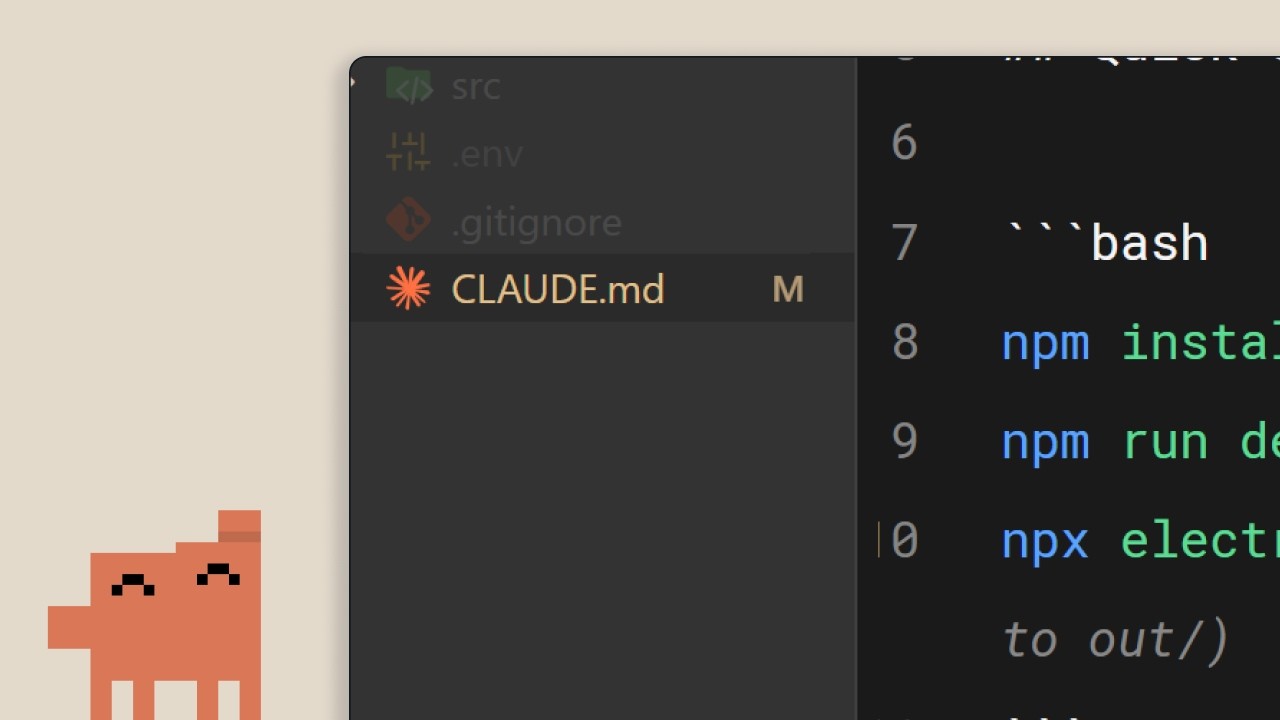
Every Claude Code session starts with an empty memory, and CLAUDE.md is how you give it a lasting one. Anthropic's memory documentation describes CLAUDE.md as instructions you write that load at the start of every session. A project file sits at the root of the repository, or in the .claude folder, and is shared with the team through version control. A personal file in your home folder applies to all your projects, and a CLAUDE.local.md in the project root holds private notes you keep out of git.
For social media that means your brand voice can live next to your code and travel with it. A new contractor clones the repository and Claude Code already knows that Streakly never uses exclamation marks, calls its users "people building a habit" rather than "users", and posts to Instagram, LinkedIn and Threads.
Keep it short. The same documentation recommends staying under 200 lines per CLAUDE.md file, because longer files use more context and Claude follows them less reliably. You can pull in a longer brand guide with an import, written as an at sign followed by the path, and imports can nest up to four levels deep. Imported files still load at launch, so they cost the same context as text in the file itself.
Anthropic is also clear about what CLAUDE.md is not. The memory page says Claude treats these files as context, not enforced configuration, and points to a hook when something must be blocked regardless of what Claude decides. For social media that line is the important one: "never publish without asking" belongs in CLAUDE.md as a reminder and in a hook or permission rule as the actual guard.
If you have no CLAUDE.md yet, run /init in the project. Claude reads the codebase and writes a starting file with build commands and conventions, and if one already exists, it suggests changes instead of overwriting. Then add a social media section by hand, because Claude cannot discover your voice from the code.
What to Write in a Social Media Section of CLAUDE.md
A short, checkable section works better than a page of adjectives. This is the shape we suggest, with an example line for an invented habit tracker called Streakly. Swap in your own rules.
| Part | What it says | Example for Streakly |
|---|---|---|
| Audience | Who reads the posts, in one sentence | People building a morning routine who tried other habit apps and quit. |
| Product in one line | What the app does, without slogans | A habit tracker that adjusts reminders to the times you actually open it. |
| Voice rules | Five to ten rules you can check | Short sentences. No exclamation marks. Never shame a broken streak. Say you, not users. |
| Banned words and claims | Words the brand never uses and claims it cannot prove | Never say best or unique. Never invent numbers, ratings or quotes. |
| Networks | Where you post and how long each post runs | Instagram carousel with a caption under 150 words. LinkedIn post under 1,200 characters. Threads in two sentences. |
| Sources of truth | Files Claude should read for facts | CHANGELOG.md for what shipped. The fastlane metadata folder for App Store wording. |
| Posting rule | What Claude may do in the social media tool | Save drafts only. Show me every draft with its networks and time. Never schedule or publish. |
Use CLAUDE.local.md for anything personal, such as your own posting hours, so it stays out of the shared repository.
Video: The CLAUDE.md File
Claude Code Social Media Manager Skills
"Claude code social media manager skills" is the most common search in this whole topic, and it mixes two meanings. Some people want to know which skills a social media manager needs to use Claude Code. Most want ready made skills, the Claude Code feature, that make it act like a social media manager. This section covers the second, because it is where the time savings are.
A skill is a folder with a file named SKILL.md inside. Claude Code's skills documentation lists the places one can live: a personal folder under .claude in your home directory for all your projects, or the project's own .claude/skills folder for one repository and everyone who clones it. The file opens with a short header, and the description in that header is what Claude reads to decide when the skill fits.
Custom slash commands used to be a separate feature. The same page now says commands have been merged into skills: a file in .claude/commands and a skill folder with the same name both create the same slash command, and old command files keep working. So a "slash command for LinkedIn posts" and a "LinkedIn skill" are the same thing today. The skill form adds a folder for supporting files, such as example posts.
Good social media skills are narrow, one per job you repeat. Three are worth writing first for an app maker. A release skill that reads the changes between two tags and drafts a carousel and captions. An Instagram carousel skill that knows your slide pattern: a cover line under eight words, one slide per change, a last slide that says where to get the app. And a LinkedIn post skill that writes in first person from the founder, explains why a change matters and ends with a question rather than a link.
How to Write a Claude Code Skill for Social Media Posts
These steps follow Claude Code's skills documentation and build a release post skill for Streakly. The folder name becomes the slash command, so a folder named social gives you /social.
- Step 1
Create the Folder in the Repository
Make .claude/skills/social and put a SKILL.md file inside. Keeping it in the repository means everyone on the team gets the same skill, and changes to it show up in code review like any other file.
- Step 2
Write a Description That Names the Moment
In the header, give it a name and a description such as "Drafts launch posts from the changes since the last git tag. Use when asked for release posts, launch posts or social posts about a new version." The docs say the description and any extra trigger text are cut at 1,536 characters in the skill list, so put the trigger words first.
- Step 3
List the Steps in Plain Words
Read the commits and CHANGELOG.md between the last two tags. Pick the three changes a user would notice. Ask Spreadcast for the posting rules of each connected network. Design a carousel of five slides, write one caption per network, check the post, save it as a draft. Show every draft with its networks and planned time, then stop.
- Step 4
Take Arguments for Each Run
The docs describe a placeholder written as a dollar sign followed by ARGUMENTS that receives whatever you type after the command. Use it for the version or the tone, so /social 3.2 calm drafts posts for version 3.2 in a calm voice.
- Step 5
Decide Who May Start It
A header switch can stop Claude from loading the skill on its own, so it only runs when you type the command. Use it for anything that saves posts, so Claude does not draft a launch just because you mentioned a release in passing.
- Step 6
Add Examples as Supporting Files
Put two past posts you liked in the folder and point to them from SKILL.md. The docs suggest keeping SKILL.md under 500 lines and moving reference material into separate files, which keeps the skill cheap to load.
Claude Code Instagram Carousel Skill and LinkedIn Post Skill
Two skills come up in searches again and again: an Instagram carousel skill and a LinkedIn post skill. Both are worth writing, and both have the same weak spot. A skill can describe a carousel perfectly, but it cannot draw one. Without a design tool, a "carousel skill" produces slide text and maybe an HTML mock that you still have to turn into images by hand.
For Instagram, write the slide pattern into the skill and let the connected tool do the drawing. Instagram's own rules shape the pattern. Meta's content publishing guide allows up to 10 images, videos or a mix in one carousel, accepts JPEG as the only image format and crops every image in a carousel to the first one, with a square crop by default. A skill that calls Spreadcast's carousel tool gets 3 to 8 slides at 1080x1350 in your app's colors, fonts and logo, with real screenshots in an iPhone frame, saved as JPEG pictures ready for Instagram.
For LinkedIn, the skill matters more than the picture. Tell it who posts (the founder, in first person), how long the post runs, how the first line should read before LinkedIn cuts it off, and to end without a link in the body. Then have it ask the tool for LinkedIn's posting rules before writing, so length and format checks happen before the draft is saved.
A note on skills from GitHub. Many community repositories ship Claude Code social media skills, and some are good starting points. Read every file before you copy one in: a skill can tell Claude to run scripts or install software, and it runs with the permissions of your session. Copy the pattern, not the whole folder.
MCP Prompts as Slash Commands
Skills are not the only way to get a repeatable command. An MCP server can publish its own prompts, and Claude Code's MCP documentation says they appear as commands: type a slash and they show up in the list as the server name, a colon and the prompt name, marked MCP. Arguments go after the command, separated by spaces.
Spreadcast ships two. "Draft Posts From My App's News" checks your account, lists new moments from your App Store listing, such as a new version or a rating milestone, designs a picture for each, writes captions for your connected networks and saves each as a draft for approval. "Plan A Week Of Posts" reads your brand kit, moments and the last 30 days of results, then drafts five posts by default (or the number you give it), spread over the week at the times that worked best.
In Claude Code they show up as /mcp__spreadcast__spreadcast_post_my_moments and /mcp__spreadcast__spreadcast_plan_week if you named the server spreadcast. They are a quick start. Once you know what you want, copy the prompt into your own skill and add your voice rules and the files Claude should read from the repository.
Hooks and Permission Rules That Keep a Human in the Loop
Instructions shape what Claude tries to do. Hooks and permission rules decide what Claude Code allows. Anthropic's permissions page puts it directly: permission rules are enforced by Claude Code, not by the model, and instructions in your prompt or CLAUDE.md do not change what is allowed. For a tool that can put words on your public profile, that difference is the whole point.
Permission rules come first because they need no code. Each MCP tool has a name made of mcp, the server name and the tool name, joined by double underscores. The permissions page explains that rules are checked in the order deny, then ask, then allow, and that the first match wins. So you can allow every Spreadcast tool whose name starts with get or list to run freely, put the tools that create, approve, reschedule or delete posts under ask, and Claude Code will stop and show you each one before it runs. You manage these rules with /permissions or in settings.json.
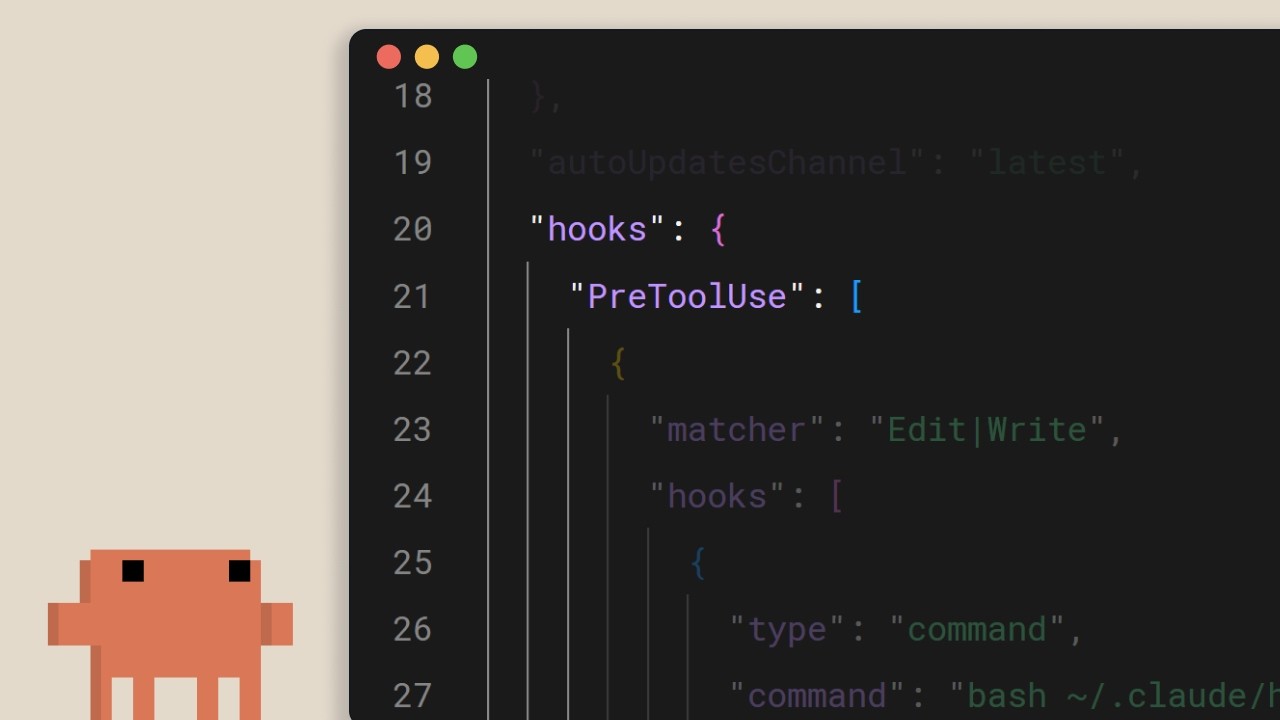
Hooks go further. Anthropic's hooks guide describes them as shell commands that Claude Code runs at fixed points in its lifecycle, which gives you deterministic control rather than relying on the model to choose. A PreToolUse hook runs before a tool call and can block it: a script that exits with code 2 stops the call and passes its message back to Claude. The guide's matcher examples show MCP tools matched by the same double underscore names, so one hook can watch every Spreadcast tool.
Useful hooks for social media are small. A hook that blocks the approve tool outside your working hours. A hook that writes every saved draft to a log file in the repository, so you have a record of what Claude prepared. A hook that refuses any post whose caption contains a word from your banned list. A Notification hook that pings your desktop when Claude is waiting for you to approve something.
Video: Hooks in Claude Code
Claude Code Social Media Automation: Ways to Run It on a Schedule
A social media routine is only useful if it runs when you forget. Claude Code has four ways to run a prompt without you typing it. Facts below come from Anthropic's pages on loops in a session, desktop scheduled tasks, routines and GitHub Actions.
| Option | Where it runs | Needs your computer on | Good for social media when |
|---|---|---|---|
| /loop in a session | Inside an open Claude Code session | Yes, with the session open | You want Claude to check something every hour while you work. Recurring loops expire after 7 days and a session holds up to 50. |
| Desktop scheduled task | The desktop app, on your machine | Yes, app open and computer awake | The job needs local files, such as a screenshots folder. A missed run gets one catch up run when the computer wakes. |
| Routine | Anthropic's cloud, on a fresh clone of your repository | No | You want a weekly draft batch or a release trigger with your laptop closed. Minimum interval is one hour. |
| GitHub Actions | A GitHub runner, from a workflow file | No | Your release process already lives in GitHub and you want posts drafted on a tag or a schedule. |
A plain cron job that calls Claude Code headless also works on any server. All four options draw on your Claude plan or API key in the same way as a normal session.
Routines: The Weekly Draft Batch With Your Laptop Closed
For most social media work, routines are the right scheduler. Anthropic's routines page describes a routine as a saved prompt with one or more repositories and connectors that runs on Anthropic's cloud, so it keeps working when your laptop is closed. It can start on a schedule (hourly, daily, weekdays or weekly), from an HTTP call, or from a GitHub event, and GitHub release events are on the supported list. Routines are on the Pro, Max, Team and Enterprise plans and are still a research preview, so details can change.
Two facts on that page shape how you should set one up. Routines run autonomously, with no permission prompts, and Claude can use every tool from an included connector, including writes, without asking. And the connectors a routine sees are the ones on your claude.ai account: servers you added in the terminal with claude mcp add live on your machine and do not appear. So for a routine, add Spreadcast as a custom connector in Claude on the web, choose Make Drafts on the consent screen, and leave publishing off. A routine that can only save drafts cannot surprise you.
A good weekly routine prompt is short and self contained: "Read the commits merged since last Monday and the open roadmap issues. Using Spreadcast, read my brand kit and last week's results, then save four drafts for this week in my voice, one per network as usual. List them at the end." Set it a few minutes past the hour, such as 9:07, since the page notes a run set exactly on the hour can start late.
Headless Mode and GitHub Actions for Release Posts
Claude Code can also run without the interactive screen. Anthropic's page on running Claude Code programmatically shows the print flag, written claude -p followed by your prompt, which runs one task and exits with a success or failure code your script can check. You can approve tools in advance with --allowedTools. The same page recommends a bare mode for scripts, which skips CLAUDE.md, skills, hooks and MCP servers unless you pass them in and needs an API key rather than your subscription login.
GitHub Actions wraps the same engine in a workflow. The Claude Code GitHub Actions page says that when a workflow gives the action a prompt, Claude runs without waiting for a mention, on any GitHub event, including a cron schedule. The prompt can be a skill from the repository's .claude/skills folder, so a workflow that runs /social on every published release reuses the skill you already wrote. Authentication is either an API key or a long lived token from your Claude subscription, which the page says works on Pro, Max, Team and Enterprise plans.
The GitHub page lists the costs plainly: each run uses GitHub Actions minutes and Claude tokens, or your subscription if you use the token. It also notes that GitHub runs scheduled workflows only from the default branch and, in public repositories, switches the schedule off after 60 days without activity. For a social media key in a workflow, store it as a repository secret and use a Spreadcast key that cannot publish.
Worked Example: From a Git Tag of Streakly to Designed Drafts
This example uses Streakly, an invented habit tracker, and Alex, its invented founder, on Spreadcast Pro with Instagram, LinkedIn and Threads connected. Claude Code has the Spreadcast server signed in with Make Drafts, the CLAUDE.md section above and the /social skill. It shows the mechanics, not a customer result.
- Step 1
Alex Tags the Release
Alex merges the last pull request, tags v3.2.0 and pushes. In the repository, Alex opens Claude Code and types /social 3.2. The skill loads with its steps, its voice notes and two example posts.
- Step 2
Claude Reads What Shipped
Claude runs git log between v3.1.0 and v3.2.0 and reads CHANGELOG.md. It finds eleven commits: adaptive reminders, a home screen widget, offline sync, and eight fixes and refactors. It picks the first three as the changes a user would notice and says why it left the rest out.
- Step 3
Claude Checks the Account and the Rules
Claude asks Spreadcast which networks are connected and learns the connection saves drafts only. It reads the Streakly brand kit (green and cream colors, the fonts, the logo, App Store screenshots) and each network's posting rules. Spreadcast has also spotted version 3.2 on the App Store listing as a new moment, so the release notes match.
- Step 4
Claude Designs the Carousel
Claude asks Spreadcast for a carousel of five slides: a cover, one slide each for reminders, the widget and offline sync with real Streakly screenshots in an iPhone frame, and a last slide that points to the App Store. Previews appear in the session within seconds. Alex asks for a shorter cover line, and Claude redesigns that slide.
- Step 5
Claude Writes and Checks Captions
Claude writes an Instagram caption with a few hashtags, a LinkedIn post from Alex in first person about why reminders should follow real habits, and a two sentence Threads post. It runs Spreadcast's check on each post, which catches nothing this time, and saves three drafts at the hours Alex's past posts did best.
- Step 6
A Hook Logs the Drafts
A PostToolUse hook on Spreadcast's create tool appends each draft's networks, time and first line to a file named social_log.md in the repository. Claude ends by listing the drafts and noting that it cannot schedule or publish on this connection.
- Step 7
Alex Approves in Spreadcast
Alex swipes through the slides in Spreadcast, changes one word in the LinkedIn post and approves all three. Spreadcast publishes them at the planned times. On Friday Alex asks Claude Code how the posts did, and Claude reads likes, comments and follower counts per network from Spreadcast.
Can Claude Code Connect to Instagram?
Yes, through a tool that is connected to Instagram, not directly. You connect Instagram inside a social media tool once, connect that tool's MCP server to Claude Code, and Claude asks the tool to save or publish.
Instagram sets the rules every tool works within. Meta's content publishing guide covers publishing for Instagram professional accounts, so a personal account has to switch to a professional one first. It limits each account to 100 posts published through the API in a moving 24 hour window, with a carousel counting as one post. And it fetches each picture from a public address at the moment of publishing, which is why a tool hosts your images for you rather than reading them from your laptop.
Can Claude Code post to Instagram through Spreadcast? Claude can design the post or carousel, write the caption with hashtags, check it and save it as a draft. With Spreadcast Pro or Studio and a connection you allowed to publish, it can also schedule or publish, and Spreadcast tells Claude to show you the post, network and time and wait for your yes first. Reading results covers likes, comments and follower counts; Instagram reach is not among them.
What it does not do: Spreadcast does not read or send Instagram DMs, and it does not scrape other accounts. Searches for a "claude code instagram scraper" lead to projects that log in as you through a browser, which is a different kind of tool with different risks. The Instagram MCP server page compares the kinds of Instagram servers, what Meta's API allows and what to check before connecting one.
Can Claude Code Post to LinkedIn?
Yes, the same way: through a connected tool. The open LinkedIn permission for posting is w_member_social, which LinkedIn's Share on LinkedIn guide describes as required to create a post on behalf of the member who signed in. The same guide lists a daily limit of 150 requests per member, counted in UTC.
Spreadcast uses that permission, so posts Claude Code drafts for LinkedIn go out from your personal profile once you approve them. Company pages are not supported today, because posting as a page needs a separate permission LinkedIn grants through its own review. For the full picture of LinkedIn servers, including the cookie based ones on GitHub and why they put accounts at risk, see the LinkedIn MCP server page.
Where Claude Code earns its place on LinkedIn is the writing. A founder post works best when it explains a decision, and Claude Code can read the pull request discussion and the issue behind a change, which gives it the story rather than just the feature name.
Building Your Own Claude Code Social Media Agent
"Claude code social media agent" and "social media dashboard claude code" are real searches, and Claude Code is good at building both. It can write a small app that calls the Instagram and LinkedIn APIs, stores tokens, schedules posts and charts results. The question is whether you want to own that app.
Here is what you take on. A Meta developer app with Instagram permissions, reviewed by Meta, publishing only to professional accounts, with images hosted at a public address and the 100 posts per 24 hour limit from Meta's guide. A LinkedIn developer app with the Share on LinkedIn product added, and the per member request limit from LinkedIn's guide. Token storage and refresh for every network. A queue that publishes at the right time when your laptop is off. A way to design the pictures. And keeping all of it working each time a network changes its API.
That is reasonable if publishing is your product. For an app maker who wants posts out every week, connecting an existing server is faster, and Claude Code spends its time on the story rather than on OAuth flows. If you are comparing servers, the best social media MCP servers ranks the options with prices, and the AI agent for social media page looks at agents more widely.
What to Keep Human When Claude Code Runs Your Social Media
Claude Code can do most of the work. These are the parts where a person should still decide, and why.
Pressing Publish
Start every connection on drafts only and approve in the tool. A typo in a commit is fixed in a minute; a typo on your public profile has already been seen.
Anything With a Number
Ratings, downloads, user counts and percentages come from you or from the tool's data, never from Claude's guess. Put "never invent numbers" in CLAUDE.md and check every figure in a draft.
Replies to People
Comments and messages are conversations, not content. Let Claude summarize what people said and suggest a reply, then answer yourself.
Sensitive Moments
Outages, security fixes, price changes and anything touching a news event need a person's judgment about tone and timing. Keep these out of scheduled routines.
The Voice Itself
Claude follows a voice well once it is written down. Deciding what the voice is, and updating CLAUDE.md when it changes, stays your job.
What Claude Code for Social Media Costs per Claude Plan
Claude Code needs a paid Claude plan or an API key. Prices come from Claude's pricing page, routines from Anthropic's routines page and the subscription token for GitHub Actions from the GitHub Actions page.
| Claude plan | Price | Claude Code | Scheduling options |
|---|---|---|---|
| Free | $0 | Not included | None. The Claude app can still use one custom connector. |
| Pro | $20 a month, or $17 a month billed yearly | Included | Loops, desktop scheduled tasks, routines, and GitHub Actions with a subscription token |
| Max | From $100 a month | Included, with 5 or 20 times Pro's usage | Same as Pro, with more room for long runs |
| Team | $25 a seat a month, or $20 billed yearly, for a standard seat; premium seats cost more | Included | Same as Pro. Owners can switch routines off for everyone |
| Enterprise | $20 a seat a month billed yearly, 20 seat minimum, plus usage at API rates | Included | Same as Team |
| API key | Pay per token at API rates | Included, billed per token | Headless runs and GitHub Actions; routines need a claude.ai subscription login |
Checked on October 17, 2026. Claude's pricing page says Claude Code shares the same usage limits as the rest of your plan, with limits that reset on a rolling five hour window plus weekly limits on paid plans.
How Much Usage a Social Media Routine Takes
Social media work is light next to coding. A coding session carries file contents, test output and many steps; drafting four posts reads a changelog, calls a handful of tools and writes a few hundred words. Anthropic's cost page gives a sense of the coding side: across enterprise deployments, the average is around $13 per developer per active day and $150 to $250 per developer per month. A weekly social media routine sits far below that, though nobody can give you an exact number for your setup.
The same page lists habits that keep usage down: keep CLAUDE.md short, move long procedures into skills that load only when used, start a fresh session between unrelated jobs, and turn off MCP servers you are not using in /mcp.
Run /usage to see where it goes: on paid plans the cost page says it breaks usage down by skills and individual MCP servers and lists the heaviest scheduled tasks. For most solo founders Pro is enough; Max makes sense if you also code all day. Your Claude plan is separate from the social media tool's plan, so budget for both.
What Spreadcast Adds to Claude Code, by Spreadcast Plan
Spreadcast's MCP server works on every Spreadcast plan, through OAuth sign in or a key. Details on the pricing page and the Spreadcast MCP page.
| Spreadcast plan | Price | What Claude Code can do in Spreadcast |
|---|---|---|
| Free | $0 | Read your account and brand kit, list App Store moments, design posts in 11 kinds and carousels of 3 to 8 slides, write a caption per network, check posts and save drafts. You publish the drafts yourself. |
| Pro | $29 a month | Everything in Free, plus scheduling and publishing to Instagram, Facebook Pages, LinkedIn, Threads, Pinterest, TikTok, YouTube, Bluesky, Telegram channels, Discord channels and Mastodon, once you allow publishing. |
| Studio | $79 a month | Everything in Pro for 5 apps with 3 seats, each app with its own brand kit, so a skill run in one repository designs for the right app. |
TikTok posts stay private until TikTok finishes auditing the app. Spreadcast designs pictures, not AI photos or video, and it is for App Store apps; Google Play is not supported yet.
Mistakes to Avoid With Claude Code for Social Media Marketing
These are the errors that make posts look generic, leak a key or put something public before anyone read it.
A Key in .mcp.json
The project file goes into git. Read the key from an environment variable, or sign in with OAuth, and keep publishing keys off shared machines entirely.
Trusting CLAUDE.md as a Lock
"Never publish" in CLAUDE.md is a request. Back it with an ask rule on the publishing tools, a hook, or a connection that cannot publish at all.
One Giant Social Media Skill
A skill that does everything loads at the wrong times and follows none of its steps well. One skill per repeated job, with a description that names the moment.
Routines With Every Connector
A routine includes all your connectors by default and runs their tools without asking. Remove the ones it does not need and keep the social media one on drafts.
Posting Every Commit
Followers care about what changed for them, not your refactors. Have the skill pick three user facing changes and explain why it left the rest out.
Where to Go Next
For the connection itself, the Spreadcast MCP server reference lists every tool Claude gets and how sign in works. For the chat app side of Claude, read Claude for social media marketing, and for the shortest route to a first scheduled post, the guide on how to schedule social media posts with Claude. If you also use ChatGPT, ChatGPT social media automation covers that side.
And if the hard part is deciding what to post at all, how to promote an app on social media covers the content that Claude Code will then help you produce.
Frequently Asked Questions
Can Claude Code post on social media?
Not on its own. Claude Code posts through an MCP server from a social media tool that holds your network logins. Add the server with claude mcp add, sign in through /mcp, and Claude can save drafts, schedule or publish depending on what you allowed.
How do I connect Claude Code to Instagram?
Connect your Instagram professional account inside a social media tool such as Spreadcast, then add that tool's MCP server to Claude Code. Meta's publishing guide limits API publishing to professional accounts and 100 posts in 24 hours.
Can Claude Code post to LinkedIn?
Yes, through a connected tool. Spreadcast posts to your personal LinkedIn profile using LinkedIn's member posting permission. Company pages are not supported today.
What are Claude Code skills for social media?
Skills are folders with a SKILL.md file that teach Claude Code one repeatable job, such as turning release notes into a carousel or writing a weekly LinkedIn post. They live in .claude/skills and also work as slash commands.
Where should my brand voice go in Claude Code?
In the project's CLAUDE.md, which Claude Code reads at the start of every session. Keep it under 200 lines with checkable rules, and use a hook or permission rule for anything that must never happen.
Can Claude Code run social media posts on a schedule?
Yes. Routines run in Anthropic's cloud on Pro, Max, Team and Enterprise plans, desktop scheduled tasks run on your computer, and GitHub Actions can run a skill on a schedule or a release. Keep the connection on drafts only for unattended runs.
Is Claude Code free for social media?
No. Claude Code is not on the Free plan. It comes with Pro from $17 a month billed yearly, Max, Team and Enterprise, or with an API key billed per token. Spreadcast has a free plan for drafts.
Will Claude Code publish without asking me?
Not through a new Spreadcast connection, which saves drafts only. If you allow publishing, put the publishing tools under an ask rule in /permissions so Claude Code stops before each one.
Where These Facts Come From
Every outside number, rule and price on this page links to the page it was taken from.
- Claude Code overviewClaude Code Docs
- Connect Claude Code to tools via MCPClaude Code Docs
- How Claude remembers your projectClaude Code Docs
- Extend Claude with skillsClaude Code Docs
- Automate actions with hooksClaude Code Docs
- Configure permissionsClaude Code Docs
- Run Claude Code programmaticallyClaude Code Docs
- Run prompts on a scheduleClaude Code Docs
- Schedule recurring tasks in Claude Code DesktopClaude Code Docs
- Automate work with routinesClaude Code Docs
- Claude Code GitHub ActionsClaude Code Docs
- Manage costs effectivelyClaude Code Docs
- Claude plans and pricingAnthropic
- Instagram content publishing guideMeta for Developers
- Share on LinkedInMicrosoft Learn
- Video: the CLAUDE.md fileClaude
- Video: hooks in Claude CodeClaude
Researched and written by Spreadcast. Last checked on October 17, 2026.