What a Social Media MCP Server Is
A social media MCP server is a connector that lets an AI assistant such as Claude or ChatGPT work inside a social media tool. MCP stands for Model Context Protocol. Anthropic introduced it in November 2024 as an open standard, and the official MCP introduction describes it as a standard way to connect AI applications to outside systems, much like one USB C port fits many devices. The server publishes a list of tools, for example list my channels, create a post or get last month's numbers, and the assistant calls them when your request needs them.
In practice you add the server's address to your assistant once and sign in. After that you can type a plain request, such as draft three LinkedIn posts about our new release and put them on Tuesday, Wednesday and Thursday at 9, and the assistant does the clicks for you: it reads your connected accounts, writes the posts and saves them in the tool. What it may do depends on the tools the vendor built and the access you granted, which is why two servers with the same pitch behave very differently. Some only read analytics. Some write drafts and stop. Some publish the moment the assistant decides to. For servers beyond social media, such as ads, analytics and SEO, see the best MCP servers for marketing.
Short answers for the common cases. Spreadcast is the pick for app makers who want an assistant to create designed posts and carousels in their app's own brand, write the captions for each network and leave the final yes to them. Buffer is the best known scheduler with MCP on its free plan. Metricool also has MCP on its free plan, with analytics and best time to post. Postiz is the open source choice, with image and video generation. Hootsuite covers inbox replies and listening for larger teams. Zernio and Ayrshare are social APIs for developers who build their own agents. Ocoya has the strictest permission split, Planoly is built around Instagram, and Blotato has the longest tool list, with Instagram and Facebook comments and DMs.
We make Spreadcast, and it is first for one reason: it is the only server here that creates the posts themselves from the app's own brand and App Store news. An assistant designs post pictures and carousels with the app's colors, fonts, logo and real screenshots in an iPhone frame, writes the captions, and saves everything as drafts first, with approval as a separate step before anything is scheduled or published. Claude or ChatGPT connect with Sign in with Spreadcast instead of a pasted key. Most other servers here schedule what you bring, and a few generate images or fill templates. The other nine are ranked by how much a general social media team can get done through them. Every fact about them was read on the vendor's own pages on October 15, 2026, and linked where it is used.
Video: What the Model Context Protocol Is

Best Social Media MCP Servers at a Glance
One row per server, in the order of the ranked list below. Prices are for monthly billing in US dollars unless the row says otherwise. Creates the visuals means the vendor documents a tool that makes the post picture, carousel or video itself, not only one that attaches a file you bring. Can publish means the vendor documents a tool that sends a post out, not only one that saves it.
| Server | Best for | Creates the visuals | How you sign in | Free option | Can publish | Starting price |
|---|---|---|---|---|---|---|
| Spreadcast | App makers who want posts and carousels designed in their app's brand, then approved by a person | Yes: designed posts, carousels and App Store moment posts in your app's colors, fonts and logo, with real screenshots | Sign in with Spreadcast (OAuth) in Claude and ChatGPT, or a key in Claude Code and Cursor | Free plan designs posts and saves drafts through the server | Yes, on Pro, and only when you grant publishing | Pro at $29 a month, with publishing to every connected network included |
| Buffer | A familiar scheduler with MCP on every plan | No tool for it in the list, it posts the media you attach | OAuth in Claude, ChatGPT and Cursor, an API key elsewhere | Yes, MCP on the free plan for 3 channels | Yes | $6 per channel a month (Essentials) |
| Metricool | Analytics and best time to post from chat | Not stated | OAuth, or a token on the Advanced plan | Yes, MCP on Free with 20 scheduled posts a month | Yes | $25 a month (Starter) |
| Postiz | Open source, with image and video generation | Yes, AI image and video generation | API key, or OAuth sign in | Self hosting only, the hosted plans have a 7 day trial | Yes | $29 a month for 5 channels (Standard) |
| Hootsuite | Teams that also want inbox replies and listening | Not stated | Sign in with your Hootsuite workspace | 14 day trial | Yes, through Perch and Parliament | $99 per user a month, billed annually (Standard) |
| Zernio (formerly Late) | Developers building their own agent on one social API | No, it uploads and posts your own files | OAuth or an API key | First 2 connected accounts free | Yes, with a publish now option | $6 per account a month from the third account |
| Ocoya | A separate permission for publishing | Not stated, it reads Studio templates as visual references | OAuth only | 7 day trial | Yes, with the posts:publish scope | $29 a month (Starter) |
| Planoly | Instagram first planning | No, it imports media you made elsewhere, such as a Canva export | OAuth with your Planoly login | Assistant connections need a paid plan | Schedules, with each post's auto publish setting | $14 a month (Starter) |
| Ayrshare | Apps and agencies that manage many profiles, comments and DMs | No, it writes post text and checks your media | API key in a header only | 28 day trial on the Launch plan | Yes | $149 a month (Premium) |
| Blotato | Creators who want visuals, comments and DMs from chat | Yes, images, carousels and videos from templates | OAuth in Claude and ChatGPT, an API key elsewhere | No, MCP is not in the free trial | Yes | $29 a month (Starter) |
Read from each vendor's own MCP documentation and pricing page on October 15, 2026, before tax. The sources are linked in each entry below.
The 10 Best Social Media MCP Servers, With Prices, Pros and Cons
Spreadcast comes first because it creates the posts as well as publishing them: designed pictures and carousels in your app's brand, captions per network, and a person on the final yes. The nine after it are ranked by how much a social media team can do through them, from full schedulers to developer APIs.
- 1
Spreadcast
Free plan designs posts and saves drafts. Pro is $29 a month with scheduling and publishing to every connected networkBest for app makers: creates designed posts and carousels in your app's brand, then schedules and publishes them after you approve
Spreadcast creates social media content for apps and publishes it, and its MCP server lets Claude, ChatGPT, Claude Code, Cursor, VS Code and other MCP clients do that work inside a Spreadcast account. Ask for a post and the assistant designs the picture in your app's brand: its colors, fonts and logo, a headline written for the post, and a real screenshot of your app in an iPhone frame when your brand kit has one. There are 11 kinds of post, from a feature or launch post to a testimonial with a real App Store review, a stat, a comparison, a tutorial or a list. Ask for a carousel and it designs 3 to 8 slides in one look: a cover, screens of the app and a last slide that sends people to the app. The pictures are drawn by the same design code as the Spreadcast app, so the result is exactly what the app would make, not an approximation. They take seconds, show up in the chat as previews, are saved to your Spreadcast library at 1080 by 1350 and are ready to attach to a post. The full tool list is on the Spreadcast MCP server page.
The ideas come from something no other server on this list reads: your app's App Store listing. Ask for posts and the assistant lists the moments Spreadcast found there, such as a new version with what changed according to the release notes, or a rating worth thanking people for, each with suggested words, and it can design the moment post itself, the same picture the Spreadcast Dashboard shows. It then writes the post in your brand's voice from your brand kit, writes a caption for each network the way that network reads, inside its limit and with fitting hashtags, and checks the post against every rule before it saves anything. The writer never invents facts, numbers or quotes. So one conversation goes from a moment or an idea to a designed picture or carousel, captions per network, a saved draft, your approval and the published post.
Safety is the design, not a setting. A new connection saves drafts only. Nothing goes out until you approve the post in Spreadcast, on the Dashboard or the calendar, and approving is its own tool, so an assistant can draft while you keep the final yes. Publishing access is a separate choice on the consent screen, Make Drafts or Make and Publish, or a key with Can Publish Posts switched on. Even then the assistant is told to show you the post, the networks and the time and to ask before it approves or publishes. Every connection is listed in Settings, AI Assistants, and removing it stops it at once.
Connecting takes a minute. In Claude or ChatGPT you add a custom connector with the address spreadcast.app/api/mcp, click Connect, log in to Spreadcast, choose the access and click Allow Access. There is no key to copy. Claude Code and Cursor can use a key from Settings, AI Assistants, which gives a ready line to paste, and Claude Code can also sign in without one. The server works on every plan: the free plan saves drafts, Pro is $29 a month and includes scheduling and publishing to every connected network (Instagram, Facebook, LinkedIn, Pinterest, TikTok, YouTube, Bluesky, Telegram, Discord and Mastodon), and Studio is $79 a month for 5 apps, each with its own brand, and 3 seats. Plans are on the pricing page.
Pros
- Designs posts and carousels in your app's colors, fonts and logo, with real screenshots in an iPhone frame
- Same design code as the app, with previews in the chat
- Posts from your App Store news: new versions and rating milestones
- A caption per network, checked against that network's rules
- Drafts only by default, with approval as its own step
- Sign in with Spreadcast in Claude and ChatGPT, no key to paste
- Best hours and weekdays from your own results
Cons
- Built for app makers, so the moments come from an App Store listing
- No video editing through MCP, though it attaches a video you bring by link
- No comment or DM inbox tools
- Scheduling and publishing through the server need Pro
- 2
Buffer
Free for 3 channels, then from $6 per channel a monthBest known scheduler with MCP on every plan, including Free
Buffer runs a remote MCP server at mcp.buffer.com/mcp, and Buffer's MCP page says MCP access is included on every plan, including Free. In Claude on the web, on desktop or in Claude Code you connect over OAuth with no API key, per Buffer's Claude guide, and ChatGPT and Cursor connect over OAuth too. Other clients send a Buffer API key as a bearer token. Buffer's MCP developer guide lists tools for the account, channels, posts (list, get, create, edit, delete and aggregated metrics), ideas and post templates, plus advanced tools that run any GraphQL query or change, and a ready prompt that reviews the week's posts.
The guide is frank about writes. Create, edit and delete are write tools, delete is permanent, and create can publish immediately, so Buffer recommends leaving your client's approval prompts on. Buffer's marketing page adds that posts made by an assistant land in the queue as drafts or scheduled posts for you to review. An API key covers the whole account, with no scoping to one organization, and the rate limit is shared across every request a client makes.
Those limits are small on the free plan: Buffer's pricing file lists 3,000 API requests a month, 250 a day and 100 per 15 minutes on Free. Pricing is per channel: Free covers 3 channels, Essentials is $6 per channel a month billed monthly, and Team is $12 with unlimited members and approval workflows. The channel list includes Instagram business, creator and personal accounts, LinkedIn pages and profiles, and TikTok business profiles. For other schedulers see our Buffer alternatives roundup.
Pros
- MCP on the free plan, for up to 3 channels
- OAuth in Claude, ChatGPT and Cursor, no key needed
- Ideas and post templates as well as posts
- A ready prompt that reviews the week's posts
Cons
- Create can publish immediately, so keep approval prompts on
- An API key reaches the whole account
- No comment or DM tools in the published list
- 3
Metricool
Free, then from $25 a monthBest for analytics and best time to post from chat, free to start
Metricool's official MCP server works on any Metricool plan, including Free, per Metricool's MCP limits article. It lets an assistant view brand settings, query analytics (connected ad accounts included), view scheduled posts, check the best time to post, create and edit scheduled posts, and create posts for review or send them for review. Metricool's MCP page lists Instagram, TikTok, LinkedIn, Facebook, YouTube, Pinterest, Threads, Bluesky and Twitch among its networks, and clients from Claude and ChatGPT to Cursor, Gemini CLI, Make and n8n.
The limits are the plan's limits, and the MCP does not raise them: Free accounts cannot schedule more than 20 posts a month and keep 30 days of analytics. The same article lists what the MCP cannot do: no inbox, no post comments, no Smartlinks, no Google Business Profile reviews, no autolists, no Canva or Drive files and no ads campaign management. Sign in is OAuth in the browser, and a token connection through the Metricool API needs the Advanced plan.
Metricool's pricing page lists Free with 1 brand and 20 posts a month and leaves LinkedIn and X out of the free plan, so a LinkedIn MCP setup on Metricool means Starter at $25 a month billed monthly, or $20 billed yearly. Our Metricool comparison covers the rest of the product.
Pros
- MCP on the free plan
- Best time to post and competitor data from your own account
- Posts can be sent for review instead of going straight out
- A long list of supported clients
Cons
- No inbox, comments or ads management through MCP
- Free stops at 20 scheduled posts a month
- LinkedIn needs a paid plan
- 4
Postiz
Free to self host, hosted from $29 a monthBest open source option, with image and video generation
Postiz's MCP introduction lists 13 tools. An assistant can list channels and groups, read each channel's settings schema, schedule a post, save a draft or publish immediately, list posts between two dates, and change settings on posts that have not gone out. It can also generate images and videos and cut a long YouTube video into captioned vertical clips. Reading a channel's schema first is a good habit: the assistant learns what a network requires before it writes.
You connect with an API key, sent as a bearer token or placed in the address, or with an OAuth token. The Postiz home page says the hosted server takes OAuth sign in from Claude, Claude Code, ChatGPT and Cursor, and lists more than 30 channels, Instagram, LinkedIn and TikTok among them. Self hosted instances expose the same endpoints. The FAQ notes one gap: MCP cannot read or reply to comments, which stays in the Postiz app.
Postiz pricing says every plan includes the MCP server, the CLI and the API. Standard is $29 a month for 5 channels, Team $39 for 10, Pro $49 for 30 and Ultimate $99 for 100, each with a 7 day trial and no free hosted plan. If it is close but not right, see our Postiz alternatives.
Pros
- Open source, and the MCP server is on every hosted plan
- Image and video generation, plus clips cut from YouTube videos
- A settings schema per channel before posting
- More than 30 channels
Cons
- No free hosted plan, only a 7 day trial
- Cannot read or reply to comments through MCP
- Self hosting means getting each network's app approval yourself
- 5
Hootsuite
From $99 per user a month, billed annuallyBest for teams that also want inbox replies and listening from chat
Hootsuite offers four MCP servers, one per product, per Hootsuite's MCP page. Perch drafts posts, schedules them at the best time, uses your content library and reviews performance. Nest triages the social inbox, assigns conversations, replies with saved responses and resolves issues. Lumen covers mentions, sentiment, influencers and competitive intel. Parliament handles employee advocacy posts, including saving, publishing and scheduling them.
You sign in with your Hootsuite workspace once. ChatGPT and Claude have prebuilt connectors, while Microsoft Copilot and Gemini take a remote server address, which may need your IT administrator. Hootsuite says organizations keep control over publishing and that human review stays part of the approval process. The page does not publish tool names or counts, and what you can reach depends on which Hootsuite products your account has. Our Hootsuite MCP server guide covers each of the four servers, setup and pricing.
Hootsuite's plans page starts at $99 per user a month for Standard, $199 for Professional and up to $399 for Advanced, with a 14 day trial that needs no card. The networks on Hootsuite's integrations page include Instagram, LinkedIn and TikTok. It is a lot of tool for one person, and our Hootsuite comparison has the detail.
Pros
- Four servers: content, inbox, listening and advocacy
- Prebuilt connectors in ChatGPT and Claude
- Inbox replies and conversation routing from chat
- Human review stays in the approval process
Cons
- Priced per user, from $99 a month
- No free plan, only a trial
- Tool names and limits are not published
- 6
Zernio (formerly Late)
First 2 accounts free, then $6 per account a monthBest for developers who want one social API with an MCP layer
Zernio is the social media API that used to be called Late. Zernio's rebrand page says getlate.dev now redirects to zernio.com and existing API keys keep working. Its hosted server at mcp.zernio.com/mcp takes OAuth from clients that support it, or an API key as a bearer token for other clients and autonomous agents, with a separate key per agent recommended so each can be revoked alone, per Zernio's MCP overview. The clients listed include Claude, Claude Code, ChatGPT, Codex, Cursor, Windsurf and VS Code.
Zernio's tool reference lists 20 core tools for accounts, profiles, posts (create, update, delete, publish now, cross post, retry, list failed and retry all failed), media upload links and a docs search, plus one generated tool per API endpoint, reached through a search tool and a call tool. A post can be saved as a draft, scheduled or published now, and the platforms include Instagram, LinkedIn, TikTok, Facebook, YouTube, Pinterest, Bluesky and Threads.
Zernio's pricing page has no plans: the first 2 connected accounts are free with no card, accounts 3 to 10 cost $6 each a month, 11 to 100 cost $3 each and every account past 100 costs $1. It is built as an API for developers, so the MCP server suits people who build their own agent more than a marketer who wants a calendar.
Pros
- First 2 accounts free
- OAuth, or a separate API key per agent
- Drafts, publish now, cross post and retry tools
- Every API endpoint reachable as a tool
Cons
- Built for developers, not a calendar for a marketer
- No analytics among the 20 core tools
- Any approval step is up to your client or agent
- 7
Ocoya
From $29 a month, after a 7 day trialBest permission model: publishing is its own grant
Ocoya's MCP server at mcp.ocoya.com is OAuth only: Ocoya's MCP guide says Ocoya API keys are not accepted. Access is split into scopes, and posts:write (create drafts, update, schedule and delete) is separate from posts:publish, which is needed to publish immediately. You also tick which brands the client may reach, and every brand tool stays limited to those brands. Claude, ChatGPT, Codex and VS Code have setup guides.
Ocoya's tool reference lists 22 tools across account and brand, social profiles, posts and calendar, creative context (hashtag libraries and Studio templates) and workflows. One tool creates a draft, schedules a post or publishes immediately, and two AI tools write a draft post or a queued campaign of several posts. Analytics are not on the list. Ocoya's help article on AI tools adds that credits spent through MCP cost the same as in the app, and that Revoke access disconnects a tool immediately.
Ocoya pricing lists Starter at $29 a month for 1 user, 5 social profiles and 300 credits, Team at $79 and Agency at $199, each with a 7 day trial. Ocoya's home page lists Instagram, LinkedIn and TikTok among its destinations. Our Ocoya comparison covers the app itself.
Pros
- OAuth only, with publishing as a separate scope
- You pick the brands a client can reach
- AI tools for single posts and whole campaigns
- Workflows can be switched on or run from chat
Cons
- No free plan, only a trial
- No analytics tools in the list
- AI actions spend credits, as they do in the app
- 8
Planoly
From $14 a month. Assistant connections need a paid planBest for Instagram first planning from chat
Planoly's MCP page describes an assistant that schedules, reschedules or unschedules posts, including at Instagram Best Time slots, lists drafts, scheduled and published posts, manages the media library, pulls Instagram account analytics and post performance, makes a shareable read only report link and browses TikTok trending sounds. Instagram grid posts, carousels, reels and stories are covered, with cross posting to TikTok, Facebook, YouTube, Pinterest, LinkedIn and Threads. The assistant cannot connect or disconnect your social channels.
Planoly's setup guide says you sign in with OAuth, so no password is shared with the assistant, and the token covers every workspace you belong to. Tools that create, change or delete items are marked destructive, which prompts your AI client to ask before running them. Claude connects through its connector directory, ChatGPT through Developer Mode with the address mcp.planoly.com/mcp, and Claude Code and Gemini CLI through one command each.
The same guide says Claude, ChatGPT and Gemini connections each require a paid plan, and that the media library, analytics and report links need one too, while drafting and scheduling do not. Planoly pricing lists Starter at $14 a month, Growth at $24 and Pro at $47 billed monthly, with a 14 day trial.
Pros
- Built around Instagram, with reels, stories and carousels
- Best Time slots and TikTok trending sounds
- Write tools are marked so the client asks first
- OAuth sign in, no password shared
Cons
- Assistant connections need a paid plan
- Account analytics are for Instagram
- One token reaches every workspace you belong to
- 9
Ayrshare
From $149 a monthBest for apps and agencies that manage many profiles, comments and DMs
Ayrshare's MCP tool catalog lists 33 tools: posts (create, validate, get, update and retry), history, analytics, comments, direct messages with auto responses, profiles, media validation, post generation and hashtag suggestions, webhooks, ads (with the Ads add on) and a tool that explains errors. The validate tool is a dry run with the same input as a real post, which catches problems before anything goes out.
Sign in is an API key only. Ayrshare's connection guide says the server at api.ayrshare.com/mcp authenticates only with a static bearer header and publishes no OAuth metadata, so Claude Desktop, claude.ai and the Claude mobile apps cannot use it as a personal connector. Claude Code, Cursor, VS Code, n8n and any client that sends custom headers work. Profiles and sub profiles need a Business plan key. A confirmation before publishing has to come from your client, though Ayrshare's Claude Code plugin bundles a confirmation hook.
Ayrshare pricing lists Premium at $149 a month billed monthly for 1 profile with up to 14 accounts, Launch at $299 with a 28 day trial, and Business from $599. Moderation of comments and DMs is on every plan, and the networks named include Instagram, LinkedIn and TikTok.
Pros
- Comments, DMs and auto responses through MCP
- A dry run checks a post before it goes out
- Webhooks and ads tools
- Built for many client profiles
Cons
- API key only, so no claude.ai or Claude Desktop connector
- Starts at $149 a month
- Confirmation before publishing is up to your client
- 10
Blotato
From $29 a month. MCP is not in the free trialBest tool list for creators: visuals, comments and DMs
Blotato's MCP tool list says the server exposes 35 tools. Beyond accounts, credits, publishing and analytics, it reads and posts comments, reads and sends messages and runs DM automations on Instagram and Facebook. It can pull content from a source, create images, carousels or videos from visual templates, and manage a content calendar of schedules. A post can be scheduled for a set time or for the next free slot.
Blotato's setup guide gives the address mcp.blotato.com/mcp. Claude (web, desktop, Cowork and Claude Code), ChatGPT and Codex sign in with OAuth in a browser, and Cursor, VS Code and other clients that take a header use an API key. A paid subscription is required: API and MCP access is not in the free trial, and generating an API key during a trial ends the trial and starts billing.
Blotato pricing lists Starter at $29 a month with 1,250 AI credits and 20 social accounts, Creator at $97 and Agency at $499. Blotato's home page names nine platforms, Instagram, LinkedIn and TikTok among them.
Pros
- 35 tools, one of the longest lists here
- Images, carousels and videos from templates
- Instagram and Facebook comments, messages and DM automations
- OAuth in Claude and ChatGPT
Cons
- No MCP during the free trial
- An API key made during the trial starts billing
- Comments and DMs cover Instagram and Facebook only
Which Social Media MCP Servers Can Publish and Which Only Read
The question that matters most before you connect: what can the assistant do without you? This table follows each vendor's own tool list. Not stated means the page we read did not say, which is different from a no.
| Server | Reads posts and numbers | Saves drafts | Schedules | Publishes immediately | Who gives the final yes |
|---|---|---|---|---|---|
| Spreadcast | Yes: posts, analytics and app ratings | Yes, by default | Yes, on Pro with publishing access | Only with publishing access | You, in a separate approve step |
| Buffer | Yes, with aggregated metrics | Yes | Yes | Yes, create can publish immediately | Your client's approval prompt, which Buffer says to keep on |
| Metricool | Yes, analytics and scheduled posts | Posts for review | Yes | Yes | Metricool's review flow, or your client |
| Postiz | Lists posts by date | Yes | Yes | Yes | Your client |
| Hootsuite | Yes, through Perch and Lumen | Yes | Yes | Through Perch and Parliament | Hootsuite's approval process |
| Zernio | Lists posts and failed posts | Yes | Yes | Yes, publish now | Your client or agent |
| Ocoya | Lists posts | Yes | Yes | Only with the posts:publish scope | You, at the consent screen |
| Planoly | Yes, Instagram analytics on paid plans | Lists drafts | Yes | Follows each post's auto publish setting | Your client, prompted by tools marked destructive |
| Ayrshare | Yes, history and analytics | Not stated | Not stated in the tool list | Yes | Your client |
| Blotato | Yes, top posts and post analytics | Not stated | Yes | Yes | Your client |
Some servers are built mainly for reading. Hootsuite's Lumen covers insights and listening, and Sprout Social's server, covered further down, brings social data into ChatGPT for analysis.
Which Social Media MCP Servers Handle Comments and DMs
Publishing is half of social media. The other half is replies, and only three servers on this list let an assistant handle them. Ayrshare has comment tools (read, add and reply) and message tools (read, send, and get or set an auto response). Blotato reads and posts comments, reads and sends messages and runs DM automations, on Instagram and Facebook only. Hootsuite's Nest server triages the social inbox, assigns conversations, replies with saved responses and resolves issues.
The others say so plainly. Postiz's FAQ says MCP cannot read or reply to comments. Metricool's limits article lists the inbox and post comments among the things its MCP cannot reach. Buffer's tool list has no comment or message tools. If replies from chat are the point, start with those three and read the safety section below first, because a tool that sends messages in your name deserves the strictest approval settings your client offers.
Which Social Media MCP Servers Create the Posts, Not Only Schedule Them
A post is a picture and a caption. Most social media MCP servers can write the caption, or let the assistant write it, but the picture has to come from somewhere. The tool lists split into three groups: servers that design the visuals themselves, servers that make text drafts with AI, and servers that post the files you bring.
Three make the visuals. Spreadcast designs post pictures, carousels of 3 to 8 slides and App Store moment posts in your app's brand, with its colors, fonts, logo and real screenshots in an iPhone frame, drawn by the same design code as the Spreadcast app and shown in the chat as previews. Postiz's MCP introduction lists tools that generate AI images and videos for posts, and one that cuts a long YouTube video into captioned vertical clips. To upload Shorts yourself from Claude, see the YouTube MCP server. Blotato's tool list has a tool that generates an image, carousel or video from a visual template, with a list of templates such as quote cards and infographics.
Two write drafts with AI but do not say they make pictures. Ayrshare's tool catalog has a tool that drafts post copy and one that checks a media link, and Ocoya's tool reference has AI tools for a draft post or a whole campaign, plus Studio templates used as visual references. The rest post what you bring: Buffer's guide attaches media to a post, Zernio's tool reference hands out upload links for your own files, and Planoly's MCP page imports an image or video from an approved link, such as a Canva export. Metricool and Hootsuite do not say either way on the pages we read.
Canva's MCP server sits on the other side: it designs but does not publish to a social network. The difference with Spreadcast is where the look comes from. A template or a generic AI image starts from someone else's style, while Spreadcast starts from your brand kit and your App Store screenshots, so a feature post shows a real screenshot of your app and every slide of a carousel shares one look in your colors. If your posts are mostly about your app, that saves the step of making the picture somewhere else and bringing it back.
Free Social Media MCP Servers: What You Get Without Paying
Free means different things here: a free plan that includes MCP, a free number of accounts, or free software you host yourself. This table lists what each free option allows and the catch.
| Server | Free option | What it allows through MCP | The catch |
|---|---|---|---|
| Spreadcast | Free plan, 1 app | Moments from your App Store listing, designed posts and carousels in your brand, captions written in your voice, checks and saved drafts | Scheduling and publishing need Pro at $29 a month, which includes publishing to every connected network |
| Buffer | Free plan, 3 channels | The MCP server on up to 3 channels | 3,000 API requests a month, and a key reaches the whole account |
| Metricool | Free plan, 1 brand | Analytics, best time to post and scheduling | 20 scheduled posts a month, 30 days of analytics, no LinkedIn |
| Zernio | First 2 connected accounts | The whole API and MCP server | Built for developers |
| Postiz | Self hosting the open source app | The same MCP endpoints on your own server | You run the server and get each network's app approval |
| Hootsuite, Ocoya, Ayrshare | Trials only | Whatever the trial plan includes | A paid plan after 14, 7 or 28 days |
| Planoly | Free app plan | Drafting and scheduling, per its guide | Connecting Claude, ChatGPT or Gemini needs a paid plan |
| Blotato | 7 day trial | Nothing through MCP | API and MCP access start with a paid plan |
The assistant side can be free too: Anthropic's connector guide says custom connectors work on every Claude plan, Free included, with Free limited to one custom connector.
Free Social Media MCP: The Honest Short List
If you want to spend nothing, three servers do real work for free. Buffer gives you MCP on 3 channels with posts, ideas and templates. Metricool gives you MCP on 1 brand with analytics and best time to post, up to 20 scheduled posts a month. Zernio gives developers the full API on 2 connected accounts. Postiz is free if you host it yourself, which is a real project, not a weekend task.
Spreadcast's free plan is free in a different way. The assistant can read your app's moments, design the post pictures and carousels in your app's brand, write the captions in your brand's voice and save them as drafts for 1 app, and you see exactly what Spreadcast would publish before you pay. Scheduling and publishing start on Pro at $29 a month, which includes publishing to every connected network.
Pair any of them with Claude's free plan and you have a working setup at $0, with one limit to remember: Claude Free allows one custom connector at a time, so pick the server you use most. If your assistant is ChatGPT, read the ChatGPT notes further down before you pick, because the plan of the assistant decides whether it may write at all.
Instagram, LinkedIn and TikTok: Which MCP Servers Support Each
People rarely search for a social media MCP server in general. They search for an Instagram MCP server or a LinkedIn MCP server. This table shows each network as the vendor lists it.
| Server | TikTok | Where the vendor says so | ||
|---|---|---|---|---|
| Spreadcast | Yes | Yes | Yes | Spreadcast's connect list, which also has Facebook, Pinterest, YouTube, Bluesky, Telegram, Discord and Mastodon |
| Buffer | Business, creator and personal accounts | Pages and profiles | Business profiles | Buffer's pricing file |
| Metricool | Yes | Paid plans only | Yes | Metricool's MCP page |
| Postiz | Yes | Profiles and company pages | Yes | The Postiz home page |
| Hootsuite | Yes | Yes | Yes | Hootsuite's integrations page |
| Zernio | Yes | Yes | Yes | Zernio's tool reference |
| Ocoya | Yes | Yes | Yes | Ocoya's home page |
| Planoly | Yes, grid posts, carousels, reels and stories | Cross posting | Cross posting, plus trending sounds | Planoly's MCP page |
| Ayrshare | Yes | Yes | Yes | Ayrshare pricing |
| Blotato | Yes, with comments and DMs | Yes | Yes | Blotato's home page |
A network in the app does not always mean every post type works the same way through MCP. Before you rely on reels, carousels or video, ask the assistant to read the server's rules for that network, or post one test.
Instagram MCP Server and LinkedIn MCP Server: What to Check
For Instagram, check three things. First, the post types: Planoly names grid posts, carousels, reels and stories, while most servers simply list Instagram. Second, who can reply: only Ayrshare, Blotato and Hootsuite's Nest give an assistant comments or messages, and Blotato's DM automations are limited to Instagram and Facebook. Third, the rules: an assistant that can read a network's limits before it writes makes fewer failed posts. Spreadcast's posting rules tool returns each network's text limit, how many pictures it takes, the video length and the writing style and hashtag count that work there, and Postiz exposes a settings schema per channel for the same reason.
For LinkedIn, the catch is usually the plan. Metricool leaves LinkedIn out of its free plan, so a free LinkedIn MCP setup there does not exist. Buffer includes LinkedIn pages and profiles on its free plan, and Postiz lists profiles and company pages. For TikTok, every server on the list names it, and Planoly adds TikTok's trending sounds, which is useful if your posts lean on audio.
OAuth or API Key: How Each Server Signs You In
OAuth means you click Connect, log in to the vendor and approve access, and no secret is pasted anywhere. An API key is a long secret you copy into a config file or a header. This decides which assistants can use a server at all.
| Server | OAuth sign in | API key | Works as a Claude custom connector |
|---|---|---|---|
| Spreadcast | Yes, Sign in with Spreadcast, with Make Drafts or Make and Publish | Yes, for Claude Code and Cursor | Yes |
| Buffer | Yes, in Claude, ChatGPT and Cursor | Yes, for other clients | Yes |
| Metricool | Yes | A token, on the Advanced plan | Yes |
| Postiz | Yes, on the hosted server | Yes | Yes |
| Hootsuite | Workspace sign in | Not stated | Yes, prebuilt |
| Zernio | Yes | Yes, one per agent recommended | Yes |
| Ocoya | Yes, the only way | Not accepted | Yes |
| Planoly | Yes | Not stated | Yes, through the connector directory |
| Ayrshare | No | Yes, the only way | No, per Ayrshare's guide |
| Blotato | Yes | Yes, for Cursor, VS Code and others | Yes |
From each vendor's setup page linked in the ranked list above, read on October 15, 2026.
Why OAuth Is the Safer Way to Connect
An API key is usually the whole account. Buffer's guide says its key covers your whole account with no scoping to one organization, and Ayrshare's connection guide warns that when a Claude Team or Enterprise admin sets one shared key, every member acts as the same Ayrshare account. Anthropic's connector guide makes the same point: everyone who uses a connector with a fixed credential gets that credential's access, so the credential should be limited to what members need.
OAuth lets the vendor ask what you want to allow. The MCP security best practices recommend a least privilege scope model: start with a minimal set of low risk read scopes and ask for more only when a privileged action is first attempted, because a stolen token with broad scopes gives an attacker everything at once. Ocoya follows that closely, with posts:publish kept apart from posts:write and a list of brands you tick. Spreadcast asks one plain question at sign in, Make Drafts or Make and Publish, and a new connection starts with drafts.
OAuth also makes leaving easy. Spreadcast lists every connection in Settings, AI Assistants and removing one stops it at once. Ocoya's MCP panel has Revoke access, and Zernio lets you revoke a client from its dashboard. With a key you have to find every place you pasted it, or rotate it and update every tool that used it.
Are Social Media MCP Servers Safe?
They are as safe as the access you grant and the approvals you keep. The main risk has a name: prompt injection. OWASP's entry on prompt injection describes the indirect kind, where a model takes instructions from outside content such as a web page or a file. For a social media server that content can be a comment, a DM, a competitor's post or a document you asked the assistant to summarize. A hidden line in any of them can try to make the assistant publish, delete or send something you never asked for.
The assistant makers say this in their own help pages. Anthropic's connector guide warns that connectors are not verified by Anthropic, that a malicious server may embed hidden instructions, and that server developers can change how tools work later. It says Claude asks for approval before calling tools and that Allow always belongs only to servers and tools you trust to run unsupervised. It also notes that Research can call connector tools without asking again, so tools that make changes should be switched off before you use it. OpenAI's MCP documentation says ChatGPT requires a manual confirmation before write actions, warns that a write can happen even when a server has tagged a tool as read only, and says custom servers are third party services that OpenAI does not verify.
OWASP's mitigations map neatly onto what to look for in a server: human approval for privileged operations, and access limited to the minimum the task needs. In social media terms that means drafts by default, publishing as a separate grant, a list of what each connection may reach and a one click way to remove it. Spreadcast's drafts only default, Ocoya's separate publish scope, Planoly's destructive tool labels, Metricool's send for review and Hootsuite's approval process are all versions of the same idea. A server that can publish immediately with a single call is not unsafe by itself, but it moves the whole safety burden onto your client's approval prompt, which is the one you are most tempted to set to Allow always.
On the server side, the MCP security best practices also forbid token passthrough, where a server accepts a token that was not issued for it and forwards it to another API, and they require per client consent screens that name the client and show where the tokens are sent. You cannot audit a vendor's code, but you can look at its consent screen. If it names the assistant, says what it will be allowed to do and lets you choose less, that is a good sign.
Six Checks Before You Connect a Social Media MCP Server
- Step 1
Read the Tool List
Every vendor on this page publishes its tools or describes them. Look for the ones that write: create, publish, delete, send message. If you only want reports, a server whose write tools you cannot switch off is the wrong fit.
- Step 2
Find Out What Happens on Create
Some servers save a draft, some schedule and some can publish on the same call. Buffer's guide says its create tool can publish immediately. Spreadcast saves a draft unless you granted publishing. Know which one you have before you ask for ten posts.
- Step 3
Prefer OAuth and the Smallest Access
Choose OAuth when the server offers it, and pick the narrowest option on the consent screen: drafts only, the fewest brands, no publishing until you trust the setup.
- Step 4
Keep Approval Prompts On for Writes
Leave your assistant's approval prompt on for any tool that publishes, deletes or sends. Allow always is for read tools.
- Step 5
Keep Untrusted Text Away From Write Tools
Do not ask the same conversation to summarize strangers' comments and publish posts. Read in one chat, write in another, or switch the write tools off while you read.
- Step 6
Know Where to Revoke
Before you connect, find the page where connections are listed and removed. Spreadcast keeps it in Settings, AI Assistants. Ocoya, Zernio and Buffer each have their own.
Social Media MCP Server or Zapier MCP?
Zapier MCP is the broad option: one connection gives an assistant actions across more than 9,000 apps, included in every Zapier plan, with each tool call using two tasks from your quota. App credentials stay in Zapier rather than with the model, admins can limit access per app and per action, and every action is logged. If your assistant needs to touch a CRM, a spreadsheet and a social account in one flow, that breadth is useful.
A vendor's own social media MCP server goes deeper on one job. It knows the network rules, the calendar, the drafts and the analytics of the tool you already use, and it can offer things a general action cannot: Postiz's per channel settings schema, Ayrshare's dry run, Metricool's best time to post, Spreadcast's posts and carousels designed in your app's brand, its moments from your App Store listing and its approve step. Every call also stays inside your social tool's own limits instead of spending Zapier tasks.
A practical rule: use the social tool's own server for posting and reporting, and add Zapier MCP only for the steps that leave that tool, such as writing the published links into a spreadsheet. Two connectors that can both publish to the same account are one too many.
Claude Connectors for Social Media, and What Works in ChatGPT
In Claude, every server on this list except Ayrshare can be added as a custom connector: Customize, Connectors, Add custom connector, then the server's address. Anthropic's connector guide says this works on Free, Pro, Max, Team and Enterprise, that Free is limited to one custom connector, and that on Team plans only owners and primary owners add connectors for the organization. Buffer and Planoly are also in Claude's connector directory, where you search for the name and click Connect, and Hootsuite offers prebuilt connectors. Ayrshare is the exception: its server takes only a bearer header, so its guide sends you to Claude Code, Cursor or VS Code instead.
In ChatGPT the plan matters more than the server. OpenAI's help article on custom MCP servers limits full MCP support, write actions included, to Business, Enterprise and Edu workspaces on the web, and gives Pro read and fetch access only. In practice that means a ChatGPT Pro user can read analytics through these servers but cannot create or publish posts through them. Our step by step guides cover both assistants: how to schedule social media posts with Claude and how to schedule social media posts with ChatGPT.
Claude Code and Cursor are the most flexible clients. They accept a server address with OAuth or a header with a key, so every server on this list works in them, and they are where developers usually test a server before handing it to a team.
How to Connect a Social Media MCP Server to Claude
The steps are the same for every server that supports OAuth. Spreadcast is the example, and the vendor's own address goes in its place for the others.
- Step 1
Copy the Server Address
Each vendor shows its address in its docs or settings. Spreadcast's is spreadcast.app/api/mcp, shown with a Copy button in Settings, AI Assistants.
- Step 2
Add a Custom Connector
In Claude open Customize, then Connectors, click Add and choose Add custom connector. Give it a name, paste the address and click Add.
- Step 3
Sign In and Choose the Access
Click Connect. A sign in page from the vendor opens. On Spreadcast you log in, choose Make Drafts or Make and Publish and click Allow Access. Choose the smaller option for your first week.
- Step 4
Ask for Something Small
Start with a read: what is connected, what is scheduled this week. Then ask for one draft and open the vendor's calendar to see where it landed and what it looks like. On Spreadcast, ask it to design one post for your app and check the preview in the chat before it saves the draft.
- Step 5
Approve in the Tool, Not in the Chat
On Spreadcast the post waits on the Dashboard or calendar until you approve it. Make that your habit with any server: read the post where it will be published from, then say yes.
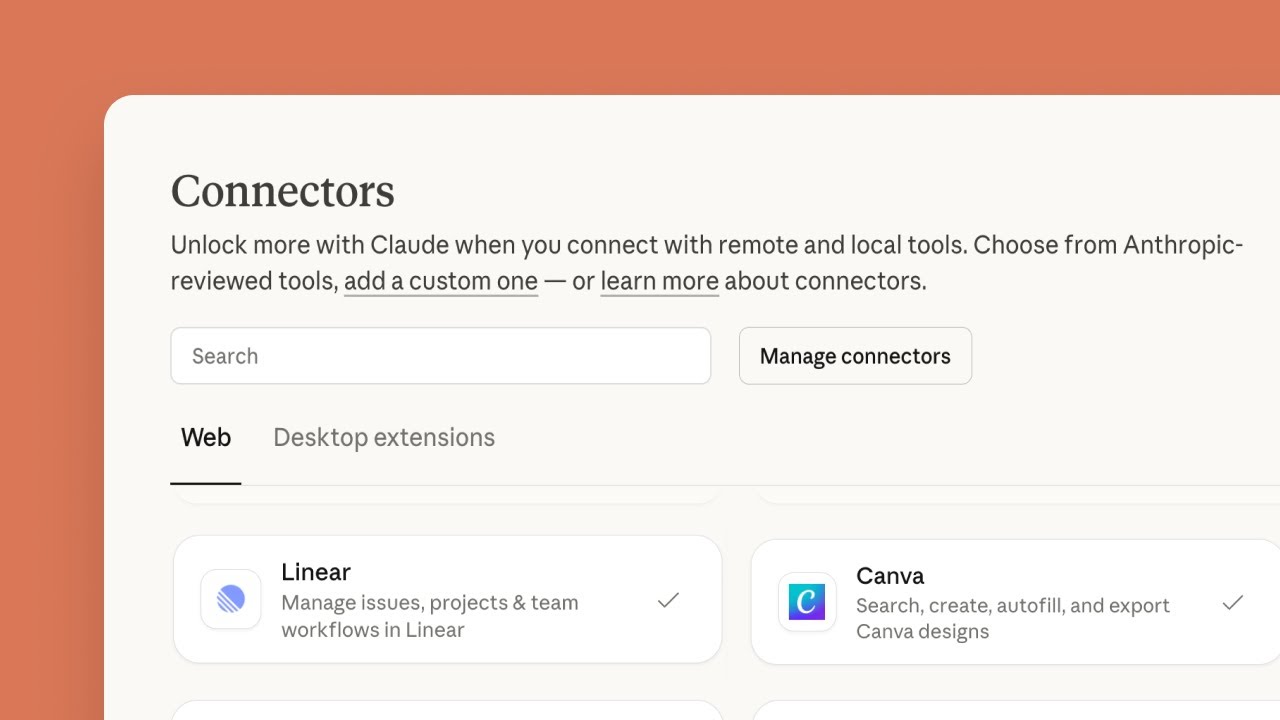
Video: How to Set Up Connectors in Claude
Anthropic's own walkthrough. Menu names in Claude may have moved since it was recorded, so follow the steps above where they differ.
Canva Is the Design Companion, Not a Publisher
Canva has its own MCP server, and it is about designs. Canva's MCP tool reference lists 46 tools to search, create, generate, copy, resize, comment on and export designs, fill brand templates and manage folders. Some of them, such as autofill, brand templates and resize, need Canva Pro or above, and the plan affects export quality. Nothing in the list publishes to a social network.
That makes it a good pair for the publishers above that only post what you bring. Ask the assistant to make or export the design in Canva, then pass the exported file to the social server. Zernio gives the assistant upload links for media, Planoly imports an image from an approved link such as a Canva export, and Buffer attaches media to a post. Two connectors, one for the design and one for the post, keep each tool doing what it is good at.
Three servers on this list make the visuals themselves, so they need no second connector for it. Postiz generates images and videos, Blotato makes images, carousels and videos from its visual templates, and Spreadcast designs posts and carousels from your app's own brand kit and App Store listing, with real screenshots in an iPhone frame. Spreadcast also adds a picture or video from a public link, such as a Canva export, and saves pictures as JPEG, so a design you already made in Canva still works with it.
Social Media Tools Without an Official MCP Server
We looked for official MCP servers from Later and SocialBee on their own sites and help centers on October 15, 2026, and found none. SocialBee's integrations page lists Canva, Unsplash, GIPHY, link shorteners and the automation tools Zapier, Pabbly and Make, with no MCP server or AI assistant connector. If you use either tool, Zapier MCP is the nearest route, with the trade offs described above.
Sprout Social is a different case and not on our ranked list. Sprout Social's announcement of November 18, 2025 says customers can deploy a remote MCP server to bring Sprout's social data into AI workflows, starting with ChatGPT. It is built for analysis of social data rather than for drafting and publishing posts from chat, so it answers a different question from the ten servers above.
Social Media MCP Servers Compared Feature by Feature
Five things beyond posting decide most choices: how much the server exposes, whether it designs the post visuals itself, whether it can check a post before it goes out, whether it reads results and how it carries media. Not stated means the vendor page we read did not say.
| Server | Tools | Designs posts and carousels | Check before posting | Analytics | Media |
|---|---|---|---|---|---|
| Spreadcast | 21 tools and 2 ready prompts | Yes: posts, carousels of 3 to 8 slides and App Store moment posts in your app's colors, fonts and logo, with real screenshots in an iPhone frame | A dry run against every network rule, without saving | Totals per network, top posts, best hours and weekdays, followers, app ratings | Saves its designs to your library, and attaches pictures or video from a public link |
| Buffer | Account, channels, posts, ideas, templates and GraphQL tools | No, it attaches media you bring, per Buffer's guide | Not in the tool list | Aggregated post metrics | Not in the tool list |
| Metricool | Not counted on its pages | Not stated | Not stated | Analytics, ad accounts and best time to post | No Canva or Drive files |
| Postiz | 13 | AI image and video generation, per Postiz's MCP introduction | A settings schema per channel | Not in the tool list | Clips long YouTube videos into vertical clips |
| Hootsuite | Four servers, tools not listed | Not stated | Not stated | Performance through Perch, listening through Lumen | Your content library |
| Zernio | 20 core, plus one per API endpoint | No, upload links for your own files, per Zernio's tool reference | Not in the core tools | Analytics tools among the generated ones | Upload links for your media |
| Ocoya | 22 | Not stated, it reads Studio templates as visual references, per Ocoya's tool reference | Not stated | Not in the tool list | Studio templates and hashtag libraries |
| Planoly | Not counted on its pages | No, it imports media such as a Canva export, per Planoly's MCP page | Not stated | Instagram analytics and report links | Media library, import from links |
| Ayrshare | 33 | No, it drafts post copy and checks media, per Ayrshare's tool catalog | A dry run with the same input as a post | Post and network analytics | Validates media |
| Blotato | 35 | Images, carousels and videos from templates, per Blotato's tool list | Not stated | Top posts and post analytics | Upload addresses for local files |
Read from the tool references linked in the ranked list on October 15, 2026. Not stated means the page did not say. Canva's MCP server designs but does not publish to a social network, so it is covered in its own section instead of this table.
Best Social Media MCP Server by Need
The best MCP servers for social media management are different tools for different jobs. Find your case and start there.
For Creating the Posts, Not Only Scheduling Them: Spreadcast
Spreadcast's server lets Claude or ChatGPT design the post pictures and carousels in your app's colors, fonts and logo, with real screenshots in an iPhone frame, write a caption per network, then schedule and publish once you approve. The designs come from the same code as the Spreadcast app.
For App Makers: Spreadcast
Your app's App Store listing already holds the news worth posting. Spreadcast's server lets Claude or ChatGPT turn each new version and rating milestone into designed posts in your brand, with a caption per network, and nothing goes out until you approve it. See the Spreadcast MCP server page.
For a Free Start: Buffer or Metricool
Both put MCP on the free plan. Buffer covers 3 channels with posts, ideas and templates. Metricool covers 1 brand with analytics and best time to post, up to 20 scheduled posts a month and without LinkedIn.
For Open Source: Postiz
Postiz is open source, its hosted plans all include the MCP server, and it generates images and video. Self hosting is free if you can run a server and get each network's app approval.
For Inbox and Listening: Hootsuite
Four servers cover content, the inbox, listening and advocacy, with prebuilt connectors in ChatGPT and Claude. It is priced per user, so it fits teams more than solo founders.
For Developers Building Agents: Zernio or Ayrshare
Zernio has 20 core tools, one generated tool per endpoint and 2 free accounts. Ayrshare has 33 tools with comments, DMs, webhooks and ads, and works only with clients that send a header.
For Strict Permissions: Ocoya
OAuth only, publishing as its own scope, and a list of brands you tick at sign in. If a security review has to approve the connection, this is the easiest one to explain.
For Instagram Planning: Planoly
Reels, stories and carousels, Best Time slots and TikTok trending sounds, from $14 a month. Assistant connections need a paid plan.
For Visuals and DMs: Blotato
Images, carousels and videos from templates, plus Instagram and Facebook comments, messages and DM automations, in 35 tools. MCP starts with a paid plan.
Which Social Media MCP Server Fits App Makers
Most social media MCP servers wait for you to supply the topic and the picture. That is fine for a brand with a content plan and a designer. For someone who makes an app, the topics already exist: every release has notes, and every rating milestone is a reason to thank people. The work is turning them into posts in time, with a picture that looks like the app, in the right voice, for each network.
That is the job Spreadcast's server is built for. Ask the ready prompt Draft posts from my app's news and the assistant lists the moments from your App Store listing, designs the picture for each, such as a new version post with what changed and the app's screenshot, writes the post in your brand's voice, writes a caption per network inside its limits and saves them as drafts. Ask for a carousel and it designs 3 to 8 slides in one look, from a cover to a last slide that sends people to the app. The second ready prompt, Plan a week of posts, fills a week. Analytics come back the same way: totals per network, top posts, best hours and weekdays from your own results, follower changes and the app's ratings. On Studio, at $79 a month for 5 apps, each app keeps its own brand kit, so one conversation can work across several apps without mixing their voices.
Two things to know before you connect. The server does not edit video: an assistant can attach a video you bring by link, but cutting and editing video stays outside it, so make the video in your own editor and hand the assistant the link. The server also has no comment or DM inbox tools, so if replies from chat matter, pair it with Hootsuite, Ayrshare or Blotato.
How We Ranked These Social Media MCP Servers
We make Spreadcast, so read the order with that in mind. It is first because it is the only server that creates the posts from an app's own brand and news, designed pictures and carousels included, with drafts only by default and approval as a separate step. The other nine are ranked by how much a general social media team can do through them: full schedulers with MCP on a free or low priced plan first (Buffer, Metricool, Postiz), then the team suite (Hootsuite), then tools that serve a narrower job well (Zernio and Ocoya for builders and strict permissions, Planoly for Instagram, Ayrshare and Blotato for many profiles, comments and DMs).
Six things decided the order: what an assistant can do through the server (read, design, draft, schedule, publish, reply), whether a person keeps the final yes by default, how you sign in, what the free option allows, which networks are on the vendor's own list, and the entry price. Every fact was read on the vendor's own documentation, help center or pricing page on October 15, 2026, in US dollars before tax. Where a page did not say something, the tables say Not stated instead of guessing. MCP servers change fast, so check the tool list again before you connect one to an account that matters.
If Blotato is the tool you are replacing, the best Blotato alternatives compares its API and MCP server with Postiz, Buffer, Zernio, Ayrshare and others, with prices.
Frequently Asked Questions
What is a social media MCP server?
It is a connector that lets an AI assistant such as Claude or ChatGPT work inside a social media tool through the Model Context Protocol. The server lists tools such as create a post, schedule it or read analytics, and the assistant calls them when you ask. The official MCP introduction describes MCP as an open standard for connecting AI applications to outside systems.
What are the best social media MCP servers in 2026?
Spreadcast for app makers who want an assistant to create designed posts and carousels in their app's brand and publish them after a separate approve step, Buffer and Metricool for MCP on a free plan, Postiz for open source with image and video generation, Hootsuite for inbox and listening, Zernio and Ayrshare for developers, Ocoya for strict permissions, Planoly for Instagram and Blotato for visuals, comments and DMs.
Can a social media MCP server create the post images, not only schedule them?
Some can. Spreadcast designs post pictures, carousels and App Store moment posts in your app's brand, with real screenshots in an iPhone frame, then schedules and publishes them after you approve. Postiz's MCP introduction lists AI image and video generation, and Blotato's tool list makes images, carousels and videos from templates. Canva's MCP server designs but does not publish, and most other servers post the files you bring.
Is there a free social media MCP server?
Yes. Buffer's MCP page says MCP is included on every plan, including Free, which covers 3 channels. Metricool's MCP limits article says its MCP works on any plan, including Free, with up to 20 scheduled posts a month. Zernio's first 2 accounts are free, Postiz is free to self host, and Spreadcast's free plan saves drafts through its server.
Can an MCP server post to Instagram?
Yes. Every server in this roundup lists Instagram. Planoly names grid posts, carousels, reels and stories, and Blotato and Ayrshare also handle Instagram comments and messages. Whether a post goes out at once depends on the server and the access you grant: Spreadcast saves drafts unless you chose Make and Publish, and Ocoya publishes immediately only with its posts:publish scope.
Is there a LinkedIn MCP server?
Yes, through the social media tools that publish to LinkedIn. Buffer lists LinkedIn pages and profiles on its free plan, Postiz lists profiles and company pages, and Spreadcast, Hootsuite, Zernio, Ocoya, Ayrshare and Blotato all name LinkedIn. Metricool supports it only on paid plans.
Which social media MCP servers support TikTok?
All ten in this roundup name TikTok. Buffer lists TikTok business profiles, and Planoly adds TikTok trending sounds that the assistant can attach to posts.
Are social media MCP servers safe?
They are as safe as the access you grant and the approvals you keep. The main risk is prompt injection: text in a comment, DM or document that tries to make the assistant publish or send something. Anthropic's connector guide says to connect only servers you trust, review the OAuth scopes and keep approval prompts on for tools you do not trust to run unsupervised. Prefer servers that save drafts by default and treat publishing as a separate permission.
Should I use OAuth or an API key for an MCP server?
OAuth when you can. You approve access on the vendor's own page, often choose a narrower level of access, and can revoke it from a list, and no secret is pasted into a file. The MCP security best practices recommend starting with minimal scopes and asking for more only when needed. Use an API key for clients that only take a header, and keep one key per tool so each can be revoked alone.
Is an MCP server better than Zapier for social media?
For posting and reporting, a social tool's own server usually goes deeper: it knows the network rules, drafts, calendar and analytics. Zapier MCP reaches more than 9,000 apps and uses two tasks per tool call, which suits flows that leave the social tool, such as logging posts in a spreadsheet.
Which social media MCP server is best for app developers?
Spreadcast. Its server reads your app's App Store listing for new versions and rating milestones, designs post pictures and carousels in your app's colors, fonts and logo with real screenshots in an iPhone frame, writes per network captions in your brand's voice, and saves drafts until you approve them. The free plan designs posts and saves drafts, and Pro at $29 a month includes scheduling and publishing to every connected network. See the pricing page.
Do Later, SocialBee or Sprout Social have an MCP server?
We found no official MCP server from Later or SocialBee on their own sites on October 15, 2026. Sprout Social announced a remote MCP server that brings its social data into AI tools, starting with ChatGPT, per Sprout Social's announcement.
Prices, plans and features change. This comparison describes each product as its own site described it on the date shown under Sources. Check the vendor's site before you decide. Product names are trademarks of their owners.
Where These Facts Come From
Every outside number, rule and price on this page links to the page it was taken from.
- What is the Model Context ProtocolModel Context Protocol
- MCP security best practicesModel Context Protocol
- Introducing the Model Context ProtocolAnthropic
- Get started with custom connectors using remote MCPClaude Help Center
- Building MCP servers for ChatGPT, with write action risksOpenAI
- Connecting custom MCP servers in ChatGPTOpenAI Help Center
- LLM01 prompt injectionOWASP GenAI Security Project
- Buffer MCP server, plans and safetyBuffer
- Buffer MCP developer guide with the tool listBuffer Developers
- Connect Buffer to Claude over OAuthBuffer Developers
- Buffer machine readable pricing with API limits and channelsBuffer
- MCP limits and plan requirementsMetricool Help Center
- Metricool MCP serverMetricool
- Metricool pricingMetricool
- Postiz MCP introduction and toolsPostiz Docs
- Postiz channels and hosted MCP sign inPostiz
- Postiz pricingPostiz
- Hootsuite MCP serversHootsuite
- Hootsuite plans and pricesHootsuite
- Hootsuite integrations and supported networksHootsuite
- Late is now ZernioZernio
- Zernio MCP overview and sign inZernio Docs
- Zernio MCP tool referenceZernio Docs
- Zernio pricing per connected accountZernio
- Ocoya MCP get started, OAuth and scopesOcoya Docs
- Ocoya MCP toolsOcoya Docs
- Connect an AI tool to OcoyaOcoya Help
- Ocoya pricingOcoya
- Ocoya publishing destinationsOcoya
- What the Planoly MCP can doPlanoly
- Planoly MCP setup guidePlanoly Help Center
- Planoly pricingPlanoly
- Ayrshare MCP tool catalogAyrshare Docs
- Connect to the Ayrshare MCP serverAyrshare Docs
- Ayrshare pricingAyrshare
- Blotato MCP toolsBlotato Help
- Blotato MCP setupBlotato Help
- Blotato pricingBlotato
- Blotato supported platformsBlotato
- Canva MCP server toolsCanva Developers
- Zapier MCPZapier
- Sprout Social unveils Trellis, with a remote MCP serverSprout Social
- SocialBee integrationsSocialBee
- Video: The Model Context ProtocolAnthropic
- Video: Getting started with connectors in ClaudeAnthropic
Researched and written by Spreadcast. Last checked on October 15, 2026.