Your App Screens, Posted as an Instagram Carousel
Spreadcast designs every slide in your app's brand and publishes them as one real carousel on Instagram, with the same slides on TikTok, LinkedIn and Facebook.
lumi.sleep Rain on a tin roof for 45 minutes, then the timer fades it out.
What an Instagram Scheduler Does, and When You Need One
An Instagram scheduler holds a post you have already made and publishes it at the time you pick, so you do not have to be holding your phone at 9 in the morning on a Thursday. There are two kinds. The first is Instagram's own scheduler, which lives inside the Instagram app and costs nothing. The second is an outside tool, such as Spreadcast, Later or Buffer, that keeps your post on its own servers and hands it to Instagram at the right minute through Instagram's official publishing API.
Does Instagram have a scheduler? Yes, and since March 2026 more people can use it. Social Media Today reported on March 1, 2026 that Instagram opened its creator tools, content scheduling, the insights dashboard and trending audio among them, to all public accounts, where before you had to switch to a professional account first. So the old advice that you need a business account to schedule anything is out of date for the app itself. It still holds for outside tools, as the account section below explains.
If the app can do it for free, why do people pay for an Instagram post scheduler? Usually for one of four reasons. They want to work on a computer instead of a phone. They post the same news to Instagram and to other networks, and do not want to upload it five times. They want to see a whole month on one calendar and move things around. Or, and this is the one most tools skip, they need someone to make the post in the first place, because the slow part of Instagram was never pressing Schedule.
This page covers both routes in the detail people actually search for: how to schedule a post on Instagram in the app, how far ahead you can go, what changes for Reels and Stories, what a personal, creator or business account can do, how to schedule from a computer with Meta Business Suite, what Instagram's publishing interface allows outside tools to do, why a scheduled post fails, and twelve Instagram schedulers compared with prices from each vendor's own page, read on November 10, 2026.
We make Spreadcast, so weigh the comparison with that in mind. It comes first in the roundup because it is the only tool here that designs the post, writes the caption and checks Instagram's limits before scheduling. Where the free Instagram app or a cheaper plain scheduler is the better pick for you, the page says so, and Spreadcast's own limits on Instagram are listed plainly near the end.
ledgerly Shared budgets are here. Plan the month together and split anything.
How to Schedule Instagram Posts With Spreadcast
Everything happens in a web browser, so it works the same on a Mac, a Windows laptop or a phone. You connect Instagram once; after that each post is one editor and one calendar.
- 1
Connect Your Instagram Account
Connect an Instagram professional account, Business or Creator, by signing in with Instagram. No Facebook Page is needed for that, which matches what Meta's Instagram Platform overview says about Instagram Login. You can connect several Instagram accounts; each counts as one of the 10 social accounts on Pro. If you want Instagram music on Reels, connect the same account through Facebook as well, which the editor offers when you open the music picker.
- 2
Make the Post or Upload Your Own
Spreadcast designs a single picture or a carousel in your brand, with your colors, fonts, logo and real product screenshots, and every word on the canvas can be edited. If you market an iPhone app, it also builds posts from your App Store listing, such as a new version or a rating milestone. If you have no app, or you already have the media, choose Upload My Own on the Create page and bring your own photos or a video.
- 3
Get an Instagram Caption Written
Spreadcast writes a caption for Instagram that stays under Instagram's 2,200 character limit, and a separate one for each other network you tick, in the length and tone each one rewards. Change any word on the Instagram tab and the other networks keep their own version.
- 4
Set How Each Picture Sits in the Frame
Instagram's publishing interface refuses pictures outside the 4:5 to 1.91:1 range, so Spreadcast fits every picture before sending it. For each one you choose: fill the frame and crop around the spot you pick, or show the whole picture with a soft blurred border. In a carousel the first picture sets the shape for all the others, the same way Instagram crops a carousel to its first slide.
- 5
Add a Cover and Music to a Reel
A video goes out as a Reel that also shows in your feed. Pick the cover frame in the editor, or Spreadcast takes the frame at one second. On an account connected through Facebook, the Sound section lists the tracks Meta clears for use outside the Instagram app, trending ones included, with a slider for the music and one for the video's own sound.
- 6
Take the Time It Offers or Pick Your Own
The time field opens on the next usable slot, at least half an hour from now and rounded to the quarter hour. One tap picks In an hour, This evening or Tomorrow morning, or you choose any day and time. Times show in the time zone of your device. Spreadcast keeps the post itself, so there is no 30 day ceiling like the one in the app; the only rule is that the time is in the future.
- 7
Let It Check the Post First
Before the post is scheduled, Spreadcast checks it against Instagram and every other network you picked: caption length, that Instagram has a picture or a video, no more than 10 pictures, and a video no longer than 15 minutes. If one network cannot take the post, the alert names it and offers to fix it or to schedule without that network.
- 8
It Publishes Within Minutes of the Slot
The publisher runs every five minutes, so a post goes out within minutes of its time. Scheduled posts sit on a calendar with week, month and list views, and you drag a card to another day or hour to move it. If Instagram refuses a post, the card says why in plain words, with a Try Again button, and the other networks are not held back.
Every Way to Schedule Instagram Posts, Side by Side
There are four routes to a scheduled Instagram post. They differ in what they cost, where you work and what they can publish. Every limit links to the page it comes from.
| Route | Cost | Where you work | What it can schedule | Limits worth knowing |
|---|---|---|---|---|
| Instagram app | Free | Phone | Posts, carousels and Reels, per Instagram's scheduling help | Public accounts, up to 25 a day and 30 days ahead; product tags, collaborative posts, sponsored posts and fundraisers cannot be scheduled |
| Instagram app with Meta One | Paid Meta subscription | Phone | Posts and Reels up to a year ahead, and Stories up to 30 days ahead | Advanced, Expert and Max plans only, not for teen accounts; Meta says Meta One is in limited testing |
| Meta Business Suite | Free | Computer or the Business Suite app | Posts and Reels for Facebook and Instagram from one composer, per Meta's Business Suite help, and Stories too | Meta's own networks only; up to 10 photos in an Instagram post; you need full control of the account or content permission on it |
| A scheduling tool | Free plans, or paid plans starting from about $5 to $99 a month | Computer, phone or both | Whatever Meta's publishing guide allows: pictures, videos, Reels, carousels and Stories | Professional accounts only; 100 published posts per account in 24 hours |
| Spreadcast | From $19 once or $29 a month | Any web browser | Feed posts, carousels and Reels, designed and captioned, plus your other networks | No Stories; no first comment; carousels of up to 10 |
To schedule Instagram posts for free, the app is the simplest and Meta Business Suite is the free way to do it from a computer, Stories included. A tool earns its price when you post to several networks, plan from a calendar, or want the post made for you.
How to Schedule a Post on Instagram in the App
The free way, step by step, as Instagram describes it on its help page for scheduled posts and Reels, read on November 10, 2026. It works on a public account on iPhone or Android.
- 1
Start a Post or a Reel
Tap the Create button with the plus sign at the top left, or swipe right anywhere in your feed, and choose Post or Reel.
- 2
Pick Your Photo or Video
Choose a photo, several photos for a carousel, or a video, then tap Next. Add your edits, effects or filters on the following screen.
- 3
Write the Caption
Write the caption and add music if you want it. Instagram now takes up to 5 hashtags on a post or Reel, so pick the five that describe the post best.
- 4
Open More Options
Tap More options on the screen where you write the caption. This is where the scheduling switch sits. Older guides may point you to a different menu name, because Instagram has moved its settings around since scheduling launched in 2022.
- 5
Turn On Schedule This Post
Switch on Schedule this post, or Schedule this reel for a video, and choose the date and time. Without a subscription the date can be up to 30 days away. Meta's Meta One page adds that the times listed under Follower active times are suggestions from your followers' activity over the last 28 days, shown in your current time zone.
- 6
Tap Done, Back, Then Schedule
Tap Done, then Back, then Schedule. The post now waits under Scheduled content and goes out by itself at that time. To change it later, open your profile, tap Menu at the top right and, below Your insights and tools, tap Scheduled content; Options next to a post lets you delete it, edit it, reschedule it or share it now.
How Far in Advance Can You Schedule Instagram Posts
Thirty days, for most people. Meta's help page on scheduling with Meta One says that without a subscription you can schedule content up to 30 days in advance, and that a Meta One subscription stretches that to a year, 365 days. The longer window is part of the Meta One Advanced, Expert and Max plans, and Meta says it is not available to teen accounts. Meta's page about Meta One plans adds that the subscription is in limited testing, so whether you can buy it depends on your country and account.
You will find 75 days in a lot of articles. That was the number when Instagram first rolled out scheduling to all professional accounts: Social Media Today's report from November 7, 2022 describes scheduling photos, carousels and Reels up to 75 days ahead. It is not today's figure. Even Buffer's guide to scheduling on Instagram notes that its author could not schedule more than 28 days ahead in the app, which fits the 30 day window Meta now states.
How many posts can you schedule a day? Instagram's scheduling help page says you can schedule up to 25 posts a day, up to 30 days in advance, and that a scheduled post keeps the privacy and audience settings it had when you scheduled it. The same page lists what cannot be scheduled for now, and Meta's Meta One page repeats the list word for word: product tagging, collaborative posts, sponsored posts and fundraisers.
Outside tools have a different limit, because they publish rather than schedule inside Instagram. The tool keeps your post and sends it at the minute you chose, so the 30 day window does not apply to it. What does apply is Meta's publishing limit: an Instagram account can publish 100 posts through the interface in any moving 24 hour period, and a carousel counts as one post. Nobody posting by hand comes close. An agency posting dozens of client posts from one account in a day could.
So, can you schedule Instagram posts in advance for next month? In the app, up to 30 days out. For a launch, a holiday or a campaign that is two or three months away, either load it into a tool that holds posts itself, Spreadcast included, or put a reminder in your calendar to schedule it in the app once it falls inside the window.
Can You Schedule Instagram Posts on a Personal Account
In the Instagram app, yes, if the account is public. Since the change reported on March 1, 2026, a public personal account gets the same scheduling switch as a creator or business account, along with insights and trending audio, and Instagram's help page now names a public account as the only requirement. A private account does not get the switch. If you post for a business from a private account, make it public in your privacy settings first, and the Schedule this post switch appears under More options.
With an outside tool, no. Meta's publishing guide covers Instagram professional accounts only, and every tool that publishes on its own goes through it. That is why Flick's Instagram scheduler page says it cannot auto publish to personal accounts, and why some tools offer notification publishing instead: the tool reminds you at the time and you finish the post in the app yourself. Switching to a professional account is free in the Instagram app's settings.
Creator or business, which should you pick? For scheduling it makes no difference; both are professional accounts and both work with every tool on this page. A business account suits a shop, a brand or an app, a creator account suits a person. What does differ is the Facebook question. Meta's Instagram Platform overview describes three ways for a tool to connect, and two of them, Instagram Login and the newer Unified Login, need no Facebook Page at all. So an Instagram scheduler without Facebook is entirely possible today. Only tools that connect through Facebook Login need the Instagram account linked to a Page.
One more account type has its own rules: teens. Meta's help pages say the Meta One scheduling options, the year long window for posts and Reels and scheduled Stories, are not available to teen accounts. If a teenager runs the account for a family business, plan on the standard 30 day window.
Personal, Creator and Business Accounts: What Each Can Schedule
What each account type can schedule on Instagram as of November 10, 2026.
| Account | In the Instagram app | With Meta Business Suite | With an outside tool |
|---|---|---|---|
| Private personal account | No scheduling | Meta's help is written for creators and Page admins | No; reminder notifications at most |
| Public personal account | Posts, carousels and Reels, up to 30 days ahead | Meta's help is written for creators and Page admins | No; reminder notifications at most |
| Creator account | Posts, carousels and Reels, up to 30 days ahead | Yes, posts, Reels and Stories | Yes, auto publishing |
| Business account | Posts, carousels and Reels, up to 30 days ahead | Yes, posts, Reels and Stories | Yes, auto publishing |
| Eligible public account with Meta One | Posts and Reels up to a year ahead, Stories up to 30 days | Same as without | Same as without |
Sources: Instagram's scheduling help page, Meta's help pages on scheduling with Meta One, Meta Business Help on scheduling posts and Stories, Meta's Content Publishing guide for developers, and Social Media Today's report of March 1, 2026. Switching to a Creator or Business account is free and can be undone.
How to Schedule Instagram Posts on Desktop and From a Computer
The Instagram app's scheduler is on the phone. The Meta pages we read describe scheduling in the app and in Meta Business Suite, and we found no scheduling switch documented for instagram.com in a desktop browser. So if you want to schedule Instagram posts from a computer, the free answer is Meta Business Suite, and the paid answer is any scheduling tool that runs in a browser.
Meta Business Suite is Meta's free dashboard for Facebook Pages and Instagram professional accounts, at business.facebook.com. Meta's help article on saving and scheduling posts walks through the composer: you create a post, pick the Instagram account and the Facebook Page it goes to, add the media and caption, and turn on the toggle for Scheduling options to pick a date and time. An Active times button suggests times from when your followers were most active over the past 7 days, and scheduled posts sit in the Planner, a calendar of everything waiting, and under Content, Posts and reels, Scheduled. The steps are below.
Business Suite also does two things the free app does not. It schedules Instagram Stories from a computer: Create story, pick your Instagram profile, add up to 10 photos or videos, add text, mentions, stickers or a link, then choose Schedule under Scheduling options. And its post composer lets you add a location to the post. It holds Instagram posts to 10 photos, though, where Meta's developer interface takes 20 items in a carousel.
Business Suite has two weak spots for a desktop scheduler. It covers Meta's networks only, so TikTok, LinkedIn, Pinterest or YouTube need their own upload. And it does not make the post: you design the picture elsewhere and bring it in. If your Instagram is part of a wider plan, a tool that holds every network on one calendar saves the second and third upload.
Spreadcast runs in any browser on a Mac or a PC, with nothing to install. You design or upload the post, get an Instagram caption and one for each other network, set the time and see it on the calendar. The same steps work on a phone browser, which helps when you want to move a post while you are away from your desk.
How to schedule a post on Instagram from a computer for free, then, in one line: open Meta Business Suite in your browser, create the post for your Instagram account, switch on scheduling and pick the time. For the reverse case, a post you design on a computer but want to schedule from the app with music, send the file to your phone first; our Instagram post size guide lists the sizes that keep it sharp.
“I haven’t slept this well since I was a kid.”
How to Schedule Instagram Posts in Meta Business Suite
From Meta's Business Suite help, on a computer, read on November 10, 2026. You need full control of the Instagram account, or content permission on it.
- 1
Open Business Suite and Start a Post
Go to business.facebook.com and click Create post, from the home page or from the Content tab.
- 2
Pick Where It Goes
Under Post to, tick your Instagram account. Tick the Facebook Page too if the same post should go there; Meta's guide to creating posts lets you change the text for each one.
- 3
Add the Media and Caption
Upload the photos or video and write the caption. Meta's guide caps an Instagram post made here at 10 photos. Keep the caption under 2,200 characters and to 5 hashtags, since Instagram applies its own rules to whatever Business Suite sends.
- 4
Switch On Scheduling Options
Turn on the toggle for Scheduling options and choose the date and time, or click Active times to schedule for when your audience is most active.
- 5
Schedule and Check the Planner
Click Schedule. The post appears in the Planner and under Content, Posts and reels, Scheduled. From Options, then Manage post, you can reschedule it, edit it or delete it before it goes out.
Video: Scheduling Posts and Reels in Meta Business Suite
The Business Suite route above, on a computer screen, from a short independent tutorial published in February 2026. Meta's own walkthrough on YouTube dates from 2022 and shows an older layout.

How to Schedule Instagram Reels, With Music and a Cover
Scheduling a Reel in the app works like a post. Tap Create, choose Reel, pick the video, edit it, add music, text and stickers, then tap Next, More options and switch on Schedule this reel. Meta's help page names that switch for Reels and gives the same 30 day window. The upside of the app is that everything Instagram's editor offers, trending audio included, is there when you schedule.
Music is where the routes split. In the app, the song you add stays on the scheduled Reel. A tool has to go through Meta's interface, and Meta's media reference gives Reels an audio_name field that only renames the Reel's original audio; it does not pick a song from Instagram's library. Some tools still offer music: Later's pricing page lists Instagram Reels Audio on every plan. Others, such as Planoly, send you a notification so you can post natively with music in the app. Spreadcast adds Instagram music to Reels only for accounts connected through Facebook Login, because that is the only connection Meta's music access answers.
The cover is easier. Meta's reference lets a tool send its own cover picture for the Reels tab, or a thumb offset that picks a frame from the video by its position in milliseconds. A scheduled Reel can also be kept to the Reels tab or shown in the feed too, through the share to feed setting. Meta recommends 9:16 for both the video and the cover, crops a cover of another shape to its middle 9:16, and accepts videos from 3 seconds to 15 minutes. Our Instagram Reel size guide covers the safe zones that captions and buttons cover.
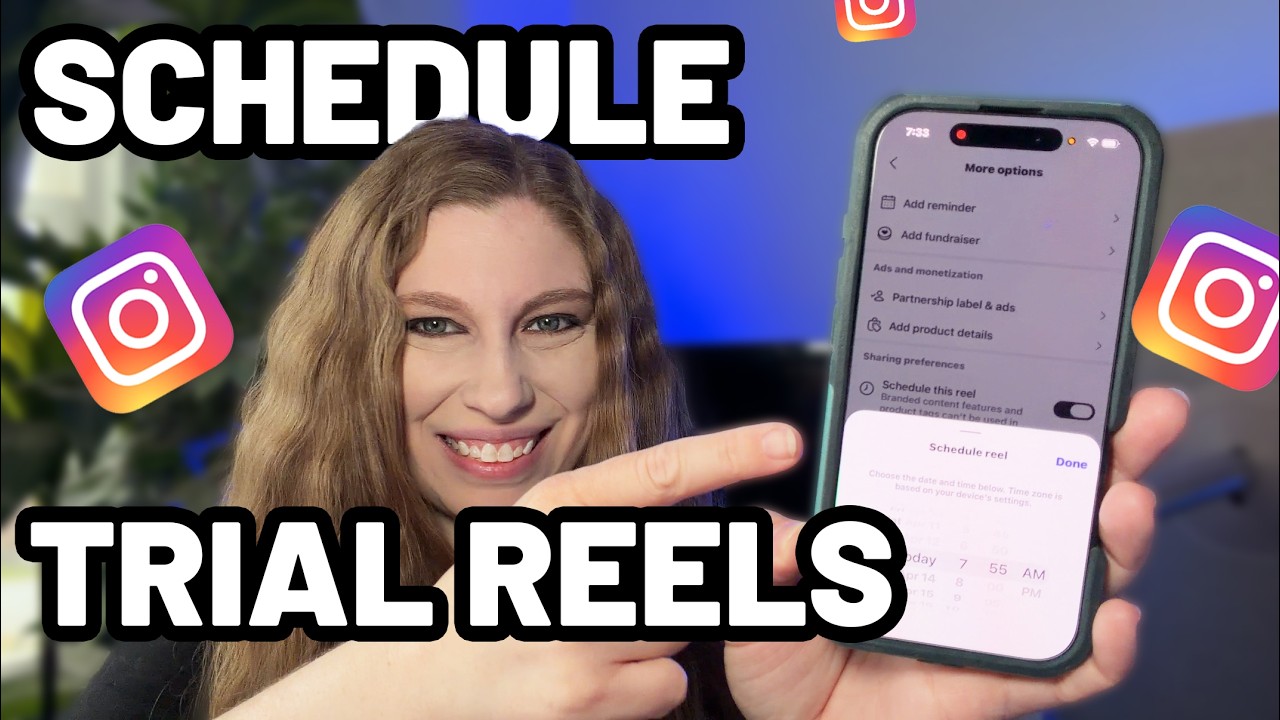
Trial Reels can be scheduled too. Social Media Today reported on April 2, 2026 that Instagram now lets creators schedule Trial Reels, the format that shows a Reel to people who do not follow you first, so you can see how it does before your followers see it. In the report, Adam Mosseri says that you can now schedule them ahead of time. Tools can do it through Meta's interface as well: the publishing guide has trial settings that either wait for you to share the Reel with followers by hand in the app or share it automatically if it performs well. Not every account has Trial Reels; the March 2026 report notes that some extras, Trial Reels among them, still depend on thresholds, and gives reaching 1,000 followers as an example.
If music is the point of a Reel, schedule that Reel in the Instagram app, and let a tool handle the rest of the week. That is also how we suggest using Spreadcast when your account is connected only through Instagram: it publishes the Reel with the video's own sound, its cover and the caption, and you add trending audio in the app on the days it matters.
Rain on a tin roof, 45 minutes, then silence. Lumi’s new sleep timer fades out on its own
Video: How to Schedule Instagram Trial Reels
Scheduling a Trial Reel takes a few more taps than a regular Reel. This walkthrough from a social media educator was published in April 2026, soon after the feature arrived.
How to Schedule Instagram Stories
Stories are the format the free scheduler in the Instagram app leaves out. In the app, Meta's help page on scheduling Stories says only eligible accounts with a Meta One subscription can schedule a Story, on the Advanced, Expert or Max plan, up to 30 days ahead, and not on teen accounts. The steps: tap Create and Story, choose the photo or video, tap the share arrow, select Schedule and then Share, pick the date and time, where Follower active times suggests when your followers are online, and tap Schedule. You get a notification when it goes live. To change it, open the Story composer, tap Add to story, go to the Schedule tab and use the options menu to share it now, reschedule it or delete it.
The free way to schedule an Instagram Story is on a computer. Meta's Business Help on Stories describes it: in Meta Business Suite click Create story, choose your Instagram profile under Post to, add up to 10 photos or videos, use Edit to crop, trim, add text, mentions or stickers, and Add link for a link people can follow. Under Scheduling options choose Schedule, set the date and time, and click Schedule. Scheduled Stories wait under Content, Stories, Scheduled, where you can publish, reschedule or delete them. You need full control of the account or content permission on it.
Outside tools can publish Stories, because Meta's publishing guide has a Stories media type for professional accounts. Later's Instagram scheduler page says it auto publishes Stories, and Sked Social's says the same for Stories and chains of Stories, with one exception it names itself: for a Story with a link sticker, Sked sends you a notification with the Story ready, and you add the sticker and publish it yourself. Stickers are the gap in every outside tool, because Meta's media reference says publishing link, poll and location stickers is not supported.
Spreadcast does not publish Stories. It schedules feed posts, carousels and Reels. If Stories are a big part of your Instagram, schedule them free in Meta Business Suite, with Meta One in the app, or with one of the tools above, and our Instagram Story size guide for the 1080 by 1920 frame.
What Instagram's Publishing API Lets a Scheduler Do
Every Instagram scheduling tool publishes through the same interface, so its limits are every tool's limits. These come from Meta's Content Publishing guide and IG User Media reference, read on November 10, 2026.
| Topic | What Meta's documentation says | What it means when you schedule |
|---|---|---|
| Accounts | Instagram professional accounts only | Personal accounts get reminders, not auto publishing |
| Formats | Single images, videos, Reels, carousels and Stories | Feed posts, Reels and carousels publish by themselves in any tool that supports them |
| Posts per day | 100 API published posts per account in a moving 24 hours; a carousel counts as one. The carousel section of the same guide says 50 | Far above what one person posts; worth watching for agencies |
| Carousels | Up to 20 images, videos or a mix, cropped to the first image's shape | Put your best framed slide first |
| Caption | Up to 2,200 characters and 20 @ tags | The first lines show before the more link, so lead with the point |
| Hashtags | The reference still lists 30 per caption | Instagram's app rule is now 5, so write five |
| Images | JPEG only, up to 8 MB, aspect ratio 4:5 to 1.91:1; wider than 1440 pixels is scaled down | PNG or HEIC files have to be converted, and a 9:16 picture is refused as a feed post |
| Reels | 9:16 recommended, 3 seconds to 15 minutes, up to 1920 pixels wide | Long Reels are allowed; the safe zones still apply |
| Covers | A custom cover picture, or a frame picked by its position in the video | Choose the cover before scheduling, not after |
| Extras a tool can send | Alt text on pictures up to 1,000 characters, up to 3 collaborators, a location, people tags and Trial Reel settings | Whether you get them depends on the tool; check before you rely on one |
| Not supported | Shopping tags and filters; link, poll and location stickers on Stories | Apply any filter before you upload, and add stickers in the app |
| Pages that need approval | An account whose linked Page needs Page Publishing Authorization cannot publish until it is done | A scheduled post fails until the Page owner completes it |
A container that is not published within 24 hours expires, one reason tools build the post shortly before its time rather than days ahead.
Instagram Auto Publishing vs Notification Publishing
Instagram schedulers post in one of two ways, and the pricing pages rarely make it obvious which one you get. With auto publishing, the tool sends the post through Instagram's API at the time you set, and you do nothing. With notification publishing, the tool sends a reminder to your phone at that time, you open it, and you finish the post in the Instagram app yourself. Buffer's Instagram guide offers both, calling the second one Notify Me, and Planoly's pricing page promises auto posting where platforms allow it and push notifications when you want to post natively with music and editing tools.
Notification publishing still exists for three reasons. A personal account cannot be published to by any outside tool, so a reminder is all a tool can offer. Some things the API will not carry, such as a song from Instagram's library when the tool lacks Meta's music access, or a link sticker on a Story. And some people simply prefer to press the last button themselves. The cost is that you have to be there, which is exactly what a scheduler was meant to spare you, so ask a tool which of your posts will go out on their own before you pay for it.
The second question is what travels with a scheduled post. In the Instagram app, the help page says product tags, collaborative posts, sponsored posts and fundraisers are not compatible with scheduling yet. Meta Business Suite's post composer lets you add a location and hashtags, and a collaborator can be added from the post's Manage post menu. Through the API, Meta's media reference lets a tool send alt text on pictures, up to 3 collaborators, a location and people tags, but every tool decides which of those it actually supports.
Spreadcast auto publishes everything it schedules for Instagram, feed posts, carousels and Reels, to professional accounts. It does not send alt text, collaborators, a location or people tags today, and it has no reminder mode for personal accounts. If a post needs one of those, schedule that one in the app or in Business Suite.
Instagram Scheduler Free Options and Their Real Limits
Is there a free Instagram scheduler? Several, and the best one depends on which limit hurts first. The Instagram app is free, takes up to 25 scheduled posts a day and covers posts, carousels and Reels on any public account. Its only real costs are the phone and the 30 day window. Meta Business Suite is free too and adds the computer and Facebook.
Among the scheduling apps, Buffer's free plan takes 3 channels with 10 scheduled posts per channel at any one time, and refills as posts go out, with 30 days of insights. For someone on Instagram plus two other networks, that is two weeks of posting five days a week. Publer's free plan is similar: up to 3 social accounts, excluding X, 10 scheduled posts per account at a time and 25 drafts, but only 24 hours of published post history.
Metricool's free plan gives one brand all its networks except LinkedIn and X, with up to 20 scheduled posts a month and 30 days of analytics. Pallyy's free plan is one social set with 15 scheduled posts a month, image posts only, so no Reels. Planoly's free plan lives in its mobile app and includes 10 uploads a month. Later has no free plan, only a 14 day trial.
What none of the free routes do is make the post. Every one of them expects a finished picture or video and a written caption. Spreadcast's free plan is the reverse: it makes 3 posts for you to download, with a small Spreadcast mark, and it does not publish. Use it to see the design, then schedule the downloads in the Instagram app if you want to stay free.
For most people starting out, the honest recommendation is this: if Instagram is your only network, use the app's own scheduler and save the money. If you post the same thing to three or four networks, Buffer's free plan or Publer's covers you until you outgrow ten queued posts. Pay when the time you spend making posts, not scheduling them, is the problem.
Best Instagram Scheduler Apps Compared, With Prices
Spreadcast comes first because it is the only one here that designs the post, writes the caption and checks Instagram's limits before scheduling. The others are good Instagram schedulers for posts you already have, listed from free to the most expensive starting price. Every price is from the vendor's own page on November 10, 2026, in US dollars unless stated.
- 1
Spreadcast
Free to see 3 posts, $19 once for 10 published posts, or $29 a monthBest when you want the scheduler to make the Instagram posts too
Spreadcast designs Instagram feed posts and carousels in your brand, writes the caption, checks the post against Instagram's limits and publishes it at the time you pick, along with Reels you upload. The same post can go to Facebook, LinkedIn, TikTok, Pinterest, Threads, Bluesky, Mastodon, Telegram and Discord, and to YouTube when it is a video, with a caption for each.
Scheduling works the way the steps above describe: per picture framing for Instagram's 4:5 to 1.91:1 range, Reel covers, Instagram music for accounts connected through Facebook, a calendar with week, month and list views, publishing within minutes of the slot, and a refused post that says why with Try Again. Carousels are covered on the Instagram carousel maker page.
For an iPhone app on the App Store it goes further: it reads your listing every day and turns a new version or a rating milestone into a post, which waits for one tap approval or schedules itself on Full Autopilot. That is the auto post to social media page. Claude or ChatGPT can also draft and schedule Instagram posts through Spreadcast's MCP server, and the Instagram MCP server page shows how.
Pro is $29 a month for 1 app or brand and 10 social accounts, with the design, captions, checks, publishing and analytics included. The Post Pack is $19 once for 10 posts designed and published, and it never expires. Plans are on the pricing page.
Pros
- Designs the post, not only the schedule
- Instagram caption plus one for each other network
- Fits every picture to Instagram's frame
- No 30 day window, posts held until their time
- Reels music through Facebook Login
Cons
- No Stories
- No first comment
- No shared inbox
- Carousels of up to 10, not 20
- 2
Instagram App and Meta Business Suite
Free; Meta One for longer windows and StoriesBest free Instagram scheduler for Instagram alone
The app schedules posts, carousels and Reels for any public account, up to 30 days ahead, per Meta's help page. Business Suite does the same from a computer for creators and Page admins, and adds Stories, the Facebook Page, a Planner calendar and Active times.
Nothing to connect and nothing that can break when a vendor changes its plans. The cost is your time: one network, one upload at a time, and no help making the post.
Pros
- Free
- Every Instagram feature, music included
- No third party access
Cons
- 30 days ahead without Meta One
- Meta's networks only
- Stories in the app need Meta One
- 3
Buffer
Free for 3 channels, then from $5 per channel a month yearlyBest free plan for Instagram and two other networks
Buffer's pricing page lists a free plan for 3 channels with 10 scheduled posts per channel at a time. Essentials is $6 per channel a month, or $5 on yearly billing, with unlimited scheduled posts, and adds first comment scheduling for Instagram and a hashtag manager. Team is $12 per channel a month with unlimited users and approvals.
Its Instagram scheduling guide explains its two modes: automatic publishing, or a Notify Me option where you finish the post in the app. See our best Buffer alternatives.
Pros
- Generous free plan
- First comment on Essentials
- Simple queue
Cons
- Price grows with every channel
- You make every post
- 4
Publer
Free for 3 accounts, then from $5 a monthBest cheap Instagram scheduler priced per account
Publer's plans article lists a free plan with up to 3 social accounts, excluding X, and 10 scheduled posts per account at a time. Professional starts at $5 a month and Business at $10 a month, each with one account included, 20% off on yearly billing, and every tenth account or member free.
Business adds best times to post, advanced analytics, hashtag suggestions and recurring posts. It suits someone with posts ready who wants the lowest bill. See best Publer alternatives.
Pros
- Very low starting price
- Free plan with three accounts
Cons
- Free plan keeps 24 hours of history
- Advanced analytics only on Business
- 5
RecurPost
From $9 a monthBest for recycling evergreen Instagram posts
RecurPost's pricing page lists Starter at $9 a month billed monthly for 2 social accounts, 1 user and up to 10 posts per account a day, with recurring and one off scheduling and a best time scheduler. Personal is $25 a month for up to five accounts. Yearly billing gives two months free, and there is a 14 day trial with no card.
It shows up across Instagram scheduler searches because its whole idea is content libraries that repost on a cycle. That fits evergreen tips; it can look repetitive if your audience notices the same post again.
Pros
- Low entry price
- Recurring posts built in
Cons
- Two accounts on Starter
- Recycled posts need care
- 6
Planoly
Free in the app for 10 uploads, then from $14 a month yearlyBest grid planner for a visual Instagram feed
Planoly's pricing page lists Starter from $14 a month on annual billing for 1 social set and 1 user with unlimited uploads, Growth at $24 for 2 sets and 2 users, and Pro at $47 for 6 sets. Annual plans save up to 15%, every paid plan has a 14 day trial, and the free plan in the mobile app includes 10 uploads a month.
Planoly is built around previewing your Instagram grid before you post. It auto posts where platforms allow, and sends a push notification when you want to post natively with music. Our Later vs Planoly comparison goes deeper.
Pros
- Grid preview first
- Low price for one set
Cons
- Music posts finished by hand
- Free plan is mobile only
- 7
Later
From $18.75 a month billed yearlyBest for Reels with Instagram audio and Stories
Later's pricing page lists Starter at $18.75 a month billed yearly for 1 social set of 8 profiles, one per network, 1 user and up to 30 posts per profile a month, with Instagram Reels Audio. Growth is $37.50 for 2 sets, 2 users and 180 posts per profile, and Scale is $82.50 with unlimited posts. There is a 14 day trial and no free plan.
Its Instagram scheduler page says it auto publishes posts, carousels, Reels and Stories, with a visual planner and best times to post. The 30 post cap on Starter is about one a day. See best Later alternatives and Buffer vs Later.
Pros
- Reels audio on every plan
- Auto publishes Stories
- Visual planner
Cons
- 30 posts per profile a month on Starter
- No free plan
- 8
Metricool
Free for 1 brand, then from $20 a month billed annuallyBest when you run several small brands
Metricool's pricing page lists a free plan for 1 brand with up to 20 scheduled posts a month and 30 days of analytics, without LinkedIn or X. Starter starts at $20 a month billed annually for up to 5 brands, with unlimited publishing and LinkedIn, and Advanced starts at $53 a month for up to 15 brands with a post approval system.
Analytics are its strength, so it fits people who report on Instagram as much as they post to it. See best Metricool alternatives.
Pros
- Five brands on the first paid plan
- Strong analytics
Cons
- Free plan capped at 20 posts
- You make every post
- 9
Pallyy
Free for 15 image posts a month, then $25 a monthBest flat price for one brand on many networks
Pallyy's pricing page lists a free plan with one social set, 15 scheduled posts a month and image posts only. Pro is $25 a month for one social set of up to 11 accounts with unlimited posts and 1 user, extra sets at $10 a month and up to 25% off when paid annually.
The free plan skips video, so Reels start on Pro.
Pros
- Flat price per brand
- Social inbox on Pro
Cons
- Free plan is images only
- One user on Pro
- 10
Flick
From £11 a month billed yearlyBest for hashtag research next to scheduling
Flick's pricing page lists Solo at £11 a month billed yearly for 4 social profiles, 1 user and 30 scheduled posts per profile a month, Pro at £24 for 8 profiles and unlimited posts, and Agency at £55 for 20 profiles. Yearly billing saves 20%, and every plan has a 7 day trial.
Flick's Instagram scheduler page says Reels and carousels of up to 10 items auto publish on all plans, and that personal accounts cannot auto publish because of Instagram's rules. Prices are in pounds on the page.
Pros
- Core hashtag tools on every plan
- Low entry price
Cons
- 30 posts per profile on Solo
- Priced in pounds
- 11
Sked Social
From $69 a month, or $690 a yearBest for teams that run Stories and approvals
Sked Social's pricing page lists Grow at $69 a month billed monthly, or $690 a year, for 3 users and 6 profiles, with extra profiles at $8 a month. Accelerate costs $1,990 a year for 6 users and 10 profiles with full approvals. Both start with a 14 day trial.
Its Instagram scheduler page lists Stories and Story chains, Reels with custom thumbnails, carousels of up to 20 frames, grid preview and first comments. It is priced for a team, not a solo owner.
Pros
- Stories auto publishing
- Carousels of 20
- First comments
Cons
- Team pricing
- No free plan
- 12
Hootsuite
From $99 per user a month billed annuallyBest for larger teams that need an inbox and listening
Hootsuite's plans page lists Standard at $99 per user a month billed annually for up to 10 social accounts, with unlimited scheduled posts, one inbox for messages, and brand and competitor monitoring. Professional is $199 with unlimited accounts and Advanced $399 with approvals. Each has a 14 day trial.
It is far more than an Instagram scheduler, and priced like it. See best Hootsuite alternatives.
Pros
- Inbox and listening
- Unlimited posts
Cons
- Expensive for one person
- Priced per user
Instagram Scheduler Prices at a Glance
The cheapest paid plan of each tool above, what it covers, and whether there is a free plan, from each vendor's page on November 10, 2026.
| Tool | Cheapest paid plan | What it covers | Free plan |
|---|---|---|---|
| Spreadcast | $19 once, or $29 a month | Post Pack: 10 posts designed and published. Pro: 10 accounts, posts designed, captioned and published | 3 posts made for you to download, no publishing |
| Buffer | $5 per channel a month yearly | Unlimited scheduled posts, first comment, 1 user | 3 channels, 10 queued posts each |
| Publer | From $5 a month | 1 account included, unlimited scheduling | 3 accounts, 10 queued posts each |
| RecurPost | $9 a month | 2 accounts, 10 posts per account a day | 14 day trial |
| Planoly | $14 a month yearly | 1 social set, unlimited uploads, 1 user | 10 uploads a month in the app |
| Later | $18.75 a month yearly | 8 profiles, 30 posts per profile a month, Reels audio | 14 day trial |
| Metricool | $20 a month yearly | Up to 5 brands, unlimited publishing | 1 brand, 20 posts a month |
| Pallyy | $25 a month | 1 social set of up to 11 accounts, unlimited posts | 15 image posts a month |
| Flick | £11 a month yearly | 4 profiles, 30 posts per profile a month | 7 day trial |
| Sked Social | $69 a month | 3 users, 6 profiles, Stories | 14 day trial |
| Hootsuite | $99 per user a month yearly | 10 accounts, inbox, monitoring | 14 day trial |
Prices exclude tax. A plain scheduler for Instagram and four other networks costs about $25 to $35 a month on the cheapest tools, and you still design and caption every post. Spreadcast's Pro at $29 covers ten accounts and makes the posts too.
Does Scheduling Instagram Posts Hurt Reach
This is one of the most repeated worries about Instagram schedulers, and the evidence does not support it. A post sent through Meta's official interface is published as an ordinary post on your profile. Instagram's own guidance on what limits distribution is about the content, not how it was sent.
Instagram's creators FAQ lists the things that can limit your distribution: content that goes against its recommendation guidelines, such as clickbait, engagement bait or posts that promote a contest or giveaway; a third party watermark on a Reel; and unoriginal content reposted from other accounts. Scheduling is not on the list. The watermark point is the one to take from it: a Reel exported from another app with that app's logo on it may reach fewer people, whichever way you post it.
The tests we found point the same way, with a caveat about who ran them. Hootsuite's experiment, published April 30, 2025, posted five feed posts and five Stories natively on one business account for a week, then five and five through Hootsuite the next week, and the scheduled week came out ahead on reach and engagement rate, though it drew fewer shares. Hootsuite itself says the difference may not be statistically significant. Five posts each is a tiny sample, and Hootsuite sells a scheduler, so read it as no sign of a penalty rather than proof of a bonus.
What does change reach is what you post and when. A scheduler helps with both only indirectly: it lets you post at the times your followers are online, and keep posting on a regular rhythm in weeks when you are busy. Hashtags are a smaller lever now too: when Instagram moved to a cap of five, it said that fewer, more targeted tags can improve a post's performance. Our Instagram hashtag generator is built around that cap.
Best Time to Schedule Instagram Posts
Instagram's own answer is short. The creators FAQ says the best time to post is when your audience is awake and most active, and points you to your insights to learn their habits. Once your account has enough followers, the insights show when they are online by day and hour, and that beats any industry chart.
Until you have that, two large studies give a starting point. Buffer's analysis of 9.6 million Instagram posts sent between January 2024 and December 2025, updated in September 2026, puts the best slots at Thursday at 9 a.m., Wednesday at 12 p.m. and Wednesday at 6 p.m., with Wednesday the best day and Friday and Saturday the weakest. Buffer says the times already apply to your own time zone. It also suggests posting to the feed 3 to 5 times a week.
Sprout Social's 2026 analysis of nearly 2 billion engagements across roughly 307,000 social profiles, collected between November 27, 2025 and February 27, 2026, finds the strongest Instagram windows on Mondays from 2 to 4 p.m., Tuesdays from 1 to 7 p.m., Wednesdays from 12 to 9 p.m. plus 11 p.m., and Thursdays from 12 to 2 p.m., local time, with weekends the lowest. The two studies agree on the middle of the week and disagree on the hour, which tells you the hour matters less than the day and your own audience.
For Reels, the creators FAQ gives one number worth planning around: creators with the greatest net follower growth post, on average, 10 or more Reels a month, though Instagram calls frequency just one factor of many. That is two or three a week, which is exactly the kind of rhythm a scheduler makes easy to keep. Plan the month on our free social media content calendar, then load it into whichever scheduler you use.
In Spreadcast, you set the posting times for each brand's weekly plan yourself, and in the editor the time starts about half an hour out, with quick picks for later today or tomorrow morning. After a dozen posts, the social media analytics view shows which day did best for you, so you can move your times toward what your own followers do.
- Groceries$312
- Rent$1,100
- Coffee$46
Every one of them read.
Two people, one budget, zero spreadsheets. The shared goals alone saved us an argument a week.
For Every
Trail
Instagram Scheduled Posts Not Working: Causes and Fixes
When the schedule option is missing or a scheduled post fails, it is almost always one of these.
The Schedule Option Is Not Showing
The Schedule this post switch only appears on a public account, as Instagram's help page says, so first check that your account is not private. Update the app too, and look under More options on the screen where you write the caption.
The Post Has Something Scheduling Cannot Carry
Product tagging, collaborative posts, sponsored posts and fundraisers cannot be scheduled in the app. If the switch will not turn on, remove the collaborator or the product tag, schedule it, and add them after it goes live if you still need them.
You Cannot Find Your Scheduled Posts
In the app, open your profile, tap Menu at the top right and, below Your insights and tools, tap Scheduled content, as Instagram's help page describes it. Tap Options next to a post to delete, edit, reschedule or share it now. You can also tap Create, then Scheduled. In Business Suite they sit in the Planner and under Content, Posts and reels, Scheduled.
A Tool Says the Account Cannot Publish
Outside tools only publish to professional accounts. Switch to a Creator or Business account in the app's settings, then connect the account again. If the account is linked to a Facebook Page that needs Page Publishing Authorization, publishing waits until the Page owner completes it.
The Picture Was Refused
Meta's interface accepts JPEG only, up to 8 MB, between 4:5 and 1.91:1. A tall 9:16 picture meant for a Story, or a PNG export, will fail as a feed post. Spreadcast fits pictures to Instagram's shape before sending; in other tools, resize first with our Instagram post size guide and export as JPEG.
The Connection Expired
Tools hold a token from Instagram that can lapse when you change your password or remove the app's access. The post then fails at its time. Reconnect the account in the tool, and in Spreadcast select Try Again on the failed card.
Music Disappeared From a Scheduled Reel
In the app, music you add stays on the scheduled Reel. Through a tool it depends on the tool's music access; most send the Reel with its own sound. If the song matters, schedule that Reel in the app.
Too Many Posts in a Day
The app allows 25 scheduled posts a day, and Meta's interface 100 published posts per account in 24 hours. If a burst of client posts hits either, spread them over two days.
Instagram Specs to Check Before You Schedule
The numbers that decide whether a scheduled post goes out as you meant it. Sizes are covered in detail on our size guides.
| Item | Limit | Where it comes from |
|---|---|---|
| Caption | 2,200 characters | Meta's media reference |
| Hashtags | Up to 5 on a post or Reel | Instagram's announcement, December 2025 |
| @ mentions | Up to 20 per caption | Meta's media reference |
| Feed picture shape | 4:5 to 1.91:1; 1080 by 1350 for portrait | Meta's media reference; see our Instagram post size guide |
| Picture file | JPEG, up to 8 MB | Meta's media reference |
| Carousel | Up to 20 items through the interface | Meta's publishing guide |
| Reel | 9:16, 3 seconds to 15 minutes | Meta's media reference; see our Instagram Reel size guide |
| Reel cover | 9:16, JPEG, up to 8 MB | Meta's media reference |
| How far ahead in the app | 30 days, or a year with Meta One | Meta's help page |
| Scheduled posts per day in the app | 25 | Instagram's scheduling help page |
| Photos in an Instagram post from Business Suite | 10 | Meta Business Help |
Spreadcast's own composer takes up to 10 pictures in a carousel and video up to 15 minutes for Instagram, and checks the caption length before scheduling. Every network's caption limit is on our social media character limits page.
Planning a Month of Instagram Posts That Runs Itself
A scheduler only helps if the calendar is full. The pattern that works for a small business or an indie developer is simple: decide on two or three kinds of post you can repeat, such as a feature, a tip and a review, make a week or two of them in one sitting, and schedule them at the times your followers are online. Our guide to a month of social content in one afternoon shows the batching step by step.
Spreadcast takes most of that sitting off your hands. You design or upload the posts in one go and give each a slot, and the calendar shows the gaps. For an App Store app it makes posts by itself as well, a weekly plan of them at your posting times. On Approve First, the default, each one waits on the Dashboard for one tap; on Full Autopilot, on a paid plan, they schedule themselves. The social media approval page covers both modes. If you manage more than one Instagram account, for clients or for several brands, the manage multiple social media accounts page explains how each brand keeps its own accounts.
If you have an iPhone app on the App Store, the posts can come from the app itself: a new version, a rating milestone or a review becomes a designed post with your real screenshots in an iPhone frame. That is where Spreadcast is strongest. Our guide on how to promote an app on Instagram covers what to post beyond that.
Instagram is rarely the only network. The same post can go to TikTok as a photo slideshow and to Pinterest as a pin, each with its own caption; the TikTok scheduler and Pinterest scheduler pages cover those networks' own rules, as do the Facebook post scheduler and LinkedIn scheduler pages, and cross posting explains how one post becomes eleven. The general social media scheduler page compares the native schedulers of every network.
What Spreadcast's Instagram Scheduler Does Not Do
Know these before you connect Instagram. Where something is missing, the card says what to use instead.
No Stories
Spreadcast publishes feed posts, carousels and Reels. For Stories, use Meta Business Suite, which schedules them free from a computer, the Instagram app with Meta One, Later or Sked Social.
No First Comment
It does not post a first comment under your post. Put your five hashtags in the caption, or use Buffer Essentials, which schedules a first comment.
No Shared Inbox
Comments and messages are answered in the Instagram app. For an inbox across accounts, Hootsuite or Pallyy Pro have one.
Reels Music Needs Facebook Login
Instagram music on Reels works only for an account connected through Facebook. Connected only through Instagram, a Reel goes out with its own sound. There is no music on carousels.
Carousels of Up to 10
Instagram takes 20 items in a carousel; Spreadcast's composer takes 10. For a longer carousel, post it from the app.
No Tags, Location or Trial Reels Yet
Collaborators, people tags, location and alt text are not sent, and Reels go out as regular Reels, not Trial Reels. Add those in the app after the post is live, or schedule that post in the app.
Instagram Analytics Are Light
Spreadcast reads your Instagram followers once a day and, on some connections, the likes and comments on each post. It does not read reach, views or saves for Instagram; for those, open Instagram's own insights.
The Free Plan Does Not Publish
Free makes 3 posts for you to download, with a small mark. Publishing starts with the Post Pack, the 30 Day Pass or Pro.
What Spreadcast Costs for Instagram Scheduling
Pro is $29 a month for 1 app or brand and 10 social accounts on any mix of networks, Instagram included. The price covers the whole job: the post designed in your brand, a caption for Instagram and every other network, the check against Instagram's limits, publishing within minutes of the slot, approval or full autopilot, analytics, and Claude or ChatGPT access through the MCP server. Yearly billing gives 2 months free.
If you post in bursts, two one time options skip the subscription. The Post Pack is $19 for 10 posts designed and published, and it never expires. The 30 Day Pass is $39 for Pro for 30 days, with nothing renewing. Studio is $79 a month for up to 5 apps or brands, 50 social accounts and 3 seats, for agencies and people with several brands. Pro and Studio can be cancelled at any time, with a full refund within 7 days of paying.
Compared on scheduling alone, Buffer, Publer or the Instagram app can be cheaper. Compared on the hours that disappear, there is no plain Instagram scheduler at $29 that also makes the post. If you would rather see the posts first, start free: make a post or paste your App Store link, and look at what comes out before you pay.
How We Checked This
On November 10, 2026 we read Meta's Content Publishing guide, its IG User Media reference and its Instagram Platform overview for developers; Meta's help pages on scheduling posts, Reels and Stories with Meta One and on Meta One plans; Instagram's creators FAQ; four Social Media Today reports on Instagram's scheduling launch in 2022, the hashtag limit, scheduling for all public accounts and scheduled Trial Reels; the Buffer, Sprout Social and Hootsuite studies cited above; and the pricing pages of the ten paid tools in the roundup, plus the Instagram scheduler pages of Later, Sked Social and Flick.
Some Meta help pages only load in a full web browser, so we opened those in one on November 10: Instagram's help page on scheduled posts and Reels, and Meta Business Help on scheduling posts, creating posts, Stories and Reels in Business Suite. That is where the 25 posts a day, the in app steps, the list of what cannot be scheduled, the 10 photo cap in Business Suite and free Story scheduling on a computer come from.
Spreadcast's facts come from its code: the limits it checks for Instagram, how it fits pictures to Instagram's frame, how it sends Reels, covers and music, what it reads for analytics, how the time is picked, the five minute publishing run, and the plans and prices. We did not run test posts for this page and do not report results we did not measure.
Frequently Asked Questions
Does Instagram have a scheduler?
Yes. The Instagram app can schedule posts, carousels and Reels on any public account, up to 30 days ahead: tap More options while making the post and switch on Schedule this post. Meta Business Suite schedules Instagram posts from a computer for free.
What is the best Instagram scheduler?
For Instagram alone, the free scheduler in the app. For Instagram plus two other networks, Buffer's free plan. For Reels with Instagram audio and Stories, Later. If you also want the posts designed and captioned for you, Spreadcast, from $19 once or $29 a month.
How far in advance can you schedule Instagram posts?
Up to 30 days in the Instagram app, or up to a year with a Meta One subscription on the Advanced, Expert or Max plan. Outside tools hold the post themselves, so they can schedule further ahead and publish it when the time comes.
Can you schedule Instagram posts on a personal account?
In the app, yes, if the account is public, since March 2026. A private account cannot schedule. Outside tools can only auto publish to professional accounts, Creator or Business, which are free to switch to.
How do I schedule Instagram posts from my computer?
Use Meta Business Suite at business.facebook.com: create a post, pick your Instagram account, add the media and caption, switch on the scheduling options and choose the time. Browser based tools such as Spreadcast, Buffer or Later also work from any computer.
Can you schedule Instagram Stories?
Yes. Meta Business Suite schedules Instagram Stories for free from a computer. In the Instagram app it takes a Meta One subscription, up to 30 days ahead. Tools such as Later and Sked Social auto publish Stories, though a link sticker may need finishing by hand. Spreadcast does not publish Stories.
Does scheduling Instagram posts affect reach?
Nothing we found from Instagram says so. Its creators FAQ lists watermarks from other apps, unoriginal content and engagement bait as things that limit distribution, and scheduling is not among them. Hootsuite's small test found no penalty.
Why is my Instagram scheduled post not working?
The usual causes are a private account, a post with product tags or a collaborator, a picture outside 4:5 to 1.91:1 or not a JPEG in a tool, or an expired connection. Fix the cause, then reschedule or retry the post.
Where These Facts Come From
Every outside number, rule and price on this page links to the page it was taken from.
- How to create and manage scheduled posts and Reels on InstagramInstagram Help Center
- Schedule posts and Reels further in advance on Instagram with Meta OneMeta Help Center
- Schedule your story on Instagram with Meta OneMeta Help Center
- About Meta One plansMeta Help Center
- Save, schedule or reschedule posts in Meta Business SuiteMeta Business Help Center
- Create and manage posts in Meta Business SuiteMeta Business Help Center
- Create and manage stories in Meta Business SuiteMeta Business Help Center
- Content publishingMeta for Developers
- IG User Media referenceMeta for Developers
- Instagram Platform overviewMeta for Developers
- Instagram for Creators: frequently asked questionsInstagram
- Instagram rolls out in app post scheduling toolsSocial Media Today
- Instagram opens up content scheduling to all usersSocial Media Today
- Instagram allows creators to schedule Trial ReelsSocial Media Today
- Instagram implements new limits on hashtag useSocial Media Today
- Later pricingLater
- Instagram schedulerLater
- Buffer pricingBuffer
- How to schedule Instagram postsBuffer
- Best time to post on Instagram: data from 9.6 million postsBuffer
- Planoly pricingPlanoly
- Metricool pricingMetricool
- What are Publer's plans and pricingPubler Help
- Hootsuite plansHootsuite
- Experiment: do third party tools hurt Instagram performanceHootsuite
- Sked Social pricingSked Social
- Instagram schedulerSked Social
- Pallyy pricingPallyy
- RecurPost pricingRecurPost
- Flick pricingFlick
- Instagram schedulerFlick
- Best times to post on InstagramSprout Social
- How to schedule posts in Meta Business SuiteHowToCado on YouTube
- How to schedule Trial Reels on InstagramK.M. Robinson on YouTube
Researched and written by Mark Weizer. Last checked on November 10, 2026.