What Blaze AI Is in November 2026
Blaze is an AI marketing tool for small businesses. The Blaze homepage calls it "AI marketing for teams of one" and promises to create, review and publish content across your channels while you make the calls. In practice that means social posts, short videos, blog posts and email newsletters written and designed in your brand, put on a calendar and published to the accounts you connect, with paid ads for Meta in the same place. The audience is the owner who does marketing on the side: a bakery, a drone photographer, a dental practice, a garage door company, a small agency.
The product changed shape in 2025. Blaze's help article on Autopilot and Copilot explains that the old Copilot made you start each piece with a wizard, while Autopilot sets up a content strategy and creates a weekly batch of visual, text and video content by itself. Since September 15, 2025 nobody can start a new Copilot workspace, so every new account is Autopilot. That matters when you read older Blaze AI reviews: many of them describe the wizard product and prices that no longer exist.
Blaze is a real company with a known founder. In an interview with Pulse 2.0 published on March 11, 2025, CEO Adam Nathan says he founded the collaboration tool Almanac in 2019 and pivoted the team to Blaze in mid 2023. Blaze's about page says it has more than 130,000 customers and 31 employees, while its customers page speaks of more than 15,000 brands. Those are Blaze's own figures and they count different things, so read them as marketing rather than as audited numbers.
We make Spreadcast, an AI social media scheduler that designs, writes, schedules and publishes posts to Instagram, Facebook, LinkedIn, TikTok, YouTube, Pinterest, Threads, Bluesky, Mastodon, Telegram and Discord. The two tools overlap on the core job of making a post and getting it out on time, and they differ on price, on which networks they reach and on how much of the rest of marketing they try to cover. Every Blaze fact on this page comes from Blaze's own site, its help center or a named review page, read on November 15, 2026, and every Spreadcast fact comes from our own product.
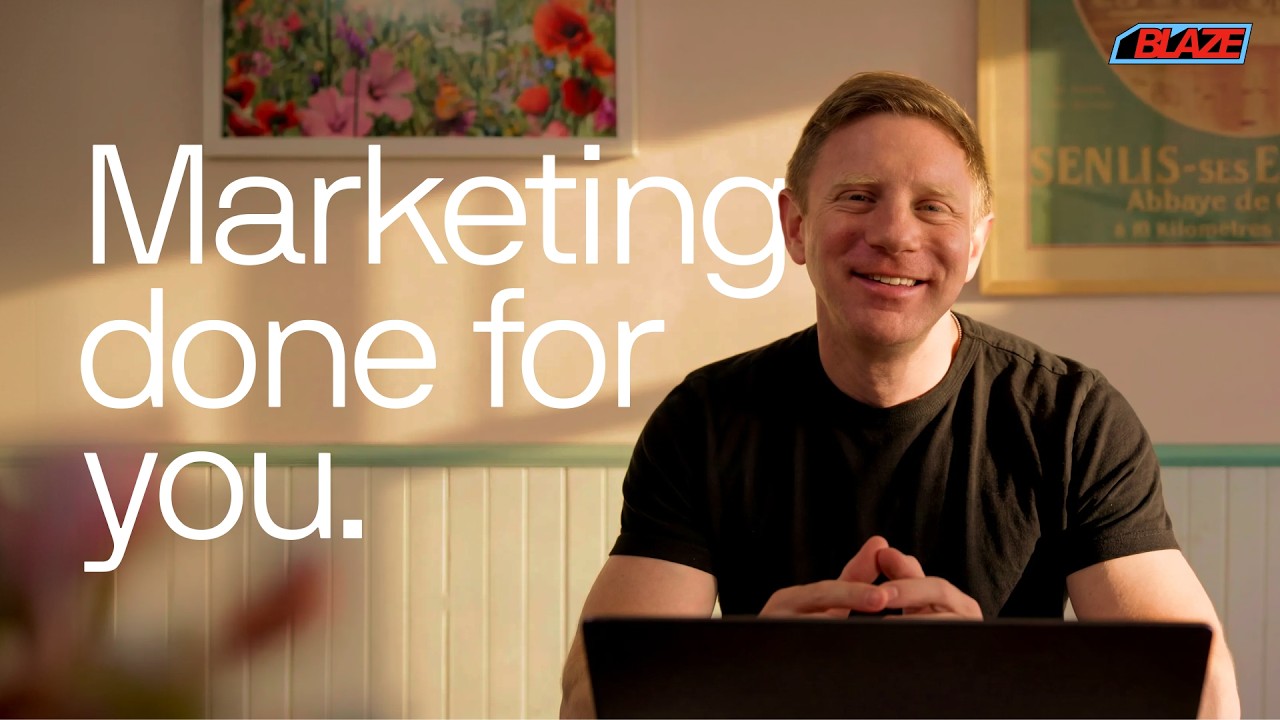
Video: Blaze 2.0 Shown by the Blaze Team
Blaze's own two minute overview of the current product, the video its homepage plays.
How Blaze Works: The Free Trial Day by Day
Blaze describes its trial as a schedule rather than a feature list. These steps follow the FAQ on Blaze's pricing page, read on November 15, 2026.
- Step 1
Day 1: Brand, Strategy and a First Week
You add your website, audience and goals. Blaze builds a brand identity, writes a content strategy, makes the first full week of posts and picks the topics for week two. The brand kit holds your voice, colors, logos and fonts, and everything later is made from it.
- Step 2
Day 3: Posts Start Going Out
If you connected social accounts, the content starts autoposting on day 3. That is earlier than most people expect from a trial, so look at the calendar on day 2 and decide what may publish under your name. Blaze's help explains how to switch auto publishing off if you want to schedule each post yourself.
- Step 3
Day 4: Insights Begin
With accounts connected, Blaze starts reading how the posts did and shows insights. Its Autopilot article says this learning loop also looks at the edits you make, so later batches change with your taste.
- Step 4
Day 7: The Trial Ends
No card was asked for, so nothing is charged. Blaze's help on changing or cancelling says trial workspaces are cancelled automatically at the end of the trial unless you upgrade and add a payment method.
- Step 5
Day 8: Week Two, If You Paid
When you upgrade, the second week of content is created for you to review, and the weekly rhythm carries on from there: a new batch each week, which you edit and approve or let publish.
Blaze AI Pricing in November 2026: Every Plan and Limit
Blaze's pricing page shows two self serve plans under Do It Yourself. The limits below combine the plan cards, the pricing FAQ and Blaze's social media scheduler page, which spells out a few lines the cards leave out.
| Limit | Starter | Growth |
|---|---|---|
| Price billed monthly | $79 a month | $149 a month |
| Posting accounts | 3 | 10 |
| Generation credits a month | 600 | 1,500 |
| Users | 1 | Unlimited |
| Approvals before posts go out | No | Yes |
| Campaigns | 1 active campaign at a time | Not stated |
| Planning window | Not stated | A year |
| Ads | Automated ad campaigns | Not listed on the plan card |
| Brands | 1 per workspace, each workspace a separate plan | 1 per workspace, each workspace a separate plan |
| Trial | 7 days, no card | 7 days, no card |
Prices and limits read on Blaze's pricing page and its scheduler page on November 15, 2026, in US dollars before tax. The scheduler page says yearly billing costs less, but the pricing page we read did not show a yearly figure.
How Much Is Blaze AI? What You Actually Pay
The short answer to how much is Blaze AI: $79 a month for Starter and $149 a month for Growth, billed monthly, for one brand. Blaze's FAQ frames the entry plan as about $2.60 a day. The longer answer depends on three things the headline price does not show: how many accounts you post to, how many brands you run and how many credits your weeks use.
Accounts come first. Starter allows 3 posting accounts, so a business on Instagram, Facebook and LinkedIn has filled it. Add TikTok, YouTube Shorts, X or a Google Business Profile and you either drop a network or move to Growth at $149. One review site reports an extra posting account at $10 a month, but that add on was not on the Blaze pages we read, so ask Blaze before you count on it.
Brands come second. The pricing FAQ says you need one workspace per brand, and Blaze's help article on multiple brands adds that each workspace is billed as a separate plan with its own brand kit. Three brands on Starter therefore cost $237 a month before any discount. Blaze says it gives volume discounts above five workspaces if you contact support. Non profits and schools get 20% off annual plans after Blaze checks eligibility.
Then there is the plan above the two cards. Blaze's help on pricing and plans describes a Done for You option, where an expert human strategist sets up and runs Blaze for you, next to Do It Yourself. Its price is not on the pricing page, and the review sites disagree: Tugan.ai's review reports Done for You from $899 a month with a three month minimum, and WMappDigital's review reports from $999 a month with a six month commitment. The same two reviews also give different yearly prices for Starter and Growth. Treat all of those as what a reviewer saw on their own visit, and confirm at checkout.
Spreadcast prices are simpler because they count one thing at a time. Pro is $29 a month or $290 a year for 1 app or brand and 10 social accounts in any mix of networks, with posts designed for you in Create with no monthly limit, 40 photos made for posts each month, captions written for each network, scheduling, publishing and analytics. Studio is $79 a month or $790 a year for 5 apps or brands, 50 social accounts and 3 seats. The free plan makes 3 posts for you to download, and a Post Pack at $19 publishes 10 posts with no subscription. Every price is on the Spreadcast pricing page, and paid plans come with a full refund within 7 days.
Blaze AI Credits: What 600 a Month Buys
Blaze's plans are metered in generation credits. The pricing FAQ lists the cost of each kind of content, and Blaze's help article on credits, updated May 4, 2026, explains the rules around them.
| Content | Credits each | How many fit in Starter's 600 | How many fit in Growth's 1,500 |
|---|---|---|---|
| Static social post | 1 | 600 | 1,500 |
| 3 | 200 | 500 | |
| Blog post | 3 | 200 | 500 |
| AI video | 15 | 40 | 100 |
| A sample month: 20 posts, 4 videos, 4 blog posts, 2 emails | 1, 15, 3 and 3 | 98 credits, about 16% of the plan | 98 credits, under 7% of the plan |
Regenerations cost credits again, including the ones Blaze runs by itself. Edits in the editor are free, cross posting the same post to several networks costs the first generation only, and a generation that fails costs nothing. Unused credits do not roll over, and cancelling forfeits what is left.
Reading the Credit Rules Before You Budget
For most small businesses the credit allowance is generous for still posts. Twenty posts a month use 20 of Starter's 600 credits. The pressure comes from video and from regenerating. An AI video costs 15 credits, so 40 of them use up a whole Starter month, and the credits article says initial generations and regenerations both draw from the balance, including those Autopilot performs automatically. Asking for a new version of a post you did not like is not free.
Running out has a defined result. When a workspace hits zero, Blaze stops generating content for your plan, disables manual generations and regenerations, and pauses automated features that need new content. Posts already scheduled keep going out as long as they need no new generation, and existing content stays editable. Blaze does not charge overages by itself: you buy more credits by hand in batches of 100, and the article says custom credit packages are only for Enterprise. Purchased credits expire with the cycle like the plan's own.
Changing plans resets the meter. Upgrading gives you the new plan's credits at once without carrying the old ones over, downgrading forfeits unused credits, and cancelling forfeits them too, though your content stays available until the end of the billing period. Credits belong to the workspace, so any member can spend them and they cannot move to another brand's workspace.
Spreadcast meters differently. On Pro the posts Spreadcast designs in Create have no monthly limit, and the only metered part is the photos it makes for posts, 40 a month on Pro and 150 on Studio. Your own pictures and videos, and the designs Spreadcast builds from your brand kit and screenshots, do not count against that. Spreadcast does not generate AI video, so there is no video meter to watch: you upload a video you made and Spreadcast writes the captions and publishes it.
Blaze AI Pricing and Spreadcast Pricing Side by Side
The main plans from both tools, with what each one includes for social posting. Spreadcast also sells a 30 Day Pass, and Blaze a Done for You service, covered above. Compare on accounts and brands first, because that is where the gap is widest.
| Plan | Price | What you get |
|---|---|---|
| Spreadcast Free | $0, no card | 3 posts made for you, to download with a small Spreadcast mark. Connect accounts and see followers, no publishing |
| Spreadcast Post Pack | $19 once, never expires | 10 posts designed and published to any network you connect |
| Spreadcast Pro | $29 a month, or $290 a year | 1 app or brand, 10 social accounts on 11 networks, posts designed in Create with no monthly limit, 40 photos made a month, captions per network, calendar, Full Autopilot or one tap approval, analytics, Claude and ChatGPT |
| Spreadcast Studio | $79 a month, or $790 a year | 5 apps or brands, 50 social accounts, 3 seats, each brand with its own accounts |
| Blaze Starter | $79 a month | 1 brand, 3 posting accounts on 7 networks, 600 credits a month, 1 user, ads, 1 active campaign, no approvals |
| Blaze Growth | $149 a month | 1 brand, 10 posting accounts, 1,500 credits a month, unlimited users, approvals, a year of planning |
Blaze from its pricing page and scheduler page, Spreadcast from the pricing page, both on November 15, 2026. At the same $79, Blaze Starter covers 1 brand and 3 accounts, and Spreadcast Studio covers 5 brands and 50 accounts.
Blaze Starter or Growth: Which Plan Fits
Starter fits one person running one brand on three networks who is happy to let the weekly batch publish, or to schedule each post by hand. Instagram, Facebook and one more account is the typical setup. The 600 credits go a long way if you mostly publish still posts and a blog post a week, and the single user is not a problem when you are the only one logging in.
Growth is the plan for anything beyond that. A fourth or fifth network, a second person who needs a login, a client who should sign off on posts, or a wish to review every post before it publishes all push you to $149 a month. Growth also adds a planning window of a year, and the scheduler page lists its one campaign at a time limit only for Starter. If approvals are the only reason, weigh that against the $70 a month difference, because on Starter you can still turn auto publishing off and schedule each post yourself.
Neither plan changes the brand rule. Both cover one brand per workspace, so the plan you pick is per business. A freelancer with three clients on Starter pays $237 a month, and on Growth $447. If your question is really which plan lets you post to more accounts and brands for less, compare Spreadcast Pro at $29 for 10 accounts and Studio at $79 for 5 brands and 50 accounts.
Is Blaze AI Free?
No. Blaze has no free plan for new accounts. Blaze's scheduler page answers the question directly: there is no free plan, only a 7 day free trial with no credit card. The trial is a real test of the product, since it builds your brand, writes a week of posts and starts publishing on day 3, and because no card is taken it ends by itself on day 7 if you do nothing.
Two smaller things carry the Blaze name and a lower price. Blaze Studio is an iPhone app that restyles your photos with AI, sold on its own from $7.99 a month for 90 credits, and included for Blaze subscribers. It is a photo app, not a scheduler. Blaze's help center still describes a Free plan that adds a watermark to every post, in an article dated March 20, 2026, but the pricing and scheduler pages offer new accounts only the trial.
Spreadcast has a free plan that does not run out after a week. It makes 3 posts for you to download and post by hand, you can connect your accounts and see followers and interactions, and when you want Spreadcast to publish you pick a $19 Post Pack for 10 posts or Pro at $29 a month. You can start free with no card.
Blaze AI Reviews: What Users Say
Blaze shows its ratings above the hero of nearly every page: 4.6 on Trustpilot and 4.8 on Capterra, and its about page adds 4.6 on G2. We checked the Trustpilot figure ourselves. On November 15, 2026 Blaze's Trustpilot page showed a TrustScore of 4.6 from 1,292 reviews, with 81% five star, 10% four star, 3% three star, 1% two star and 5% one star, and 100 reviews written in the last 12 months. Capterra answered our visit with a security check, so its 4.8 is quoted here as Blaze's own claim.
Trustpilot adds two notes worth reading next to the score. The profile says the company has not invited customers to review recently, so the reviews may not be representative, and that it has not replied to negative reviews. The profile was claimed in September 2024 and is on a paid Trustpilot subscription. None of that makes the reviews fake. It does mean that most of the 1,292 were written in an earlier period of the product, before Autopilot and the current prices, and that the recent ones are a much smaller set.
The praise is consistent. Happy reviewers describe a setup that takes minutes, a weekly batch that runs in the background, time saved on social posts and blog posts, separate workspaces for separate businesses, and output that sounds like their brand after a few edits. Several say they tried other tools first and found Blaze easier.
The one and two star reviews from 2026 share a different set of themes. Some say regenerating a post that missed the brief spends credits each time, which made the tool expensive for them. Some found the blog drafts or posts generic enough to need a rewrite for a premium brand. Several describe support that was slow to fix a problem, such as autoposting that stopped or an integration that broke, and a few mention billing trouble or a refund that did not come. Those are individual accounts, not tests, and every tool has them; they are useful as a list of things to check during your trial.
Two independent reviews are worth reading in full, each with its own interest declared. Tugan.ai's Blaze AI review, updated October 9, 2026, is written by the founder of a competing tool and says so; it calls Blaze legitimate and well reviewed, and warns about metered credits, shifting prices and how much review Autopilot still needs. WMappDigital's review rates Blaze 4.5 out of 5 and uses affiliate links. Read both as opinions, and note where they agree: easy setup, strong brand voice, credits and price as the main caveats.
Blaze AI Review: Pros and Cons From Its Own Pages
We did not run a blind test of Blaze's output, and we make a competing product, so this table keeps to what Blaze's own pages and help center say, with the review themes above where they add something.
| Area | Pro | Con |
|---|---|---|
| Scope | Social posts, short AI video, blog posts, newsletters and Meta ads from one brand kit | You pay for the whole bundle even if social posts are the only part you use |
| Autopilot | A weekly batch planned and made for you, which learns from your edits and results | On Starter there are no approvals: posts publish unless you turn auto publishing off and schedule by hand |
| Price | One price per brand, with credits that cover a lot of still posts | $79 to start, and 3 posting accounts on that plan |
| Trial | 7 days with no card, and it cancels itself | Posts start publishing on day 3 if accounts are connected |
| Networks | Instagram, Facebook, LinkedIn, TikTok, YouTube Shorts, X and Google Business Profile, plus WordPress, Wix, GoHighLevel and Mailchimp | No Pinterest, Threads, Bluesky, Mastodon, Telegram or Discord; YouTube is Shorts only; one Facebook Page per workspace; no TikTok photo carousels |
| Credits | Edits are free, failed generations cost nothing, no surprise overage charges | Regenerations cost credits, unused credits expire monthly, and cancelling forfeits them |
| Team | Unlimited users and client approvals on Growth | 1 user on Starter, and every extra brand is another full plan |
| AI assistants | An MCP server with 39 tools for Claude, ChatGPT, Codex and Cursor | Server access needs a Blaze account, and new accounts start on the trial |
Sources: Blaze pricing, Blaze scheduler page, Blaze integrations, Blaze credits help, Blaze auto publishing help, all read on November 15, 2026.
Where Blaze and Spreadcast Post, Network by Network
The networks each tool can publish to by itself once you connect an account. Blaze's list is from its integrations page and scheduler page; Spreadcast's is the list in its own Accounts screen.
| Network or channel | Blaze | Spreadcast |
|---|---|---|
| Posts, carousels up to 10 slides, Stories and Reels, on business or creator accounts linked to a Facebook Page | Posts, carousels up to 10 pictures, and video | |
| Image and video posts and Stories, one Page per workspace | Text, photos, multi photo posts and video to the Pages you manage | |
| Image and video posts to profiles and company Pages | Text, up to 9 pictures and video | |
| TikTok | Videos, posted directly. Photo carousels not supported yet | Videos and photo carousels of up to 10 pictures, to your TikTok drafts or straight to the feed |
| YouTube | Shorts only, no long videos | Videos up to 15 minutes |
| No | Yes | |
| Threads | No | Yes |
| Bluesky | No | Yes |
| Mastodon | No | Yes |
| Telegram | No | Yes, to a channel |
| Discord | No | Yes, to a server channel |
| X | Image and video posts, captions up to 280 characters | No |
| Google Business Profile | Posts | No |
| Blogs | WordPress, Wix and GoHighLevel | No |
| Mailchimp newsletters | No | |
| Ads | Meta Ads campaigns, Google Search Ads coming | No |
Six networks are on Spreadcast's list and not on Blaze's, and X, Google Business Profile, blogs, email and ads are on Blaze's and not on Spreadcast's. Read the rows that match where your customers actually are.
Networks Blaze Leaves Out, and the Ones Spreadcast Leaves Out
Pinterest is the largest gap on Blaze's list. Pinterest's third quarter 2026 results report 661 million monthly active users, an all time high and up 10% on a year earlier, and Pinterest is where people plan purchases: recipes, home projects, outfits, gifts, trips. A bakery, an interior designer, a florist or a shop with products to show has a reason to be there, and on Blaze it would mean a second tool. Spreadcast publishes a pin from the same post you make for Instagram, one picture per pin; our Pinterest scheduler page covers the details.
Threads and Bluesky are smaller and growing. Pew Research Center's 2025 survey found them used by about one in ten American adults or fewer, so they are a second step after Instagram and Facebook rather than a first one. They are also cheap to keep alive when the post already exists: Spreadcast writes a shorter caption for each and publishes them next to the rest. Guides on scheduling Threads posts and scheduling Bluesky posts show how. Telegram and Discord matter to communities, creators and app makers who run a channel or a server, and Spreadcast posts to both; see the Telegram scheduler.
YouTube is on both lists with a difference. Blaze's help on connecting YouTube describes YouTube Shorts in the content plan and cross posting Reels and TikToks to YouTube, and its scheduler page says Shorts only, no long videos. Spreadcast uploads videos of up to 15 minutes, with a title written for YouTube; the YouTube scheduler page has the specs.
Blaze is ahead on four channels that matter to local businesses. It posts to X and to Google Business Profile, which feeds the panel people see when they search a shop's name on Google, it publishes blogs to WordPress, Wix and GoHighLevel, and it sends newsletters through Mailchimp. Its MCP server can even list Google and Facebook reviews waiting for a reply and draft the answers. Spreadcast does none of those. If a Google Business Profile and a blog are central to how customers find you, Blaze covers more of that work in one place. Pew's same report puts daily X use at 10% of American adults, which is worth weighing if X is the reason you are looking.
Blaze MCP Server and Spreadcast MCP Server
Both tools let Claude or ChatGPT work inside them through the Model Context Protocol, so you can ask in a chat for a post and have it made in your brand and placed on your calendar. Blaze's MCP page gives the server address as app.blaze.ai/mcp and says it works in Claude, ChatGPT and Codex, with Cursor and other MCP clients named in its FAQ. You add it as a custom connector, sign in with your Blaze account and approve access to your workspaces. Anthropic's guide to custom connectors and OpenAI's help on custom MCP servers in ChatGPT explain that step for each assistant.
Blaze's server is large. Its Claude page lists 39 tools, which Blaze says it checked against the live server on November 11, 2026. Read tools cover workspaces, the brand kit, scheduled posts, campaigns, media, fonts, connected accounts, a daily or weekly performance digest and Google and Facebook reviews waiting for a reply. Write tools generate a post (image, carousel or short video) as a draft, save a blog post or newsletter, create a campaign, schedule your own posts, and edit a design element by element: text, images, colors, font size and weight, width, position, backgrounds, shapes and the logo. Publishing right away and sending a review reply each happen only after you confirm, and Blaze says nothing posts on its own: new content is saved as a draft first.
Spreadcast's server has 21 tools and 2 ready prompts, and it puts its weight on the post itself. An assistant can design a post picture or a carousel of 3 to 8 slides in your brand's colors, fonts and logo, with a real screenshot in a phone frame when your brand kit has one, write the post in your brand's voice, write a caption for each network inside that network's limits, check the post against every network rule without saving it, upload your own media, and save the post. For an App Store or Google Play app it also lists the moments Spreadcast found, such as a new version or a rating milestone, and designs the post for each. It reads analytics, including the hours and weekdays that worked best for you.
The safety model is close on both, with one difference in where the line sits. Blaze connects with your login and asks you to confirm before it publishes. Spreadcast connects with Sign in with Spreadcast, and the consent screen asks whether the assistant may Make Drafts or Make and Publish; a drafts only connection can never publish, and approving a post is its own tool. The free plan saves drafts through the server, and publishing starts on paid plans. The full tool list is on the Spreadcast MCP server page, and the MCP page has the connect steps.
Blaze's own MCP comparison puts Blaze next to Metricool, Buffer, PostPlanify and PostNitro, based on public pages as of October 2026. Spreadcast is not in it. We compare ten servers, and Blaze, in our best social media MCP servers roundup.
Blaze MCP vs Spreadcast MCP Side by Side
What an assistant can do through each server, from Blaze's MCP pages and Spreadcast's own server, on November 15, 2026.
| What it covers | Blaze MCP | Spreadcast MCP |
|---|---|---|
| Address | app.blaze.ai/mcp | spreadcast.app/api/mcp |
| Assistants | Claude, ChatGPT, Codex, Cursor and other MCP clients | Claude, ChatGPT, Claude Code, Cursor, VS Code and other MCP clients |
| Tools | 39 | 21, plus 2 ready prompts |
| Makes the visuals | Image, carousel and short video posts, then element by element design edits | Post pictures and carousels of 3 to 8 slides in your brand, with real screenshots in a phone frame |
| Writes | Posts, blog posts and newsletters | Posts in your brand's voice and a caption for each network |
| Checks a post before it goes out | Not stated | A dry run against every network's rules, without saving |
| Publishing | Drafts first, publishing after you confirm | Drafts by default, publishing only on a Make and Publish connection |
| Analytics | A daily or weekly performance digest | Totals per network, top posts, best hours and weekdays, followers |
| Reviews and replies | Lists Google and Facebook reviews and drafts and sends replies | No reply tools |
| Networks it can post to | Instagram, Facebook, LinkedIn, X, Google Business Profile, TikTok and YouTube Shorts | Instagram, Facebook, LinkedIn, TikTok, YouTube, Pinterest, Threads, Bluesky, Mastodon, Telegram and Discord |
| Price to use it | A Blaze plan, from $79 a month after the trial | Free plan for drafts, Pro at $29 a month to publish |
Blaze from its MCP page and Claude MCP page. Read our guides on Claude for social media and scheduling posts with ChatGPT for the chat side.
Blaze vs Spreadcast: Feature Comparison
Blaze facts from its pricing, scheduler, integrations and MCP pages and its help center on November 15, 2026. The rows that decide most choices come first, and the rows where Blaze does more say so.
| Blaze | Spreadcast | |
|---|---|---|
| Lowest price that publishes | $79 a month (Starter), after a 7 day trial | $29 a month (Pro), or a $19 Post Pack for 10 published posts |
| Free option | No free plan. A 7 day trial with no card | Free plan: 3 posts made for you to download, no card |
| Social accounts | 3 on Starter, 10 on Growth | 10 on Pro, 50 on Studio, any mix of networks |
| Brands | 1 per workspace, each workspace billed as its own plan | 1 on Pro, 5 on Studio at $79 a month |
| Networks | Instagram, Facebook, LinkedIn, TikTok, YouTube Shorts, X, Google Business Profile | Instagram, Facebook, LinkedIn, TikTok, YouTube, Pinterest, Threads, Bluesky, Mastodon, Telegram, Discord |
| Approval before a post goes out | Approvals on Growth only. On Starter, turn auto publishing off and schedule by hand | One tap approval or Full Autopilot on Pro and Studio |
| Who starts the posts | Autopilot plans and makes a weekly batch for any business from its website | You, in Create or from Claude or ChatGPT. For an App Store or Google Play app, Spreadcast also starts posts from new versions and ratings and fills a weekly plan |
| Post design | Designs, carousels and images from the brand kit, plus Visual Styles | Pictures and carousels from your brand kit, with real product screenshots in a phone frame |
| Video | AI video at 15 credits each | No AI video. Your own video, captioned and published |
| Blogs, email and ads | Blog posts, Mailchimp newsletters and Meta ad campaigns | Not offered. Social posts only |
| Usage limits | Monthly credits: 600 on Starter, 1,500 on Growth, regenerations included | No limit on posts made in Create. 40 photos made a month on Pro, 150 on Studio |
| Team | 1 user on Starter, unlimited on Growth | 1 seat on Pro, 3 on Studio |
| AI assistants | MCP server with 39 tools | MCP server with 21 tools and a drafts only option |
| Refunds | Last payment refunded within 14 days if you signed up by mistake | Full refund within 7 days on Pro and Studio |
How Spreadcast Works as a Blaze AI Alternative
Spreadcast starts from the post you want to publish. You open Create and choose between two tiles. Generate a Post designs a picture or a carousel in your brand from a sentence, such as a post about this week's opening hours or a carousel of five tips; Upload My Own takes the photos or the video you already have. Either way Spreadcast writes a caption for each network you tick, in the voice set on your brand kit: shorter for Bluesky and Threads, a few paragraphs for LinkedIn and Facebook, a title for YouTube. See the Instagram carousel maker for what a designed carousel looks like.
Before anything is scheduled, Spreadcast checks the post against each network's limits, such as 10 pictures on Instagram, 9 on LinkedIn or 300 characters on Bluesky, and names any problem in plain words with what to change. Then you pick a time or drag the post on the calendar, and Spreadcast publishes it to every network you chose within minutes of its slot. If one network refuses it, the others still go out, and the failed one has a Try Again button. The social media scheduler and cross posting pages show those steps.
Approval is part of every paid plan rather than a Growth feature. You decide whether a post waits for one tap from you or goes out on Full Autopilot, and the social media approval page explains how teammates fit in. On Studio, each of five brands keeps its own accounts and its own look, with 3 seats for the people who work on them, which is covered in managing multiple social media accounts.
If you make an app, Spreadcast does something Blaze does not. You paste an App Store or Google Play link, and Spreadcast reads the listing every day. A new version becomes an update post with the release notes cut to the points that matter, a rating milestone becomes a thank you post, and between those a weekly plan posts a feature, a real review, a few tips or a seasonal post at your posting times, designed with your real screens. That plan runs on an app listing, so a business without an app makes its posts in Create or from Claude or ChatGPT instead. The page for mobile apps has the whole flow.
Results come back to one place. The social media analytics page shows followers and interactions on every network and, on paid plans, the likes, comments, reach and views of each post Spreadcast published, with the hours and weekdays that did best for you.
A Worked Month: One Small Business on Each Tool
An invented example to show the arithmetic: a coffee shop that wants 3 posts a week on Instagram, Facebook, TikTok and Pinterest, with one person doing the work. Prices from each pricing page on November 15, 2026.
| Question | On Blaze | On Spreadcast |
|---|---|---|
| Which plan fits 4 accounts? | Growth at $149 a month, since Starter stops at 3 posting accounts | Pro at $29 a month, which allows 10 |
| Can it post to all four networks? | Instagram, Facebook and TikTok. Pinterest is not on Blaze's list, so pins stay manual | All four, plus Threads or Bluesky later on the same plan |
| Who makes the 13 posts? | Autopilot plans and makes them each week from the brand kit, about 13 credits of 1,500 | You make them in Create from a sentence or your own photos, or ask Claude to draft the week |
| Who approves them? | Growth includes approvals; switch them on in Settings, since Blaze auto publishes by default | One tap per post, or Full Autopilot |
| What about the Google listing and a newsletter? | Blaze posts to Google Business Profile and sends the newsletter through Mailchimp | Not covered. Post to Google Business Profile in Google, and send email from your email tool |
| Cost for a year | $1,788 billed monthly, less on a yearly plan whose price Blaze did not show | $290 billed yearly, or $348 billed monthly |
The gap is mostly the account limit. With 3 accounts or fewer, Blaze Starter at $79 a month is the fair comparison, which is $50 a month above Spreadcast Pro, or $600 over a year on monthly billing.
Approvals, Teams and Several Brands
How a post reaches the feed is where the two tools differ most in daily use. Blaze's Autopilot schedules its weekly batch by itself. Blaze's help on approvals describes an approval step where every post needs an explicit Approve before Blaze publishes it, with Don't Post sending a post back for edits, and the same article says the feature is on the Growth plan. Its help on auto publishing lists the switches: Autopilot as a whole, auto content generation, auto publishing, and approve content before autoposting, marked Growth plan only. On Starter, then, the choice is between letting the batch publish at its times and turning auto publishing off to review and schedule each post yourself.
On Spreadcast, approval comes with Pro. Posts that Spreadcast makes can wait on the Dashboard for one tap, or go out on Full Autopilot, and you can switch between the two whenever you like. For a solo owner that is the middle ground most people want: the work is done for you, and nothing goes out under your name without a glance.
Teams and agencies weigh brands and seats. Growth gives unlimited users and lets clients approve inside the workspace, which suits an agency with one client per workspace. Every brand is still a separate workspace and a separate plan, so five client brands on Growth are five Growth plans before the volume discount Blaze offers above five workspaces, per its multiple brands article. Spreadcast Studio is $79 a month for 5 brands, 50 accounts and 3 seats. Our page for agencies covers how client work runs on it.
AI Video, Blogs, Emails and Ads: Where Blaze Does More
Some of what Blaze sells is outside what Spreadcast does, and it is fair to say so plainly. Blaze generates short AI video for Reels, TikTok and Shorts at 15 credits a clip. It writes blog posts with search in mind and publishes them to WordPress, Wix or GoHighLevel. It writes newsletters and sends them through Mailchimp. It builds and adjusts Meta ad campaigns, with Google Search Ads marked as coming. Its FAQ says it can make more than 70 types of marketing content, from product descriptions to ad copy and website pages.
If you want one subscription to carry social, blog, email and ads for a local business, that breadth is the reason to choose Blaze, and Spreadcast is not a substitute for it. Spreadcast does social posts: designed pictures and carousels, captions for each network, scheduling, publishing to 11 networks, approval and analytics. If social is most of your marketing, that focus is cheaper: Pro costs $50 a month less than Blaze Starter and reaches more networks with more accounts. Our roundup of social media automation tools compares the wider field.
Do You Have to Label Blaze AI Content?
Blaze leaves it to you. Its help article on AI disclosure says Blaze does not require you to disclose that content was made with AI, points US users to the FTC's advertising guidance, and says compliance stays with the customer. The networks have their own rules for some formats. Instagram's help on labeling AI content requires a label on photorealistic video or realistic sounding audio that was made or changed digitally, and TikTok's page on AI generated content asks for a label on AI content with realistic images, audio or video.
In practice, a realistic AI video from any tool may need the label when you publish it, and adding it is your job. A designed post with your own photos or screenshots and typeset text, the kind Spreadcast makes, is not a realistic scene, so neither rule asks for a label on it as written. TikTok still encourages a label on anything fully made by AI.
Is Blaze AI Worth It?
It depends on how much of Blaze you would use. Picture three owners. The first runs a local service business, wants a blog post a week for search, a monthly newsletter, posts on Instagram and Facebook and a Google Business Profile that stays fresh. Blaze covers all of that in one Starter plan for $79 a month, as long as the blog and newsletter connections do not count toward the 3 posting accounts, which is worth asking Blaze, and the alternative would be two or three tools and the time to run them. For that owner Blaze is worth the price, as long as the trial shows output close enough to their voice.
The second owner only needs social posts, on Instagram, Facebook, TikTok and Pinterest, three times a week. On Blaze that is Growth at $149 because of the account limit, and Pinterest still stays manual. Most of the credits and the blog and email tools go unused. Spreadcast Pro does the social part for $29 a month on all four networks, so for this owner Blaze costs about five times as much for less coverage.
The third owner makes an app. Blaze does not read an App Store or Google Play listing, so new versions and rating milestones reach it only if the owner writes them into a prompt. Spreadcast notices them, designs the post with the app's real screens and publishes it. The honest test for any of the three is the same: run both trials for a week, count the posts you had to rewrite, and add up the accounts and brands you actually post to.
Whichever owner you are, watch three numbers during the trial. First, how many of the posts in the first batch you would publish without changing a word, since every regeneration on Blaze spends credits again. Second, how many accounts you connected before you hit the plan limit. Third, how long the review took each day. A tool that saves you writing but costs you an hour of fixing every week has not saved much, and that is true of Spreadcast as much as of Blaze.
Who Should Pick Blaze
Blaze is the better choice for these businesses. Several of them could still use Spreadcast for the networks Blaze does not reach.
A Local Business That Lives on Google
If customers find you through your Google Business Profile and a blog, Blaze posts to both and writes the blog posts. Spreadcast does neither.
You Want Social, Blog, Email and Ads in One Plan
Blaze's credits cover posts, blogs, newsletters and AI video, and Starter includes automated Meta ad campaigns. For one subscription that does it all for one brand, Blaze is built for that.
You Need AI Video Every Week
Blaze makes short AI video for Reels, TikTok and Shorts at 15 credits a clip. Spreadcast publishes video you made yourself but does not generate it.
You Want a Human Strategist
Blaze's Done for You option puts an expert in charge of running Blaze for you. Spreadcast has no managed service.
X Is One of Your Main Networks
Blaze posts images and video to X. Spreadcast does not post to X at all.
Who Should Pick Spreadcast
Spreadcast is the better choice when social posts are the job and the price and the network list matter.
You Post to More Than 3 Accounts on a Budget
Pro covers 10 social accounts for $29 a month. On Blaze, the fourth account means Growth at $149.
You Need Pinterest, Threads, Bluesky, Telegram or Discord
Spreadcast publishes to all of them from the same post, with a caption for each. Blaze lists none of them, and its YouTube is Shorts only.
You Want to Approve Every Post Without Paying for Growth
One tap approval is on every paid Spreadcast plan. On Blaze, approvals start at $149 a month.
You Run Several Brands
Studio is $79 a month for 5 brands and 50 accounts. On Blaze each brand is its own plan, so five brands start at $395 a month on Starter.
You Make an App
Spreadcast reads your App Store or Google Play listing and turns new versions and rating milestones into designed posts with your real screens, then fills a weekly plan around them.
Blaze AI Alternatives and What They Cost
Spreadcast is ours and comes first: it designs and publishes posts to 11 networks, with 10 accounts, for $29 a month, the same as Ocoya's 5 channel Starter and less than any other monthly plan below that writes and publishes for you. The others cover the other reasons people leave Blaze. Each price is from the vendor's own pricing page on November 15, 2026, in US dollars before tax.
| Tool | Best for | Starting price |
|---|---|---|
| Spreadcast | Posts designed, captioned and published to 11 networks, with approval on every paid plan | Free plan, then $29 a month for 10 accounts, or a $19 Post Pack (Spreadcast pricing) |
| Predis.ai | AI image and video ads as well as posts | During its November 2026 sale, Core $19 a month billed yearly ($230), without auto posting, and Rise $40 a month billed yearly with it; regular monthly prices $32 and $79; 3 day trial with a card (Predis.ai pricing) |
| Ocoya | AI writing and scheduling with a card based trial | Starter $29 a month for 5 channels and 300 credits, 7 day trial with a card (Ocoya pricing) |
| Buffer | Scheduling posts you already made | Free for 3 channels, then $5 a channel a month billed yearly (Buffer pricing) |
| Metricool | Scheduling with analytics and a free plan | Free for 20 posts a month, then from $20 a month billed yearly, or $25 billed monthly (Metricool pricing) |
Prices change often and sales come and go, so check the linked page before you buy. Our own comparisons go deeper on each: Predis.ai, Ocoya, Buffer and Metricool.
How to Cancel Blaze AI
Taken from Blaze's help on changing or cancelling a subscription and its refund article, read on November 15, 2026.
- Step 1
Save What You Want to Keep
Cancelling deactivates the workspace and deletes all files and users at the end of the paid period, and any post scheduled after that date will not publish. Download the posts, blog drafts and designs you want first, and move scheduled posts you still need to another tool.
- Step 2
Open Your Billing
Click the icon in the top right corner to open the workspace menu, choose Your Billing, then Manage Plan. From there you can switch plans or cancel. You keep access until the period ends.
- Step 3
Ask for a Refund Within 14 Days
If you signed up by mistake, Blaze says to contact support from the app or by email within 14 days of the payment, using your login email, and it will refund the last payment. Refunds take 5 to 10 business days to show.
- Step 4
Remember Each Workspace Is Its Own Plan
If you run several brands, each workspace is billed separately, so cancel each one. Unused credits are forfeited on cancelling.
How to Try Spreadcast Next to Your Blaze Trial
Both trials cost nothing, so you can run them side by side for a week and compare the posts.
- Step 1
Start Free
Go to the start page and set up your brand: colors, fonts, logo and voice. App makers paste their App Store or Google Play link and Spreadcast reads the rest from the listing.
- Step 2
Make the Same Post in Both
Ask each tool for the same post, such as this week's special or a carousel of tips, and put the two side by side. Judge which one looks like your business with fewer edits.
- Step 3
Connect the Networks Blaze Does Not Reach
Connect Pinterest, Threads or Bluesky in Spreadcast and publish your three free posts by hand, or buy a $19 Post Pack to have 10 published for you.
- Step 4
Decide by Accounts and Approvals
Count the accounts you post to and decide whether you want to approve each post. If it is more than 3 accounts or you want approvals, Pro at $29 a month covers both. If blogs, email and Google Business Profile matter more, Blaze is the better buy.
How We Checked This
On November 15, 2026 we read Blaze's pricing, social media scheduler, integrations, MCP, Claude MCP and MCP comparison pages, its homepage, about page, FAQ and customers page, and its help center articles on credits, approvals, auto publishing, refunds, cancelling, multiple brands, Autopilot, YouTube and AI disclosure. We read the page source as well as the rendered page, so the plan limits are Blaze's own words. Where two Blaze pages disagree, such as the number of customers, we give both.
Trustpilot was read in a browser the same day. Capterra answered with a security check, so its rating and the G2 rating, which we did not check, are quoted as Blaze's claims. The two third party reviews are linked with their interests stated. We ran no tests of Blaze's output and quote no results we did not read. Prices are in US dollars before tax.
Spreadcast facts come from our own product: plans and limits from the pricing configuration, networks from the Accounts screen, network limits from the checks the editor runs, and the MCP tool count from the server. If something here goes out of date, the features overview and the pricing page are updated with each change.
Frequently Asked Questions
How much is Blaze AI?
Blaze Starter is $79 a month for 1 brand, 3 posting accounts, 600 generation credits and 1 user. Growth is $149 a month for 10 posting accounts, 1,500 credits, unlimited users and approvals. Both start with a 7 day free trial with no card, per Blaze's pricing page on November 15, 2026. Each extra brand is another plan.
Is Blaze AI free?
No. Blaze has no free plan, only a 7 day trial that needs no card and ends by itself. Spreadcast has a free plan that makes 3 posts for you to download, and Pro at $29 a month to publish them.
Is Blaze AI legit?
Yes. Blaze is a real company led by Adam Nathan, who pivoted his earlier company Almanac to Blaze in 2023, and it showed 4.6 from 1,292 reviews on Trustpilot in November 2026. The complaints in recent low reviews are about credits spent on regenerations, generic drafts and slow support, so test those during the trial.
What is the best Blaze AI alternative?
For social posts on a budget, Spreadcast: it designs and publishes posts to 11 networks, including Pinterest, Threads, Bluesky and Telegram, with 10 accounts and approval for $29 a month. For AI ads and video, Predis.ai. For scheduling posts you already made, Buffer or Metricool, which both have free plans.
Does Blaze AI post to Pinterest or Threads?
No. Blaze posts to Instagram, Facebook, LinkedIn, TikTok, YouTube Shorts, X and Google Business Profile. Spreadcast posts to Pinterest, Threads, Bluesky, Mastodon, Telegram and Discord as well as Instagram, Facebook, LinkedIn, TikTok and YouTube, but not to X or Google Business Profile.
Does Blaze have an MCP server?
Yes. Blaze's MCP page gives the address app.blaze.ai/mcp, lists 39 tools and says it works in Claude, ChatGPT, Codex and Cursor, saving new content as drafts first. Spreadcast's server has 21 tools, works on the free plan for drafts and publishes on paid plans.
Prices, plans and features change. This comparison describes each product as its own site described it on the date shown under Sources. Check the vendor's site before you decide. Product names are trademarks of their owners.
Where These Facts Come From
Every outside number, rule and price on this page links to the page it was taken from.
- Blaze homepage: AI marketing for teams of oneBlaze
- Blaze pricing, plans, trial and credit costsBlaze
- Blaze social media scheduler: networks and plan limitsBlaze
- Blaze integrationsBlaze
- Blaze MCP server for Claude, ChatGPT and CodexBlaze
- Blaze for Claude: 39 MCP toolsBlaze
- Social media MCP servers compared, by BlazeBlaze
- About Blaze: customers, employees and ratingsBlaze
- Blaze frequently asked questionsBlaze
- Blaze customer storiesBlaze
- Blaze Studio iPhone app and its plansBlaze
- Why your post shows a Blaze watermarkBlaze Help Center
- Blaze creditsBlaze Help Center
- How to use approvalsBlaze Help Center
- Turn automatic content publishing on or offBlaze Help Center
- Request a refundBlaze Help Center
- How to change or cancel your subscriptionBlaze Help Center
- Can I use Blaze for multiple brands?Blaze Help Center
- Blaze pricing and plans: Do It Yourself and Done for YouBlaze Help Center
- Blaze Autopilot and Blaze CopilotBlaze Help Center
- Connect Blaze to YouTubeBlaze Help Center
- Do I need to disclose that my content was created with AI?Blaze Help Center
- Blaze reviewsTrustpilot
- Blaze AI review 2026Tugan.ai
- Blaze AI reviewWMappDigital
- Blaze profile: interview with Adam NathanPulse 2.0
- Get started with custom connectors using remote MCPClaude Help Center
- Connecting custom MCP servers in ChatGPTOpenAI Help Center
- Pinterest third quarter 2026 resultsPinterest via SEC
- Americans' social media use 2025Pew Research Center
- Label AI content on InstagramInstagram Help Center
- About AI generated contentTikTok Support
- Predis.ai pricingPredis.ai
- Ocoya pricingOcoya
- Buffer pricingBuffer
- Metricool pricingMetricool
- Video: Blaze 2.0Blaze
Researched and written by Mark Weizer. Last checked on November 15, 2026.