What Is Mobile Game Marketing?
Mobile game marketing is the work of getting a game found on the App Store and Google Play, installed by the right players, and opened again the next day, the next week and the next season. It overlaps with marketing any app, but games add three things of their own: players judge a game by playing it in the first few minutes, most mobile games earn their money long after the install through in game purchases or ads, and both stores now give games extra places to be seen, from Apple's Games app to the Events tab on Google Play.
That changes what good marketing looks like. A productivity app can win with a clear product page and steady posting. A mobile game also needs a hook that makes a stranger stop scrolling, a soft launch that proves the game keeps players before any real money is spent, and a live calendar of events and updates that gives both stores and players a reason to come back. This guide goes through each part in the order a small studio meets them, with the limits and numbers taken from Apple, Google and studios that have published how they work, each linked so you can check it.
The market sets the tone. In its State of Mobile 2026 report, Sensor Tower puts mobile game in app purchase revenue at close to $82 billion in 2025, up 1.3% on the year before and the third year in a row of growth, while game downloads fell and time spent playing rose slightly. Sensor Tower describes the result as a shift from chasing new player volume toward lifetime value, with growth depending more on retention, reactivation and how well studios look after paying players. In plain terms: getting installs is harder and costs more than it did, and keeping and bringing back the players you already have matters more than it used to.
How Free Mobile Games Make Money, and Why It Changes the Marketing
Most mobile games are free to download and earn money in one of three ways: in game purchases such as currency, items, extra lives or season passes; advertising shown between rounds or offered in exchange for a reward; or a mix of the two. A smaller group sells the game up front or through a subscription service. Purchases carry most of the money in the market: the close to $82 billion Sensor Tower reports for 2025 counts only what players spent inside games, before any advertising income.
The business model decides what good marketing looks like. A game that lives on purchases earns most of its money from a small share of players who pay, so its marketing has to find players likely to stay long enough to buy, and it should judge every channel by purchases and proceeds rather than installs. A game that lives on ads earns a little from almost every player, so it needs volume and long sessions, and it can only afford cheap installs. A premium or subscription game has to win the decision before the download, which puts more weight on the store page, reviews and press.
App Store Connect reflects that split. Alongside retention, its peer group benchmarks report proceeds per paying user, the share of players who make a purchase within 35 days of downloading and the proceeds per download in those 35 days, each compared with games in your category that share your business model. Pick the two numbers that match how your game earns, and judge every marketing decision by them.
The Golden Rule: Nobody Cares About Your Game Yet
Every mobile game launches into a store that already has thousands of games in its genre, many of them free and well made. The most useful mindset for marketing one comes from a talk that has become a reference at GDC, the main conference for game developers: players do not owe your game any attention, and every piece of marketing has to earn it in the first second. That sounds harsh, but it is freeing, because it tells you exactly what to work on. Not more posts, but a reason to care.
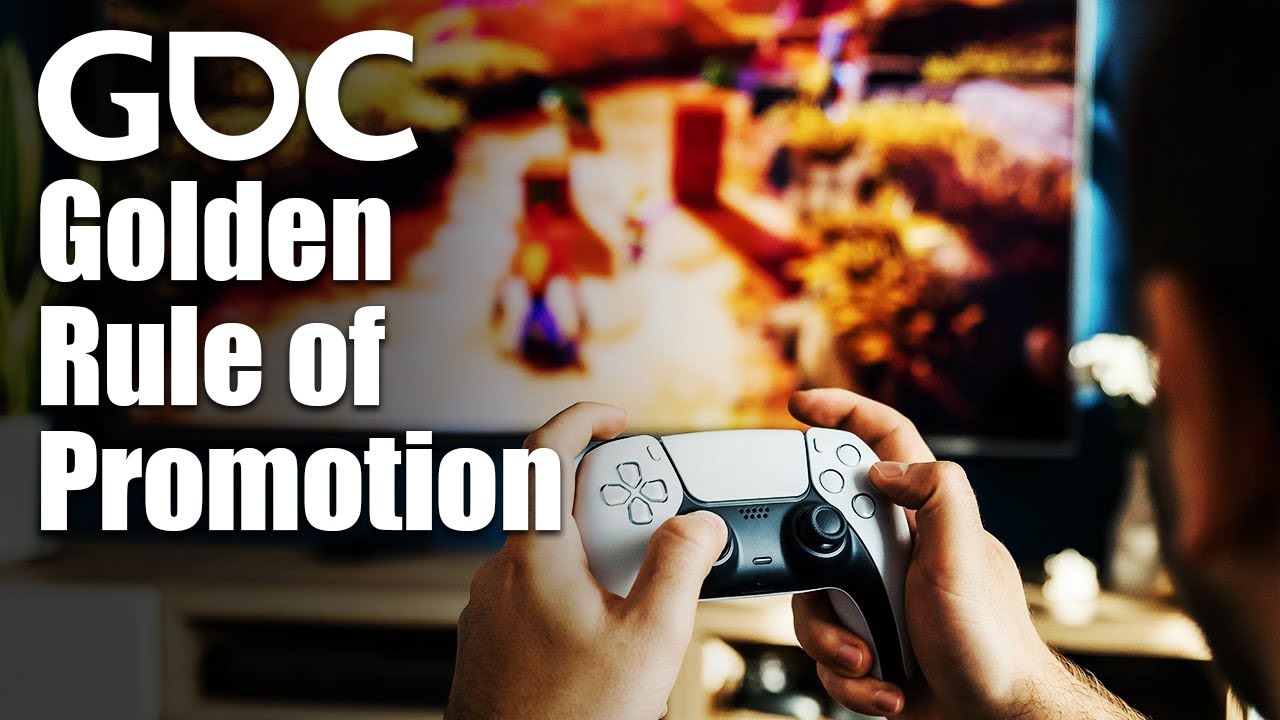
The practical version for mobile is short. Your game needs one sentence a stranger would repeat to a friend, one moment of gameplay that is satisfying to watch in a five second clip, and one image that shows both without explanation. If you cannot point to those three things yet, no budget, channel or tool in the rest of this guide will make up for it, and the best marketing work available to you is testing the concept until you can.
Start With the Hook: Test the Concept Before You Build It All
Many studios now test the idea of a game before they finish building it. GameAnalytics walks through this in its guide to soft launching a mobile game, updated in February 2025: before the soft launch itself, the team behind the example game ran theme and creative tests with ads and store pages to see which concept people tapped and installed. Four concepts went into the test. The winner, called Button Blast, converted at 25%, the second, Music Match, at 17.5%, and the other two at under 12%. Those are one studio's numbers, not a benchmark, but the gap between the best and worst concept is the point: the same team, with the same skills, saw one idea convert at more than twice the rate of another.
You can run a small version of this without an ad budget. Make a store style image and a short gameplay clip for each concept, post them where your future players already spend time, and see which one people ask about. A post that gets questions such as "is this out?" or "what's it called?" tells you more than one that gets polite likes. Whatever wins becomes the spine of everything that follows: the first screenshot, the app icon, the first five seconds of every ad and the post you pin to your profile.
- A hook is specific: "a puzzle game where every level is one move" beats "a fun puzzle game".
- A hook is visible: it should come through in a muted, five second clip, because that is how most people first see a mobile game on social media.
- A hook is honest: if the ads show something the first minutes of play do not deliver, players leave and say so in reviews, which costs you in search and in featuring.
- A hook survives a small screen: if the idea only reads at full size on a monitor, it will not work in a store search result.
Soft Launch: Prove the Game Keeps Players Before the World Sees It
A soft launch means releasing the game in a few countries first, measuring how players behave, improving the game, and only then launching worldwide. GameAnalytics lists the reasons studios do it: to collect data, find bugs and get early feedback, to test the servers under real load, to see whether retention and monetization are strong enough for the game to be profitable, and to strengthen your position with publishers, who often want soft launch data before they commit money. The article's closing line sums up why it matters: soft launch will not save your game, but it might save your company.
Where to soft launch depends on what you are testing. In the GameAnalytics example, the Philippines was used for technical tests, because installs cost less than $0.5 there and English is widely spoken, while Nordic countries were used because their economies resemble the bigger markets the game would later launch in, which usually means more expensive installs. Australia and the UK were in the mix too, with Singapore added later. The selection criteria it gives are English speaking audiences, decent Android devices, online payment use and suitable install costs, and it notes that Android is the usual platform for soft launches because updates are more flexible.
How long it takes is a matter of what you learn, not a fixed number of weeks. A summary of a 2016 GDC talk by Wooga, the mobile game studio, describes its soft launches as typically taking four to six months, split into a validation phase, to make sure the lifetime value of a player is higher than the cost of acquiring one, and a growth phase, to improve the numbers before launch. The same summary says retention tended to improve slowly, by 0.5 to 1.5 percentage points a month, that two of its soft launches cost about $250,000 in user acquisition over five months, and that low cost countries were good for testing but only key markets such as Sweden and Canada could predict a hit. The figures are a decade old and from a well funded studio, so treat them as a picture of the discipline rather than a budget to copy.
| What you check in soft launch | What it tells you | What to do if it is weak |
|---|---|---|
| Tutorial and first session completion | Whether new players understand the game and reach the fun part | Shorten the tutorial, show the core mechanic sooner |
| Day 1 and day 7 retention | Whether the game is worth coming back to | Fix the early game before any marketing spend |
| Progression through levels | Where players get stuck or bored | Smooth the difficulty at the drop off points |
| First purchase and time to it | Whether players value what you sell | Change what you offer and when, not the price first |
| Cost per install by country | What growth will cost after launch | Test new creatives before raising bids |
| Store conversion rate | Whether the store page and creatives match the game | Test screenshots and icon on the store page |
A Soft Launch Case Study: How One Studio Tested Before Launching
The GameAnalytics guide is worth reading in full because it follows one real project from idea to soft launch, which makes it the closest thing to a published mobile game marketing case study a small studio can learn from. Its stages, in the order the team worked through them, make a good template:
- Research and concept tests. The team defined its audience and tested four themes with ads and store pages before committing, which is how Button Blast won with a 25% conversion rate against 17.5% and under 12% for the others.
- A soft launch plan. It chose test countries by English use, Android devices, online payments and install costs, and set its target numbers in advance, from expert input or the results of earlier games.
- Build, measure, learn. Each new build was checked against the targets, and the team kept a spreadsheet of numbers, versions and changes so every improvement could be traced to its cause.
- Analytics without bias. The first time experience, progression and monetization were measured, and decisions followed the numbers rather than the team's favorite features.
- Store page tests. Icons and short descriptions were tested on the store pages before the wider launch.
- Marketing tests. Creative formats were tried on at least two to three ad networks to learn which brought players who stayed.
The lesson is less about any single number than about order. The studio did not start marketing in earnest until it knew which concept people wanted, which countries told it something useful and which creatives brought players who stayed. A small team can follow the same order with a fraction of the budget, using organic posts instead of ads for the concept test and a beta instead of a paid soft launch.
Build Demand Before Release: Pre Orders and Pre Registration
Both stores let players sign up for a game before it is out, and both install it for them on release day, which turns months of marketing into a crowd that arrives on day one. On the App Store this is a pre order. According to Apple's pre order page, a new app or game can be released 2 to 180 days after its pre order is published, and on release day it downloads automatically onto the devices of everyone who pre ordered, with a notification. Pre orders show up in search, and on the Today, Games and Apps tabs if Apple features them. Apple does not tell people who pre ordered if you change the date, so that message has to come from you.
On Google Play the same idea is pre registration. A campaign can last up to 90 days, after which the game has to launch. When it does, every pre registered player gets a push notification from Google Play, and eligible devices install the game automatically: games up to 200MB install on Wi Fi or mobile data, games over 200MB and up to 2GB install on Wi Fi only, and anything bigger cannot install automatically. You can give pre registered players one free one time item as a reward, you can have up to two apps or games in pre registration at once, and Play Console reports how many pre registered players installed within 14 days of launch.
| Feature | App Store pre orders | Google Play pre registration |
|---|---|---|
| How long before launch | Release 2 to 180 days after the pre order goes live | Campaigns of up to 90 days |
| What happens on launch day | Automatic download and a notification | Push notification, automatic install on eligible devices |
| Size limits on automatic install | Not stated by Apple | Up to 2GB, and only on Wi Fi above 200MB |
| Rewards for signing up | Not part of pre orders | One free one time item per campaign |
| What you can measure | Pre orders by date, region and source in App Analytics | Pre registered users and installs within 14 days of launch |
The marketing job during this window is to give people a reason to sign up now rather than later. Show the game, not the logo: a clip of the core mechanic, a screenshot of the most beautiful level, a countdown to the release date. Every post should link to the store page, and on Google Play the reward is worth using if you have something players genuinely want, such as a cosmetic item that marks them as early supporters. If you will launch on both stores on the same day, start the Android pre registration later than the iOS pre order, because Google's 90 day cap ends sooner.
Make the Store Page Sell the Game
The store page is where your marketing either converts or leaks. For a game, the screenshots and the preview video have to show actual play, because players have been burned by ads for games that do not exist. The first screenshot carries the hook, the next two show the moments players will remember, and every one should read clearly at the size of a search result. Our reference of App Store screenshot sizes lists the exact dimensions each store accepts, and the App Store optimization guide covers keywords, the name and the subtitle, which decide whether your game shows up in search at all.
Both stores also let you build extra versions of the page, which matters for games more than most apps, because one game often appeals to very different players. Apple allows up to 70 custom product pages, each with its own screenshots, promotional text and previews, its own link, keywords it can rank for in search, and a deep link into a specific part of the game. A strategy game could have one page that leads with its story for players who love campaigns and one that leads with player versus player battles for competitive players, and point each audience's ads and posts at the right one. Apple says developers see conversion rise by 2.5 percentage points on average when they send people to a custom product page.
Google Play goes further for bringing players back. Its custom store listings, up to 50 per app, can target players by what they did: churned players who uninstalled, lapsed players who have not opened the game in 28 days, people who never bought anything, and lapsed buyers who have not purchased in 180 days, as well as countries, search keywords, ad traffic and pre registration. A lapsed player who sees your game again could see a page about the new season instead of the page that did not keep them the first time.
Live Ops on the Stores: In App Events, Promotional Content and the Apple Games App
Mobile games live on updates, events and seasons, and both stores now give that calendar a place to be seen. On the App Store, In App Events show up on your product page, in search, and in curated and personalized spots on the Today, Games and Apps tabs. Apple's In App Events page allows up to 10 published events at once, each lasting up to 31 days and promoted up to 14 days ahead, with a badge that says what kind of event it is: Challenge, Competition, Live Event, Major Update, New Season, Premiere or Special Event. For a game, those badges map almost one to one onto a live ops calendar. Our guide to App Store In App Events has the sizes, text limits and examples.
Apple added a home for all of this in 2025. The Apple Games app, introduced in June 2025 with iOS 26, iPadOS 26 and macOS Tahoe 26, has a Home tab that shows what is new in the games people play, including events and updates, a Library of their games and a Play Together tab built on Game Center friends. Games with Game Center leaderboards can add Challenges, short score competitions among friends, and players can invite others with links and party codes sent through any messaging app. Apple's What's new on the App Store page adds that featured In App Events in the Games app can now carry offer badges in the US: one for an in game offer, one for Now On Sale and one for Try Before You Buy.
Apple's own session from WWDC25 shows how a game appears in the Games app and how events, leaderboards and challenges bring players back. It is the most direct explanation of the new surface, from the people who built it.

On Google Play, the same job is done by promotional content, the feature once known as LiveOps. You can promote offers, time limited events and major updates, and they appear across Google Play: on the Apps or Games tab, in search results, on your store listing and, for games in a list of countries that includes the US, the UK, Japan, Korea, India, Brazil, Germany and France, on a dedicated Events tab. Google makes promotional content available to all games, which is not true for apps, so as a game developer you should be using it.
Get Featured: Game of the Day and Editorial Picks
Apple's editors feature games every day, and they ask developers to tell them what is coming. Apple's getting featured page says to send a nomination through App Store Connect with at least two weeks notice, and up to three months ahead for wider consideration, and lists Game of the Day among the spots every game is eligible for, new or old. Alongside the criteria for every app, such as user experience, design, accessibility and localization, Apple names what its editors look for in games: gameplay design, art and animation, controls, story and characters where they apply, replayability, sound design and music, technical performance and overall value.
Two habits make nominations work. Nominate events and big updates, not only the launch, because a new season or a major update gives editors a fresh reason to write about a game they already know. And make sure the store page is ready before the nomination lands, since Apple also judges the product page itself, including screenshots, previews and ratings. Our longer guide on how to get featured on the App Store covers the form and what to send if Apple asks for promotional artwork.
Paid User Acquisition for Mobile Games
User acquisition, usually shortened to UA, is buying installs through ads. It is where most mobile game marketing budgets go, and where most mistakes are expensive. The basic unit is the cost per install, which AppsFlyer's cost per install glossary defines as campaign spend divided by installs. The same page lists average costs per install of $3.60 on iOS and $1.20 on Android, notes that prices are higher in richer countries and vary a great deal by genre, and makes the point every game marketer learns the hard way: a cheap install from a player who leaves the next day is wasted money, so cost per install has to be read together with lifetime value, never alone.
On iOS, Apple Ads is the most direct way to reach players who are already in the App Store. Ads can appear in search results, on the Search tab, on the Today tab and on other apps' product pages, you pay per tap with no minimum budget, and eligible developers who sign up get a 100 USD credit. Apple reports that ads at the top of search results had a tap through install rate of over 60% between November 2024 and October 2025. For games, the first campaigns worth running are on your game's own name, so a competitor cannot sit above you, and on the genre phrases you chose for your store page.
Beyond Apple Ads, most game studios buy installs from ad networks that show ads inside other games and apps. GameAnalytics advises testing creative formats across at least two to three ad networks during soft launch, so you learn which network and which creative bring players who stay. Sensor Tower notes that the studios that grew in 2025 leaned on high attention ad formats. The ad itself is a game design problem: playable ads and short gameplay videos work because they show the hook immediately, which is why the concept test at the start of this guide matters so much. On iOS, network ads also run into Apple's tracking rules, which our guide to iOS app marketing explains, including what you may and may not ask players.
Liftoff, a mobile advertising company, spent an episode of its podcast on building a UA strategy for a mobile game, from the first test campaigns to scaling the ones that work. It is a useful view from the buying side of the market.

Mobile Game Ads: What Makes the Creative Work
How to advertise a mobile game is mostly a question of creative, because the same budget can bring in players at very different costs depending on the ad. The ads that work for games share a few traits. They show real gameplay within the first seconds, before anyone has a chance to scroll. They show one moment, a combo, a near miss, a satisfying clear, rather than a tour of every feature. And they make sense without sound, since many people watch with it off.
Honesty matters more in game ads than anywhere else. Ads that show a game that does not exist get clicks, but the players they bring leave within minutes and write reviews about it, which hurts your rating, your store conversion and your chances with Apple's editors. The safest rule is that every ad should be something a player could do within their first session. Test several versions at once, change one thing per version, keep the winners running and send each ad's players to a page that matches it: on the App Store that is what custom product pages are for, and Apple Ads can use them directly as the ad's creative.
Organic Channels That Work for Mobile Games
Not every game can buy its players, and the ones that can still need organic channels to keep paid costs down. Short video is the natural home for mobile games, because a few seconds of gameplay shows the hook better than any description. Post clips of the most satisfying moment in the game, of near misses and of surprising wins, and do it often, since short video platforms reward consistency more than polish. Our guide on how to promote an app on TikTok covers accounts, formats and the rules for linking to the store, and most of it applies directly to games.
Communities are the second organic channel. Players of a genre gather in forums, Discord servers, subreddits and creator audiences, and a developer who shows up as a person, answers questions and shares honest progress is welcome in a way an ad never is. The rule that works everywhere is to give before you ask: share what you learned building the game, show early art, ask for opinions on two versions of a character, and post the store link only when people ask for it or when the game is actually out. On iOS, a TestFlight public link lets up to 10,000 external testers join a beta, which turns the people who follow your progress into your first players.
Creators and press are the third. A creator who plays your game for their audience gives you something no ad can, a trusted person reacting live. Send early access to creators whose audience plays games like yours, even small ones, and make it easy for them: a short description, a key to get in, clips they can use and a date when they can post. The same goes for press. Give journalists one clear angle, what is new or surprising about this game, rather than a list of features.
Different Games Need Different Marketing
The plan in this guide applies to every mobile game, but where most of the effort goes depends on what kind of game it is. The table is a starting point, not a rule.
| Type of game | What sells it | Where to focus | The number to watch |
|---|---|---|---|
| Casual and puzzle games | A mechanic that is satisfying to watch in seconds | Short gameplay video, ads built on the core loop, screenshots that show play | Day 1 retention and cost per install |
| Strategy and role playing games | Depth: progression, collection and competition | Communities, creators who play long sessions, events and seasons | Day 28 retention and purchases within 35 days |
| Competitive and multiplayer games | Other players: friends, rivals and rankings | Leaderboards, Game Center challenges, invite links, creator matches | Players who come back with friends, day 7 retention |
| Story and premium games | A world, an art style and the promise of an experience | Press, featuring nominations, trailers and reviews | Store conversion rate and ratings |
If your game sits between types, look at how it earns money and how long a session lasts, and borrow from the row that matches. A puzzle game with a deep meta layer may need the long term community work of a strategy game, and a strategy game with a striking art style may get more from press and featuring than from ads.
Turn Every Update Into Marketing
For a game that is live, each update is a marketing moment that costs nothing to create, because the work is already done. A new level pack, a new character, a balance fix players asked for, a seasonal event: each one is something to tell players who drifted away and a reason for new players to look. Patch notes written for players, not for the team, become posts almost as they are. Our collection of app update announcement examples shows how other apps word these, and the free release notes generator helps write the store's What's New text.
The pattern that works is the same for every update. Before it ships, add an In App Event or a promotional content card if the update is big enough. On the day it reaches the store, post a picture or a short clip of the new thing with one sentence about why it matters to a player. A week later, post again about how players are reacting, such as a leaderboard, a funny moment or a high score. Three posts per update, tied to real changes, is enough to keep a game's accounts alive without inventing content.
Ratings and Reviews for Games
Ratings sit next to your game's name in every search result and on every store page, and players read the low ones. On iOS, Apple's ratings and reviews page lets you show the system rating prompt up to three times in 365 days, and suggests asking when players are most likely to feel satisfied, such as after they complete a level, an action or a task. Games have an easy version of this: ask after a win, a new high score or the end of a satisfying level, never after a loss or in the middle of play.
Reply to reviews, especially low ones about bugs or difficulty. On the App Store the reviewer is notified when you reply and can update their review, so a short, honest answer followed by a fix in the next update can turn a one star review into a better one. Apple also lets you reset your summary rating when you release a new version, which helps a game that fixed a launch problem, though Apple suggests using it sparingly. Our guide on how to get App Store reviews goes through prompts, replies and timing in detail.
What to Measure: Retention First, Installs Second
A mobile game's marketing is only as good as the players it brings. App Store Connect's peer group benchmarks compare your game with similar ones, by default those in your primary category with the same business model, and show where you sit against the 25th, 50th and 75th percentiles. The metrics include conversion rate, day 1, day 7 and day 28 retention, crash rate, proceeds per paying user and the share of players who make a purchase within 35 days. For a game, retention is the number to watch first, because it decides whether everything you spend on installs comes back.
- Day 1 retention tells you whether the first session works. If it is low, fix the tutorial and the first minutes before any marketing.
- Day 7 retention tells you whether the game has a reason to come back. If it is low, look at progression and the first goals players are given.
- Day 28 retention and the 35 day purchase numbers tell you whether the game can pay for paid acquisition at all.
- Store conversion rate tells you whether your page and your ads promise the same game, and whether a test of new screenshots is worth running.
- Installs by source, from App Store campaign links and Google Play's acquisition reports, tell you which channel brings players who stay. Our campaign link generator builds a tracked App Store link for each one.
A Mobile Game Marketing Plan From Concept to Season One
This is the order that fits the limits above, written for a small studio. The timings are examples; the order is what matters, because several steps need lead time that cannot be made up later.
| Stage | When | Marketing work | The number that says go |
|---|---|---|---|
| Concept test | Before full production | Store style images and clips for two to four concepts, shown to players | One concept clearly outperforms the rest |
| Community | From the first playable build | Share progress, clips and questions where your players gather, open a beta with a public link | People ask when it comes out |
| Soft launch | Months before worldwide launch | Release in a few test countries, test creatives on two or three ad networks | Retention and cost per install make the economics work |
| Pre launch | Up to 180 days on iOS, 90 on Android | Open pre orders and pre registration, nominate for featuring, line up creators | Sign ups growing week on week |
| Launch | Release day and week | Launch event, posts on every network, reply to every review | Day 1 retention close to soft launch numbers |
| Season one | First months after launch | Events every few weeks, a post for every update, promotional content on Google Play | Day 7 and day 28 retention holding or rising |
Launch Week Checklist for a Mobile Game
Launch week is when months of marketing either pay off or leak away, and most of what goes wrong is small and preventable. Run through this list in the days before and after release, in this order.
- Confirm the release date matches your pre order and pre registration dates, and tell people who signed up yourself if it moved, because Apple does not notify them.
- Open the store page in every launch country and check the localized name, screenshots and description, since a missed translation is the most common launch day mistake.
- Publish the launch In App Event on the App Store and the promotional content card on Google Play, so the game can appear in event spots from the first day.
- Post the launch clip on every network with the store link, pin it to your profiles, and put the link in each bio.
- Remind creators who agreed to cover the game of the date they can post, and send them the final build and clips.
- Read reviews twice a day for the first week and reply to every one about a bug, then ship the fix fast and say so.
- Compare day 1 retention with your soft launch numbers before raising any ad budget. If launch players behave worse, find out why first.
Indie Mobile Game Marketing: A Weekly Routine for a Small Team
Most indie developers have a few hours a week for marketing, not a team. The routine below fits into about five hours and covers the free channels that matter most, so nothing important depends on remembering it.
- One hour: record and post two short clips of something new or satisfying in the game, with the store link or the beta link in your profile.
- One hour: show up in one community where your players gather, answer questions and share what you learned this week, without posting a link unless someone asks for it.
- One hour: reply to every review and comment, and note the requests that come up more than once, because they are your next update.
- One hour: keep the store side moving: the next In App Event or Google Play promotional content card, a featuring nomination for anything due in the next three months, and a screenshot test if one is not already running.
- One hour: write to one creator or journalist whose audience plays games like yours, with one clear angle and a way to play.
The routine is deliberately boring. Indie games rarely fail because the developer picked the wrong channel; they fail because the marketing stopped the day the next build started. A routine you can keep for a year beats a plan you drop after launch week.
How Much to Spend on Mobile Game Marketing
There is no honest single number for a mobile game marketing budget, because it depends on what a player is worth to your game. The rule from Wooga's soft launch practice is the one that matters: validate that the lifetime value of a player is higher than the cost of acquiring one before you spend real money on growth. If a player brings $2 over their life and costs $3.60 to acquire, spending more only loses money faster, and the fix is in the game, its retention and its monetization, not in the marketing.
For a small or indie studio, that suggests a simple split. Spend time rather than money until soft launch: concept tests, community, short video and a beta. Spend a small, fixed test budget during soft launch, in a cheap country for technical tests and in your key markets to learn what installs will really cost. Scale paid acquisition only once the numbers work, and keep the free channels running the whole time: store events, featuring nominations, ratings and a post for every update, because they lower the average cost of every player you do pay for.
Common Mobile Game Marketing Mistakes
- Marketing a game before testing whether its hook makes people stop. A weak concept makes every channel expensive.
- Skipping soft launch to save time, then discovering at worldwide launch that players leave on day one.
- Judging ad campaigns by cost per install instead of by what those players do in the following week.
- Ads that show gameplay the game does not have. Players notice, review accordingly and leave.
- Treating launch as the finish line. Downloads fell across the market in 2025, so a game's growth now depends on keeping and bringing back the players it already has.
- Ignoring the free store features: In App Events, the Apple Games app, promotional content and featuring nominations cost nothing and reach players who are already in the store.
- Going quiet between updates, so anyone who looks at the game's accounts sees nothing since launch week.
Where Spreadcast Fits in Mobile Game Marketing
Spreadcast handles one part of this plan for games on the App Store: the steady posting about every update. You paste your game's App Store link once on the start page, and Spreadcast reads the public listing: the name, the icon, the screenshots and the rating. It checks the listing every day, and when a new version appears, it designs a post about the update with a real screenshot in an iPhone frame, in your game's colors and fonts, and writes a caption for each network. When your rating crosses a milestone, it makes a post about that too.
It publishes those posts to Instagram, TikTok, LinkedIn, Facebook, Threads, Pinterest, Bluesky, Mastodon, Telegram and Discord, plus YouTube for video posts, fully on autopilot or after you approve each one with a tap, and it can design any other post you ask for in plain words, such as a carousel about a new season. The free plan drafts posts for you to download, and Pro is $29 a month flat with design, captions and publishing included, which is about eight installs at the average iOS cost per install AppsFlyer lists. The details are on the pricing page.
What Spreadcast does not do is just as clear. It makes still images and carousels, so gameplay clips, playable ads, paid campaigns, events and community work stay with you. It watches the App Store listing, so Google Play updates are not detected automatically today. For most small studios that split is the useful one: the creative and strategic work needs your judgment about your game, and the posting after every patch needs consistency, which is exactly what slips when the team is busy shipping the next one.
Frequently Asked Questions
What is mobile game marketing?
Mobile game marketing is everything that gets a game found, installed and played again on the App Store and Google Play: the hook and creatives, soft launch, pre orders and pre registration, the store page, In App Events and promotional content, featuring, paid user acquisition, organic channels such as short video and communities, and posting about every update.
How do I market a mobile game with no budget?
Spend time instead of money: test your concept with images and short clips where your players already are, build a community around the development, run a beta with a public link, open pre orders and pre registration, nominate the game for featuring at least two weeks ahead, use In App Events and Google Play promotional content, and post every update.
What is a soft launch for a mobile game?
A soft launch is releasing a game in a few countries before the worldwide launch, to find bugs, test servers and check whether retention and monetization are strong enough. GameAnalytics describes markets such as the Philippines for technical tests and Nordic countries for markets that resemble bigger ones. Wooga described its soft launches as typically lasting four to six months.
How long can pre registration run on Google Play?
Up to 90 days, after which the game has to launch. Pre registered players get a push notification at launch, and eligible devices install the game automatically if it is up to 2GB, on Wi Fi only above 200MB. On the App Store, pre orders allow a release 2 to 180 days after the pre order is published.
What does it cost to get a player for a mobile game?
It varies widely by country, platform and genre. AppsFlyer's glossary lists average costs per install of $3.60 on iOS and $1.20 on Android, and notes that installs cost more in richer countries. What matters is whether a player's lifetime value is higher than what you paid for them.
Can In App Events help a mobile game?
Yes, and they suit games especially well. Apple lets you publish up to 10 events at once, each up to 31 days and promoted 14 days ahead, with badges such as Challenge, Competition, Live Event and New Season, and they appear on your product page, in search and on the Today, Games and Apps tabs, as well as in the Apple Games app.
Is Apple Arcade a marketing channel for indie games?
Apple Arcade is a subscription service with more than 200 games, and Apple calls the Games app the best place to experience it. Being included in Arcade is a publishing deal with Apple rather than a marketing tactic you can buy, so for most indie games the channels in this guide are the ones that apply.
Where These Facts Come From
Every outside number, rule and price on this page links to the page it was taken from.
- State of Mobile 2026Sensor Tower
- A guide to soft launching your mobile gameGameAnalytics
- How to soft launch (GDC 2016)Mobile Free To Play
- Cost per install (CPI)AppsFlyer
- Introducing the Apple Games appApple Newsroom
- What's new on the App StoreApple Developer
- In App EventsApple Developer
- Getting featured on the App StoreApple Developer
- Offering your apps for pre orderApple Developer
- Custom product pagesApple Developer
- Ads on the App StoreApple Ads
- Ratings, reviews and responsesApple Developer
- Peer group benchmarksApp Store Connect Help
- TestFlightApple Developer
- Pre registration on Google PlayPlay Console Help
- Understand promotional contentPlay Console Help
- Custom store listingsPlay Console Help
- Video: The golden rule of game promotionGDC Festival of Gaming
- Video: WWDC25, Engage players with the Apple Games appApple Developer
- Video: Building a winning UA strategy for your mobile gameLiftoff Mobile
Researched and written by Spreadcast. Last checked on October 20, 2026.
Keep Reading
- Playbooks
Founder Led Marketing: Strategy and Examples for Small Startups
What founder led marketing is, seven real founders who did it with small budgets, and a weekly system for LinkedIn, Threads, Instagram, TikTok and Bluesky that fits beside building the product.
- Playbooks
How to Schedule Bluesky Posts: Free and Paid Ways in 2026
Bluesky still has no schedule button, so every scheduled post goes out through a third party tool. Here is how that works, which free and paid schedulers support Bluesky, and the limits your posts have to fit.
- Playbooks
How to Schedule Threads Posts: The Threads Scheduler, Desktop and Tools
Threads has its own scheduler in the composer. Here is how to schedule Threads posts in the app and on desktop, where scheduled posts hide, how to edit them, what to do when scheduling fails, and when a paid Threads scheduler earns its price.